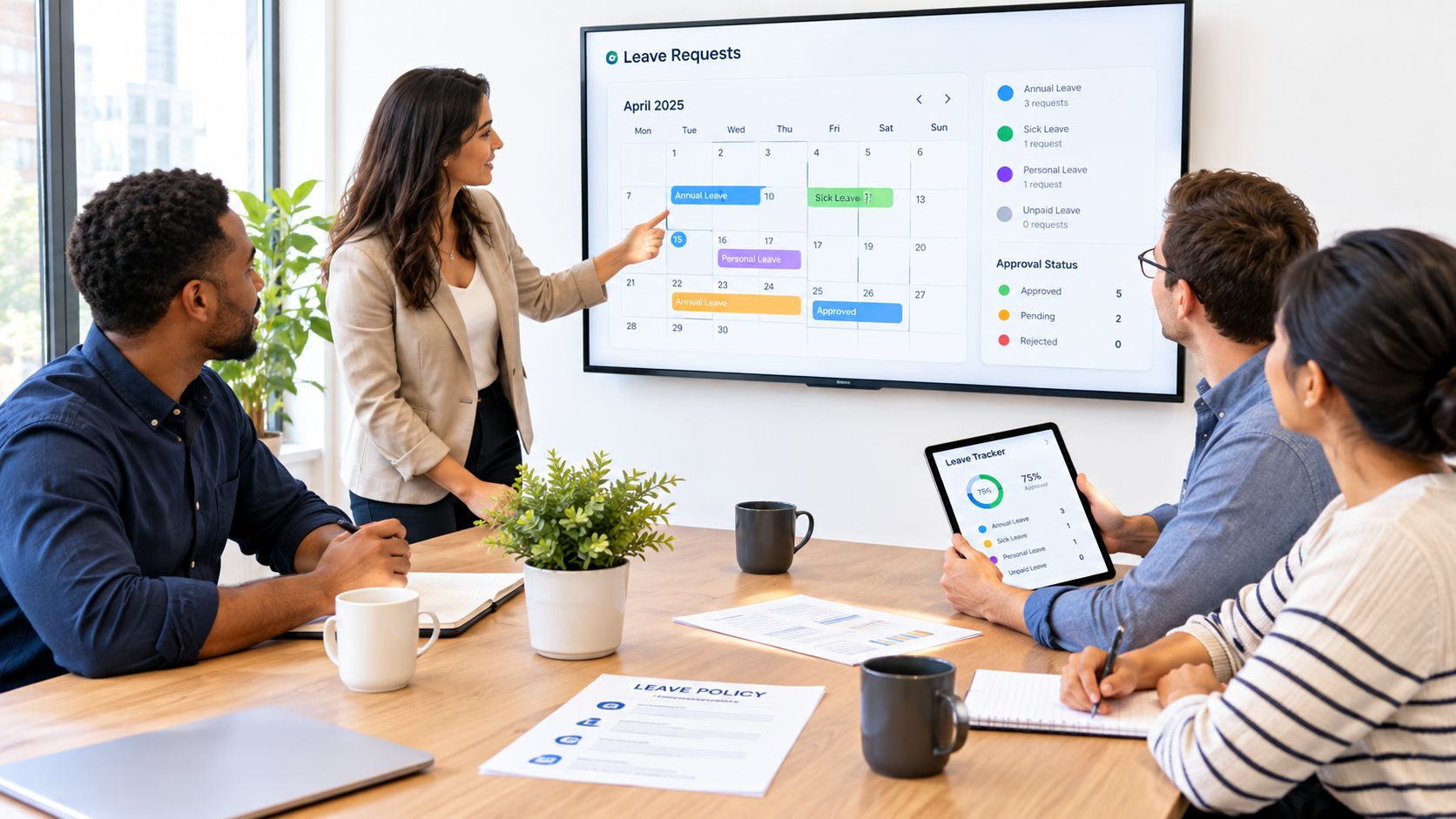
You arrive to find two WhatsApp messages reporting sickness, a half-updated spreadsheet, and a meeting that now needs reshuffling. You need to tell the team who can cover the work, check whether anyone else has already booked leave, and make sure the absence gets recorded somewhere reliable. When those details live in separate messages and files, even a straightforward morning can turn into detective work.
Absence management services bring the records and routine together. They combine a process, and often software, for recording time off, handling requests and approvals, checking leave balances, and showing who's available. That gives a small business a dependable way to manage absence without building a dedicated HR department.
The need is practical, not theoretical. In 2024, an estimated 148.9 million working days were lost because of sickness or injury across the UK, an average of 4.4 days per worker; the national sickness-absence rate was 2.0% of working hours (ONS figures for sickness absence in 2023 and 2024). A consistent process can help you plan cover and spot recurring patterns, while keeping private health details on a need-to-know basis.
If a reporting procedure is the immediate gap, the AnchOps absence reporting guide can help you think through what employees should tell a manager and how a report should be handled. From there, the useful questions are what a service does, which tasks are worth automating, and how to choose an approach that fits a smaller team.
Table of Contents
- The Tuesday Morning Every Small Business Recognises
- What Absence Management Services Actually Do
- Core Features That Replace the Spreadsheet
- A Practical Example for a Twenty-Person Team
- Compliance Considerations for UK Employers
- How to Calculate the Full Cost and ROI of Absence
- Choosing a Service That Fits Your Business
- Putting It All Together This Week
The Tuesday Morning Every Small Business Recognises
A service is only useful if it makes ordinary work easier. The aim isn't to collect more information about employees. It's to make the information you need for decisions accurate, findable, and handled consistently.
Start with a simple sequence. An employee reports they're unwell through an agreed channel. The manager records the first day of absence and the expected next check-in, updates the team's availability, and arranges cover. If the absence continues, the record is updated rather than left to drift in a chat history or someone's personal notes.
That basic sequence prevents several familiar problems. A colleague doesn't have to ask three people whether a shift is covered. A manager doesn't rely on memory to reconstruct when an absence began. And when someone asks how much leave remains, the answer doesn't depend on which copy of the spreadsheet was updated last.
Keep the record useful, not intrusive
Good absence records answer operational questions: who's away, when the absence began, whether a return date is known, and what cover is needed. They don't need to become a shared medical history. For a small employer without an HR team, separating these two kinds of information is a useful safeguard from the start.
A service can make the process repeatable, but it can't decide what your policy should say or replace a manager's judgement in a sensitive situation. You still need a clear reporting procedure, someone responsible for the record, and a way to follow up when the situation changes.
Think of the first improvement as getting one dependable account of what's happening. Once sickness and other time off have a consistent route into the record, you can plan staffing with less guesswork and review cases without searching old messages. That's a manageable starting point for a business replacing an ad-hoc system, not a demand to create an entire HR function overnight.
What Absence Management Services Actually Do
Treat absence information like a delivery rota. The business needs to know which people are available, what work needs cover, and whether a planned change affects the day's commitments. The reason someone is away may matter for the right private conversation, but the rota itself needs reliable dates, status, and operational information.
An absence management service provides the process, software, or combination of both that keeps those details organised. Depending on the service, it may handle sickness records, annual-leave requests, approvals, balances, calendars, notifications, sick-pay information, and reports. A manager can see that an employee is away and whether cover is arranged; payroll or an authorised administrator can access the information needed for their role.
There's an important boundary. A system can store a fit-note status or remind a manager to review an ongoing absence. It doesn't diagnose an employee, perform an occupational-health assessment, or make a clinical decision about whether someone is medically ready to return. Those decisions require the appropriate professional input and a careful conversation about work-related adjustments.
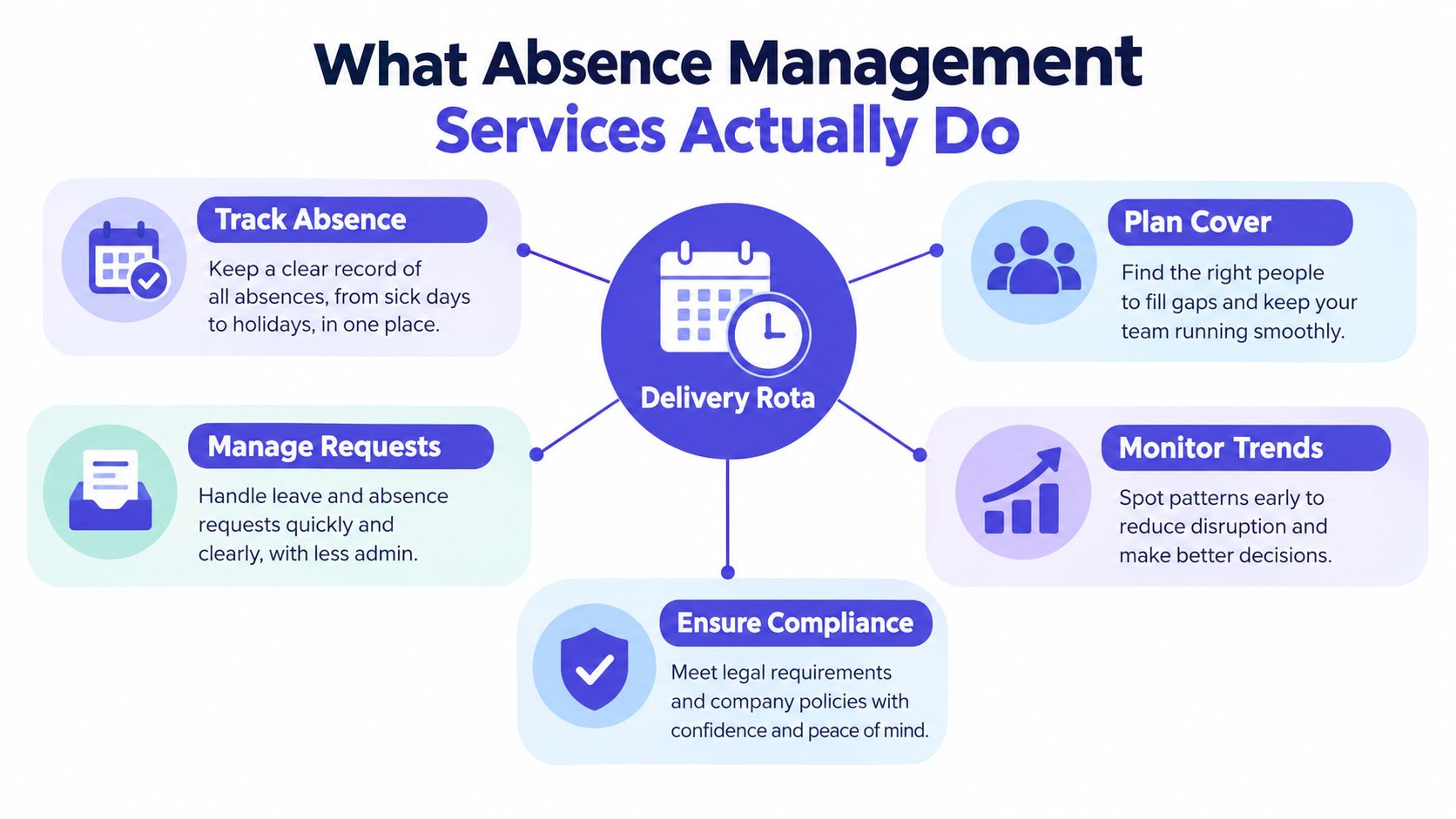
The policy is the rulebook, the service is the machinery
An attendance or leave policy explains the rules: how employees report sickness, who approves annual leave, and how the business handles different situations. The service is the machinery that applies those rules in everyday work. If the written policy is unclear, software can make an unclear process faster, but it can't make it fairer.
For example, a policy might require a manager to acknowledge a sickness report and record the start date. The service provides the place to do that and makes the record visible to the right people. A useful one-sentence description is: an absence management service helps a business record time off, apply its own rules consistently, and plan work around employee availability.
A small business might also decide to get administrative help with routine record updates while keeping responsibility for policy and employee decisions in-house. If you're weighing up that kind of support, this guide to the role of a virtual assistant offers context on how delegated administrative work can fit into a team. The key is to set clear access boundaries and keep sensitive decisions with the appropriate manager or adviser.
Core Features That Replace the Spreadsheet
A spreadsheet is useful until someone needs to find the latest version, reconcile two changes, or work out why a balance doesn't match. The strongest reason to replace it isn't that every business needs more software. It's that routine information should be entered once and then be available for the next task.
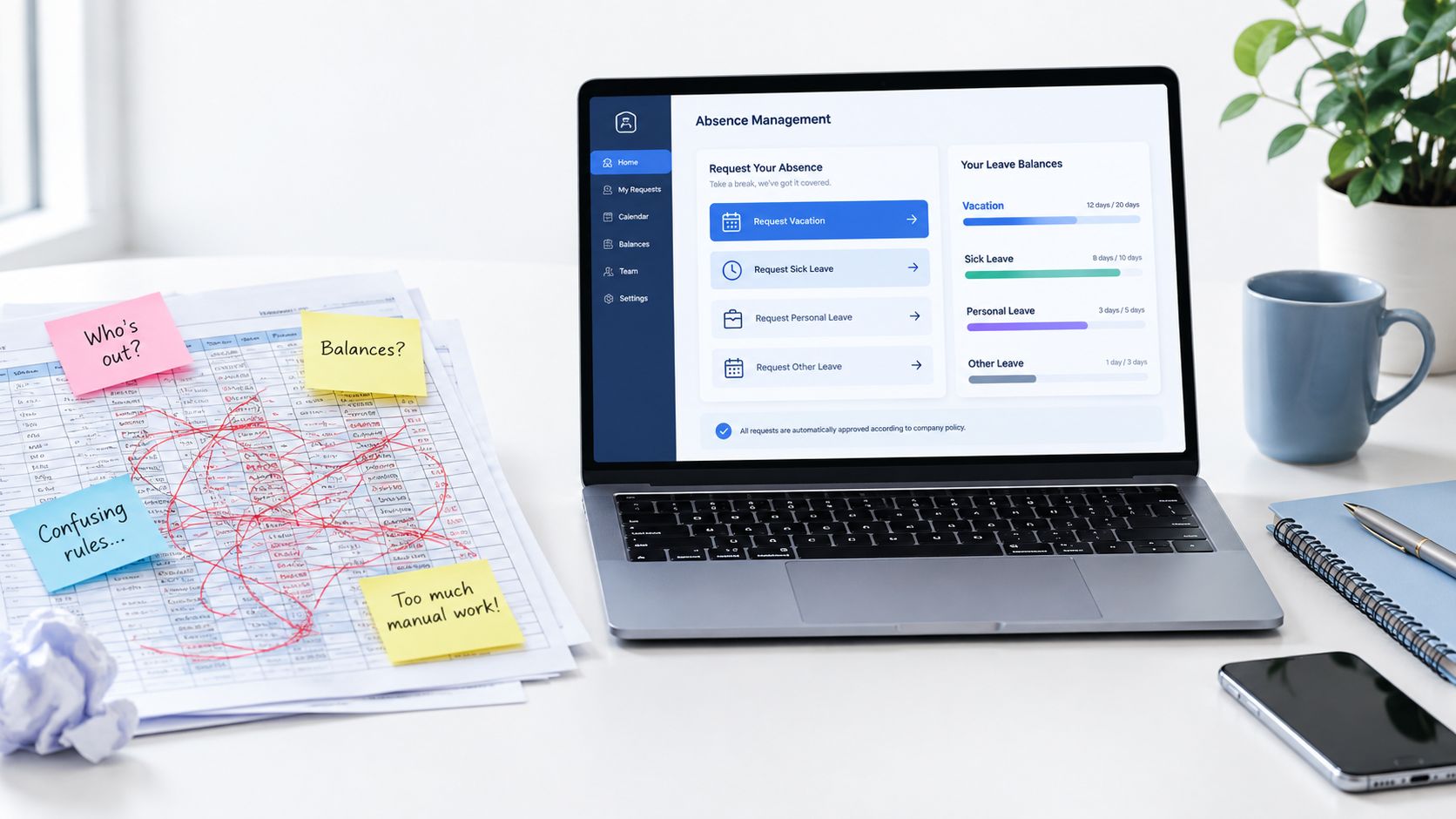
Match each feature to a task
Requests and approvals. An employee submits a request in one place; the manager can review it against the team calendar and record the decision. That replaces the chain of emails where a tentative reply can be mistaken for approval.
Balances and calculations. The system maintains leave balances using the rules you've configured. You'll still need to check that those rules reflect your contracts and policy, but you're less dependent on someone manually recalculating every change.
A shared calendar. A current view of planned leave and recorded absence helps a manager spot a coverage clash before confirming arrangements. It also gives staff a straightforward way to see availability, without revealing private medical details.
Useful reporting. Rather than rebuilding a report each time someone asks about absences, you can review records by date, type, team, or duration, depending on the service. Make sure the report is designed for a real decision, such as arranging cover, not just producing a chart.
Employee self-service. Staff need a simple way to report absence and request leave, including when they're away from a desk. A phone or web portal can complete the workflow at the point of need, while a manager retains responsibility for approving requests and arranging cover.
Practical rule: Automate the handoff, not the judgement. Let the service capture dates and route an approval, but don't let a default setting substitute for a careful conversation about a complex absence.
For a closer look at how employee portals handle requests and access to leave information, compare the options in this overview of self-service portals for small businesses. A demonstration should show the everyday route from an employee's report to the manager's updated calendar, not just a polished dashboard.
The following video gives another view of how an absence workflow can be presented in software:
A Practical Example for a Twenty-Person Team
Consider a fictional UK professional-services firm with twenty employees. Until recently, its office lead recorded sickness in a shared spreadsheet, annual leave in a calendar, and updates in a group chat. The firm adopts a single process: employees report absence through an agreed route, managers record the event, and authorised staff update the calendar and relevant records.
On Monday, an employee reports a respiratory illness. The manager records the first day away and follows the firm's reporting procedure. The team calendar shows the person is unavailable, so a colleague can take over an urgent client call. The manager doesn't share a diagnosis with the team; they share only the work information needed to arrange cover.
A different employee has a longer absence connected to mental health. That isn't just another leave approval. The manager records key dates and an agreed check-in, keeps any sensitive evidence in a restricted record, and considers work-related adjustments as part of a supported return. The process helps the manager remember to follow up, but it doesn't make medical decisions for them.
Then two people request the same school-holiday week. The manager can check the team calendar before approving either request, apply the business's existing policy, and explain the decision using the same process for both employees. That reduces the chance that an informal promise in a message becomes a dispute later.
The need to distinguish absence types is reflected in reported worker experience: in the UK government's 2024–25 employee and self-employed worker survey, 49% said they'd taken at least one sickness absence in the previous twelve months, while 58% had worked when they didn't feel well enough to do so. Workers took an average of 7.3 days off because of sickness.
For the firm, the first change isn't a dramatic transformation. It's knowing which record to update, who can see it, and what action follows. That makes it easier to organise cover, handle repeat events consistently, and have a supportive conversation when someone returns.
Compliance Considerations for UK Employers
A service can support compliance, but it doesn't transfer responsibility away from the employer. Before relying on a system, check that its settings reflect your policies and that the people using it understand what they can approve, change, or view.
Start with Statutory Sick Pay (SSP). Eligibility and payment rules can change, so don't hard-code assumptions from an old spreadsheet or rely on a manager's memory. Confirm the current rules using official guidance and make sure payroll has the information it needs to administer pay correctly. The system should preserve absence dates and relevant status changes, and let authorised staff review the record.
Next, handle fit notes carefully. A fit note may say an employee is not fit for work or may be fit for work if specified adjustments are made. Record the status and any work-related adjustment that managers need to consider. Don't circulate medical evidence or ask a line manager to make a clinical judgement.
Protect holiday entitlement during sickness
Statutory holiday continues to build up during sick leave. Unused statutory leave that couldn't be taken because of illness may be carried forward, and it must be used by the end of the 18-month period after the leave year in which it arose, as explained in GOV.UK guidance on taking sick leave. The practical consequence is clear: recording sickness mustn't freeze or erase an employee's applicable holiday accrual.
| Rule area | What the law says | What the system must do |
|---|---|---|
| Sick pay | Eligibility and payment depend on the current statutory rules. | Keep accurate absence dates and make the relevant information available to authorised payroll staff. |
| Fit notes | A fit note can record that someone isn't fit for work or may be fit with adjustments. | Record relevant status and review details, with access limited to appropriate staff. |
| Holiday during sickness | Statutory holiday continues to accrue; eligible unused leave may carry forward. | Preserve accrual and identify applicable carried-forward leave and deadlines. |
| Health information | Medical details should be handled with care and restricted access. | Separate operational records from confidential evidence and limit access by role. |
For a practical reference on maintaining a UK employer's sickness records, use this guide to UK sickness absence records for employers. It's also sensible to check your process with a qualified HR or legal adviser where a case is complex or your obligations aren't clear.
Privacy boundary: Give managers the dates, expected duration, work restrictions, and cover requirements they need. Keep medical evidence and sensitive case notes confidential, with access limited to people who need them.
How to Calculate the Full Cost and ROI of Absence
An employee calls in sick, a colleague covers their shift, and the owner spends the morning rearranging work. The absence record captures the missed day. Your cost estimate should also capture what changed: overtime, delayed jobs, or time spent organising cover.
Start with consistent dates and duration. Without those, estimating a service's return on investment is guesswork, especially when the person maintaining the spreadsheet also runs the business.
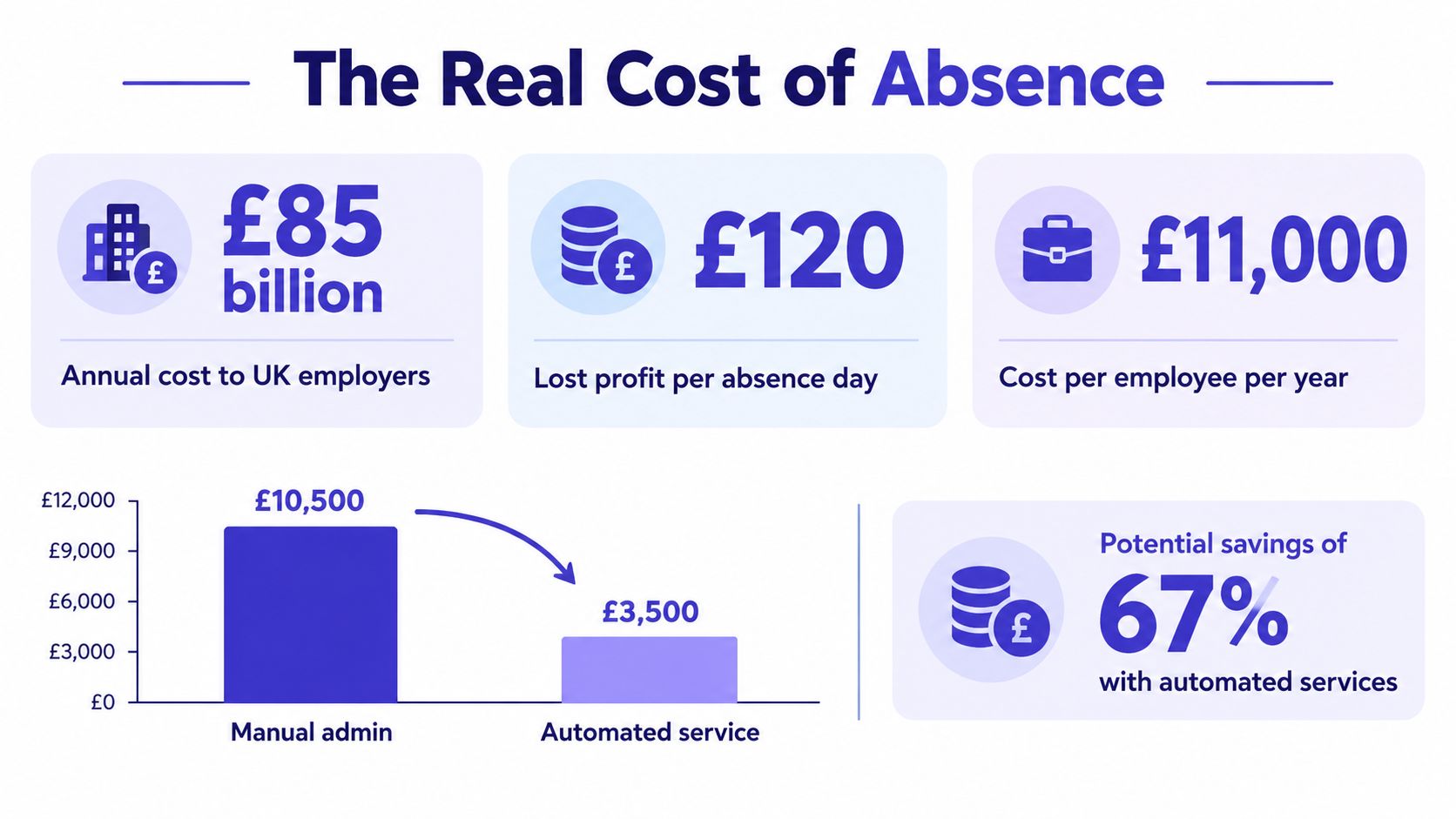
The government's Keep Britain Working review estimates that poor workplace health costs UK employers around £85 billion annually, including approximately £10 billion in sick pay, £47 billion in lost output and £21 billion from presenteeism, with average lost profit of £120 per sickness-absence day.
These national estimates provide context, rather than a forecast for your business.
Build a small-business baseline
Use a simple working sheet as a running cost log:
- Days lost per worker: Count working days missed, so you can compare absence with available team capacity.
- Duration bands: Separate short events from longer cases. Covering a brief illness and arranging ongoing replacement work create different demands.
- Cover or replacement cost: Record overtime, temporary cover, reassigned work and delayed billable jobs. Use actual costs where available, and label estimates clearly.
- Presenteeism: Where an employee reports working while unwell, recognise the capacity and wellbeing issue without trying to diagnose them or assigning an unsupported financial value.
Keep this costing sheet free of medical evidence and sensitive case notes. A small business without an HR or occupational-health team can still estimate operational costs without copying confidential details into another spreadsheet.
For an initial estimate, multiply sickness days by the review's average lost-profit estimate, then compare that reference point with your recorded costs. Avoid double counting. If paid cover kept a job on schedule, charging both the cover cost and a full day's lost output could overstate the disruption.
Compare the benefit with the service cost
A service can make recording and reporting easier, but savings aren't guaranteed. Compare administration time, record accuracy and how early managers arrange cover before and after adoption. Set any identifiable savings against the service fee and setup effort.
Use this guide to what leave and absence data can tell you to decide which questions your reports should help you answer.
Choosing a Service That Fits Your Business
A small business doesn't need an enterprise platform just because the larger product has more features. It needs a service that supports its policies, works for employees and managers, and keeps records secure without creating another administrative burden.
Take these questions into a demonstration:
- Policy flexibility: Can the service reflect your current leave year, approval rules, and different working arrangements?
- Integrations: Can it exchange the information you need with payroll or other existing systems, and who checks that the data matches?
- Mobile access: Can an employee report sickness or submit a request from a phone without relying on a manager to enter every detail?
- Reporting: Can you see absence dates, duration, and team availability in a format that supports a staffing decision?
- Role-based access: Can a line manager see cover information without gaining access to confidential medical documents?
- Data residency: Where is employee information stored, and what information can the provider explain about its data handling?
- Onboarding support: Who helps you set up policies and check your initial balances?
- Pricing: Is the price easy to understand, including any charges that depend on employee numbers or optional features?
- Exit terms: If you stop using the service, how will you retrieve your records in a usable format?
Watch the return-to-work workflow
Absence management doesn't end when someone is marked back at work. Ask the provider to show how a manager records a planned return, captures agreed adjustments, and restricts access to sensitive notes. UK government research found that 84% of employers offered flexible returns such as phased returns, but only 27% of small employers provided four or more return-to-work measures, compared with 82% of large employers (government research on sickness absence and workplace practice). A clear workflow can make it easier for a small team to follow through consistently, without pretending the software itself provides clinical support.
Be cautious if the provider can't explain how rules are configured, who can access sensitive records, or what happens when you leave. A rigid rules engine, unclear contract terms, or pricing that becomes difficult to manage as your staffing changes deserves a closer look.
You don't need every optional feature on day one. Prioritise accurate records, a usable employee request route, clear manager approvals, a shared calendar, and privacy controls. LeaveWizard, for example, provides absence recording, requests and approvals, automated calculations, calendars, and reports for small businesses. Treat it as one option to evaluate against the questions above, not as a substitute for checking your own requirements.
Putting It All Together This Week
You don't need a large implementation project to begin. Pick one workflow that currently lives across messages or spreadsheets, such as reporting sickness, and make it consistent. Decide who records the absence, which dates and operational details they need, who can see the record, and how the team learns that cover is required.
Then agree one rule to apply consistently. It might be that every sickness report is recorded on the day it arrives, or that a manager records an agreed next check-in when an absence continues. Keep the rule simple enough that the person responsible can follow it during a busy morning.
Set aside time to make a basic cost baseline from the records you already have. Note days lost, broad duration categories, and any cover or delayed work that you can identify. Don't pretend old data is complete if it isn't; mark gaps and start collecting better information from now on.
Make the first change easy to keep
When comparing services, choose the criterion that matters most to your team. It might be employee self-service, access controls, or a calendar that managers can trust. Ask one person who handles absence regularly to test that workflow and explain what would make it easier to use.
Most importantly, assign one person to check that records stay current. Consistent recording is what makes approvals, calendars, reports, and compliance checks useful. Without it, even good software displays incomplete information; with it, a small team can see what's happening and make better decisions without a dedicated HR department.
Start this week with the next absence report. Record the date, update availability, arrange cover, and restrict private information to the people who need it. That small routine gives you a reliable foundation to improve, whether you keep a simple process or move to a service later.