
What Makes A Self Service Employee Portal Actually Work
Imagine giving every employee a personal HR assistant — one that’s available 24/7, instantly retrieves information, and handles routine admin without a single delay. This is the core idea behind a well-designed self-service employee portal. It shifts the employee experience from one of administrative hassle to one of genuine control. But what separates a portal that becomes a go-to workplace tool from one that just gathers digital dust? The answer isn't just about the technology; it's about understanding people and creating a system that feels less like corporate software and more like a favourite, easy-to-use app.
A portal's success hangs on its ability to solve real, everyday problems for your team. If requesting a holiday, checking a payslip, or updating personal details is simpler through the portal than by emailing HR, employees will naturally start using it. This change is already taking place across the UK. In fact, over 19,000 organisations were using cloud-based HR systems with self-service features as of early 2025. For these businesses, a self-service employee portal is more than an admin tool—it's a strategic asset. You can find out more about how these platforms are reshaping UK business operations by looking at the findings on HR system adoption from The Access Group.
From Clunky Software to A Seamless Experience
Portals that fail are often designed with only the organisation's needs in mind. They end up as rigid digital filing cabinets that are confusing to navigate and offer little real benefit to the person using them. In contrast, successful portals put the user first. They are built around the employee's needs, anticipating what they want to do and providing clear, simple ways to achieve it. This focus on the user is what drives daily engagement and makes the system a fundamental part of the work environment.
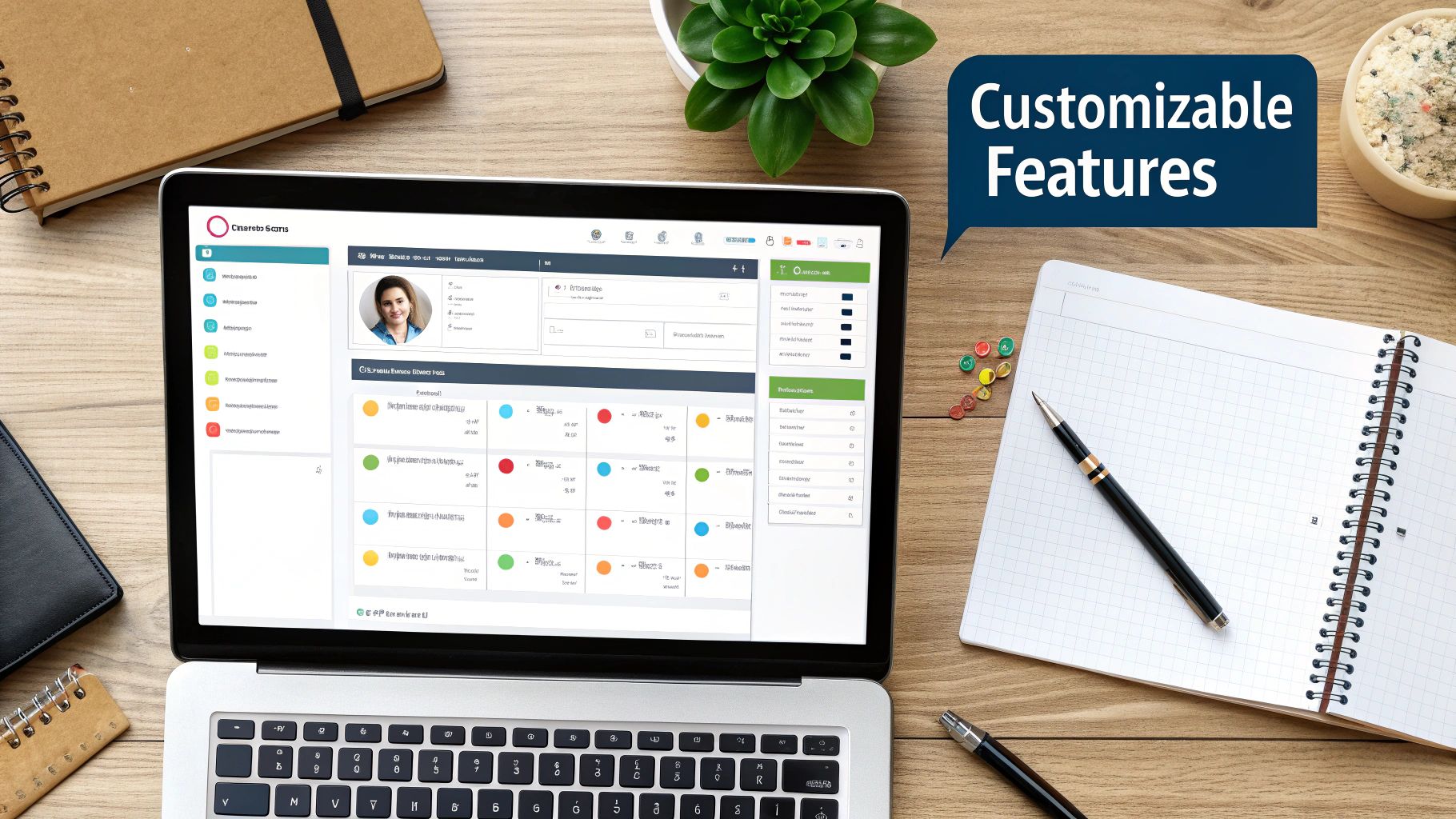
Here’s an example of an interface designed for clarity, putting essential employee tasks right at their fingertips.
This layout immediately shows how a modern portal presents vital information like upcoming shifts, holiday balances, and payslips in a clean, visual format that encourages people to interact with it.
The Psychology of Adoption
Overcoming resistance to new technology is a common hurdle. Employees might be wary of a new system if they think it will be too complicated, worry it will reduce human contact with HR, or simply prefer the old way of doing things. A successful launch plan tackles this directly. It’s not about forcing a new tool on people but about showing them how it makes their work life better.
Effective strategies to encourage adoption include:
- Highlighting Personal Benefits: Focus communications on "what's in it for you?"—such as instant access to payslips, faster holiday approvals, and more control over personal data.
- Championing Early Adopters: Find employees who are comfortable with technology to act as internal advocates. They can offer peer-to-peer help and show others how easy the portal is to use.
- Ensuring Flawless Functionality: The system must work perfectly from day one. A portal that is slow or full of bugs will quickly lose credibility and users.
Ultimately, a self-service employee portal works when it creates a positive ripple effect of efficiency. It gives employees a break from administrative tasks so they can focus on their main responsibilities, and it frees up HR teams to concentrate on more strategic, people-focused work. It is this mutual benefit that turns a piece of software into a cornerstone of a modern, efficient, and empowered workplace.
Essential Features That Drive Daily Usage
A truly effective self-service employee portal isn't just a random assortment of tools; it's a connected environment where every feature is designed to make an employee's work life simpler. Think of it as a well-organised digital toolbox. You don't just have a hammer; you have the right hammer, nails, and a measuring tape, all within easy reach. The real value appears when these features link together, creating smooth processes that employees genuinely find helpful.
The aim is to build a system that reflects how people naturally think and work, rather than forcing them into a rigid, department-based structure. Let's explore the core features that encourage this daily engagement.
Core Administrative Tools
The foundation of any good portal is its ability to manage fundamental administrative tasks effortlessly. These are the features that eliminate the most common, time-consuming queries that HR teams handle every day.
- Personal Information Management: Instead of a tedious, yearly paper-based update, employees can change their own details in real time. A new address, updated bank details for payroll, or a change in emergency contact can be done instantly. This empowers staff and ensures the organisation keeps accurate, compliant records.
- Payroll and Compensation Access: This offers much more than just downloading a monthly payslip. A great system provides a transparent, detailed breakdown of earnings, deductions, tax contributions, and pension information. Employees can see their entire pay history, helping them understand their finances without booking a meeting with payroll.
- Centralised Document Hub: Picture a secure digital filing cabinet you can access anytime, anywhere. This feature lets employees view their employment contract, read the company handbook, or check policy documents on demand. For HR, it means only one up-to-date version of each document exists, which avoids confusion and ensures everyone has the same information.
Dynamic and Interactive Functions
While administrative tools are the bedrock, dynamic features are what make a portal a daily destination. These functions support ongoing activities like planning, development, and team coordination.
- Leave and Absence Management: This is often the most-used feature. It turns the holiday booking process from a frustrating email chain into a simple planning tool. Employees can see their remaining leave allowance, check a shared team calendar for potential clashes, and submit requests in just a few clicks. This clarity helps both staff and managers plan more effectively. To see how this fits into a wider HR strategy, you can read our guide to employee self-service HR.
- Performance and Development Tracking: Modern portals integrate performance management directly into an employee's workspace. Staff can monitor their goals, review feedback from managers, and access training materials relevant to their career path. This creates a continuous cycle of development rather than a once-a-year review.
- Benefits Enrolment and Management: Choosing and managing benefits like private health insurance or cycle-to-work schemes becomes a straightforward, self-guided process. Employees can compare plans and make their selections at their own pace, which is especially useful during open enrolment periods.
To better understand how these features vary, the table below compares their availability and complexity across different types of portals.
| Feature | Basic Portal | Advanced Portal | Enterprise Portal | Implementation Complexity |
|---|---|---|---|---|
| Personal Info Management | ✅ View & update basic contact details | ✅ Real-time updates with approval workflows | ✅ Integrated with global HRIS, automated data validation | Low |
| Payroll & Compensation | ✅ View/download payslips | ✅ Detailed breakdown of earnings, tax, deductions | ✅ Pay history analysis, "what-if" salary calculators, pension modelling | Medium |
| Centralised Document Hub | ✅ Access to general company documents | ✅ Personalised document access (e.g., contracts) | ✅ Version control, e-signature capabilities, compliance tracking | Low to Medium |
| Leave & Absence Management | ✅ Submit basic leave requests | ✅ Team calendar view, balance tracking, custom policies | ✅ Complex accrual rules, integration with project management tools | Medium |
| Performance & Development | ❌ Not typically included | ✅ Goal tracking, peer feedback collection | ✅ 360-degree feedback, succession planning, learning path integration | High |
| Benefits Enrolment | ❌ Not typically included | ✅ Self-service enrolment for standard benefits | ✅ Personalised benefit recommendations, cost modelling, provider APIs | High |
As the table shows, functionality scales significantly from basic to enterprise-level portals. While a basic portal handles core administrative needs, advanced and enterprise solutions offer more dynamic, integrated functions that require a more involved implementation process.
When these individual parts are designed to work together, they create a personalised hub that delivers real value, turning the portal from a corporate requirement into an essential daily resource.
Real ROI: What The Numbers Actually Show
While empowering staff and boosting morale are great outcomes, the tangible return on investment (ROI) is what often gets leadership on board with a self-service employee portal. The figures from UK organisations tell a compelling story of efficiency that goes far beyond saving on paper and postage. It’s about reclaiming valuable time and channelling it towards activities that truly grow the business. When employees can handle their own routine queries, the impact is felt across multiple departments.

Unlocking HR’s Strategic Potential
The most immediate and measurable impact is seen within the HR department itself. Many UK businesses report that their HR teams save 15-20 hours per week on administrative tasks after successfully launching a portal. Think about what that time represents. It’s no longer spent answering questions like, "How much holiday do I have left?" or manually processing change of address forms. Instead, HR professionals can focus on strategic initiatives such as:
- Developing talent and succession plans.
- Improving company culture and employee engagement.
- Conducting meaningful performance reviews.
- Enhancing recruitment strategies to attract top talent.
This shift turns HR from a reactive administrative centre into a proactive, strategic partner. This change is backed by wider trends showing that a self-service employee portal quickly becomes essential. For instance, some UK firms have seen adoption rates jump by 40% within the first three months of implementation. You can learn more about how organisations are achieving a return on investment within just two years by exploring some strategic findings on ESS portal adoption.
The Surprising Ripple Effect on Efficiency
The ROI of a portal isn't confined to the HR department. The efficiency gains create a positive ripple effect throughout the entire organisation. Managers spend less time on tedious approval workflows for holiday requests, as the system provides all the context they need in one place. Finance teams field fewer queries about payroll details because employees can access their own detailed payslips and tax information. Even the IT department benefits, with fewer support tickets for password resets or system access issues.
Furthermore, these systems create a more transparent and trusting workplace culture. When staff feel empowered with information and autonomy, it directly correlates with higher satisfaction, which in turn impacts productivity and retention rates. An often-overlooked benefit is the improvement in data accuracy. When employees manage their own information, it tends to be more up-to-date, which is crucial for compliance and accurate reporting. This improved data handling can be a key part of your overall absence management strategies.
Understanding the potential costs is a key component of calculating real ROI; therefore, it's beneficial to review typical pricing details for employee portals. By weighing these costs against the widespread time savings, reduced administrative burden, and improved data quality, organisations realise that the initial investment often pays for itself much faster than anticipated. The real ROI is found not just in the money saved, but in the time and talent unlocked across the business.
Implementation That Actually Succeeds
A surprising number of self-service employee portal projects don't fail because the technology is faulty; they falter due to poor planning and a lack of focus on the people involved. Even the most advanced systems can become digital ghost towns if the rollout isn't handled with care. The journey from an idea to a thriving portal is a strategic one, separating successful tools from expensive disappointments. It all starts with an honest look at your current HR processes.
The first step is to map out which tasks truly benefit from self-service versus those that still need a human touch. For instance, booking annual leave is a perfect task for a portal, but a sensitive conversation about career development is best handled in person. With this clarity, getting leadership on board becomes much easier. Instead of just listing features, you can present a solid business case with a realistic timeline and clear goals, like a target reduction in HR admin queries within six months.
The Strategic Selection and Rollout Process
Choosing the right technology involves more than just ticking boxes on a feature list. A good selection process checks how well a portal integrates with your existing tools, like payroll or accounting software. You also need to think about its ability to grow with your business and the quality of support you'll receive from the vendor. A vendor who acts as a partner is a huge asset for long-term success.
However, the most important factor is change management. This is the practical process of preparing your organisation for a new way of working. Effective strategies include:
- Clear Communication: Repeatedly explain the "why" behind the change, focusing on how the portal will make employees' lives simpler.
- Addressing Concerns Head-On: Create opportunities for staff to ask questions and share concerns. Acknowledge their worries and provide straightforward answers.
- Building Excitement: Present the launch as a positive step for the company, celebrating the new capabilities it introduces.
Training should be built around these benefits. Move beyond dry feature tours and focus on real-world scenarios. Show a manager how to approve a holiday request in 30 seconds on their phone, or guide an employee through finding their P60 in just a few clicks. This practical approach makes the value obvious.
This infographic simplifies the core implementation journey into three key stages.
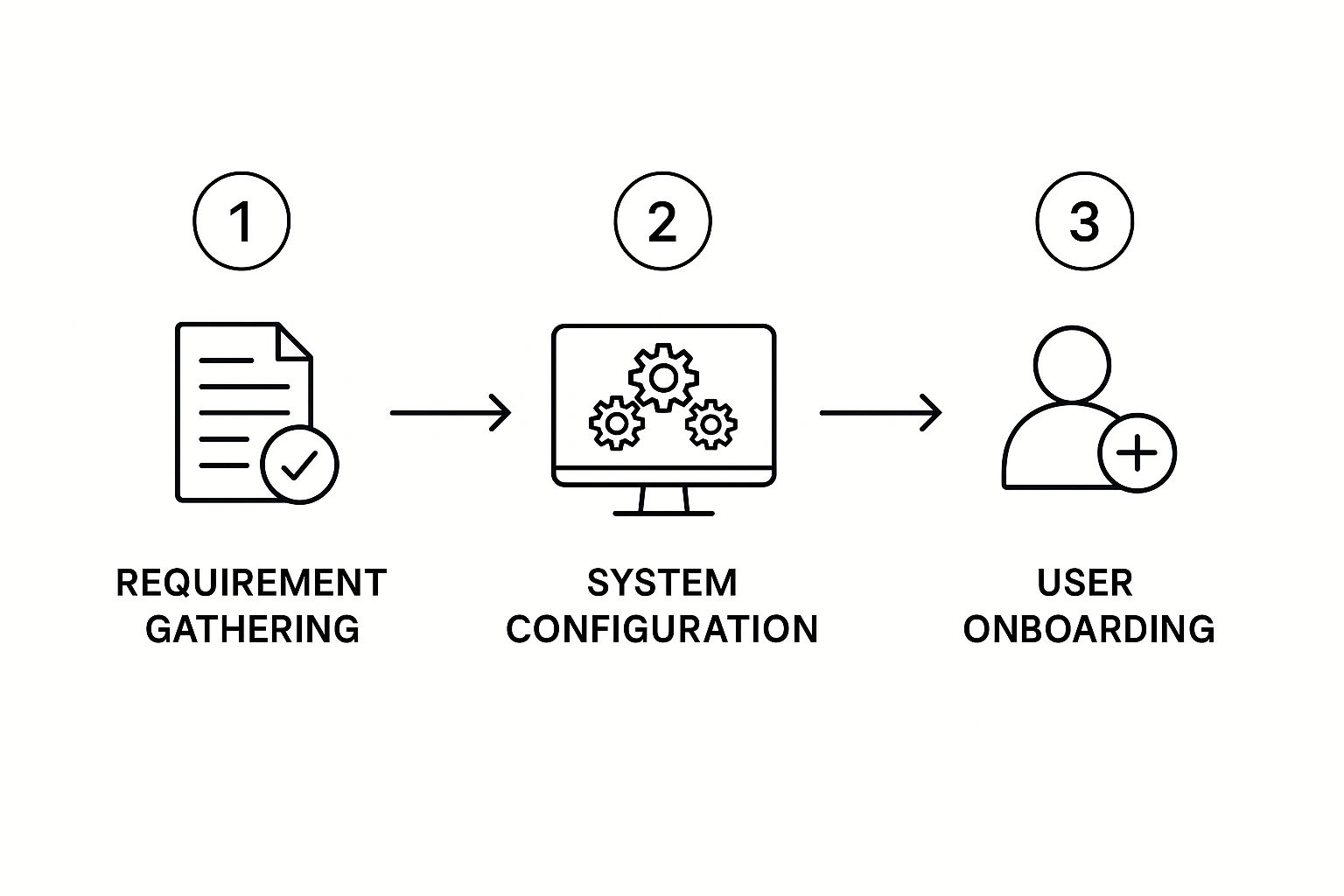
This visual guide shows that success is built in sequence, starting with understanding your team's needs before choosing technology and, finally, focusing on the people who will use it.
Phased Rollouts and Launch Strategies
Instead of a "big bang" launch that can overwhelm everyone, a phased rollout is often a better approach. This method minimises disruption and creates chances to learn and adjust along the way.
To give you a clearer picture of how this unfolds, here is a detailed breakdown of the typical phases, activities, and challenges you might encounter.
Implementation Timeline and Milestones
A detailed breakdown of implementation phases, key activities, and success metrics for self service portal deployment.
| Phase | Duration | Key Activities | Success Metrics | Common Challenges |
|---|---|---|---|---|
| 1. Discovery & Planning | 2-4 Weeks | ∙ Define project scope and goals ∙ Map current HR processes ∙ Secure executive buy-in ∙ Form a project team |
∙ Documented project plan signed off ∙ 100% executive support secured ∙ Clear budget and timeline agreed |
∙ Underestimating the time needed ∙ Lack of clear objectives ∙ Resistance from department heads |
| 2. Vendor Selection | 4-6 Weeks | ∙ Create a Request for Proposal (RFP) ∙ Research and shortlist vendors ∙ Conduct product demonstrations ∙ Check references and reviews |
∙ Vendor selected and contract signed ∙ Integration capabilities confirmed ∙ Positive feedback from reference checks |
∙ Choosing based on price alone ∙ Ignoring integration needs ∙ Not involving end-users in demos |
| 3. Configuration & Pilot | 6-8 Weeks | ∙ Configure core features (e.g., leave) ∙ Integrate with payroll/HRIS ∙ Recruit a pilot group of users ∙ Gather feedback and make adjustments |
∙ >90% positive feedback from pilot users ∙ Successful data synchronisation ∙ Key bugs identified and fixed |
∙ Technical integration issues ∙ Poor pilot group engagement ∙ Scope creep (adding features) |
| 4. Training & Launch | 2-3 Weeks | ∙ Develop training materials ∙ Conduct user training sessions ∙ Communicate launch plan company-wide ∙ Go-live with core features |
∙ >80% of employees complete training ∙ High initial login and adoption rates ∙ A low number of post-launch support tickets |
∙ Ineffective or boring training ∙ Poor communication about the launch ∙ Overwhelming users with too much at once |
| 5. Post-Launch & Expansion | Ongoing | ∙ Monitor usage and gather feedback ∙ Roll out additional modules (e.g., performance) ∙ Report on KPIs (e.g., time saved) ∙ Provide ongoing support |
∙ Sustained user engagement over 3 months ∙ Measurable reduction in HR admin tasks ∙ High user satisfaction scores |
∙ Drop-off in usage after initial launch ∙ Forgetting to promote new features ∙ Not acting on user feedback |
This timeline shows that a structured, phased approach is key to managing complexity and ensuring each stage builds on the success of the last.
A phased strategy often looks like this:
- Start with a Pilot Group: Choose a small, representative group of employees to test the portal first. Their feedback is gold, helping you find and fix issues before everyone is using the system.
- Launch Core Features First: Begin with high-impact, simple features like leave management or payslip access. Quick wins build momentum and user confidence.
- Expand Functionality Incrementally: Once the first set of features is widely adopted, you can gradually introduce more complex modules like performance management or benefits enrolment.
Your launch strategy should feel like a positive event. Announce the "go-live" date well in advance, share success stories from the pilot group, and offer plenty of support through help guides and designated internal champions. By celebrating early wins, you keep the energy positive and solidify the portal's place as a valuable company tool. To explore this topic further, you can read our ultimate guide to transforming your HR operations for more insights. This structured, people-focused approach ensures your investment delivers real, lasting value.
Turning Sceptics Into Power Users
Launching a sleek, feature-rich self-service employee portal is one thing; getting everyone to use it is another challenge entirely. Even the most intuitive system will face a universal hurdle: human resistance to change. The reality for any organisation is that not every employee will immediately embrace new technology. To succeed, you must move beyond a "build it and they will come" mentality and adopt strategies that turn reluctant users into enthusiastic advocates. This process begins with understanding the psychology behind the hesitation.
For some, resistance isn't about the technology itself. It might stem from a fear of complexity, concerns about job security, or a simple preference for human interaction with the HR team. Dismissing these feelings is a mistake. Instead, acknowledging them as legitimate concerns is the first step toward overcoming them. Insights from UK IT and HR professionals highlight this challenge. A study revealed that while 43% of employees felt their portal usage was just ‘okay,’ a concerning 14% had such poor experiences that they actively avoided using the system. This shows that a significant portion of the workforce remains unconvinced. You can discover more about the state of IT self-service and what it means for user engagement.

From Reluctance to Reliance
The key is to create an environment where using the portal becomes the path of least resistance—not through force, but through clear benefits and support. A one-size-fits-all communication plan rarely works. Instead, a more tailored approach is needed to address different user groups within your organisation.
- Identify User Personas: Group employees based on their likely reactions. You will have enthusiastic Early Adopters, a large group of neutral Wait-and-Sees, and a smaller, more vocal group of Sceptics. Each group requires a different message.
- Leverage Internal Champions: Your Early Adopters are your greatest asset. Empower them to become internal champions. Peer-to-peer support often feels more genuine and is more effective than top-down mandates. When a colleague shows a Sceptic how to book a holiday in 30 seconds, the benefit becomes tangible.
- Tailor Your Communication: For the Wait-and-Sees, focus on practical, "what's in it for me?" messaging. Demonstrate how the portal solves their specific day-to-day problems. For Sceptics, listen to their feedback actively. Often, their resistance can highlight genuine flaws in the system or communication plan that need fixing.
Addressing Technical and Practical Barriers
Sometimes, resistance isn't psychological but practical. If the portal is slow, difficult to use on a mobile phone, or doesn't integrate well with other tools, employees have every right to be frustrated. Addressing these technical barriers is non-negotiable for building trust and encouraging adoption.
- Prioritise Mobile Accessibility: Many employees, especially those not at a desk, will access the portal via their phones. A clunky mobile experience is a guaranteed way to lose users.
- Ensure System Performance: The portal must be fast and reliable. A system that frequently crashes or lags will quickly be abandoned.
- Create Obvious Value: The portal must be demonstrably better than the old way of doing things. If it takes five clicks to do something that once took a single email, people will revert to email.
Ultimately, turning sceptics into power users is a continuous process of listening, adapting, and communicating. It involves honestly assessing whether resistance points to a change management issue or a genuine problem with the portal itself. By addressing both the human and technical sides of the equation, you create a positive feedback loop where the self-service employee portal becomes the preferred choice, not a reluctant obligation.
Mobile-First Design That People Actually Use
Your employees live on their mobile phones, yet many HR portals feel like they were designed in a different era, for a different device. This is where engagement often breaks down. A truly modern self service employee portal must embrace a mobile-first design philosophy, transforming its use from a desk-bound chore into a seamless part of daily life.
There’s a massive difference between a site that is mobile-responsive (simply shrinking a desktop site to fit a small screen) and one that is genuinely mobile-optimised. One feels forced and clunky; the other feels natural and intuitive.
Think about the context: an employee on their morning commute wants to quickly check their remaining holiday balance. They need a clean, simple interface that shows them the key number immediately. This is a world away from someone at their desk who might be updating complex emergency contact details. A mobile-first approach designs for the commuter first, ensuring core tasks are effortless with a thumb, not a mouse.
Designing for Thumbs, Not Pointers
A successful mobile experience goes far beyond just making buttons bigger. It’s about rethinking the entire user journey for a smaller, touch-based screen.
- Prioritised Features: The most frequently used functions, like requesting leave or viewing payslips, should be front and centre, accessible with a single tap from the home screen.
- Intuitive Navigation: Menus should be simple and predictable. Complicated, multi-level dropdowns that work on a desktop are frustrating to use on a mobile. Instead, clear icons and logical flows guide the user.
- Minimalist Data Entry: Filling out long forms on a phone is a recipe for disaster. Mobile design should minimise typing by using selectors, toggles, and pre-filled information wherever possible.
This screenshot shows a clear example of how mobile application development prioritises a clean, task-oriented layout.
The interface is uncluttered, using distinct icons and clear labels. This is a core principle of effective mobile design that makes a self service employee portal easy to use on the go.
Security and Usability in a Mobile World
Of course, convenience cannot come at the expense of security, especially when handling sensitive HR data. Mobile environments introduce new challenges, but modern solutions balance protection with ease of use. Biometric logins, like fingerprint or facial recognition, offer a secure and frictionless way for employees to access their portal without needing to remember complex passwords.
This blend of strong security and simple access is essential for building user trust and encouraging regular use. To ensure your portal meets user expectations, consider applying robust mobile web application design principles.
Interestingly, adopting a mobile-first mindset often leads to a better desktop experience as well. The focus on simplicity, clarity, and efficiency required for mobile design translates into cleaner, less cluttered desktop interfaces. This benefits all users, regardless of how they access the system. Rigorous testing across various devices and network conditions—from the office Wi-Fi to a spotty connection in a coffee shop—is the final, crucial step to ensure your portal works for everyone, everywhere.
Your Portal Success Roadmap
Bringing a self-service employee portal into your company isn't just a technical upgrade; it's a significant cultural shift. Success doesn't come from the software alone. It depends on a thoughtful plan that respects your company's unique culture, current workflows, and future ambitions. Think of it less like installing an app and more like building a new, more efficient wing of your office. It needs a solid blueprint that considers the people who will use it every day.
The journey starts by understanding the human element that often determines whether a new tool thrives or struggles. A common pitfall is scope creep, where the project balloons uncontrollably beyond its original goals. To sidestep this, you must define what success looks like from the very beginning.
The Phases of a Successful Rollout
A structured approach prevents chaos and ensures a smooth transition. While your timeline might differ, these core stages are consistent, whether you're a small business adopting your first HR system or a large enterprise upgrading an old one.
- Phase 1: Discovery and Planning (2-4 Weeks): This is your foundation. Take an honest look at your current HR processes. What are the biggest time drains? Which manual tasks cause the most frustration for both HR and employees? Your aim here is to build a clear business case with specific, measurable goals. For instance, you might aim to reduce HR admin queries by 30% within six months.
- Phase 2: Configuration and Pilot Testing (6-8 Weeks): After choosing a provider, the focus shifts to building and testing the portal. A pilot group of employees is crucial. Their honest feedback will highlight practical issues you might have overlooked, like a confusing menu or a slow-loading page. Fixing these problems before the full launch is vital for building trust and encouraging adoption.
- Phase 3: Training and Go-Live (2-3 Weeks): Training should be practical and focus on the benefits. Instead of just touring the features, show employees how they can now complete common tasks, like booking holiday, in seconds. Announce the launch as a positive step forward, celebrating the new tools available to everyone.
Measurement and Continuous Improvement
Launching the portal isn't the finish line; it's the starting line. The best portals grow and adapt along with the organisation and its people.
Establish a framework for tracking how well the portal is working. Key metrics should include:
- Adoption Rate: What percentage of employees logged in during the first month?
- Task Completion: Which features are people using the most?
- User Feedback: What are employees saying? Use surveys and informal chats to gather valuable insights.
This data helps you make informed decisions, build on what’s working, and refine what isn’t. Remember, your self-service employee portal is a tool to make work life better. By focusing on a strategic, people-first roadmap, you ensure it delivers on that promise.
Ready to build your own roadmap to efficiency and employee empowerment? LeaveWizard provides the tools to simplify leave and absence management, giving your team the intuitive self-service experience they deserve.


