Your shared Excel file has three versions, two colour systems and one exhausted HR administrator trying to work out which holiday request arrived first. A manager approves leave over WhatsApp, someone updates the spreadsheet later, and payroll receives a version that nobody can confidently explain. The problem isn't that your team lacks discipline. The process has outgrown the tool.
A free trial for employee absence tracking software should not be a guided product tour. It should be a controlled pilot using real employees, real approval routes and realistic absence events. The test must show whether the platform can replace spreadsheet tracking, support mobile self-service and handle UK Statutory Sick Pay, or whether it merely looks polished in a demo environment.
Table of Contents
- Why a Spreadsheet Finally Stops Working
- The Pre-Trial Checklist Every Buyer Needs
- Configuring Your Trial for a Real-World Test
- Comparing Trial-Day Models Before You Sign Up
- Test Scenarios and Metrics That Reveal the Truth
- Trial Pitfalls That Lead to the Wrong Choice
- Decision Criteria and Next Steps After Sign-Off
Why a Spreadsheet Finally Stops Working
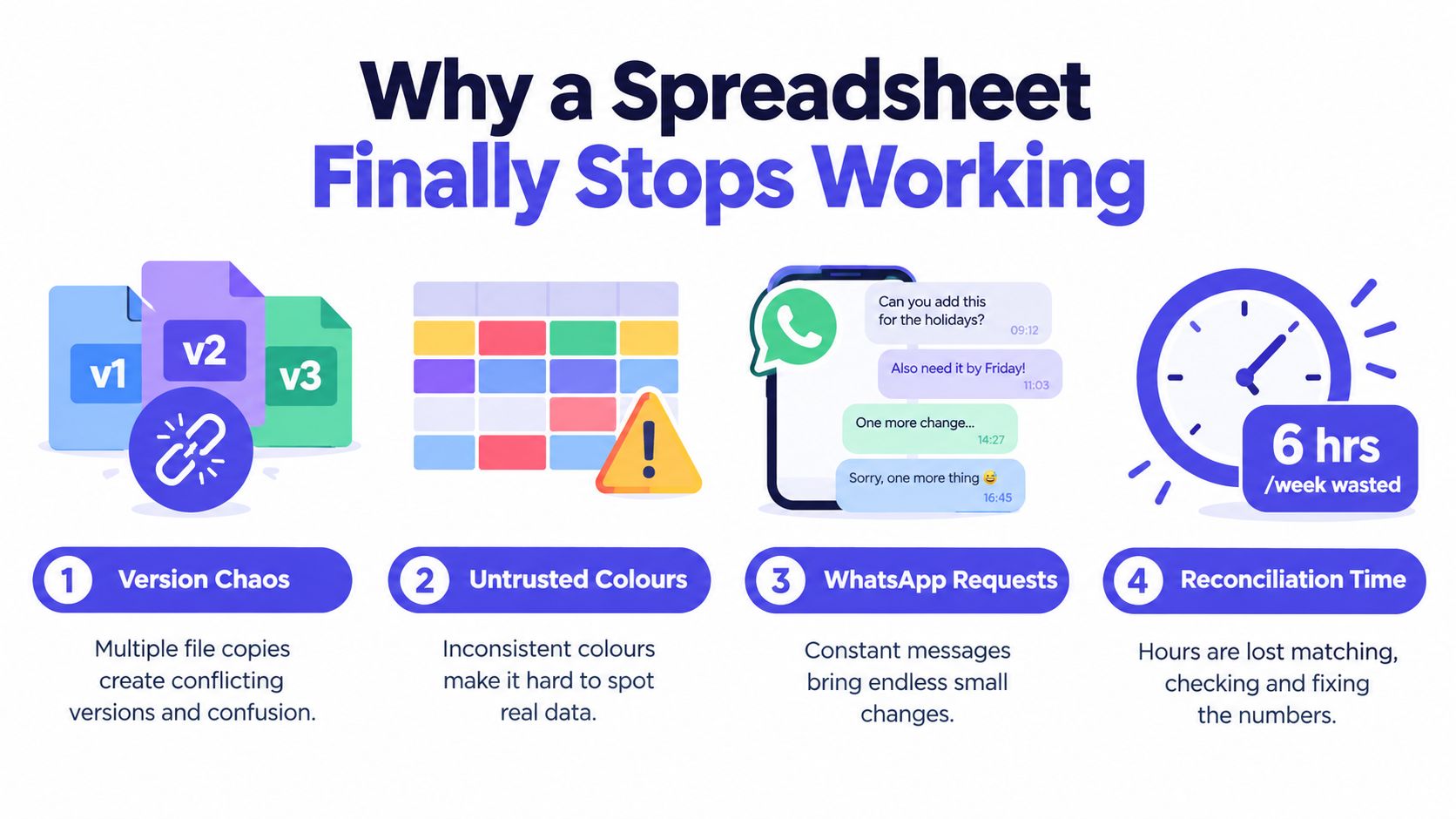
The spreadsheet usually fails gradually. One person adds a new leave type, another changes a formula, and a third downloads a copy before making a correction. Colour-coded cells become unofficial status labels, but nobody knows whether blue means approved, pending or copied from last month. Meanwhile, managers reconcile holiday requests in chat messages because the workbook isn't available when they're away from their desks.
That creates more than administrative irritation. Carry-over can be calculated incorrectly, sickness records can be incomplete, and payroll may lack the information needed to apply SSP consistently. HR also spends time chasing approvals, comparing versions and explaining why an employee's balance changed. The cost of paper-based and Excel leave management is often hidden in these small interventions rather than in a single obvious invoice.
The wider UK context makes reliable records a management requirement, not a nice-to-have. The CIPD reported average sickness absence of 9.4 days per employee in 2025, compared with 7.8 days in 2023 and 5.8 days before the pandemic, while 4.1% of working time was lost. Minor illnesses accounted for 78% of short-term absence, and stress remained a major cause of both short-term and long-term sickness absence. Those figures make centralised visibility useful for workforce planning and manager conversations. Read the CIPD report on workplace absence for the underlying context.
Turn the trial into a controlled pilot
Start with a defined 14-day pilot, not an open-ended evaluation. Give the test a named owner, include a real team and write down the workflows that must work before the account is approved for wider use.
Your pilot should test whether employees can:
- Request leave on mobile: A team member should submit a request without opening a laptop or messaging a manager.
- Report sickness clearly: A same-day sick call should reach the right manager and create a usable absence record.
- See accurate balances: Employees should be able to view entitlement and planned leave without asking HR to interpret a spreadsheet.
- Follow approval rules: The platform should notify the right person, block inappropriate overlaps and retain an audit trail.
- Produce usable reports: HR and payroll should be able to retrieve absence information without rebuilding it manually.
A shared calendar can improve visibility, but it won't replace absence rules, entitlement calculations or approval records. Teams comparing scheduling approaches may find this cross-platform team scheduling guide useful when deciding how calendars should fit alongside a dedicated absence system.
The point of the pilot is simple. Find out whether the platform absorbs the mess your spreadsheet leaves behind before you sign a contract. A structured trial is the cheapest, lowest-risk way to test that claim.
The Pre-Trial Checklist Every Buyer Needs
Don't create an account until the vendor has answered your operational questions in writing. The most common buying mistake is signing up first and discovering later that the trial excludes the exact calculation, export or access control your team needs.
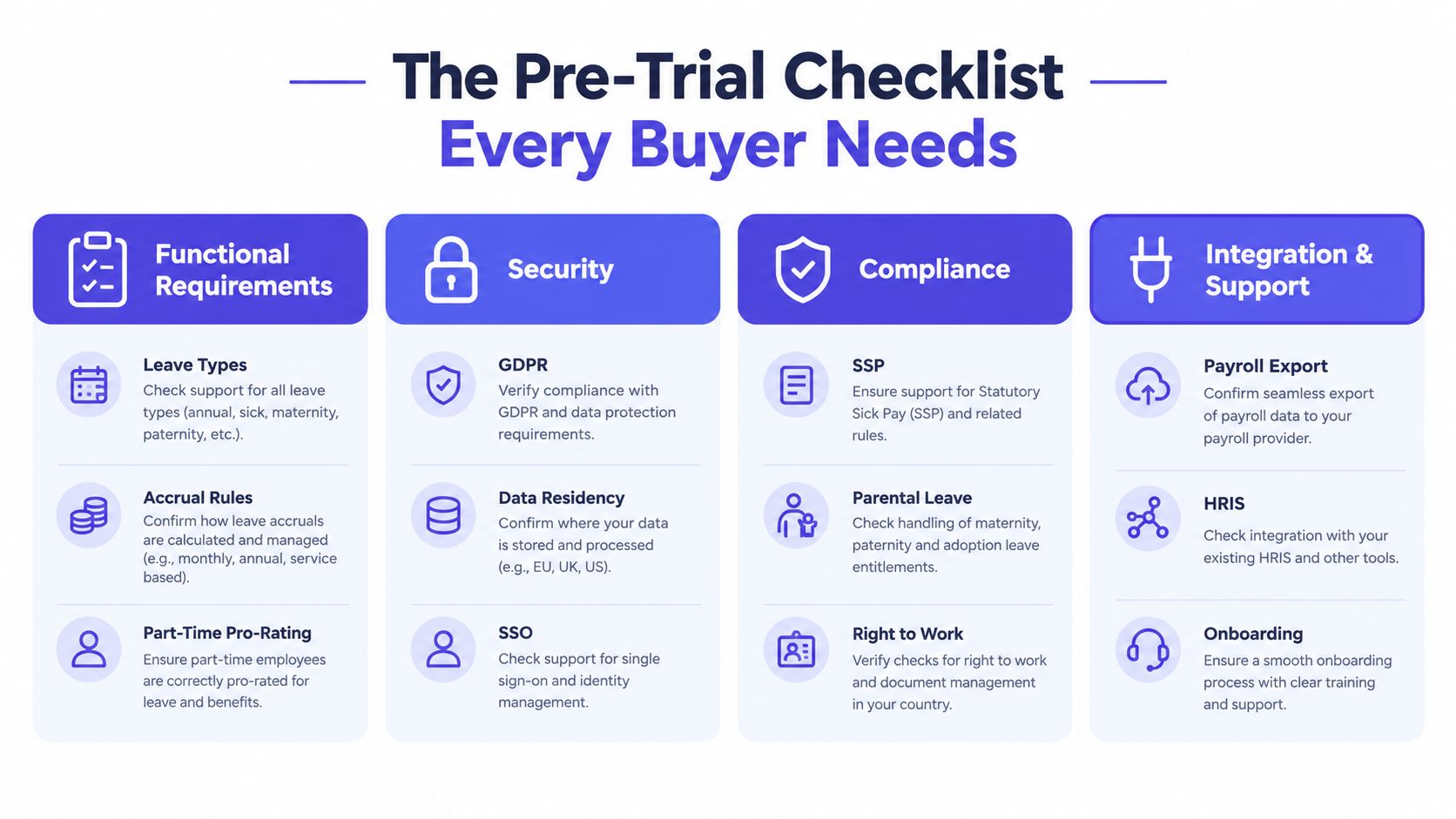
Functional requirements
List every absence and leave type your organisation uses, including annual leave, sickness, unpaid leave, parental leave, bereavement, jury service and time off in lieu. Confirm how the platform handles contracted hours, part-time pro-rating, accrual, carry-over, new starters, leavers and backdated changes. Ask specifically whether SSP and statutory maternity calculations are built into the relevant workflow or require manual intervention.
Your written answer should be:
Can the trial reproduce our current policies and work patterns without manual workarounds? Yes or no.
Security
Request evidence rather than accepting a security badge on a landing page. Check UK or EU data residency, ISO 27001 or SOC 2 evidence, role-based access, two-factor authentication and encryption in transit and at rest. Ask for the GDPR Data Processing Agreement and identify who can access employee absence information.
An HR administrator shouldn't automatically have the same permissions as a line manager, payroll user or employee. The trial should show whether access can be restricted to the minimum needed for each role.
Have we received and reviewed the security and data-processing evidence? Yes or no.
Compliance
Ask how the product supports HMRC-ready SSP reporting, right-to-work records and holiday entitlement under the Working Time Regulations 1998. Confirm how it distinguishes Great Britain and Northern Ireland rules where your workforce spans both jurisdictions. You should also understand how the system records employee and manager actions so HR can review a grievance or absence decision with a clear history. ACAS-aligned internal processes still depend on your organisation's policies, so treat software as an evidence and workflow tool, not a substitute for legal advice.
Can our HR and payroll leads explain how the platform supports our compliance process? Yes or no.
Commercial terms
Before entering employee data, confirm the export format, contract exit clause, price per user once the trial threshold is exceeded and API availability. Ask whether trial data can move into a paid account without re-keying, and whether historical absence records remain accessible after cancellation.
Use the LeaveWizard leave tracking software overview as an example of the type of product information buyers should look for, including leave requests, approvals, reporting and visibility.
Can we leave with a complete export and no unexpected migration charge? Yes or no.
Keep the answers beside your trial scorecard. A vendor that avoids direct answers before signup won't become more transparent after procurement.
Configuring Your Trial for a Real-World Test
A clean demo account tells you almost nothing. Configure the trial as if it were going live, because production-style setup exposes the gaps that a prepared sales environment conceals.
Import the data people actually use
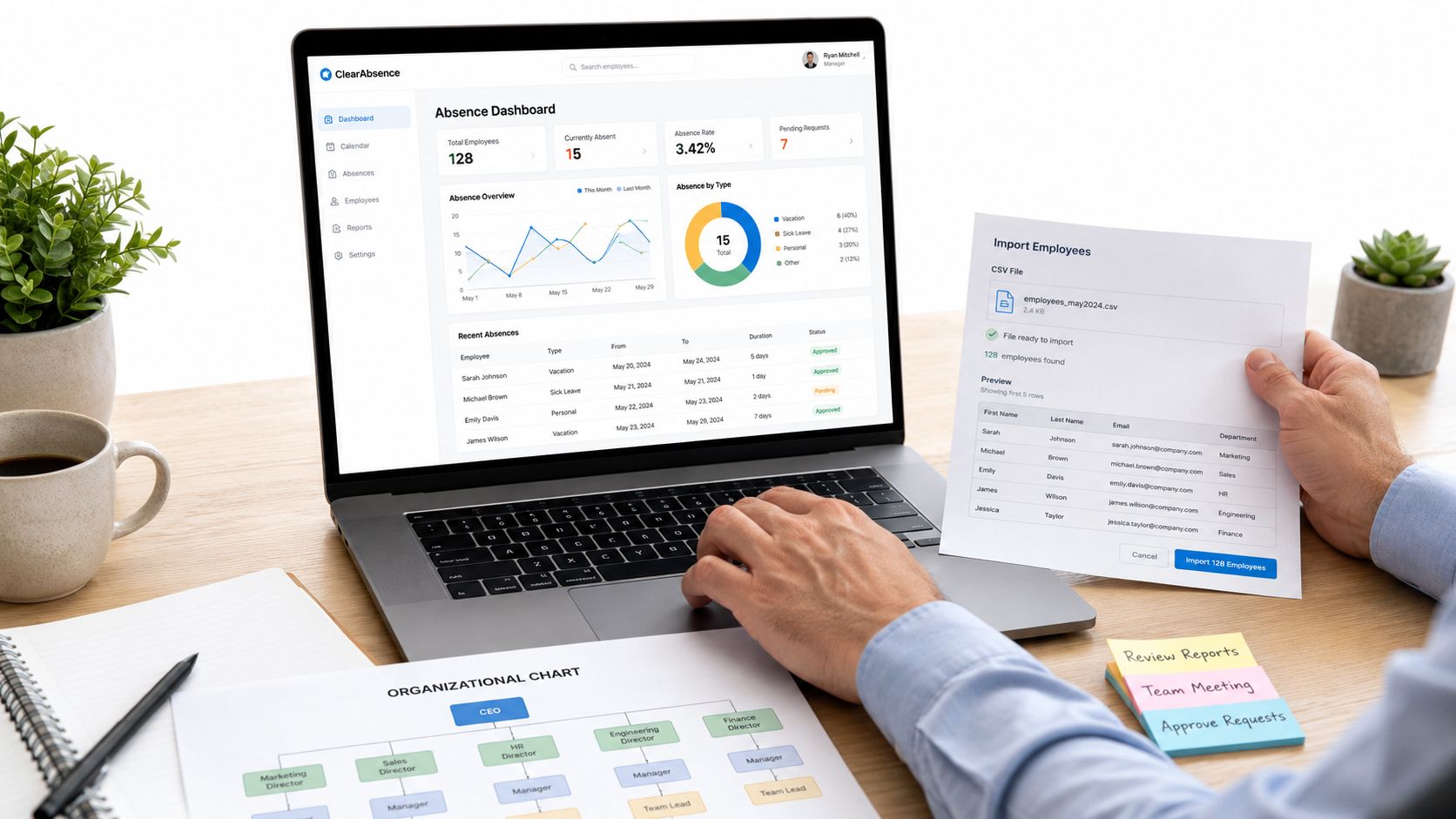
Start with the active employee list from your spreadsheet. Include start dates, contracted hours and current entitlement balances. Don't remove awkward records to make the import easier. Part-time patterns, recent joiners and employees with unusual balances are precisely the records that reveal whether migration is reliable.
Reconcile the imported balances against your existing records before inviting anyone. If the vendor's import process changes dates, rounds entitlement or drops a field, stop there and record the issue. A spreadsheet replacement that cannot preserve the starting data will create work rather than remove it.
Rebuild the policy, not just the calendar
Create every leave type currently in use. Set the matching entitlement rules, approval requirements and visibility settings. Then build the work schedule calendar with part-time patterns, compressed hours and shift rotations.
Configure the approval chain. If a request normally goes to a line manager and then HR, don't accept a default one-click approval just because it's faster. Turn on email and push notifications, set the carry-over cut-off date and verify what happens when a request is submitted after the relevant deadline.
Practical rule: If the account can't represent your current policy, don't simplify the policy to suit the account.
Invite three real employees and one real manager to use their own phones. Ask employees to submit requests, check balances and report a sickness absence without coaching. Ask the manager to approve, reject and amend requests from a mobile device. Their friction matters more than your experience as the administrator.
Prepare the reporting route
Export a small set of trial records and inspect the fields, dates, statuses and employee identifiers. If your finance team relies on Power BI or another reporting environment, assess whether the LeaveWizard API and Power BI guidance matches the way your organisation handles data.
Treat the trial account as production. Don't use invented workflows, remove every difficult employee record or let HR perform every action on behalf of staff. The purpose is to discover operational resistance while changing course is still easy.
Comparing Trial-Day Models Before You Sign Up
Trial length is less important than usable access. A short trial with complete workflows can reveal more than a longer trial that hides reporting, mobile access or statutory calculations behind a paid plan.
Ask four questions before comparing headline offers:
- Does the trial include every absence type your payroll run depends on?
- Can managers test the full approval chain rather than a single administrator approval?
- Are SSP calculations, reports, exports and mobile self-service available?
- Does the trial use the same paid product, or a restricted demonstration version?
A vendor may offer a generous trial window but still prevent you from testing the features that determine whether the product is safe to adopt. Conversely, a shorter evaluation can work if you import real data immediately, involve employees and schedule the test around actual operational events.
Trial-Day Models Compared
| Trial Model | Duration | User Limit | Key Features Included | Limitations |
|---|---|---|---|---|
| Basic evaluation | Short window | Small group | Core leave entry and basic calendar | Too little time or access for real approval and payroll testing |
| Team pilot | 14 days | Representative team | Mobile requests, approvals, balances and absence scenarios | Requires disciplined setup from the first day |
| Extended evaluation | Longer window | Broader team | More time for reporting, integrations and policy review | Can delay decisions if no pass criteria exist |
| Restricted feature trial | Varies | Varies | Selected features chosen by the vendor | Cannot prove whether excluded functions work |
The 14-day pilot is the practical baseline for a small UK team because it is long enough to run real workflows without encouraging endless browsing. Confirm that the period includes the events you need to test, rather than assuming the calendar alone proves anything.
Look for a sandbox or seeded data option if you need to rehearse year-end carry-over, Bradford Factor scoring or backdated approvals without polluting a live environment. Finally, confirm the exit route. You should be able to export the test data and understand whether it can move into the paid plan without re-keying.
The cheapest trial with the fewest restrictions is rarely the best deal. The useful question is whether the access terms let you make a defensible decision.
Test Scenarios and Metrics That Reveal the Truth
Give the team scripted scenarios. Don't ask testers to click around and report whether they like the interface. A polished dashboard can still hide incorrect balances, weak audit trails or an unusable mobile journey.
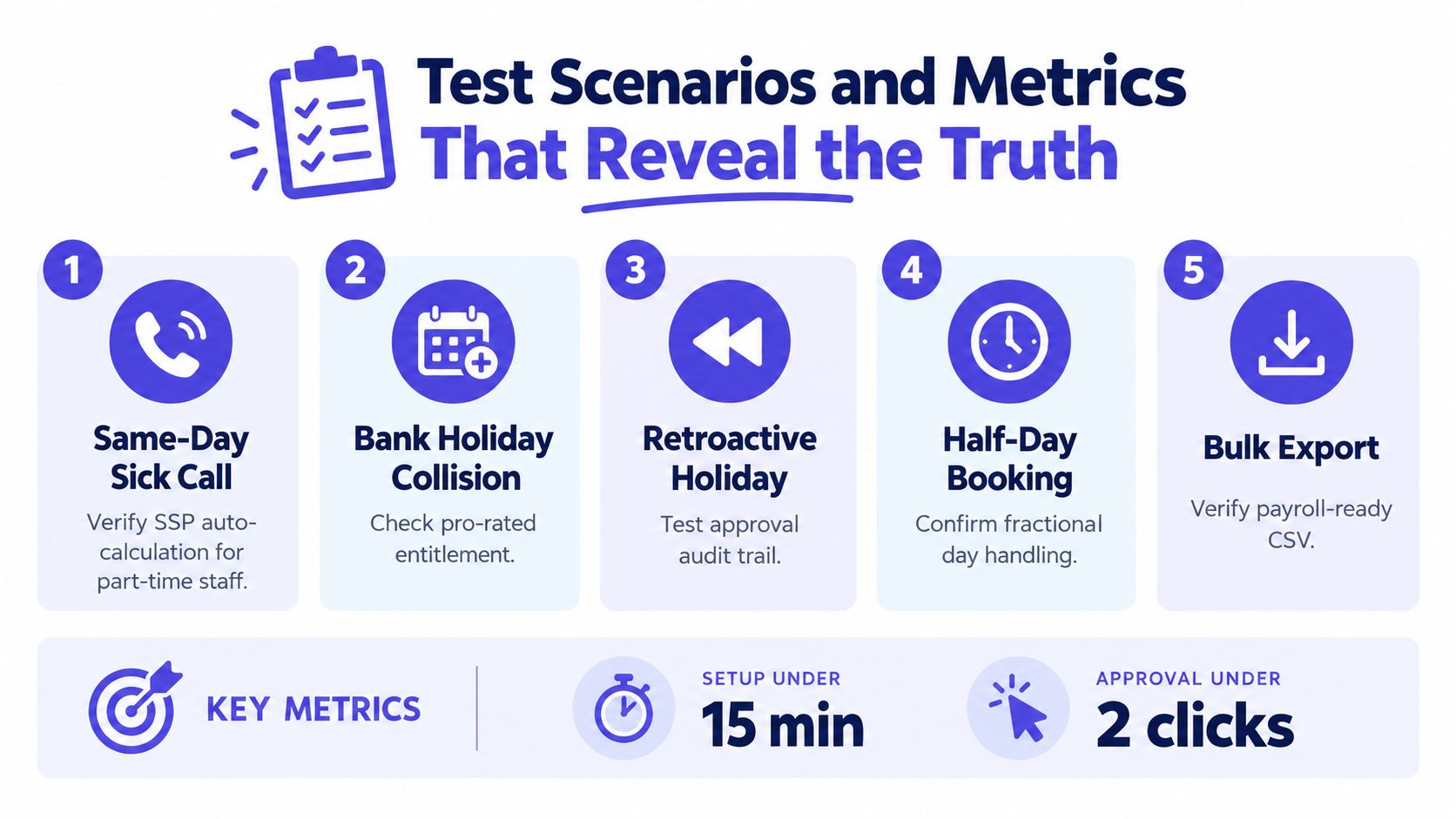
Start with a same-day sick call from a part-time employee. Record the absence start date, work pattern and qualifying days, then check the notification route and the resulting SSP information. Since 6 April 2026, eligible employees can receive SSP regardless of earnings, payment is available from the first full day of sickness absence, and the rate is 80% of average weekly earnings or £123.25, whichever is lower, according to the UK Government's SSP reform announcement. Your trial must therefore capture the first day accurately and apply the relevant eligibility rules consistently.
Test the current framework as well. SSP remains payable for up to 28 weeks and is linked to an employee's normal working days, known as qualifying days. Check whether the platform records work patterns, absence start dates and return-to-work dates well enough to support the Government guidance on SSP entitlement.
Use edge cases, not perfect examples
Run the following scenarios and keep the result beside each one:
- Carry-over reset: Move into the new holiday year and check entitlement rollover, cut-off rules and pro-rating for a new joiner.
- Long-term absence: Create an absence pattern that tests your Bradford Factor thresholds and manager visibility without relying on a manual calculation.
- Backdated approval: Submit an approval that crosses a public holiday and inspect the audit history, balance and payroll export.
- Capacity conflict: Request leave that should be blocked by team availability rules and confirm the employee receives a clear explanation.
- Export reconciliation: Export the records and reconcile balances against the original spreadsheet calculation, including part-time and unusual work patterns.
Time each transaction from submission to completion. Record time-to-submit on mobile and desktop, balance accuracy against your manual calculation and the error rate on edge cases such as zero-hours contracts. Also count support tickets and note response quality. The vendor's support during the trial is evidence of the service your team will receive later.
The ONS reported 148.8 million working days lost in 2025, equivalent to 4.4 days per worker, while the sickness absence rate was 2.0%. Those figures don't prove that software will reduce absence, but they show why accurate records matter for planning, payroll and capacity decisions. Use the ONS sickness absence analysis to understand the UK context behind the tests.
Trial Pitfalls That Lead to the Wrong Choice
Most failed trials don't fail because the product lacks features. They fail because the buyer tests the wrong version of reality.
The first mistake is testing in isolation. One HR administrator clicks through the platform, declares it intuitive and never asks a manager or employee to use it. Involve real managers, frontline employees on mobile and the payroll lead. A system can be simple for the administrator and frustrating for everyone who submits or approves leave.
The second mistake is prioritising interface polish over calculation accuracy. A modern dashboard won't correct an incorrect SSP record or a holiday balance that ignores contracted hours. Put the calculation engine ahead of visual appeal.
Don't hide the difficult records
Import the existing spreadsheet early. If migration requires days of manual formatting, you need to know before the contract is signed. Test leavers, new starters, part-time workers, carry-over balances and backdated changes rather than removing them from the sample.
Don't ignore the exit clause either. Historical absence data may be necessary for payroll queries, employee relations and reporting. A vendor that makes exports difficult can leave you dependent on the platform after the relationship ends.
Finally, don't schedule the trial during a quiet period and call it successful. Insist on a 14-day window that includes at least one payroll cycle and one public-holiday boundary where possible. Run the pilot like a production week, with employees submitting their own requests and managers responding through the normal route.
The right trial creates friction on purpose. That friction shows you what rollout will feel like.
A vendor should welcome specific failure reports. If support dismisses an incorrect balance as user error without investigating the rule, treat that response as a procurement finding.
Decision Criteria and Next Steps After Sign-Off
At the end of the pilot, score the platform against evidence, not enthusiasm. Each criterion should have a named owner and a written result. If a calculation cannot be verified, mark it as unproven rather than giving the vendor the benefit of the doubt.
Post-Trial Scoring Rubric for Absence Tracking Software
| Criterion | Weight | Pass Threshold | Notes |
|---|---|---|---|
| Statutory calculation accuracy | Highest | SSP and holiday calculations reconcile with approved manual checks | Any unresolved statutory discrepancy is a go-no-go issue |
| Mobile self-service | High | Employees can submit sickness and leave requests without HR intervention | Test on the phones your workforce actually uses |
| Manager approval latency | High | Requests reach the correct manager and remain visible until actioned | Check reminders, escalation and audit history |
| Time saved per pay cycle | High | Payroll and HR spend materially less time reconciling absence data | Compare with the current spreadsheet workflow |
| Total cost of ownership | High | Licence, migration, support and training fit the operating budget | Include internal hours, not only subscription price |
| Reporting and export integrity | High | Exported records retain the fields needed for payroll and reporting | Reconcile balances and statuses before sign-off |
| Security and contract fit | Essential | Evidence, access controls and exit terms meet your written requirements | Don't waive unresolved data or contract concerns |
Set a hard go/no-go rule before reviewing the results. More than two failed statutory calculations should disqualify the tool regardless of price, as the requested operational threshold demands strict accuracy. A platform that saves administrative time but creates payroll corrections is not saving money.
The first 30 days after approval
Sequence migration instead of switching everything at once. Clean the employee list, map leave types, load balances, configure schedules and confirm permissions. Keep the spreadsheet in parallel for one pay cycle, but make one system the operational source of truth so staff don't continue maintaining two competing records indefinitely.
Train managers in a focused window and give employees short instructions for mobile requests, sickness reporting and balance checks. Publish who approves what, how same-day absence is reported and where employees can find their records. Then hold a review with HR, payroll and operations after the first cycle.
Negotiate the contract using the same checklist you used for the trial. Confirm data residency, the exit clause, price-lock length and service-level agreements. The cheapest licence is rarely the cheapest deployment once migration hours, training, support and payroll corrections are included.
UK sickness absence has remained a measurable planning issue over time. The ONS recorded a 1.8% sickness absence rate in 2020, 2.2% in 2021 and 149.3 million working days lost in 2021, equivalent to 4.6 days per worker, as described in the CIPD summary of UK absence trends. Your software decision should therefore be judged by record accuracy and operational control, not by whether the demo felt smooth.