
Ever tried managing your company's finances with just a shoebox full of receipts? You could do it, but it’s a recipe for inefficiency and costly mistakes. That’s exactly how many businesses still track employee hours, relying on manual methods that eat up time and practically invite errors. A modern time & attendance system swaps this outdated approach for an automated solution that tracks how and when your team works.
Moving Beyond Manual Time Tracking
At its heart, a time & attendance system is a digital tool that automates the whole process of recording employee working hours. It’s about moving away from old-school punch cards and error-prone spreadsheets towards something more accurate, efficient, and transparent. Instead of someone having to manually tally up hours at the end of the month, the system does all the heavy lifting for you.
But this technology isn't just about clocking in and out. A good system becomes a central hub for managing your workforce, offering vital functions that support your entire operation.
- Accurate Payroll Processing: It automatically calculates total hours worked—including overtime and breaks—and feeds that precise data straight into your payroll software. No more guesswork.
- Enhanced Compliance: The system helps you stick to UK labour laws by keeping meticulous, easy-to-access records of work hours and rest periods.
- Improved Accountability: It provides a clear, undisputed record of attendance, creating transparency for both employees and managers alike.
- Actionable Insights: It gathers data that can reveal attendance patterns, helping you manage absenteeism and optimise your staffing schedules.
The Shift From Paper to Pixels
Switching from manual tracking is about more than just convenience; it’s a strategic move to win back precious administrative time. Think about the hidden costs of paper-based methods, from the hours spent chasing forgotten timesheets to the time it takes to fix payroll errors. If you're wondering what the real financial impact is, it's worth exploring what your paper-based leave management solution is costing you.
Let's take a quick look at how the old way stacks up against a modern system.
Manual Tracking vs Automated System: A Quick Comparison
| Feature | Manual Methods (Spreadsheets, Paper) | Automated Time & Attendance System |
|---|---|---|
| Accuracy | Prone to human error, typos, and deliberate inaccuracies. | Highly accurate, with real-time data capture reducing errors. |
| Time Investment | Requires significant administrative time for data entry and payroll calculations. | Automates data collection and calculations, freeing up HR and managers. |
| Compliance | Difficult to maintain consistent, auditable records for labour laws. | Automatically generates compliant records for regulations like the Working Time Directive. |
| Accountability | Disputes can arise due to lack of a clear, objective record. | Provides a transparent, timestamped record, minimising disagreements. |
| Insights | Offers very limited data for analysing trends like absenteeism or overtime. | Generates detailed reports on attendance patterns, helping with strategic decisions. |
As you can see, the difference is night and day. An automated system doesn’t just do the same job faster—it does a better job altogether.
This shift is becoming more critical in the UK, where the time and attendance software market is growing steadily. This is driven by regulatory pressures and new ways of working. Government policies like the Working Time Directive enforce limits on working hours and require employers to keep precise records.
A time & attendance system provides the digital framework necessary for compliance, turning a complex legal requirement into an automated background process.
Ultimately, bringing in an automated system allows your team to focus on growing the business rather than getting bogged down in manual data entry. It professionalises a core business process, ensuring fairness, accuracy, and efficiency as you scale.
The Real-World Benefits for Your UK Business
Adopting a new system might feel like a big leap, but the perks of a time & attendance system show up almost immediately. It’s about more than just the convenience of automation. When you look closer, you’ll find a whole suite of powerful benefits that directly touch your bottom line, legal standing, and day-to-day efficiency. This isn't about saving a few minutes here and there; it’s about fundamentally improving how your business runs.
The most obvious win is with your payroll. Let's be honest, manual calculations—even with spreadsheets—are a minefield for human error. One misplaced decimal point or a misread timesheet can lead to overpayments that quietly drain your cash flow, or underpayments that shatter employee trust and morale. An automated system simply removes that risk.
By capturing exact clock-in and clock-out times, the software handles all the maths flawlessly. This precision means every single employee is paid correctly for every minute they work, protecting your business from financial leaks while building a culture of fairness.
Slashing Payroll Errors and Boosting Productivity
This isn't just theory; the numbers back it up. A UK Government study found that businesses adopting automated time and attendance systems see a whopping 30% reduction in payroll errors compared to those still doing things by hand. On top of that, a survey from the Confederation of British Industry (CBI) revealed that these same businesses reported a 15-20% increase in overall productivity. You can dig into these findings on the impact of time and attendance systems to see the full picture.
These stats tell a clear story. When you automate the tedious stuff, you free up your people to focus on what actually matters. Instead of your HR or management team spending hours chasing timesheets and fixing mistakes, they can dedicate their time to strategic work like employee development, recruitment, and growing the business. That shift from administrative slog to strategic input is where the real value is unlocked.
Ensuring Bulletproof Legal Compliance
Staying on the right side of UK labour laws, like the Working Time Directive, is non-negotiable. The rules around maximum working hours, rest breaks, and holiday pay are complex, and getting it wrong can lead to hefty penalties. Trying to track all this manually isn’t just a headache; it’s a massive legal risk.
Think of a time & attendance system as your automated compliance partner. It creates a perfect, auditable digital record of all employee hours, so you can easily prove you’re following the rules. Key compliance benefits include:
- Working Time Directive: The system automatically flags anyone getting close to the 48-hour average weekly limit.
- Rest Break Monitoring: It makes sure employees are taking their legally required breaks, which contributes to a healthier, safer workplace.
- Accurate Holiday Accrual: It calculates leave entitlement based on actual hours worked—absolutely vital for part-time and variable-hour staff.
- Minimum Wage Checks: The system can cross-reference an employee's total pay against their recorded hours to confirm they meet National Minimum Wage standards.
By building these rules right into the system, compliance stops being a stressful quarterly audit and becomes an effortless, everyday process. It's the peace of mind that comes from knowing your records are always accurate and ready.
Transforming Data into Strategic Decisions
Beyond the accuracy and compliance, a modern time & attendance system is a serious business intelligence tool. It gathers a huge amount of data about your workforce, turning simple clock-in times into genuinely useful insights. Managers no longer have to rely on gut feelings to understand what's happening on the ground.
With just a few clicks, you can pull reports that show you:
- Trends in Absenteeism: Spot patterns in unscheduled absences so you can get ahead of potential problems.
- Overtime Analysis: See which departments or people are consistently working late, allowing you to rebalance workloads or adjust staffing levels.
- Punctuality Records: Get a clear, objective view of attendance habits across the company, which helps enforce policies fairly and consistently.
This data-driven approach gives you the power to make much smarter decisions about labour costs, scheduling, and where to put your resources, ultimately creating a more efficient and productive business.
Choosing the Right Features for Your Team
Picking a time & attendance system isn't a one-size-fits-all kind of deal. It’s a bit like buying a vehicle for your business. A local florist needs a nimble little van, not a massive lorry built for motorway hauls. In the same way, the features that are right for your team depend entirely on how, when, and where they actually do their work.
It’s a waste of money to pour your budget into a system loaded with complex project management tools if you're running a straightforward retail shop. On the flip side, a basic clock-in app just won't cut it for a construction firm juggling teams across multiple building sites. The real secret is to match the system’s functions to your daily operational needs.
That means you need to start with a brutally honest look at how your business runs. Before you even glance at a single vendor's website, ask yourself some key questions. Are your people on-site, fully remote, or a bit of both? Do they work fixed 9-to-5 hours, or is it all about flexible shifts? Getting clear on these answers first will help you cut through the noise and find what you're looking for.
Core Features Checklist for Your Time & Attendance System
To help you figure out what's essential versus what's just a 'nice-to-have', we've put together a checklist. Use this table to compare different systems and make sure you're focusing on the features that will genuinely make a difference to your business.
| Feature Category | Specific Functionality | Why It Matters for Your Business |
|---|---|---|
| Clocking In Methods | Mobile/Web clock-in, Biometric Scanners, Proximity Cards/Fobs. | This is the foundation. The method must suit your work environment (e.g., mobile for field staff, biometric for high-security sites) to ensure ease of use and accuracy. |
| Automation Rules | Automated overtime calculation, break deductions, and shift differentials. | This eliminates manual maths and human error. It ensures staff are paid correctly according to your specific pay rules, saving hours of admin time each pay run. |
| Payroll Integration | Direct export or API connection to payroll software (Xero, Sage, QuickBooks, etc.). | This is a massive time-saver. It turns a painful, multi-step process into a few clicks, ensuring data from timesheets flows seamlessly and accurately into payroll. |
| Reporting & Analytics | Real-time dashboards, attendance pattern reports, labour cost tracking. | Gives managers the insights they need to control costs, spot attendance issues early, and make informed decisions about staffing levels. |
| Leave Management Sync | Integration with your existing annual leave and sickness tracking system. | Provides a single, complete view of an employee's time—both worked and not worked. It simplifies scheduling and ensures accurate entitlement calculations. |
Think of this checklist as your roadmap. By ticking off these core areas, you ensure the system you choose is a powerful tool for your business, not just another piece of software.
Core Clocking In Methods
The most fundamental feature is, of course, how your team will actually log their hours. Modern systems give you plenty of options, and each one is geared towards a different type of workplace. It’s vital to pick a method that’s dead simple for your employees and gives you the accuracy your business depends on.
-
Mobile & Web Clocking: Absolutely perfect for remote or hybrid teams. Staff can clock in from their laptops or a mobile app, giving them maximum flexibility. Many apps even have geolocation features to verify that field-based employees are actually on-site when they start their shift.
-
Biometric Scanners: The best choice for on-site environments where you can't afford any mistakes. By using fingerprints or facial recognition, these systems completely stop "buddy punching," where one employee clocks in for a mate who's running late.
-
Proximity Cards or Fobs: A classic for a reason—it’s quick, easy, and reliable for an office or factory. Employees just tap a card or fob on a reader, and they're done.
Getting this first step right is critical. If you want to dig a bit deeper into the pros and cons, this comprehensive guide to choosing the right clocking-in system breaks down all the options in much more detail.
Automation and Payroll Integration
A truly great time & attendance system does far more than just count hours; it automates all the fiddly calculations that come after. This is where you claw back huge amounts of admin time and prevent the kind of expensive mistakes that keep you up at night. Look for a system that can handle your specific business rules without any manual intervention.
Automated overtime calculation, for instance, is a non-negotiable. The system should let you set up your company’s policies—whether that’s time-and-a-half after 40 hours or double-time on a Sunday—and then just get on with it. It takes all the manual maths and guesswork out of the picture.
But the real game-changer here is seamless payroll integration. A system that can push approved timesheet data directly into your payroll software (like Xero, Sage, or QuickBooks) turns a stressful, error-prone headache into a simple, two-click task.
This connection guarantees that the exact hours people work are what they get paid for. It wipes out discrepancies, builds trust, and makes payday a whole lot smoother for everyone.
Management and Reporting Tools
Beyond just tracking time, a good system should give your managers the information they need to lead effectively. Instead of waiting until the end of the month to discover a problem, they should have live data at their fingertips to make smart decisions on the fly.
A real-time dashboard is essential. It gives a manager an immediate snapshot of who’s clocked in, who’s on a break, and who might be about to tip into overtime. That kind of visibility is crucial for keeping labour costs in check and making sure you have the right number of people on the floor all day long.
Make sure any system you consider has strong reporting tools. You should be able to easily pull reports on:
- Attendance Patterns: Quickly spot trends in lateness or absenteeism for certain people or entire departments.
- Labour Costs: See how many hours are being spent on specific projects or cost centres, so you know exactly where your money is going.
- Compliance Audits: Instantly access historical records to prove you’re following the UK Working Time Regulations.
Features like these transform your system from a simple timekeeper into a proper workforce management tool, giving you the data needed to build smarter schedules and boost productivity.
A Practical Guide to Successful Implementation
Choosing the right time & attendance system is a fantastic start, but the real success is written during the implementation. A smooth rollout isn’t just about flicking a switch; it's a careful process of aligning new technology with your people and existing business rules. Get it right, and the system gets adopted enthusiastically, not reluctantly.
The first step is always to look inwards. Before you even think about shortlisting vendors, you need a crystal-clear picture of your unique business needs. How do you handle overtime? What are the specific rules for paid and unpaid breaks? Documenting these processes gives you a solid checklist to measure potential systems against.
Don't skip this part. Without it, you risk choosing a system that forces you to change your operations, rather than finding one that actually supports them.
Laying the Groundwork for a Smooth Transition
Once you know exactly what you need, you can start exploring your options. But remember, the technical side is only half the battle. A successful launch is all about your people. Change, even when it’s for the better, can often be met with uncertainty.
Your job is to manage this transition with clear communication and proper training. Your staff need to understand why the change is happening and how the new system benefits them directly—like guaranteeing accurate pay or making it dead simple to book a holiday.
The whole journey, from initial research to going live, can be broken down into three key stages.
This infographic outlines a simple flow for choosing your new time & attendance system, zeroing in on needs assessment, feature selection, and finally, testing the solution.
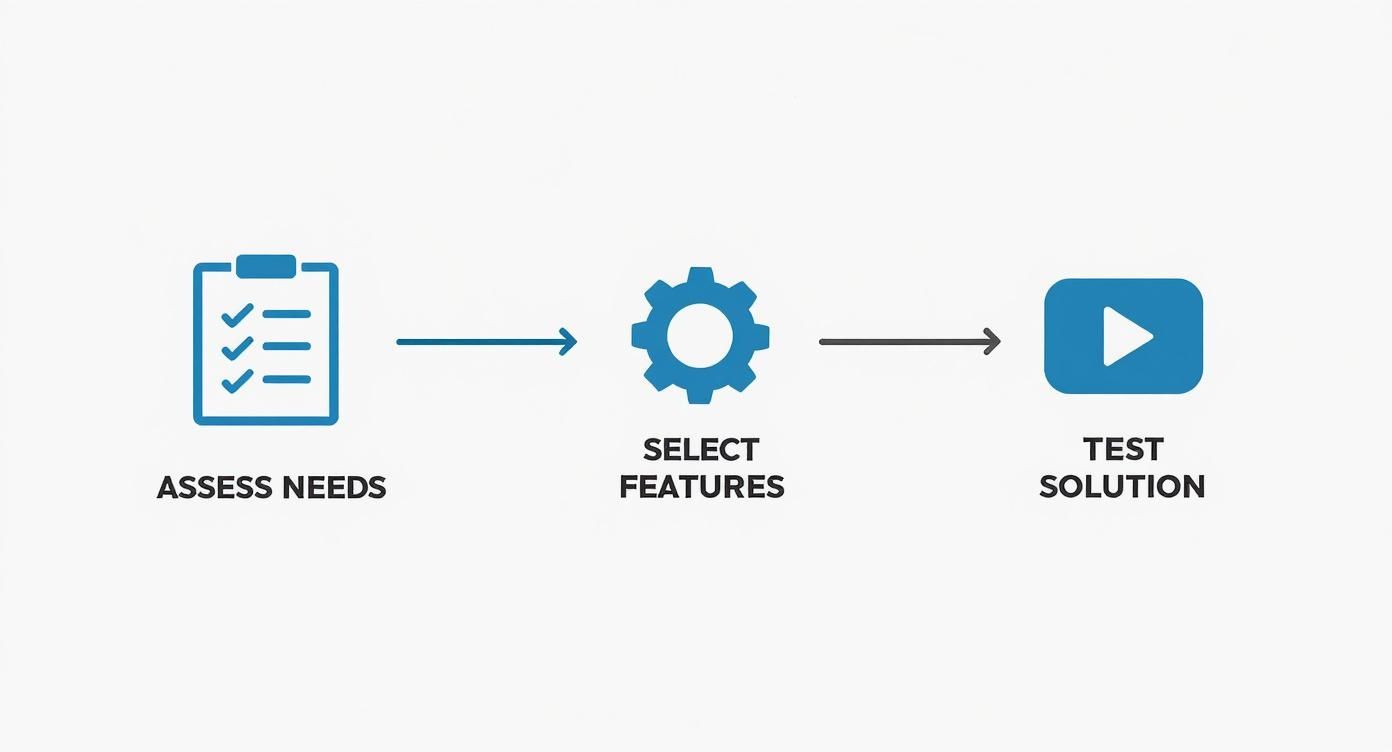
As the visual shows, a successful outcome depends on a logical progression. It all starts with a deep understanding of your needs before you get distracted by shiny features.
Executing Your Implementation Plan
With a system chosen, it's time to get practical. A phased approach is almost always better than a "big bang" launch where everyone switches over on the same day. This gives you precious time to iron out any kinks before they affect the entire company.
Here’s a proven roadmap for rolling out your new system:
- Data Migration: First things first, work with your new provider to get your employee data imported. This is a critical step, and getting it right ensures a clean start. Double-check everything—personal details, pay rates, and current leave balances.
- System Configuration: This is where you bring your business rules to life inside the software. You'll set up your overtime policies, define break rules, and configure your unique shift patterns. Being meticulous here will save you from a world of payroll headaches later on.
- Run a Pilot Test: Before going live, select a small, representative group of employees to test the system for a full pay cycle. This pilot group is your secret weapon; they'll give you invaluable feedback and help you catch any configuration errors in a controlled environment.
- Staff Training: Get everyone together for some hands-on training sessions. Don't just show them how to clock in and out. Walk them through the full process, including how to check their hours and request time off. Empowered users are confident users.
A well-managed implementation transforms a new piece of software into an integrated business tool. The goal is to make the system feel like a natural part of the workday from the very beginning.
Finally, managing the project itself requires a clear head. A successful implementation often needs careful strategic planning and budgeting. For projects involving mobile access, insights from a mobile apps development cost and strategy guide in the UK can be surprisingly helpful for framing the project's financial and logistical scope.
By following these steps—assessing your needs, managing the human element, and executing a smart, phased rollout—you can ensure your new time & attendance system delivers on its promise from day one.
Integrating Time Tracking with Leave Management
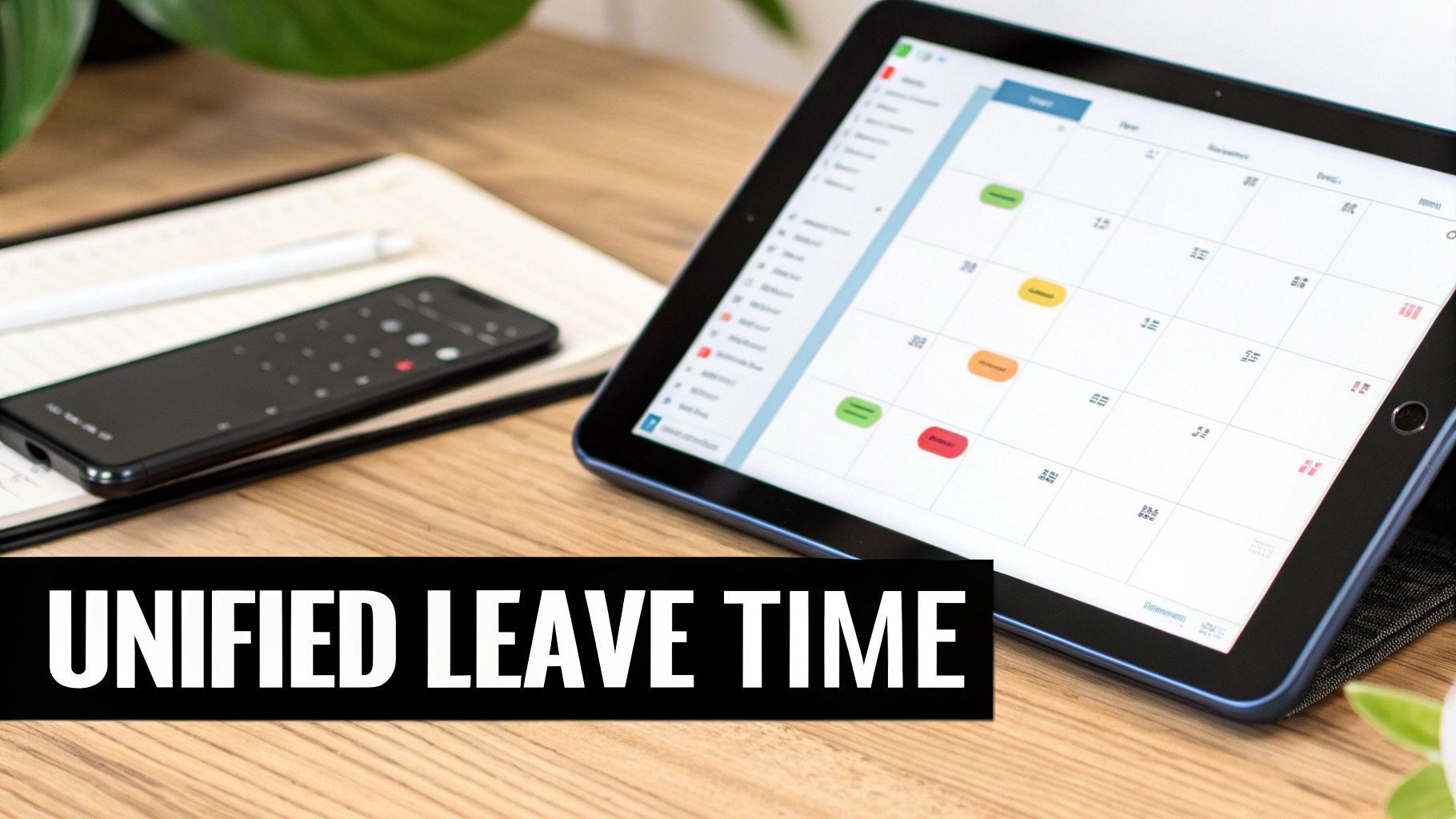
A standalone time tracking tool is a solid step forward, but a time & attendance system that talks directly to your leave management is the real game-changer. Think about it: tracking hours worked is only one half of the story. The other half is tracking hours not worked, like holidays or sick days.
When these two systems live in separate worlds, you're just asking for trouble. You end up with administrative friction, a high risk of errors, and no single view of what your team is actually doing.
By bringing these two functions together, you create one reliable place for everything related to employee time. It stops being about just collecting data and starts being about getting a complete picture of your team's availability, making sure all the pieces fit together.
Creating a Single Source of Truth
Imagine an employee books a holiday. That information is critical for the manager building next week’s rota. Without integration, this becomes a manual juggling act—checking a spreadsheet against a wall calendar, then double-checking it in the scheduling tool. It’s a messy process that’s incredibly prone to mistakes.
How often does this lead to someone on approved leave getting accidentally rostered for a shift? It happens more than you'd think.
A unified system puts an end to this chaos. When leave management and time tracking are properly connected:
- Approved leave automatically blocks out that employee's availability in the scheduling tool. No more accidental shifts.
- Managers get a complete view of who is in and who is off, all in one dashboard.
- Accurate holiday pay is calculated based on actual hours worked, which is essential for meeting UK statutory requirements.
This simple connection turns a fragmented, high-risk process into a smooth, transparent workflow. It ensures the person approving the leave and the person building the schedule are always on the same page, working with up-to-the-minute information.
By connecting these systems, you eliminate the dangerous gaps where costly mistakes happen. It’s about building a workflow where data flows automatically, guaranteeing consistency and accuracy across the board.
The Power of Connected Data
The payoff goes well beyond just avoiding rota mix-ups. When your time & attendance system is in constant conversation with your leave platform, you unlock much deeper insights and find new efficiencies.
For instance, the system can automatically calculate accrued holiday entitlement based on the precise hours an employee has logged. This is an absolute lifesaver for businesses with part-time or variable-hour staff.
This level of automation is a huge boost for productivity. Recent studies have found a surprising gap in modern workplaces, revealing that only 18% of workers have an established time management system. This contributes to wasted effort, where valuable time isn't always spent on the most important tasks.
Understanding enterprise application integration best practices is a big help here, as it ensures your systems communicate effectively to create a truly connected environment. This allows for far more powerful reporting, like analysing how different types of leave affect overall team productivity or project deadlines.
For businesses wanting to dig even deeper, you can feed this combined data into business intelligence tools for a whole new level of insight. It's possible, for example, to bring your HR data into PowerBI using APIs and build custom dashboards that reveal trends you'd otherwise miss.
Ultimately, integrating these two core functions removes a mountain of administrative headaches for everyone. Employees can plan their time off with confidence, and managers can build rotas with certainty. The result? A more organised, less stressed, and far more productive workplace.
Common Questions About Time & Attendance Systems
Stepping into the world of workforce management software can bring up a lot of questions. It's a big decision for any business, and it’s perfectly natural to want a few things cleared up before you commit. This section tackles some of the most frequent queries we hear from business owners and managers exploring a new time & attendance system.
The answers here are designed to be direct and practical, helping you see how this technology fits into the real-world context of your day-to-day operations. From cost to company culture, let's get into the common uncertainties.
Is a Time & Attendance System Suitable for a Small Business?
Absolutely. In fact, small businesses often see the most dramatic and immediate impact from switching to a modern system. For a compact team, even minor payroll errors can have a noticeable financial sting, and the hours a business owner spends manually checking timesheets is time stolen directly from growing the company.
Modern cloud-based systems are built to be affordable and scalable. This means you don't need a huge upfront investment, and you only pay for the number of employees you actually have. They help you stay compliant with UK labour laws right from the start, put tedious admin on autopilot, and build a professional structure that supports your business as it expands.
How Do These Systems Handle Remote and Flexible Work?
This is where they truly shine. A modern time & attendance system is built for the way we work now, not how we worked a decade ago. They are perfectly designed for managing remote, hybrid, and flexible work arrangements.
Employees can clock in and out securely from any location using a simple mobile app or a web browser on their laptop. This functionality gives managers a real-time view of who is actively working, no matter where they are physically located.
- Mobile Apps: Allow staff to log hours from anywhere, with optional GPS stamping to verify they are at a specific client site if needed.
- Web Clock-In: Offers a straightforward way for home-based workers to start and end their day right from their computer.
- Project Tracking: Lets remote workers log time against different tasks or projects, giving you clear insight into where effort is going.
This flexibility ensures everyone, whether at home or in the office, is paid accurately for every hour they put in and makes managing a distributed team feel much less complicated.
What Is the Typical Cost in the UK?
The cost can vary, but most current solutions operate on a Software-as-a-Service (SaaS) model. This just means a predictable monthly subscription fee, usually calculated per employee. In the UK, this can range anywhere from £2 to £10 per user per month.
The final price tag really depends on the complexity of the features you need. A basic plan for time tracking and payroll exports will be at the lower end of that scale. More advanced tools, like complex rota planning, biometric hardware integration, or detailed project reporting, will naturally nudge the monthly cost upwards.
It's crucial to look beyond the subscription fee and think about the return on investment. When you factor in the money saved by wiping out payroll errors and the value of reclaimed admin time, the system often pays for itself.
Will My Employees Feel Micromanaged?
This is a very common and completely valid concern, but it's one you can easily get ahead of with clear and honest communication. The key is how you frame it. This should never be positioned as a surveillance tool.
Instead, introduce it as a new benefit that promotes fairness, accuracy, and transparency for everyone. Point out the direct advantages for them:
- Guaranteed accurate pay for every single minute they work, including any overtime.
- A simple, digital way to check their hours and request time off without chasing paperwork.
- Clear visibility of their upcoming rotas and leave balances at their fingertips.
When employees understand that the time & attendance system is there to make sure they're paid correctly and to make life easier, they are far more likely to get on board. The goal is to automate a necessary process, not to watch over their shoulders.


