
Managing staff leave requests, tracking remaining holiday balances, and ensuring adequate team coverage can quickly become a complex administrative puzzle. Without a centralised system, small businesses often resort to a confusing mix of spreadsheets, email chains, and paper forms. This approach is not only inefficient but also prone to errors, leading to scheduling conflicts, project delays, and decreased employee morale. An effective staff holidays planner is more than just a calendar; it's a strategic tool for maintaining operational continuity and fostering a transparent, fair leave policy.
This guide is designed to help you navigate the options available and find the right solution for your organisation. We will provide a detailed analysis of the best staff holiday planner software and templates currently on the market, moving beyond marketing claims to offer practical insights. We’ll examine specific features, pricing structures, and real-world use cases for tools like BambooHR, Deputy, and even integrated solutions like Google Workspace.
Implementing a dedicated planner is a crucial step to optimiser la gestion administrative de votre entreprise, freeing up valuable time for managers and HR teams. By exploring the pros and cons of each option, you'll gain the knowledge needed to select a system that aligns perfectly with your team's size, workflow, and budget, ensuring holiday management becomes a seamless process rather than an administrative burden.
1. BambooHR
BambooHR is a comprehensive Human Resources Information System (HRIS) designed to be an all-in-one solution for small and medium-sized businesses. While it offers a wide array of HR functions, from onboarding to performance management, its capabilities as a staff holidays planner are particularly robust and user-friendly, making it a top choice for businesses looking to centralise their HR processes.
The platform streamlines the entire leave management process. Employees can view their available leave balance and request time off through a self-service portal or a mobile app. Managers receive instant notifications and can approve or deny requests with a single click, viewing all requests on a shared team calendar to avoid scheduling conflicts and ensure adequate cover.
Why It's a Top Choice
BambooHR excels by integrating holiday planning directly into core HR functions. This means approved leave automatically syncs with payroll, employee records, and performance data, eliminating manual data entry and reducing administrative errors. This holistic approach provides a single source of truth for all employee information.
For businesses scaling up, moving from spreadsheets to a dedicated system like BambooHR is a game-changer. It professionalises leave management, ensures legal compliance with customisable policies, and provides valuable insights into absence trends.
The visual calendar is a key feature, allowing managers and team members to see who is off and when. This transparency is crucial during peak holiday seasons or for project-based teams that need to maintain specific staffing levels. Its reporting tools also allow HR managers to analyse patterns, such as which departments take the most leave or the average notice period given for requests.
Real-World Use Cases & Implementation
- Global Teams: Companies like SoundCloud leverage BambooHR to manage time-off policies across different countries with varying public holidays and statutory leave requirements.
- Growing Start-ups: Foursquare implemented the system to bring structure to their vacation planning as their team rapidly expanded, moving away from less formal methods.
- Actionable Tips for Implementation:
- Automate Reminders: Set up automated email nudges for managers to ensure pending holiday requests are reviewed promptly.
- Configure Custom Policies: Tailor time-off policies for different employee groups, such as part-time staff or senior management, to reflect their specific entitlements.
- Train Your Team: Before a full rollout, conduct a short training session with managers to familiarise them with the approval workflow and calendar features.
The following chart illustrates the high adoption rates of BambooHR's key time-off management features among its user base, demonstrating their practical value.
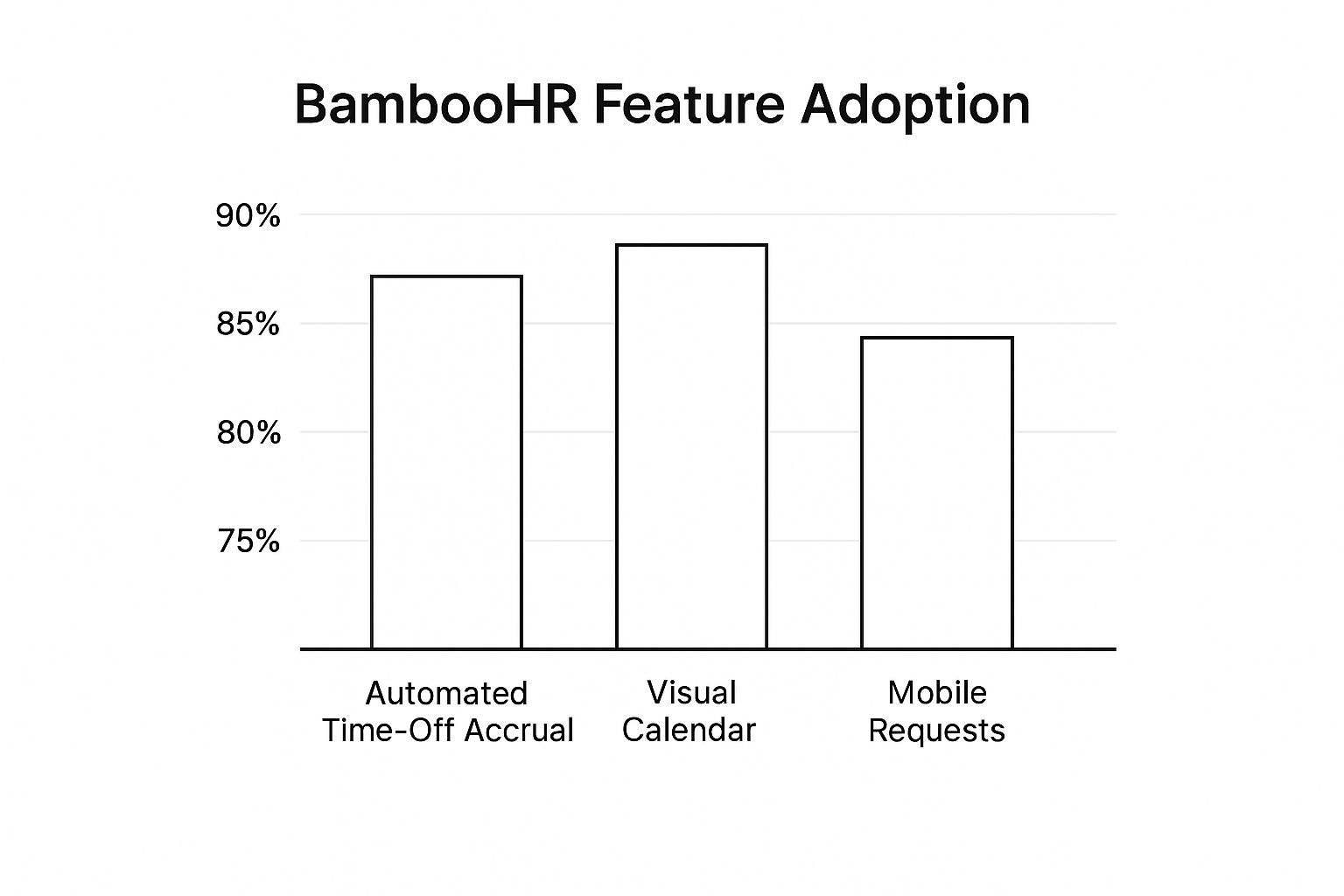
This data highlights that the visual calendar and automated accrual systems are almost universally used, pointing to their central role in simplifying holiday planning. While slightly lower, the strong adoption of mobile requests shows the importance of on-the-go access for modern workforces. For a deeper dive into organising team leave, you can explore more resources on creating an effective annual leave planner.
2. Deputy
Deputy is a powerful workforce management platform that excels in employee scheduling and time tracking, making it an ideal choice for businesses with shift-based or hourly workers. While its core strength lies in rota planning, its integrated leave management features make it an exceptional staff holidays planner, especially for industries like retail, hospitality, and healthcare where coverage is critical.
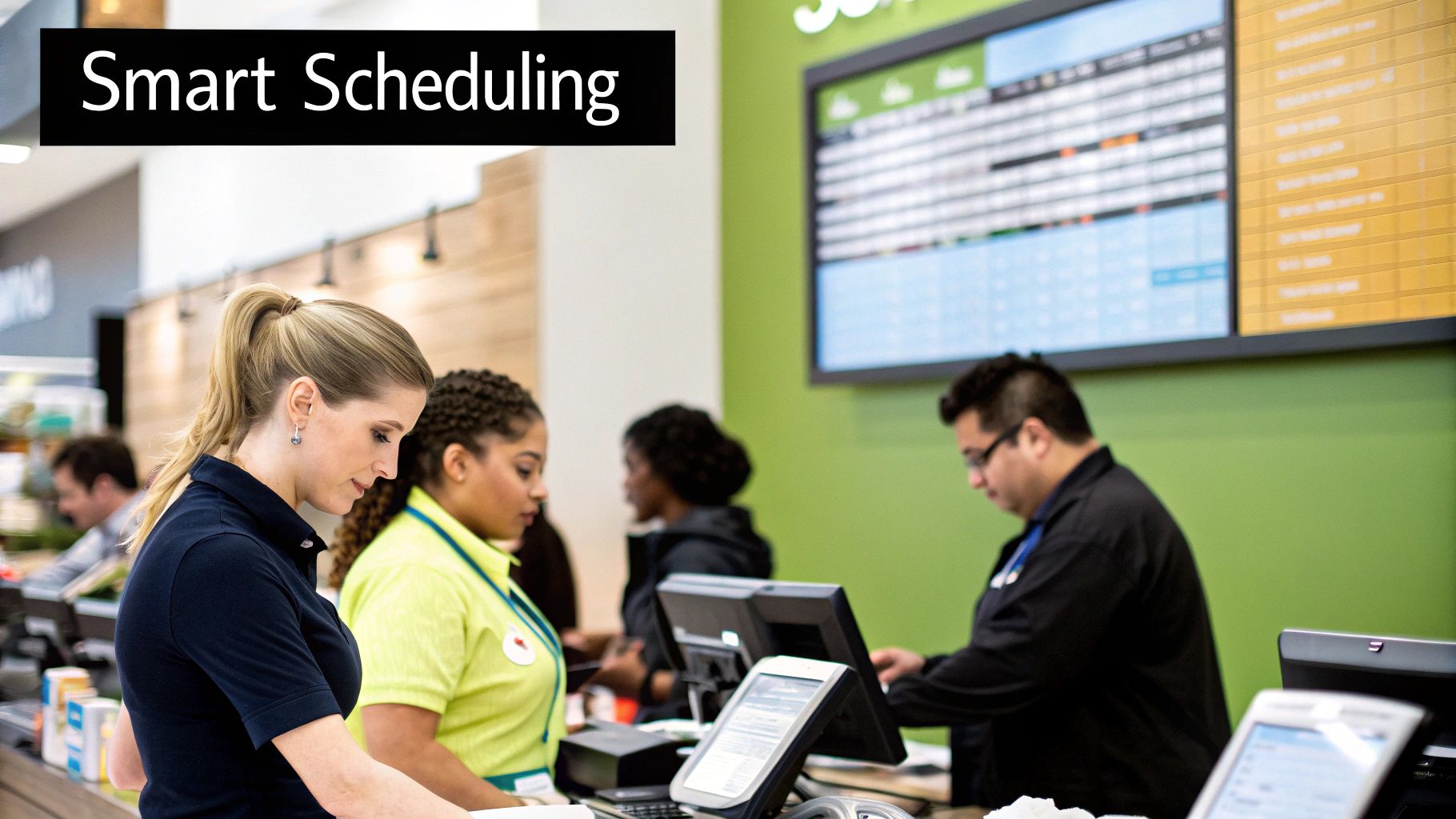
The system allows businesses to manage holiday requests directly within the scheduling interface. Employees can apply for leave via a mobile app, and managers see these requests overlaid on the weekly or monthly rota. This visual integration immediately flags potential staffing shortages, allowing managers to approve or deny requests with a full understanding of their impact on service delivery.
Why It's a Top Choice
Deputy’s unique advantage is its fusion of holiday planning with real-time rota management. Unlike generic HR systems, it is built for the dynamic nature of shift work. When an employee's holiday is approved, their shifts are automatically made vacant, and managers can use the "find replacement" feature to instantly notify qualified and available staff, streamlining the process of finding cover.
For businesses managing hourly staff, Deputy transforms holiday planning from a logistical nightmare into a simple, automated workflow. It ensures fair rota distribution, prevents understaffing during peak seasons, and gives managers the tools to react quickly to last-minute changes.
The platform also provides clear visibility into leave balances and accruals, which is crucial for managing part-time and variable-hour contracts. Its detailed reporting helps businesses forecast labour costs, including holiday pay, and analyse absence patterns to optimise staffing levels throughout the year. This makes it an indispensable tool for maintaining operational efficiency.
Real-World Use Cases & Implementation
- Hospitality Chains: Subway and McDonald's franchises use Deputy to manage complex rotas and holiday requests across multiple locations, ensuring consistent staffing during seasonal peaks.
- Retail Businesses: Local retail chains rely on Deputy to coordinate staffing for major sales events like Black Friday, managing holiday leave to ensure the shop floor is always adequately covered.
- Actionable Tips for Implementation:
- Use Shift Templates: Create and save rota templates for busy periods like Christmas or summer holidays to speed up future scheduling.
- Leverage Auto-Scheduling: Utilise the AI-powered auto-scheduling feature to build rotas around approved leave, ensuring all shifts are filled efficiently.
- Enable Push Notifications: Activate mobile push notifications for managers and staff to accelerate the leave approval and shift-swapping process.
- Customise Leave Policies: Set up distinct leave policies to differentiate between full-time, part-time, and seasonal employees, ensuring accruals are calculated correctly.
3. Workday HCM
Workday Human Capital Management (HCM) is an enterprise-level, cloud-based HR solution designed for large, often global, organisations. While it provides a comprehensive suite of HR tools, its absence management features are particularly powerful, serving as a sophisticated staff holidays planner for businesses with complex operational needs, multiple locations, and diverse employee groups.
The system is built to handle intricate holiday and leave policies. Employees can request time off via a user-friendly self-service interface, which provides a complete view of their accruals and balances. Managers receive requests within their workflow, where they can see team availability on integrated calendars to make informed approval decisions. Workday’s strength lies in its ability to automate complex rules, such as leave entitlements based on tenure, location-specific public holidays, and union agreements.
Why It's a Top Choice
Workday HCM excels by embedding holiday planning within a unified system that connects to payroll, finance, and talent management. This single source of truth ensures that approved leave is instantly and accurately reflected across all relevant business functions, eliminating data silos and manual reconciliation. Its powerful analytics engine provides deep insights into workforce availability and absence trends.
For large-scale enterprises managing a distributed workforce, Workday is transformative. It moves holiday planning beyond simple scheduling into a strategic function, ensuring compliance across different jurisdictions and providing the data needed for robust workforce and financial planning.
The platform’s real-time reporting capabilities are a key differentiator. HR leaders and department heads can generate detailed reports to analyse leave patterns, forecast potential staffing shortfalls, and assess the financial impact of employee absences. This level of detail is critical for optimising labour costs and maintaining productivity in complex operational environments.
Real-World Use Cases & Implementation
- Global Workforce Management: Companies like Netflix utilise Workday to manage complex time-off policies for employees spread across numerous countries, ensuring consistency and compliance with local labour laws.
- Scaling International Operations: Airbnb implemented Workday to standardise its HR processes, including holiday planning, as it rapidly expanded its global presence and workforce.
- Complex Scheduling Needs: MGM Resorts relies on Workday to manage the intricate leave and scheduling requirements of its large and often seasonal workforce in the hospitality sector.
- Actionable Tips for Implementation:
- Prioritise Change Management: Invest heavily in user training and communication to ensure employee and manager buy-in, as the system's complexity can be a hurdle.
- Start with Core Functions: Begin by implementing standard absence management features before introducing extensive customisations to avoid overwhelming your team.
- Leverage Workday’s Analytics: Use the built-in reporting tools from day one to identify time-off trends and inform strategic decisions about staffing and resource allocation.
4. Toggl Plan
Toggl Plan is a highly visual project management and team planning tool that shines as a staff holidays planner, particularly for businesses where project continuity is paramount. While not a dedicated HR system, its strength lies in its team timeline features, which offer an exceptional overview of team availability alongside project schedules. This makes it easy to plan workloads around staff holidays and ensure projects remain on track.
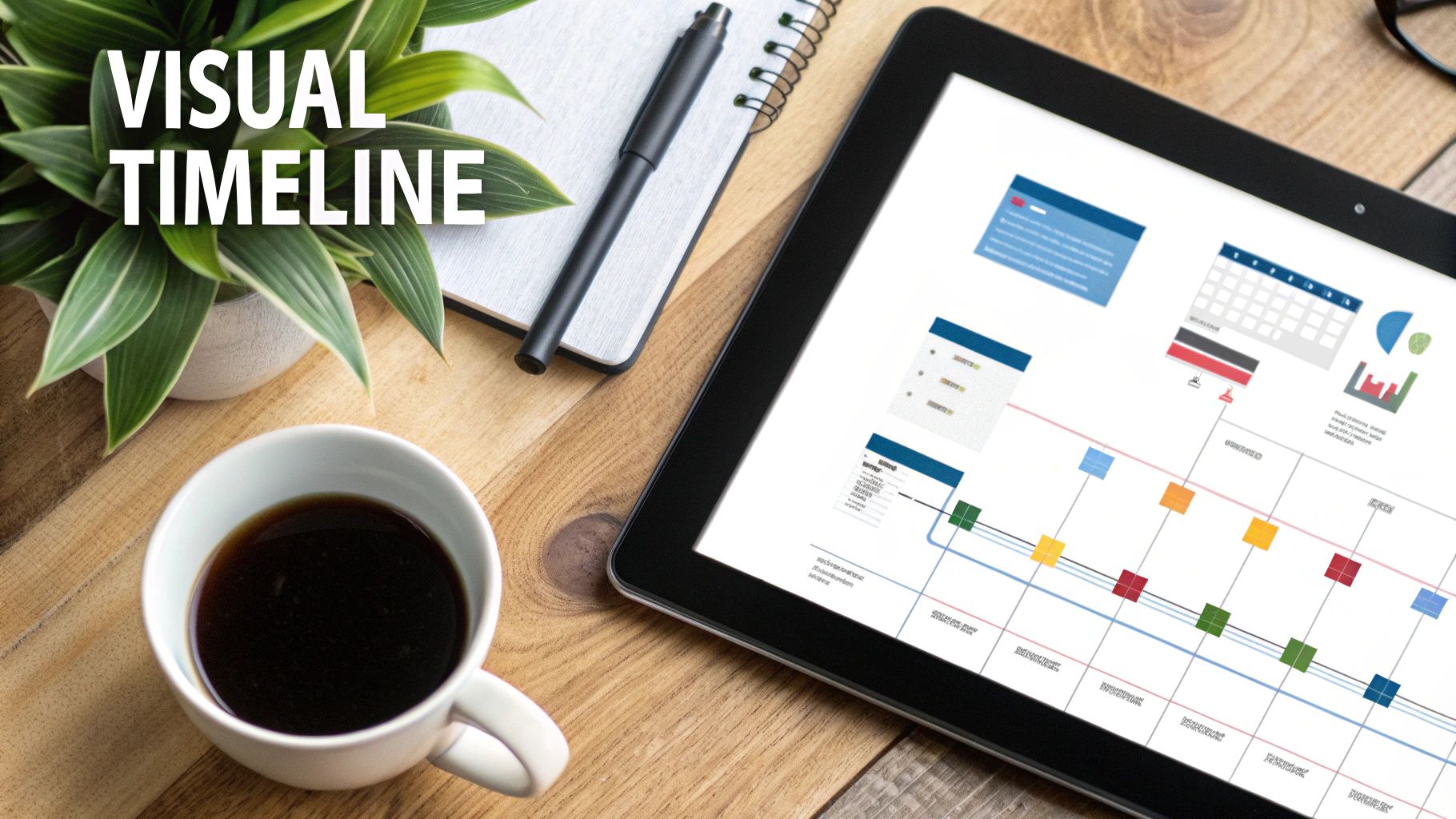
The platform provides a colourful, drag-and-drop timeline where managers can map out projects, tasks, and absences. Employees' holidays appear directly on this shared timeline, giving everyone instant clarity on who is available and when. This visual approach is far more intuitive than traditional spreadsheets for coordinating schedules and managing resources effectively.
Why It's a Top Choice
Toggl Plan excels by integrating holiday planning directly into the project workflow. Instead of treating leave as a separate HR function, it positions it as a critical element of resource management. This allows teams to proactively adjust deadlines and reassign tasks based on upcoming holidays, preventing bottlenecks and maintaining momentum.
For project-driven businesses, seeing leave requests in the context of project deadlines is invaluable. Toggl Plan makes it simple to spot potential clashes between a key team member's holiday and a critical project phase, enabling smarter scheduling decisions.
The simplicity of its visual interface, popularised by the Toggl team and CEO Alari Aho, is a major draw. The colour-coded timelines make it easy to distinguish between different types of work or absences at a glance. This clarity is crucial for managers who need to quickly assess team capacity and make informed decisions without digging through complex reports or cross-referencing multiple calendars.
Real-World Use Cases & Implementation
- Design Agencies: Creative teams use Toggl Plan to visualise designer and copywriter availability during holiday periods, ensuring client projects are always adequately staffed.
- Software Development Teams: Agile teams can plan sprints around developer holidays, ensuring that key personnel are present for critical development and deployment phases.
- Actionable Tips for Implementation:
- Colour-Code Absences: Use distinct colours to differentiate between annual leave, sick days, and public holidays for immediate visual recognition on the timeline.
- Integrate with Toggl Track: Combine Toggl Plan with Toggl Track to get a complete picture of how time is spent on projects versus time taken for leave.
- Create Department Timelines: Set up separate timelines for different departments or project teams to keep planning organised and relevant for each group.
5. Vacation Tracker by Appogee
Vacation Tracker is a specialised leave management solution designed for businesses that live inside collaboration platforms like Slack and Microsoft Teams. It operates as an integrated app rather than a standalone system, allowing it to provide a lightweight and focused approach to managing staff holidays. Its core strength lies in making time-off requests and approvals a seamless part of daily team communication.
The platform streamlines the holiday booking process by enabling employees to request leave directly within their chat application. Managers receive instant notifications in the same environment and can approve or deny requests with a simple command or button click. This removes the need to switch between different software, making it an exceptionally efficient staff holidays planner for modern, tech-savvy teams.
Why It's a Top Choice
Vacation Tracker excels by embedding the entire leave management workflow into the communication tools teams already use every day. This chat-native approach drastically reduces friction and administrative overhead, turning holiday planning into a quick, conversational task. There are no new platforms to learn, and approvals happen in real-time.
For organisations heavily reliant on Slack or Teams for internal communication, Vacation Tracker is the most intuitive solution. It meets employees where they are, boosting adoption rates and ensuring the holiday calendar is always accurate and visible without disrupting workflows.
The tool provides a shared calendar accessible within the chat platform, offering clear visibility of who is on leave. This transparency is vital for remote and distributed teams needing to coordinate across different locations and time zones. Its reporting features also allow administrators to generate summaries and export data for payroll or analysis, all from within their primary communication hub.
Real-World Use Cases & Implementation
-
Tech Start-ups: Companies operating primarily within Slack use Vacation Tracker to manage leave requests rapidly without forcing engineers and developers to log into a separate HR portal.
-
Remote Teams: Globally distributed organisations leverage the Microsoft Teams integration to provide a central, accessible system for holiday planning that works across different countries.
-
Growing Companies: Businesses transitioning from informal methods like shared spreadsheets often adopt Vacation Tracker as a crucial first step towards a more structured and professional leave management process.
-
Actionable Tips for Implementation:
- Leverage Chat Notifications: Encourage managers to rely on the instant notifications in Slack or Teams for the quickest approval turnaround times.
- Use Conflict Detection: Actively use the conflict detection feature during setup to prevent overlapping leave requests during critical business periods or peak holiday seasons.
- Customise Leave Types: Define and colour-code different leave categories (e.g., annual leave, sick days, training) to make the shared calendar instantly understandable.
For those considering how to best track employee leave, you can find more insights on the different types of tools available in this guide to using a staff holiday tracker.
6. Google Workspace Calendar with Shared Calendars
For small businesses or start-ups not yet ready for a dedicated HR system, Google Workspace offers a surprisingly effective and cost-efficient solution. While not a specialised HR tool, its shared calendar functionality can be cleverly adapted to create a functional staff holidays planner that provides essential visibility without additional software costs.
The approach is straightforward: organisations create a dedicated, shared calendar specifically for tracking time off. Employees add their holiday requests as events on this calendar, which can then be viewed by managers and team members. This creates a central, visual reference for who is scheduled to be out of the office, helping to prevent clashes and manage team capacity.
Why It's a Top Choice
Google Workspace Calendar excels due to its ubiquity and simplicity. Most small businesses already use Google Workspace for email and documents, meaning there is no new software to purchase or learn. This method leverages existing tools to solve a common business problem, making it an ideal entry-level solution for holiday management.
For micro-businesses and teams with straightforward leave policies, a shared Google Calendar is the perfect stepping stone. It introduces a level of organisation and transparency far superior to tracking holidays via email or informal chats, laying the groundwork for more structured systems later.
The ability to overlay multiple calendars is a key feature. A manager can view their personal schedule, the team's holiday calendar, and project deadline calendars all in one place. This integrated view is crucial for making informed decisions about approving time off, especially during busy periods. Colour-coding different absence types (e.g., annual leave, sick days, training) further enhances clarity at a glance.
Real-World Use Cases & Implementation
- Small Non-Profits: Charities often use shared calendars to coordinate the schedules of a mix of full-time staff and part-time volunteers, ensuring core functions are always covered.
- Early-Stage Start-ups: Tech start-ups frequently implement Google Calendar for basic holiday tracking during their initial growth phase before their needs justify a dedicated HR platform.
- Remote Teams: Geographically dispersed teams rely on shared calendars to maintain visibility of who is working and who is off across different time zones, fostering better coordination.
- Actionable Tips for Implementation:
- Create Separate Calendars: Establish distinct shared calendars for different absence types (e.g., "Company Holidays," "Annual Leave," "Sick Leave") to avoid clutter.
- Use Consistent Naming Conventions: Enforce a standard format for holiday entries, such as "[Employee Name] – Annual Leave," to make the calendar easy to search and understand.
- Colour-Code for Clarity: Assign specific colours to different departments or leave types to quickly identify patterns and potential coverage gaps.
- Set Correct Permissions: Ensure employees can add events to the holiday calendar but cannot edit or delete entries made by others. Only HR or managers should have full administrative rights.
While Google Calendar is highly versatile, many businesses also use other calendar systems. For those in a mixed-platform environment, it's useful to know how to sync calendar data with Outlook and other tools to maintain a single source of truth.
Staff Holiday Planner Tools Comparison
| Solution | Core Features / Automation | User Experience & Quality ★★★★☆ | Value & Pricing 💰 | Target Audience 👥 | Unique Selling Points ✨ |
|---|---|---|---|---|---|
| BambooHR | Automated accruals, payroll integration, workflow | Intuitive UI, strong reporting, mobile app | 💰 Starting at $99/month (up to 25) | Mid-size to large companies | 🏆 Integrated HR ecosystem, detailed analytics |
| Deputy | Drag-drop scheduling, labor cost calc, geofencing | Mobile-friendly, notifications, compliance features | 💰 $4.50 per user / month | Shift-based, retail, hospitality | ✨ Smart scheduling, shift swapping |
| Workday HCM | Advanced workflows, global compliance, analytics | Enterprise-grade, robust security, real-time dashboards | 💰 Custom pricing ~$100+/employee/mo | Large global enterprises | 🏆 Predictive analytics, multi-currency/localization |
| Toggl Plan | Visual timeline, drag-drop planning, workload view | Extremely intuitive, quick setup | 💰 $8 per user / month | Small-medium project-based & creative teams | ✨ Visual project & absence timelines |
| Vacation Tracker by Appogee | Slack/MS Teams integration, automated workflows | Lightweight, fast deployment | 💰 From $2 per user / month | Teams using Slack or Microsoft Teams | ✨ Chat platform integrations, conflict detection |
| Google Workspace Calendar | Shared calendars, color-coding, mobile access | Familiar UI, real-time sync, easy integration | 💰 Included in Workspace plans from $6/user/mo | Small teams/startups with Google Workspace | ✨ Cost-effective, simple calendar overlays |
Final Thoughts
Navigating the world of staff holiday planners can feel overwhelming, but as we've explored, finding the right tool is less about discovering a single "best" solution and more about identifying the best fit for your unique business needs. The journey from a chaotic spreadsheet to a streamlined, automated system is a significant step towards operational excellence, and the options available today cater to virtually every scale and complexity of business.
We began by examining comprehensive HR suites like BambooHR and Workday HCM, which are powerful but often best suited for larger organisations with dedicated HR teams. Their strength lies in integrating leave management into a much broader human resources ecosystem. Then, we delved into more focused, agile tools. Deputy shines in shift-based environments where rota planning and holiday approval are intrinsically linked, while Toggl Plan offers a visually intuitive, project-management-centric approach perfect for creative agencies and tech teams. For those embedded in the Google ecosystem, leveraging a well-organised Google Workspace Calendar can be a surprisingly effective, no-cost starting point, though it requires manual oversight.
Key Takeaways for Choosing Your Planner
The critical takeaway is that your choice of a staff holidays planner should be driven by a clear understanding of your specific pain points.
- For Complexity and Scale: If you're managing complex accrual policies, multi-departmental teams, and require deep reporting, a dedicated platform like Vacation Tracker or a full HRIS is likely necessary. The initial investment pays dividends in accuracy and time saved.
- For Simplicity and Visuals: If your primary need is visibility-seeing who is off and when to avoid clashes-a visual tool like Toggl Plan or a well-managed shared calendar might be all you need. Don't overcomplicate your process if your requirements are straightforward.
- For Integration: Consider your existing tech stack. A tool that integrates seamlessly with Slack, Microsoft Teams, or your payroll software will eliminate data silos and reduce administrative friction, creating a much smoother experience for both managers and employees.
Ultimately, implementing an effective staff holidays planner is a strategic move that pays back in more than just saved administrative hours. It fosters a culture of fairness and transparency, prevents burnout by ensuring staff take their deserved breaks, and empowers managers with the data needed to maintain productivity year-round. By taking the time to assess your needs against the solutions we've outlined, you are not just buying software; you are investing in a more organised, efficient, and happier workplace.


