
In today's data-focused business environment, making strategic people-management decisions based on gut feelings is a risky proposition. For small and medium-sized businesses (SMEs) across the UK, gaining clear, actionable insights into their workforce is essential for sustainable growth. This is where a powerful HR dashboard becomes indispensable. It’s far more than a collection of colourful charts; it’s a strategic command centre that transforms raw data into a coherent narrative about your organisation.
A well-organised dashboard visualises critical key performance indicators (KPIs) like employee turnover, recruitment costs, and absence rates, empowering you to spot trends and address issues proactively. It helps answer vital questions: Are our recruitment efforts effective? What is the real cost of employee absence? Are our teams engaged?
This article provides a deep dive into seven outstanding HR dashboard examples, each selected to inspire your own setup. We will analyse their design, the metrics they prioritise, and the strategic advantages they offer. For each platform, you'll find detailed breakdowns, screenshots, and actionable takeaways you can apply directly to your business, helping you build a system that drives efficiency, boosts engagement, and supports informed decision-making.
1. LeaveWizard's Easy Reporting: The Specialist Dashboard for Absence Management
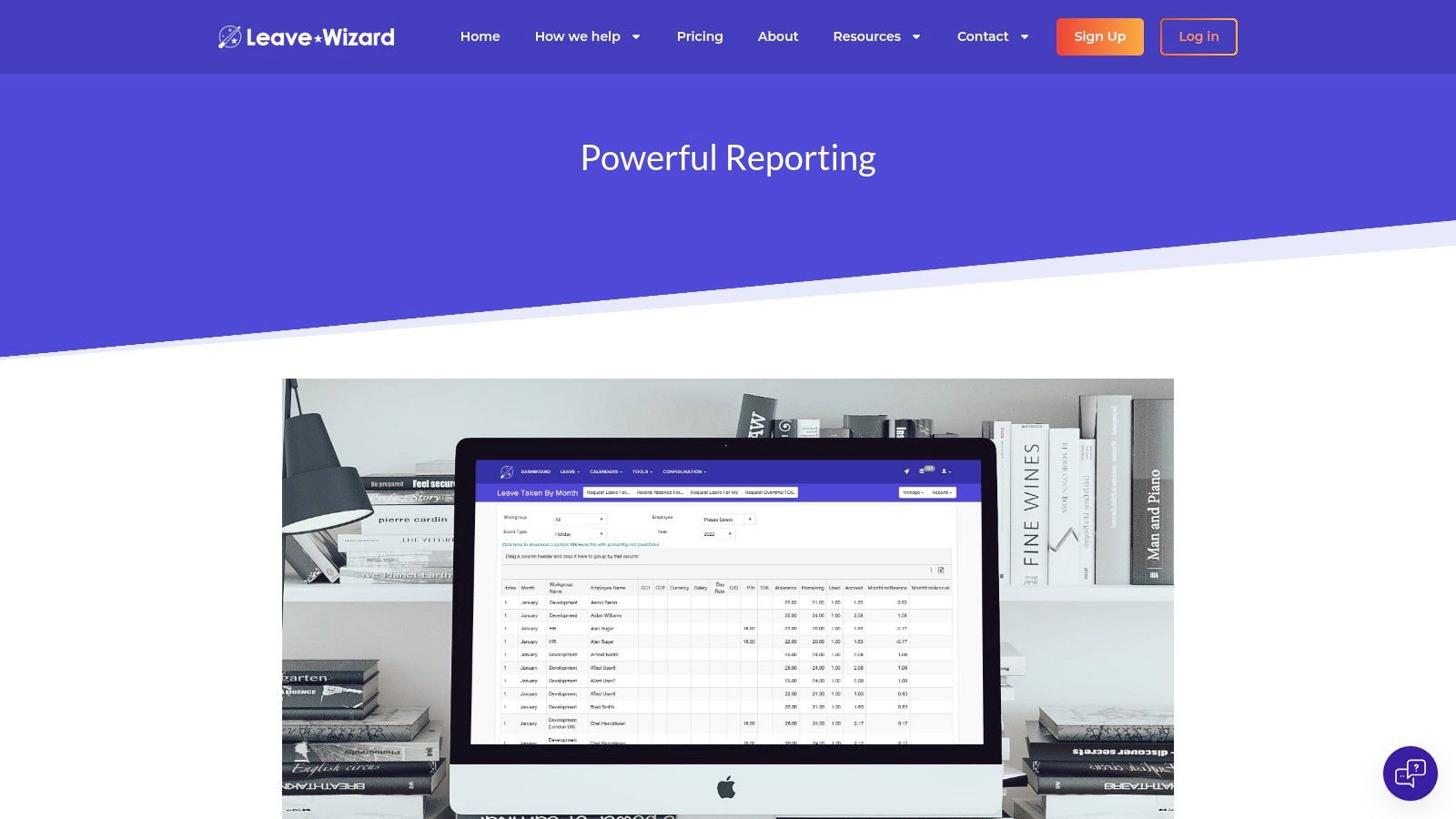
For businesses seeking to master absence and leave management, LeaveWizard's Easy Reporting platform stands out as a premier specialist tool. While many HR dashboards attempt to be an all-in-one solution, LeaveWizard excels by delivering deep, actionable intelligence specifically focused on employee attendance. This specialisation makes it an exceptionally powerful choice for HR and operations managers who need to move beyond simple tracking to strategic workforce planning.
LeaveWizard transforms what is often a time-consuming manual process into an automated, insightful experience. It provides one of the best hr dashboard examples for a targeted function, demonstrating how focusing on a single, critical area of HR can yield superior results in operational efficiency and data clarity.
Strategic Analysis: The Power of Specialisation
The core strength of LeaveWizard’s dashboard lies in its dedicated focus. By concentrating solely on leave and absence, it provides a level of detail and usability that broader HR suites often lack. The user interface is clean and intuitive, designed for managers who need quick answers without navigating complex menus.
Key Insight: A specialised dashboard provides deeper, more relevant metrics for a specific business challenge. For absence management, this means quickly identifying trends like high sickness rates in a particular department or forecasting holiday bottlenecks, which are critical for maintaining productivity.
The real-time data aggregation is a significant advantage. As employees request leave through the self-service app or web portal, the data flows directly into the reporting dashboard. This ensures managers are always working with the most current information, eliminating the lag and potential for errors associated with manual data entry.
Actionable Takeaways for Your Business
Implementing a tool like LeaveWizard offers immediate, practical benefits for workforce management. Here’s how your team can leverage its features:
- Proactive Staffing: Use the forecasting reports to anticipate periods of high leave requests, such as school holidays or peak vacation seasons. This allows you to arrange cover and manage workloads proactively, preventing operational disruptions.
- Identify Burnout Risks: Monitor trends in sickness absence. A sudden spike in sick days within a team could indicate underlying issues like high stress or low morale, prompting a timely intervention from management.
- Streamline Compliance: The dashboard provides a clear, organised audit trail of all leave types. This is invaluable for ensuring compliance with company policies and UK employment law, particularly regarding holiday entitlement and statutory sick pay.
Features & Access
LeaveWizard is a subscription-based service with pricing tailored to the number of users, making it scalable for small to mid-sized businesses. The platform is entirely cloud-based, requiring no software installation. Access is available through any web browser, and it integrates seamlessly with its employee-facing self-service apps for iOS and Android.
- Pros:
- Automated generation of detailed leave and absence reports saves time and reduces errors.
- Specialised focus provides deep, actionable insights into attendance patterns.
- Real-time data visibility enhances decision-making and strategic workforce planning.
- Seamless integration with employee self-service apps ensures data accuracy and transparency.
- Supports compliance monitoring by providing clear, organised records of leave usage.
- Cons:
- Primarily focused on leave and absence, requiring integration with other systems for broader HR metrics like recruitment or performance.
- Best suited for small to mid-sized businesses, as very large enterprises may have bundled solutions.
For a deeper dive into its capabilities, you can explore more about the Easy Reporting feature on LeaveWizard's website.
Visit LeaveWizard's Easy Reporting
2. PowerDash HR
PowerDash HR provides a specialised service for small to medium-sized businesses looking to leverage Microsoft's Power BI for their human resources analytics. Instead of offering a generic software-as-a-service (SaaS) platform, they focus on creating custom-built or pre-designed Power BI dashboards, making it a powerful choice for companies that have invested in the Microsoft ecosystem but lack dedicated data analysts. This service-based approach transforms complex HR datasets into clear, interactive, and actionable reports without the steep learning curve or high cost of hiring an in-house specialist.

This platform stands out by bridging the gap between raw data and strategic insight. Their offerings range from ready-to-use templates to fully bespoke solutions, addressing specific HR challenges like recruitment tracking, employee turnover, diversity and inclusion metrics, and performance management.
Strategic Analysis
PowerDash HR’s model is particularly effective for teams that need high-quality visualisations quickly. The rapid delivery, often within days, is a significant competitive advantage over building a dashboard from scratch, which can take weeks or months.
Key Strategic Insight: By focusing exclusively on Power BI, PowerDash HR masters a single, powerful tool. This specialisation allows them to deliver a more refined, feature-rich, and optimised product for users already within the Microsoft 365 environment, turning a potential limitation into a core strength.
Their service effectively democratises data analytics for HR departments. It removes the technical barrier, allowing HR managers to focus on interpreting the data and making strategic decisions rather than wrestling with software.
Actionable Takeaways
For businesses considering this service, here are some practical tips for maximising its value:
- Prepare Your Data: Before engaging PowerDash HR, ensure your HR data is clean, organised, and accessible. This will significantly speed up the integration and dashboard creation process.
- Define Your KPIs: Clearly identify the key performance indicators (KPIs) you need to track. Do you want to monitor time-to-hire, employee engagement scores, or training ROI? Having a clear list will ensure your custom dashboard meets your exact needs.
- Leverage Their Expertise: Don't just provide data; discuss your strategic goals with their team. Their experience can help you identify metrics you may not have considered, providing deeper insights.
PowerDash HR's pricing starts from an accessible £99 per month, which includes ongoing support and updates. This makes it a cost-effective alternative to hiring a full-time analyst or investing in expensive, all-in-one HR software suites.
Website: https://powerdashhr.com/
3. Breathe HR
Breathe HR offers an intuitive, all-in-one HR software platform specifically designed to meet the needs of small to medium-sized enterprises. Its core strength lies in a clean, comprehensive dashboard that centralises essential HR tasks and data, transforming administrative burdens into streamlined processes. The platform is built to simplify HR management by automating routine activities and empowering staff with self-service features, making it an excellent example of an operational HR dashboard.

This platform excels by focusing on user-friendliness and core HR functions. It provides automated reminders for key dates, an employee self-service portal for leave requests and document access, and clear reporting tools. This focus ensures that even businesses without a dedicated HR department can manage their people effectively and maintain compliance with minimal training.
Strategic Analysis
Breathe HR’s approach is centred on reducing administrative friction. The dashboard isn't just for viewing data; it's a command centre for action, prompting managers about upcoming appraisals, probationary reviews, or expiring certifications. This proactive system helps prevent administrative oversights that can lead to compliance issues or decreased employee morale.
Key Strategic Insight: By prioritising employee self-service, Breathe HR strategically shifts administrative responsibility away from a central HR function. This not only frees up management time but also increases employee engagement and autonomy, as staff can manage their own data, book holidays, and access documents directly.
The platform’s simplicity is its most significant advantage. While it may not offer the deep, customisable analytics of larger enterprise systems, its pre-configured reports provide the essential insights most SMEs need without overwhelming them with complexity.
Actionable Takeaways
For businesses adopting Breathe HR, here are some tips to maximise its potential:
- Champion Employee Onboarding: Use the platform’s features to fully onboard your team. Encourage everyone to use the self-service portal from day one to establish it as the central point for all HR-related interactions.
- Utilise Automated Reminders: Configure all relevant reminders for key employee lifecycle events. This ensures critical tasks like performance reviews and right-to-work checks are never missed, strengthening compliance and people management.
- Integrate Document Management: Transition all HR documents, like contracts and policy handbooks, to Breathe HR’s secure cloud storage. This centralises information, ensures version control, and simplifies access for authorised personnel.
Breathe HR offers a 14-day free trial, with pricing plans starting from £18 per month, scaling with the number of employees. This transparent, affordable model makes it a highly accessible HR software solution for growing businesses.
Website: https://www.breathehr.com/en-gb/hr-software/hr-dashboard
4. HRManager
HRManager offers a comprehensive, employee-centric dashboard designed to centralise and streamline core HR functions. Rather than focusing solely on top-down analytics for management, its platform empowers individual employees with self-service capabilities. This approach integrates everything from personal data management and holiday requests to performance tracking and digital document signing into one secure, accessible hub, reducing the administrative burden on HR teams.
This platform stands out by creating a transparent and interactive environment. It enables employees to take ownership of their HR-related tasks, such as updating personal details, accessing training records, or completing self-appraisals. By doing so, it enhances operational efficiency and fosters a culture of engagement and accountability.
Strategic Analysis
HRManager’s strength lies in its ability to improve compliance and reduce administrative friction simultaneously. The digital document management and signing feature, for example, not only streamlines onboarding but also creates a secure, auditable trail, which is crucial for meeting regulatory requirements.
Key Strategic Insight: By shifting the focus to employee self-service, HRManager transforms the HR dashboard from a passive reporting tool into an active, collaborative platform. This boosts employee engagement and frees up HR professionals to concentrate on more strategic initiatives like talent development and organisational culture, rather than manual data entry.
The platform effectively bridges the gap between employee needs and organisational processes. This direct access to information and tasks empowers staff, which can lead to higher job satisfaction and better data accuracy, as employees are responsible for keeping their own records up-to-date.
Actionable Takeaways
For businesses looking to implement a self-service model, here are some tips to maximise the value of HRManager:
- Plan Your Data Migration: The initial setup can be time-intensive. Before you begin, audit your existing employee data, documents, and policies to ensure a smooth and organised migration into the new system.
- Communicate the Benefits: Launch the platform with clear communication to all staff. Highlight how the new dashboard will make their lives easier, for example, by providing instant access to payslips or a simpler way to book holidays.
- Integrate It with Performance Reviews: Use the performance tracking and self-appraisal features as a core part of your review cycle. Encourage both managers and employees to regularly update notes and goals within the dashboard to make formal reviews more productive.
HRManager’s pricing is tailored to business needs, with custom quotes provided upon request. This makes it a scalable solution for growing businesses seeking to modernise their HR infrastructure.
Website: https://hrmanager.co.uk/platform/employee-dashboard/
5. HR Planner
HR Planner provides an intuitive and highly customisable HR dashboard designed to give small to medium-sized UK businesses a holistic, real-time view of their workforce. The platform centres on a widget-based system, allowing HR managers and team leaders to build a personalised dashboard that highlights the most critical metrics for their specific needs. This approach streamlines daily HR tasks by centralising key information, from absence management to employee data, in one accessible location.
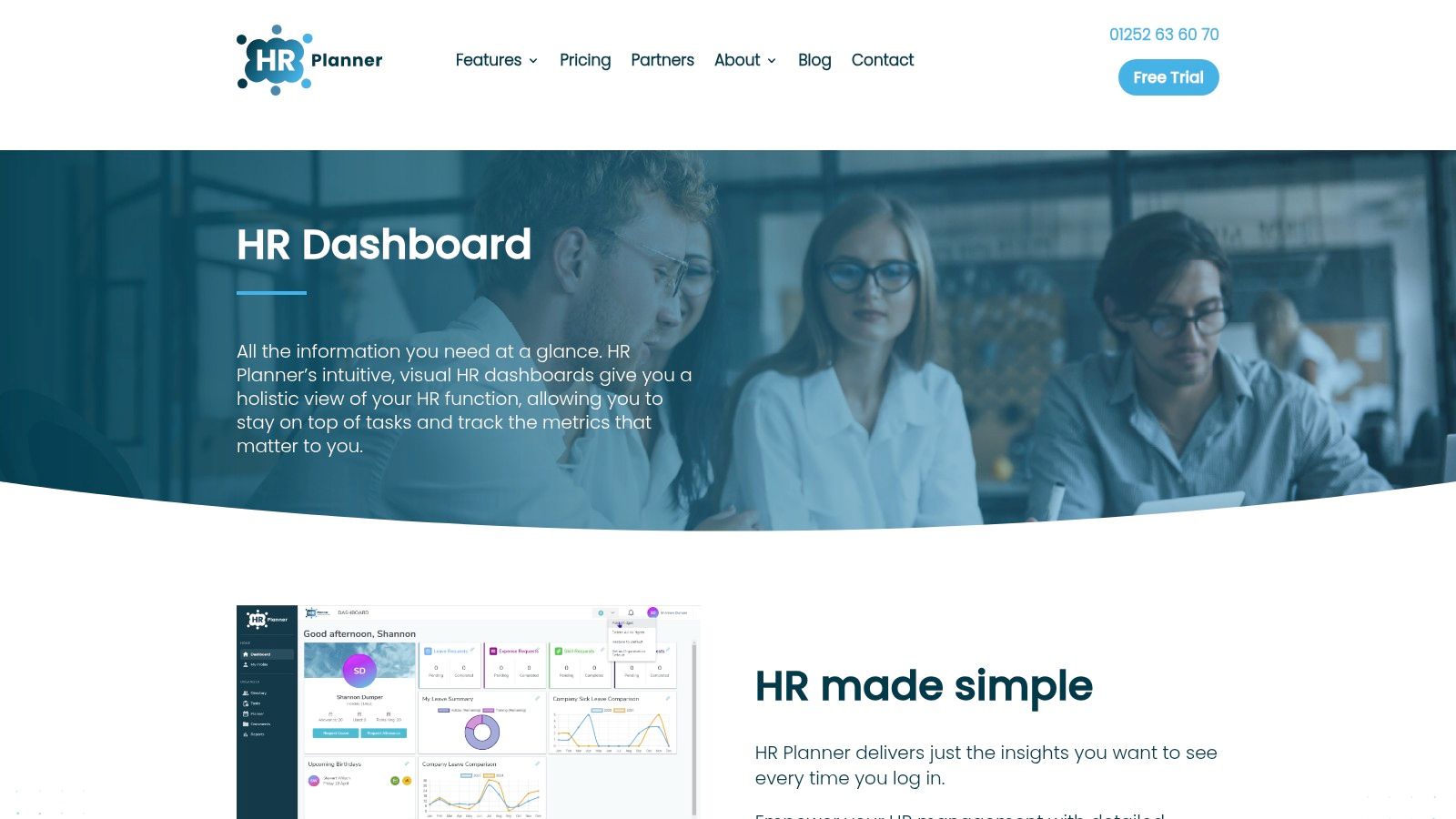
What makes HR Planner stand out is its emphasis on simplicity and user empowerment. The drag-and-drop functionality allows users without any technical expertise to arrange their dashboard layout, choosing which widgets to display. This includes visualisations for holiday planning, sickness trends, and individual employee overviews, making it an excellent example of an operational HR dashboard that enhances day-to-day productivity.
Strategic Analysis
HR Planner’s core strength lies in its user-friendly interface and practical focus on core HR functions like leave and absence tracking. By integrating these essential tasks directly into the main dashboard, it transforms a potentially reactive administrative tool into a proactive workforce planning asset. You can read more about effective workforce planning methods on leavewizard.com to complement these tools.
Key Strategic Insight: The widget-based customisation is more than just a convenience; it is a strategic feature that allows businesses to align their dashboard directly with their operational priorities. A company focused on reducing absenteeism can prioritise sickness trend widgets, while another concerned with resource allocation can highlight holiday calendars.
This adaptability ensures the dashboard remains relevant and immediately useful, preventing the "data overload" common with more complex, feature-heavy platforms. It focuses on doing the fundamentals exceptionally well.
Actionable Takeaways
To get the most out of HR Planner’s dashboard, consider these tips:
- Customise for Different Roles: Create different dashboard views for different roles. A line manager might need to see their team’s upcoming holidays, while an HR director may focus on company-wide turnover rates.
- Use Widgets to Spot Trends: Regularly review the visual widgets for patterns. Is there a spike in sick days on Mondays? Are holiday requests clustering around specific periods? Use these insights to inform policy and resource planning.
- Integrate with Your Calendar: Connect the dashboard's leave and holiday information with your company’s shared calendars (like Outlook or Google Calendar) to ensure seamless communication and planning across all departments.
HR Planner offers a free 30-day trial, with pricing starting at a competitive £2 per employee per month, making it an accessible and scalable solution for growing businesses.
Website: https://www.hrplanner.uk/hr-dashboard/
6. Sense HR
Sense HR offers a forward-thinking, AI-powered human resources system designed to revolutionise how businesses manage their workforce. As part of the wider Sense Workplace platform, it provides a comprehensive suite of tools that go beyond traditional HR dashboards, incorporating operational intelligence, real-time location awareness, and sophisticated time management. This makes it an ideal choice for innovative companies seeking a scalable and intelligent solution to modern HR challenges.
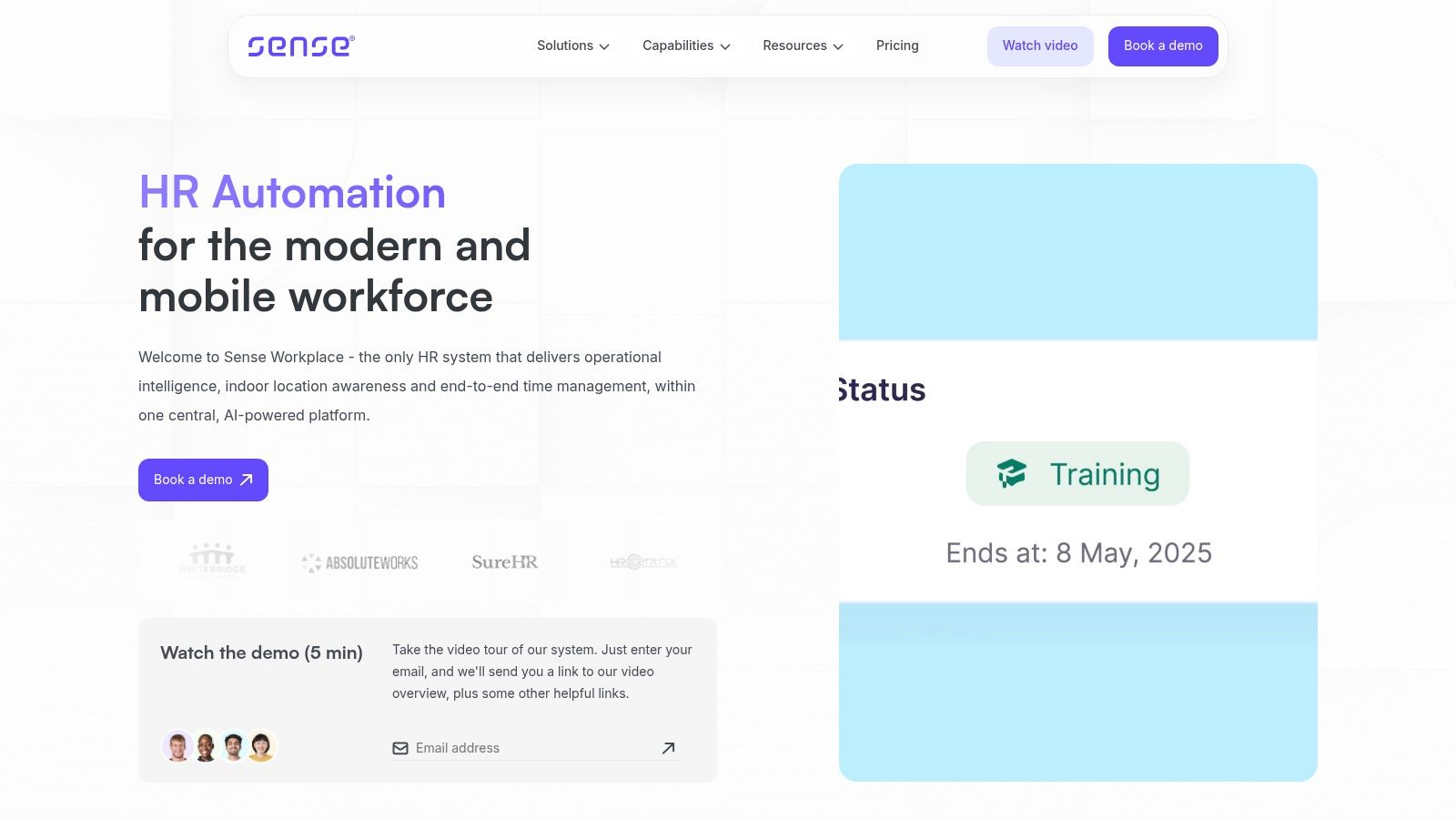
The platform’s standout feature is its AI assistant, which automates routine HR tasks and provides data-driven insights on demand. This allows HR teams to move from reactive problem-solving to proactive strategy, supported by a system that learns and adapts. Its focus on a seamless mobile experience via the Sense Mobile app ensures that both managers and employees can access critical information and perform tasks from anywhere.
Strategic Analysis
Sense HR’s strength lies in its integration of artificial intelligence directly into core HR functions, making advanced analytics accessible without needing a team of data scientists. This approach transforms the HR dashboard from a simple reporting tool into an interactive, intelligent partner. The platform's emphasis on people analytics empowers businesses to make smarter, evidence-based decisions about their workforce.
Key Strategic Insight: By combining HR management with operational intelligence like location tracking, Sense HR creates a unified view of workforce productivity and engagement. This holistic approach provides deeper context to standard HR metrics, enabling managers to understand not just what is happening, but why.
This innovative model is particularly beneficial for businesses with distributed or mobile workforces, where traditional HR systems often fall short. It enhances the employee experience by offering personalised, accessible tools that streamline everything from leave requests to performance check-ins.
Actionable Takeaways
For organisations looking to adopt this advanced system, here are some tips to ensure a successful implementation:
- Prepare for Change Management: Introducing an AI-driven platform requires a shift in mindset. Prepare your team for new workflows and clearly communicate the benefits of the new system to encourage adoption.
- Define Your AI Use Cases: Identify specific, high-impact tasks you want the AI to handle. This could be anything from answering common policy questions to identifying staff at risk of burnout based on their work patterns.
- Leverage a Phased Rollout: Due to its advanced features, consider implementing Sense HR in stages. Start with core HR functions like employee records and leave management before rolling out more complex features like AI-driven analytics.
Pricing for Sense HR is not publicly listed and requires a consultation, which allows them to tailor a package to your organisation's specific needs and scale.
Website: https://sense.hr/
7. SD Worx
SD Worx offers a sophisticated HR and payroll solution that provides powerful analytics through its integrated Insights platform. It is designed for businesses that need to merge complex HR and payroll data streams into a single source of truth. The platform provides user-friendly analytics dashboards and allows for the creation of customisable reports without requiring deep IT expertise, empowering HR managers to make strategic, data-driven decisions about their workforce.
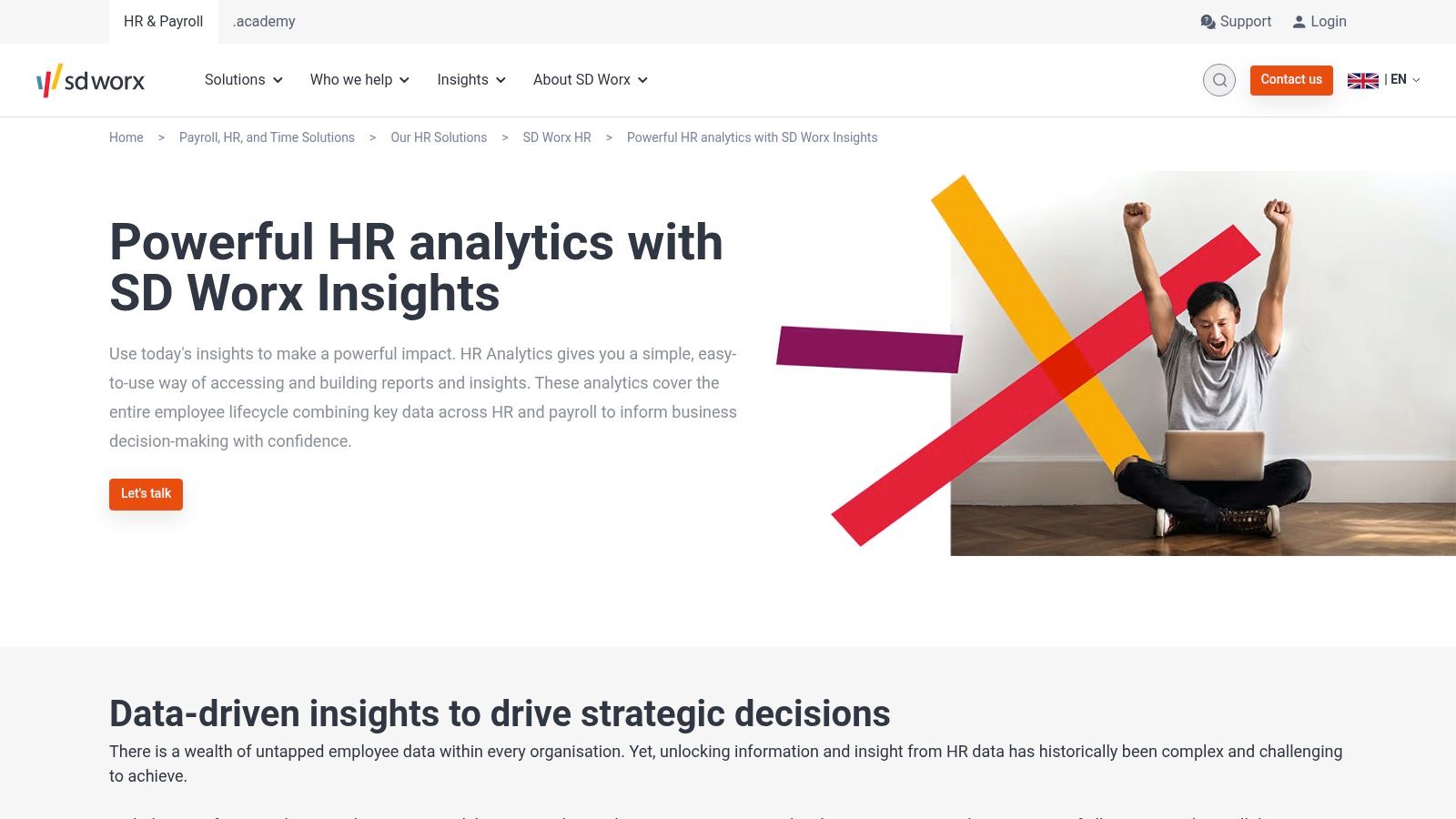
This platform’s core strength lies in its ability to unify disparate data points, offering a holistic view of workforce patterns, payroll costs, and employee trends. This makes it an excellent example of an HR dashboard that supports high-level strategic workforce planning. When considering comprehensive HR analytics like those offered by SD Worx, it's crucial to also account for the complexities of simplifying payroll for international employees and ensuring global compliance.
Strategic Analysis
SD Worx is particularly effective for organisations that have outgrown basic HR software and need a system that can handle the nuances of both human resources and payroll on a larger scale. Its ability to generate clear, visual insights from what is often very dense data helps HR leaders communicate trends and justify strategic initiatives to senior management.
Key Strategic Insight: By integrating HR and payroll data natively, SD Worx eliminates the data silos that often hinder effective workforce analysis. This unified approach ensures that metrics like labour cost per employee or turnover cost are not just estimates but are based on actual, accurate payroll figures, providing a more robust foundation for financial and operational planning.
The platform effectively reduces the burden on IT departments by empowering HR professionals to build their own reports. This self-service model accelerates the decision-making process, allowing teams to respond to emerging workforce challenges more agilely.
Actionable Takeaways
To get the most value from the SD Worx platform, consider the following practical tips:
- Audit Your Data Sources: Before implementation, map out all your current HR and payroll data sources. Understanding where your information lives is the first step towards a seamless integration.
- Focus on Key Business Questions: Instead of just tracking standard KPIs, frame your reporting goals around specific business questions, such as "What is the correlation between overtime pay and employee attrition rates?" or "Which departments have the highest salary growth?".
- Train HR Staff on Data Interpretation: The tool makes data accessible, but your team must be trained to interpret it correctly. Invest in training to ensure they can turn insights into actionable strategies and compelling narratives.
Pricing for SD Worx is not publicly listed and typically requires a consultation to determine the cost based on company size and specific needs.
Website: https://www.sdworx.co.uk/en-gb/solutions/hr/sdworx-hr/analytics
Easy Reporting Features Comparison of 7 HR Dashboards
| Product | Implementation Complexity 🔄 | Resource Requirements ⚡ | Expected Outcomes 📊 | Ideal Use Cases 💡 | Key Advantages ⭐ |
|---|---|---|---|---|---|
| Easy Reporting | Moderate – needs integration but user-friendly | Low to moderate – leverages existing data | Clear, real-time leave reports for planning and compliance | Small to mid-sized businesses seeking scalable reporting | Automated, customizable reports; real-time data; transparency |
| PowerDash HR | Low – rapid delivery with pre-built/custom templates | Low – no coding; affordable subscription | Quick HR dashboards tailored to specific needs | HR teams needing fast, cost-effective BI dashboards | Fast turnaround; tailored dashboards; cost-effective |
| Breathe HR | Low – intuitive setup and automation | Low – SaaS-based with self-service features | Simplified HR management with automation and employee engagement | Small to medium enterprises wanting centralized HR tools | User-friendly; reduces admin workload; employee self-service |
| HRManager | Moderate – initial setup and data migration required | Moderate – comprehensive feature set | Streamlined HR processes including digital documents and performance tracking | Medium to large organizations with varied HR needs | Digital document management; employee engagement; compliance |
| HR Planner | Moderate – requires customization and setup | Moderate – customizable widgets and integration | Centralized, customizable HR dashboards for efficiency | Organizations wanting personalized HR dashboards | Easy customization; widget-based; centralization |
| Sense HR | High – advanced AI and integrations with steeper learning curve | Moderate to high – AI-powered, mobile accessible | AI-driven operational intelligence and location-aware HR management | Businesses seeking innovative, scalable HR systems | AI assistant; scalable; enhanced employee experience |
| SD Worx | Moderate to High – integration with payroll and HR systems | Moderate – requires some integration effort | Strategic workforce insights via user-friendly analytics | Companies needing integrated HR & payroll analytics | Integrated data; strategic insights; IT-light reporting |
From Inspiration to Implementation: Building Your Perfect HR Dashboard
Throughout this exploration of diverse hr dashboard examples, from the streamlined reporting of Breathe HR to the AI-powered analytics of Sense HR, a clear theme has emerged. The most powerful HR dashboards are not one-size-fits-all solutions; they are carefully configured strategic assets that reflect an organisation's unique priorities, challenges, and goals. The true value lies not in the volume of data displayed, but in the clarity and relevance of the insights it provides.
Moving from these examples to your own implementation requires a strategic mindset. Your dashboard should be more than a digital filing cabinet for HR metrics. It should be a dynamic, narrative tool that tells the story of your workforce, flags potential issues before they escalate, and empowers leaders to make confident, data-driven decisions that foster growth and a positive company culture.
Turning Insight into Actionable Strategy
The journey from inspiration to a fully functional dashboard begins with introspection. Before you even look at a demo, ask yourself and your leadership team the critical questions. What are our biggest people-related challenges right now? Is it high staff turnover, frequent unplanned absences, or a slow recruitment cycle? Identifying these core pain points will be your compass, guiding you toward the most relevant metrics and the right software solution.
A crucial aspect of building a comprehensive HR dashboard involves understanding where your data originates; for hiring insights, this often starts with creating effective interview evaluation forms. High-quality input is essential for generating meaningful output on your dashboard.
Key Considerations for Choosing Your HR Dashboard
As you evaluate potential tools, keep these practical factors at the forefront of your decision-making process:
- Customisation and Scalability: Your business will evolve, and your dashboard must be able to adapt. Look for platforms that allow you to easily add new metrics, create custom reports, and adjust user permissions as your team grows.
- Integration Capabilities: Your HR dashboard should not exist in a silo. Consider how well it integrates with your existing payroll, accounting, and project management software to create a single source of truth and eliminate manual data entry.
- User Experience (UX): A complex, unintuitive dashboard will go unused. The best platforms, as we've seen, prioritise clarity and ease of use, ensuring that even non-technical managers can access and understand the information they need without extensive training.
- Data Security and Compliance: Handling employee data comes with significant responsibility. Ensure any potential provider adheres to strict security protocols and complies with UK data protection regulations like GDPR.
Ultimately, the best hr dashboard examples serve as a launchpad for your own creativity. Use them as a guide, but don't be afraid to innovate. By focusing on your organisation's specific needs and prioritising actionable insights over vanity metrics, you can build a dashboard that transforms your HR function from an administrative centre into a strategic powerhouse.


