
An effective annual leave tracker for care homes is far more than a simple scheduling tool. It’s a strategic asset that helps you move beyond messy spreadsheets to prevent rota gaps, ensure you’re always CQC compliant, and reduce the crippling staff burnout that plagues the sector.
A centralised system for managing holiday requests is the only way to guarantee safe staffing levels are consistently maintained—a non-negotiable for delivering exceptional resident care.
Why Spreadsheets Are Holding Your Care Home Back
It’s a scene every care home manager knows all too well. Two of your most experienced senior carers have requested the same week off during the August bank holiday. One request was a scribbled note left on your desk weeks ago; the other was mentioned in a passing conversation in the hallway.
Now you’re stuck. Both are expecting an approval that’s simply impossible without leaving a dangerous gap in the rota. You’re left scrambling for last-minute, and incredibly expensive, agency cover.
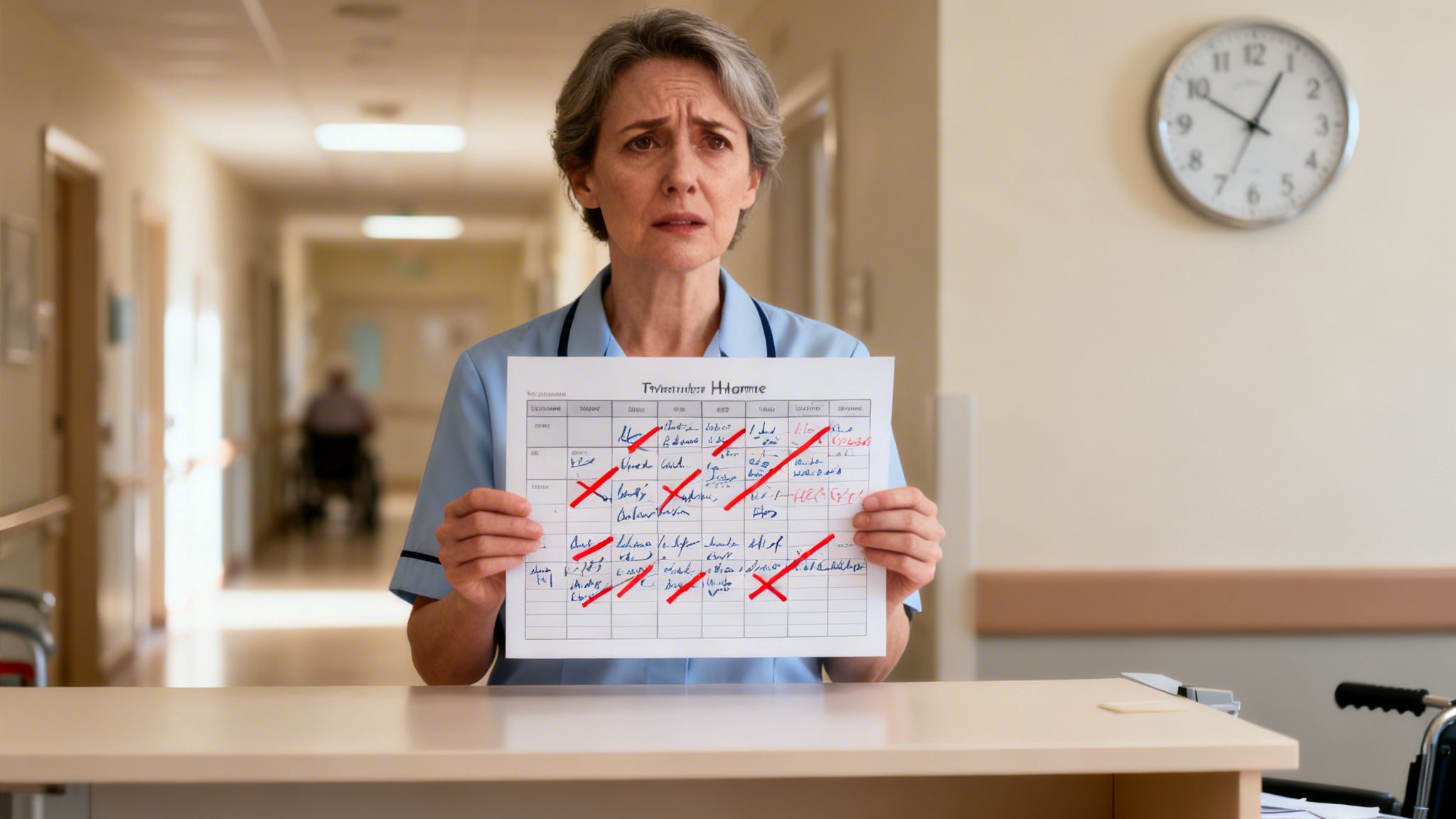
This kind of administrative chaos isn't just an inconvenience; it's the daily reality of trying to manage annual leave with spreadsheets and paper forms. The process isn't just inefficient—it's a direct threat to the stability and quality of care your residents deserve.
The True Cost of Manual Tracking
Relying on outdated methods creates a ripple effect of problems that go far beyond scheduling conflicts. For homes operating within the demanding aged care sector, these issues are only amplified.
Every minute you or your team spend chasing paperwork, clarifying entitlements, or manually checking for rota clashes is time stolen from supporting your staff and residents. This isn’t just about inconvenience; it’s about real, tangible costs. You can learn more about just how much these outdated methods are costing you in our detailed article here.
This administrative burden is a major contributor to staff stress and burnout. When the process for requesting time off feels unfair, chaotic, or disorganised, it chips away at morale. For a team already stretched thin, it can often be the final straw.
In the UK's adult social care sector, staff turnover is at a staggering 24.7%. This means nearly one in every four workers leaves their job each year, creating immense challenges for operators trying to maintain consistent, high-quality care.
To get a clearer picture of the difference, let’s compare the two approaches side-by-side.
Manual Tracking vs Automated System A Quick Comparison
The table below breaks down the everyday struggles of manual systems versus the straightforward benefits of an automated tracker.
| Challenge Area | Manual Tracking (Spreadsheets/Paper) | Automated Tracker (e.g., LeaveWizard) |
|---|---|---|
| Rota Visibility | Fragmented; difficult to see who is off and when without cross-referencing multiple documents. | Centralised calendar gives instant, clear visibility of the entire team’s schedule in one place. |
| Staffing Levels | High risk of accidental understaffing, leading to CQC compliance issues and unsafe conditions. | Pre-set staffing rules automatically block requests that would drop coverage below safe levels. |
| Request Process | Inconsistent and prone to error (lost notes, verbal requests). Creates a sense of unfairness. | Standardised online requests ensure a fair, first-come, first-served system with a clear audit trail. |
| Entitlement Tracking | Time-consuming manual calculations for pro-rata, bank holidays, and carry-over. High risk of mistakes. | Entitlements are calculated automatically and are always up-to-date, visible to both staff and managers. |
| Managerial Time | Hours spent each week on admin: chasing requests, updating spreadsheets, and resolving clashes. | Drastically reduces admin time. Managers can approve or deny requests in seconds from any device. |
As you can see, the shift is about more than just convenience.
An annual leave tracker for care homes is a fundamental tool for operational stability. By automating requests, providing crystal-clear visibility of team schedules, and enforcing your staffing rules without fail, it tackles the root causes of these administrative headaches head-on.
It transforms leave management from a reactive, time-consuming chore into a strategic function that supports CQC compliance, boosts staff retention, and ensures your primary focus remains exactly where it should be: on providing outstanding care.
Building a Fair and Compliant Leave Policy
Before you even think about software, let’s talk foundations. Your annual leave policy is the bedrock of your entire system. A generic template just won't do for the unique demands of a care home. This policy is what translates your operational rules into the automated, consistent decisions you need from an annual leave tracker for care homes.
This isn't simply about writing down rules; it's about building a system your staff can trust. A well-thought-out policy cuts through the confusion, gets rid of any hint of favouritism, and ensures every single leave request is handled with the same transparent logic. Honestly, it’s the most important first step towards a calmer, more predictable operation.
Defining Your Core Leave Rules
First things first, you need to set the ground rules for how leave is actually requested and approved. These need to be practical and dead simple for everyone to understand, balancing the needs of your team with the absolute necessity of uninterrupted resident care.
Here’s what you need to nail down:
- Notice Periods: How much heads-up do you need for a leave request? A good rule of thumb is asking for notice that's at least twice the length of the leave requested. So, for a one-week holiday, you'd ask for two weeks' notice. This gives you a realistic timeframe to arrange cover without last-minute panic.
- Blackout Dates: Are there times of the year when leave is off-limits? This is a big one for care homes. You might decide to restrict leave during the peak of flu season (often December to February) or during your annual CQC inspection period to ensure your most experienced hands are on deck.
- Minimum Staffing Levels: This is your non-negotiable. You must define the absolute minimum number of staff, broken down by role (e.g., two Senior Carers, four Care Assistants, one Nurse), needed for each shift to run safely. This is the magic number your leave tracker will use to automatically flag or even block requests that would put you below that safe level.
Once defined, these core rules become the engine of your leave management. Your system can then enforce them automatically, taking the administrative and emotional weight off your managers' shoulders.
Handling Entitleaments and Carry-Over
Let's be honest, calculating leave entitlements, especially with a mix of contract types, can be a massive headache. Your policy has to be crystal clear on how these are managed to stay on the right side of UK employment law.
A crucial piece of the puzzle is the pro-rata calculation for your part-time or zero-hours staff. The legal entitlement in the UK is 5.6 weeks of paid holiday a year. For an employee on variable hours, this is usually worked out as 12.07% of the hours they've clocked. An automated system handles this calculation in seconds, ensuring total fairness and compliance.
Next up is your policy on carrying over unused leave. UK law allows staff to carry over a maximum of 1.6 weeks (8 days for a full-timer) into the next leave year if you have a workplace agreement. However, many care homes cap this at a lower figure, like 5 days, to actively encourage staff to take regular breaks and prevent burnout.
Make sure your policy states a firm cut-off date for using any carried-over leave, like the 31st of March. This stops a huge build-up of leave that can cause major staffing headaches later in the year.
Mapping Complex Shift and Coverage Needs
A care home isn't a 9-to-5 operation. Your policy needs to get into the weeds of your 24/7 rotas and the specific needs of your residents. This means looking beyond just a simple headcount and thinking about the skill mix on any given shift.
For instance, a wing with residents who have complex clinical needs requires a very different staff makeup than a wing focused on dementia care. Your policy needs to map out these specific requirements.
Think about building a simple skills matrix right into your policy framework:
| Shift Type | Resident Needs | Minimum Skill Requirement |
|---|---|---|
| Weekday Day Shift | High dependency, clinical care | 1 Registered Nurse, 2 Senior Carers |
| Weekend Night Shift | General residential care | 1 Senior Carer, 3 Care Assistants |
| Bank Holiday | All residents on site | Enhanced staffing across all roles |
Mapping these scenarios out is what lets you configure your annual leave tracker for care homes with real precision. When a Registered Nurse requests time off, the system will know to check not just the total number of staff on that shift, but whether another qualified nurse is already scheduled to provide cover.
This is the difference between simply tracking days off and strategically managing your workforce to ensure safety and quality of care are never, ever compromised.
Setting Up Your Digital Leave Management System
Moving away from a jumble of spreadsheets and paper forms to a dedicated digital platform is probably the single biggest improvement you can make to your leave management. This is where the admin chaos gives way to clarity and control. But picking and setting up the right annual leave tracker for care homes isn't just about grabbing new tech; it's about making it fit the unique rhythm and rules of your specific facility.
The right system should feel less like a new piece of software and more like a natural extension of how you already operate. I always tell managers to look for a few key things: mobile access for staff on the go, automatic entitlement calculations that can handle complex pro-rata and zero-hours contracts without a hiccup, and the ability to pull reports that are ready for a CQC inspection at a moment's notice.
Let's walk through what it actually takes to bring a system like this to life in your care home.
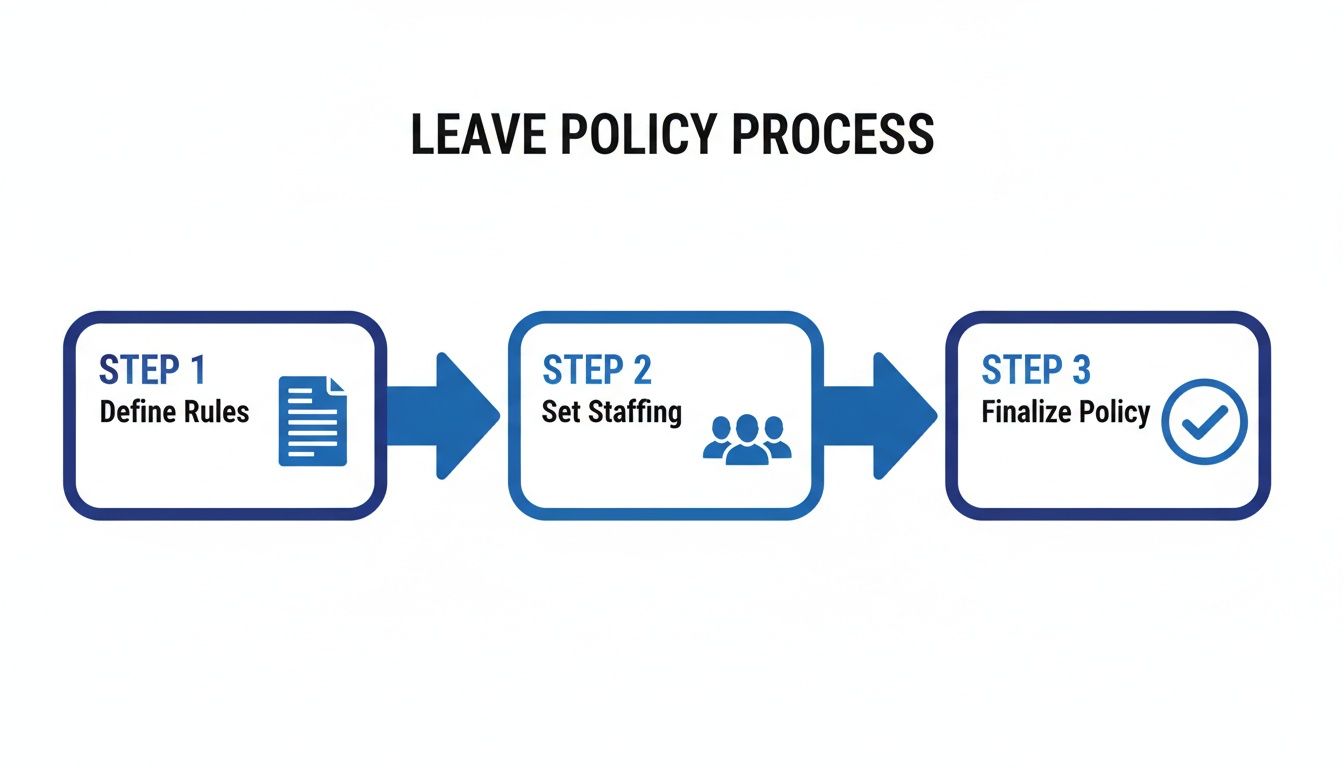
Before you even touch the software, you need this foundation. Clear rules and defined staffing levels are the essential groundwork for automating your annual leave tracking effectively.
Building Your Employee Database
The very first hands-on task is getting your team into the system. This isn't just about creating a list of names; you're building the central hub of information that powers all the system's logic. You'll need to go beyond just basic contact details.
For every single employee, make sure you configure:
- Contract Type: Are they full-time, part-time, or on a zero-hours contract? This is the bedrock of how their holiday pay is calculated.
- Work Pattern: Map out their typical working week or rota. A senior carer on a rolling schedule of four 12-hour shifts followed by four days off needs that pattern logged in the system.
- Role and Department: This is crucial. Assigning roles like ‘Registered Nurse’ or ‘Care Assistant’ is what allows you to set those non-negotiable staffing minimums for every shift.
- Start Date: Don't overlook this! It’s essential for calculating accrued leave, especially for new starters joining part-way through the year.
Getting this foundation right from the outset means every calculation and approval that follows will be accurate. It’s the best way to eliminate those frustrating errors that always seem to crop up in manual spreadsheets.
Defining Your Unique Leave Types
Care homes deal with so much more than just the standard annual holiday. Your leave tracker needs to be set up to recognise and manage every type of absence, each with its own specific rules.
Beyond the usual holiday requests, you should set up distinct categories for:
- Sickness Absence: Not just for tracking, but for spotting patterns that might signal a wellbeing issue.
- Compassionate Leave: For those unforeseen family emergencies.
- Training and CPD: To make sure mandatory training is logged without accidentally creating gaps in the rota.
- Maternity and Paternity Leave: Essential for effective long-term absence planning.
It’s also incredibly important to factor in statutory leave that’s particularly relevant to our sector. The UK's Carer’s Leave Act, for instance, now gives employees unpaid time off to care for dependants. Add to that the new Neonatal Care Leave, which can provide up to 12 weeks of paid leave. With 35% of unpaid carers in the UK having to cut their work hours, having a system that tracks these distinct leave types automatically is vital.
When you configure all these leave types properly, you get a true, holistic picture of who is available and when. If you're looking for a platform built to handle these complexities, you might want to explore our dedicated care home leave management system.
Designing Smart Approval Workflows
Think about who approves leave requests in your home. Is it always the registered manager? Does a shift leader have the first say? Maybe it’s the head of nursing? An automated workflow gets the request to the right person instantly, putting an end to delays and lost paper forms for good.
You can even set up multi-level approvals. For example, a care assistant's request could go to their shift leader first. Once they approve it, the system can automatically forward it to the registered manager for a final check against the master rota. It builds a clear chain of command and keeps everyone accountable.
This automation is your best defence against accidentally leaving a shift short-staffed. The system should be configured to check every request against your minimum staffing rules automatically. If approving a request would dip below your required levels, the approver gets an immediate alert. This allows them to make an informed decision on the spot, rather than finding out about the gap hours before the shift starts.
Quick Setup Template for a 30-Bed Care Home
- Minimum Staffing (Day Shift): 1 Nurse, 2 Senior Carers, 4 Care Assistants
- Minimum Staffing (Night Shift): 1 Senior Carer, 3 Care Assistants
- Primary Leave Approver: Registered Manager
- Backup Approver: Deputy Manager (for when the manager is on leave)
- Blackout Periods: 15th December – 5th January; and the full week of any scheduled CQC inspection.
- Carry-Over Limit: Maximum of 5 days, to be used by 31st March.
A simple template like this is a brilliant starting point. By plugging these core rules into your annual leave tracker for care homes, you turn it from a blank slate into a powerful tool that’s perfectly calibrated to your operational reality.
Getting Your Entire Care Team on Board
A new system, no matter how powerful, is only ever as good as the people using it. When you introduce a digital annual leave tracker for care homes, success depends on a thoughtful approach that puts your people first. This isn't just about showing them which buttons to press; it's about winning their trust and proving how this change will genuinely make their working lives better.
Rolling this out successfully all comes down to clear communication. Most of your team, from tech-savvy nurses to care assistants who might be less confident with new apps, will have one core question: "What's in it for me?" Your job is to answer that before they even have to ask.
The trick is to frame the new tracker not as another bit of admin, but as a tool for fairness and transparency. You need to highlight the direct benefits to them—no more lost paper requests, a clear view of their remaining holiday balance whenever they want it, and a fair, first-come-first-served process for everyone.
Communicating the Benefits, Not Just the Features
Before you even think about training, get the team together for a quick chat to introduce the idea. Ditch the technical jargon and focus on the positives that will actually matter to your staff on a personal level.
Explain how the system will give them:
- More Control: They'll be able to check their leave balance and see the team calendar on their own phones, helping them plan their time off without having to hunt down a manager.
- Greater Fairness: The system logs every request in the order it comes in. This removes any hint of favouritism and makes the process completely consistent.
- Total Transparency: Everyone can see which dates are already heavily booked. This helps them make smarter choices when requesting leave, meaning far fewer disappointing rejections.
By focusing on these personal wins, you shift the conversation from a top-down rule to a genuine team improvement. It becomes a tool that empowers them, rather than just another system they're forced to deal with.
Appointing a 'System Champion' can make a world of difference. This should be a respected team member—perhaps a senior carer or shift leader—who is comfortable with technology. They can offer friendly, informal peer support to colleagues who might be struggling.
Running Brief and Effective Training
Long, formal training sessions are a waste of time in a busy care home. Instead, run short, practical demonstrations that are directly relevant to your team’s daily work.
Break the training into bite-sized chunks. For most staff, they only really need to know how to do two or three things. Keep sessions focused and stick to 15-20 minutes at the most.
A Simple Training Agenda:
- How to Log In: Start with the absolute basics of getting into the system on a computer or their phone.
- How to View Your Balance: Show them exactly where to find their remaining annual leave entitlement.
- How to Request Leave: Walk them through the simple steps of picking dates and submitting a request.
- How to See Team Availability: Briefly show them the team calendar so they can plan around their colleagues' holidays.
For managers and shift leaders, you'll want to run a separate, slightly more detailed session. This should cover approving or declining requests, viewing rota coverage, and understanding how the system flags potential staffing gaps. The goal is confidence, not complexity.
Testing Your Handover Process
One of the most critical tests for your new annual leave tracker for care homes is the handover between shift leaders. Information about approved leave and upcoming absences has to flow seamlessly, ensuring the next manager on duty is fully aware of the staffing situation from the moment they walk in.
Before you go fully live, run a few real-world tests. Get one shift leader to approve a last-minute leave request and then check that the updated rota and calendar are immediately visible to the incoming manager.
This simple check ensures there are no gaps in communication that could risk resident care or CQC compliance. It cements the tracker as the single source of truth for all staffing matters, finally getting rid of the reliance on verbal handovers or scattered paper notes.
Leveraging Leave Data for Smarter Staffing
Once your digital leave system is up and running, its real value starts to shine through. It stops being just an approval tool and becomes a powerful source of insight for your workforce planning. An annual leave tracker for care homes isn't just about managing today; it’s about predicting and preparing for tomorrow, helping you move from reactive scrambling to proactive, strategic staffing.

This data-driven approach is what separates a well-run care home from one that’s constantly fighting fires. Instead of guessing when you'll be short-staffed, you can actually see patterns emerge. This allows you to arrange cover well in advance and slash your reliance on expensive agency staff.
Uncovering Hidden Leave Patterns
Your new system is a goldmine of information. By generating a few simple reports, you can quickly spot trends that were completely invisible before. For the first time, you have concrete data on peak holiday request times, common sickness days, and other unplanned absence trends.
You'll probably start to notice things like:
- Holiday Hotspots: Do most of your team request leave around school holidays or specific bank holiday weekends? Knowing this means you can communicate booking deadlines months ahead of time.
- Sickness Spikes: Are certain shifts or teams showing higher rates of unplanned absence? This could be a sign of high pressure or team dynamic issues that need your attention.
- Post-Holiday Trends: Is there a noticeable jump in sickness calls on the Tuesday after a bank holiday weekend? This data can directly inform how you build your rota for those specific dates.
These insights are invaluable. If you know that August is your most requested month, you can start your recruitment for bank staff in May, not leave it until July. For a deeper dive, you can explore what your data could tell you about leave and absence in our comprehensive guide.
From Reactive Cover to Proactive Planning
Armed with this data, you can completely transform your approach to staffing. Instead of reacting to a sudden gap in the rota, you can see it coming. Your annual leave tracker gives you a clear, visual forecast of staffing levels for months into the future.
Imagine seeing that three of your senior carers have leave approved for the same week six months from now. In the past, this might have gone unnoticed until the last minute. Now, you have a huge window to either ask one to reschedule or to arrange skilled, consistent cover without paying last-minute agency rates.
This forward-thinking approach directly impacts your bottom line. Proactive rota planning based on leave data can reduce agency spend by anticipating demand and building a reliable pool of bank staff who already know your residents and procedures.
This isn't just about saving money; it’s about ensuring continuity of care. Residents really benefit from seeing familiar faces, and your permanent staff feel less pressure when cover is arranged smoothly and competently.
Supporting Staff Wellbeing and Retention
Perhaps one of the most powerful uses of your leave data is in supporting the wellbeing of your team. The system doesn't just show who is taking time off—it also highlights who isn't.
UK workers are legally entitled to 5.6 weeks of paid leave, but it's surprising how often people don't take their full allowance. In a high-pressure environment with 86.1% bed occupancy, staff burnout is a massive risk, and untaken leave is a major red flag.
Your leave tracker makes it easy to spot team members who haven't taken a proper break in months. You can generate a simple report on "leave balances remaining" to identify those at risk of burnout. A quick, supportive conversation encouraging them to book some well-deserved time off can make a huge difference to their morale and long-term retention. It shows you care about them as people, not just as names on a rota.
Making Leave Management a Strategic Advantage
We've walked through the nuts and bolts of transforming your leave management from a daily headache into a genuine asset. Let’s be honest, an effective annual leave tracker for care homes is about so much more than just ditching the paperwork. It’s the cornerstone of a well-run, compliant, and genuinely supportive workplace.
When you get rotas right and ensure the process is fair for everyone, you directly boost staff morale. It’s a simple equation. This, in turn, guarantees you’re always CQC-ready and, most importantly, helps you deliver better, more consistent care to your residents. It’s time to stop seeing leave management as just another admin chore and start treating it as a strategic tool for building a resilient team in a seriously demanding sector.
Your journey to smoother operations isn't just about efficiency; it's about creating an environment where staff feel valued and supported. This directly translates to lower turnover and higher quality care for your residents.
At the end of the day, a well-managed leave system is a massive contributor to staff happiness and retention. If you want a quick pulse check on the well-being of your team, a tool like a Work-Life Balance Calculator can offer some interesting insights.
This shift in perspective is what really makes the difference. Moving from constantly reacting to staffing fires to proactively managing your workforce gives you a huge advantage. It frees you up to keep your focus exactly where it needs to be: on delivering outstanding care, day in and day out.
Got Questions? We’ve Got Answers.
When you're looking at moving to a new annual leave tracker for your care home, a few practical, on-the-ground questions always come up. Here are some of the most common queries we hear from care home operators making the switch from spreadsheets and paper forms.
How Does an Annual Leave Tracker Handle Our Complex Rotas and Zero-Hours Contracts?
This is probably the number one question, and for good reason. Modern trackers are built specifically for the kind of scheduling complexities found in care settings. You can easily set up custom work patterns for every single employee, whether they're on fixed shifts, a rolling four-on-four-off rota, or completely variable hours. That flexibility is non-negotiable.
For team members on zero-hours contracts, the system takes the guesswork out of holiday pay. It automatically calculates their pro-rata holiday entitlement based on the hours they’ve actually worked. This completely removes the risk of manual miscalculations and keeps you compliant with UK employment law, making sure they're paid correctly for the leave they've rightfully earned.
When a leave request comes in, the tracker instantly checks it against the live rota and your preset minimum staffing levels. It’ll flag any potential coverage gaps before you even think about hitting 'approve'.
Will My Staff Actually Find a Digital System Easy to Use?
Absolutely. The best systems are designed with a simple, intuitive experience in mind, especially on mobile apps. It’s a game-changer for your team.
Staff can check their remaining holiday balance, see a shared team calendar to avoid obvious clashes with colleagues, and send off their requests in just a few taps on their own phones. This self-service approach empowers them, giving them way more control and transparency over their time off. It also drastically cuts down on the simple admin questions you and your managers have to answer every day, freeing up precious time.
With a straightforward rollout and simple guides, everyone from your most tech-savvy nurse to a less experienced care assistant will get the hang of it in no time.
A huge, often overlooked, benefit for staff is fairness. Every request is timestamped and logged. This creates a consistent, first-come-first-served process that gets rid of any perception of favouritism and builds real trust within the team.
What Reports Can I Pull for CQC Inspections?
An automated system is a massive asset when inspectors arrive. It gives you a clear, professional, and auditable trail of how you manage your staffing. You can instantly generate reports that prove you have robust processes in place to maintain safe and consistent staffing levels around the clock.
Key reports that make CQC inspections smoother include:
- Historical Rota Coverage: Shows exactly who was on shift on any given day, proving you consistently met your minimum staffing requirements.
- Staff Leave Records: Pulls up a complete history of all approved annual leave for every single employee.
- Absence Pattern Analysis: This can highlight trends in sickness or unplanned absences, allowing you to show inspectors that you're proactively looking after staff wellbeing.
Having this documentation at your fingertips proves your commitment to organised, safe, and compliant workforce management.


