
Right, let's move past the days of dusty punch cards and messy spreadsheets. A modern time and attendance system is so much more than a digital clocking-in machine. It's a strategic tool that gives you vital insights into how your business is running and where you can be more efficient.
Why Time Attendance Systems Are a Strategic Business Tool
Think of a good time and attendance system as a health monitor for your business. It gives you a real-time pulse on your most valuable asset: your people. Yes, its core job is to accurately log when employees start and finish work, but its true power is in the data it gathers and the tedious jobs it automates. It turns the boring administrative task of time tracking into a goldmine of business intelligence.
This shift has been a game-changer for UK businesses. Watching these platforms evolve since the early 2000s has been incredible; what started as a simple replacement for paper has become an essential tool for managing a modern workforce. Real-time monitoring gives managers a much clearer picture, allowing them to spot and deal with attendance issues quickly. In fact, organisations using this software often see productivity jump by up to 15%. You can get a deeper dive into these capabilities in this ultimate guide to time and attendance software.
More Than Just a Clock
At its heart, a time attendance system answers a simple question: "Who worked, and for how long?" But the way it answers that question is what makes it so valuable, offering layers of insight that manual methods could never hope to match.
- Unwavering Accuracy: It gets rid of the human error that’s so common with spreadsheet entries and the guesswork of handwritten timesheets. This level of precision is the bedrock of fair and accurate payroll.
- Operational Visibility: You get a crystal-clear view of attendance patterns, punctuality, and overtime. This data helps you spot signs of potential burnout, get ahead of absenteeism, and build smarter staff schedules.
- Compliance Confidence: With complex UK labour laws like the Working Time Directive, having a precise, undeniable record of hours worked isn't just good practice—it's your legal safety net.
In short, a time and attendance system isn't just an admin tool; it's a competitive advantage. It gives you the clarity you need to manage your team effectively, get a grip on labour costs, and make smarter, data-driven decisions that help your business grow.
The Foundation of Workforce Management
By automating how you capture time, these systems free up hours of administrative work. This means your HR team and managers can stop chasing down timesheets and fixing payroll mistakes.
Instead, they can focus on the bigger picture: analysing workforce trends, finding ways to improve employee engagement, and planning for your future staffing needs. It’s this shift from putting out fires to strategic planning that makes a time attendance system a cornerstone of modern business. It builds a foundation of reliable data you can use to create more efficient processes and a more productive, engaged team.
What Are the Core Features Every Business Needs?
When you start looking at time and attendance systems, it's easy to get bogged down in a long list of technical specs. But the real trick is to zero in on the core functions that actually solve your biggest headaches. These are the features that transform a system from a simple clocking tool into a vital part of your operational strategy.
At its heart, any system answers the basic question: who worked, and when? Modern systems, however, do this with a level of precision and flexibility that was once unimaginable. For a great primer on the fundamentals, this comprehensive guide to clock-in/clock-out systems breaks down how they operate. It's all about finding the right method for your specific team and work environment.
Automated and Accurate Time Tracking
The absolute bedrock of any system is its ability to automatically and accurately capture employee hours. This is what finally gets you away from the errors, guesswork, and sheer time drain of manual paper timesheets. But it’s important to remember that not all tracking methods are created equal.
Different workplaces need different tools. It’s not a one-size-fits-all situation:
- Biometric Scanners: Using fingerprints or facial recognition, these are perfect for fixed, on-site locations like warehouses, factories, or construction sites. They completely stamp out "buddy punching"—where one employee clocks in for another.
- Mobile Apps with GPS: An absolute must for field teams, remote workers, or staff who move between sites. GPS tracking and geofencing ensure employees are clocking in from the right place, giving you total accountability for your off-site workforce.
- Web-Based Clock-Ins: This is a straightforward solution for office-based staff who spend their day at a computer. They can clock in and out right from their browser with a single click.
For many UK organisations, biometric systems have become the gold standard for precise monitoring. It's a global trend, too—more than 41 million workers are now tracked using biometric or proximity-based systems. In the UK, sectors like healthcare and manufacturing are leading the charge, driven by the need for real-time data and strict compliance with labour laws.
Comparing Employee Time Tracking Methods
Choosing the right time tracking method is a critical first step. The table below breaks down the most common options to help you decide which is the best fit for your business, your team, and the way you work.
| Tracking Method | Best For | Key Advantage | Potential Drawback |
|---|---|---|---|
| Biometric Scanners | On-site workplaces (factories, warehouses, construction) | Eliminates "buddy punching" completely for maximum accuracy. | Requires physical hardware and can raise privacy concerns. |
| Mobile Apps (GPS/Geofencing) | Remote workers, field teams, multi-site staff | Provides location verification and flexibility for a mobile workforce. | Relies on employees having a smartphone and good signal. |
| Web-Based Clock-Ins | Office-based staff, call centres, digital agencies | Simple, low-cost, and easy for computer-based employees to use. | Lacks location verification and is open to time theft. |
| Proximity Cards/Fobs | Corporate offices, healthcare facilities, secure sites | Quick and easy for employees; can be integrated with access control. | Cards can be lost, stolen, or shared ("buddy punching"). |
| Manual Timesheets (Digital) | Small teams with high trust, specific project-based work | Very simple and requires no special hardware. | Prone to human error, forgotten entries, and deliberate inaccuracies. |
Ultimately, the best method aligns with your operational reality. A construction firm will have very different needs from a digital marketing agency, so weigh the pros and cons carefully before you commit.
Seamless Payroll Integration
One of the most powerful features to look for is direct integration with your payroll software. Think of it as building a bridge between two critical business functions. This connection creates a seamless flow of data, finally ending the nightmare of manually keying in hours from timesheets into your payroll system.
By automating this link, you drastically reduce the chance of costly human errors. The system automatically calculates total hours, overtime, and any pay-rate variations, ensuring every employee is paid accurately and on time, every time.
This isn't just about saving administrative hours, though it certainly does that. It's also about building trust and boosting morale within your team.
The following infographic shows how all these benefits are interconnected, turning a simple clock-in into a source of valuable business intelligence.
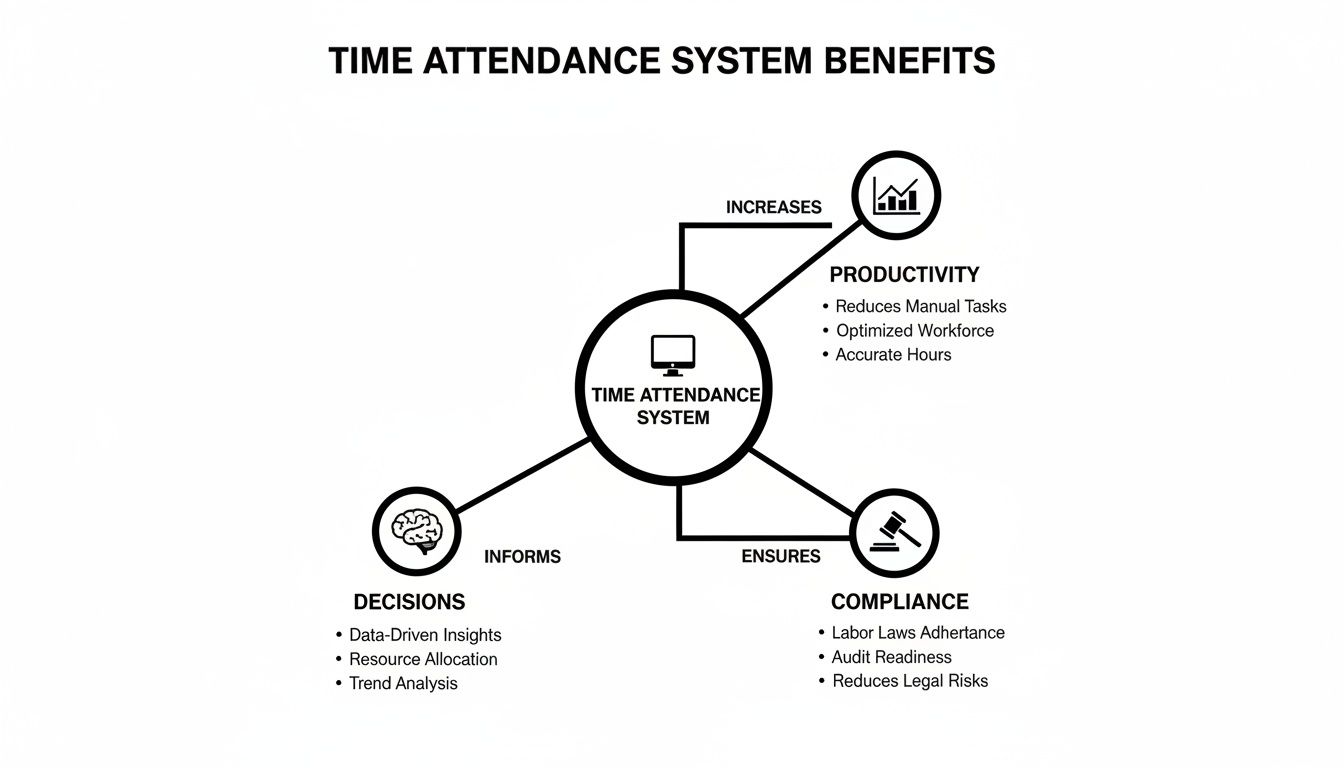
As you can see, a modern system acts as a central hub, converting raw attendance data into actionable insights for compliance, productivity, and smarter strategic decisions.
Absence Management and Compliance Reporting
A truly great system does more than just track who's present; it also expertly manages who is absent. With built-in absence management tools, you can track holidays, sick leave, appointments, and other types of leave all in one place. This creates a single source of truth for your entire workforce's availability, eliminating confusion and double-booking.
If you want to dive deeper into this particular area, our guide on modern employee attendance tracking software has you covered.
Finally, you need robust reporting. This is non-negotiable for compliance. A good system should be able to generate reports that make it simple to adhere to UK regulations like the Working Time Directive. It provides an irrefutable digital audit trail of hours worked, breaks taken, and overtime logged, giving you complete peace of mind. This data is also invaluable for spotting attendance patterns, managing labour costs, and making much more informed staffing decisions.
The Strategic Benefits of Automating Time Tracking
An automated time attendance system does a lot more than just clock people in and out. It takes a mundane administrative chore and turns it into a genuinely powerful source of business intelligence. When you move past the individual features, you start to see the high-level strategic advantages that can strengthen your business from the ground up. It’s about turning raw data into a clear picture of your operational health.
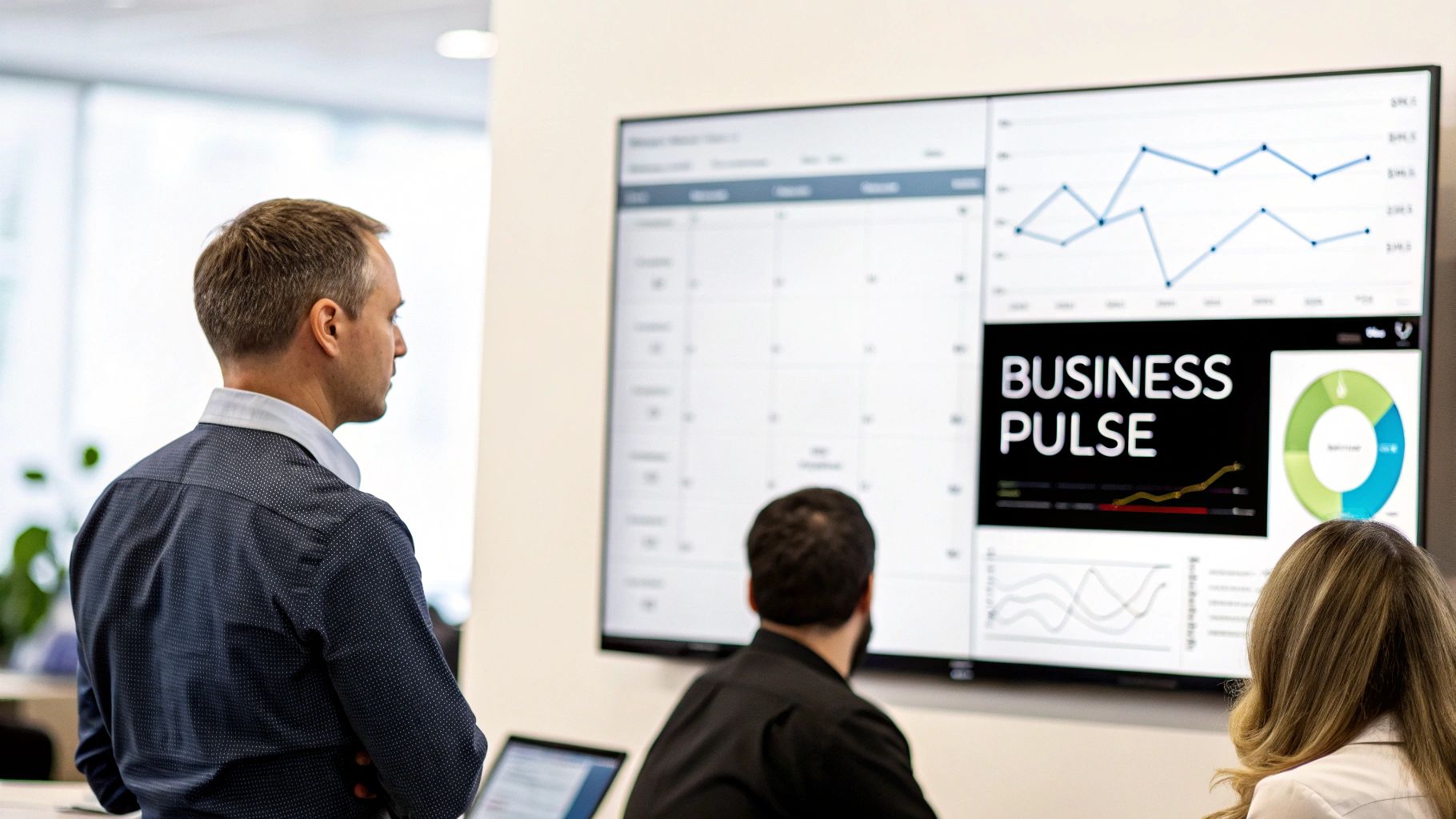
This shift from manual spreadsheets to an automated system builds success on three core pillars: boosted productivity, solid legal compliance, and a much healthier company culture. By looking at these areas, you can see how the right system is an investment in your company's future, not just another operational expense.
Boost Your Business Productivity
At its heart, productivity is all about making the most of your resources. And your team's time is easily the most valuable one you have. Automated time attendance systems give you the hard data needed to manage that resource with real precision. You can finally stop guessing and start making decisions based on facts.
This data lets you spot patterns that would otherwise fly completely under the radar. For instance, you might identify recurring absenteeism on certain days, which could point to scheduling clashes or even staff burnout. Armed with that insight, you can proactively tweak workloads and optimise rotas to make sure you always have the right people in the right place, right when you need them.
A culture of accountability is a natural byproduct of accurate time tracking. When employees know their hours are being monitored fairly and consistently, it encourages punctuality and focus, directly contributing to a more productive work environment.
Ensure Rock-Solid Legal Compliance
For any UK business, navigating employment laws like the Working Time Directive is a serious responsibility. Failing to keep accurate records can lead to hefty fines and messy legal disputes. An automated system gives you an irrefutable, time-stamped digital audit trail that acts as your best line of defence.
This detailed record-keeping proves your commitment to compliance by accurately tracking:
- Total hours worked to ensure you stay within the maximum weekly limits.
- Mandatory rest breaks to protect employee wellbeing and satisfy legal duties.
- Overtime calculations to guarantee fair and accurate pay for those extra hours.
The automated process completely removes the risk of human error you get with manual spreadsheets, giving you peace of mind that your records are precise and defensible. It's essentially your digital compliance officer, working quietly in the background to shield your business from costly legal headaches.
Improve Employee Morale and Trust
There’s a common myth that time tracking systems are just a 'big brother' tool designed to micromanage people. In reality, the opposite is often true. When you roll out a transparent and accurate system in the right way, it actually empowers your employees and builds trust across the entire organisation.
Think about it from your team's point of view. An automated system is their guarantee that they'll be paid correctly for every single minute they work, including any overtime. No more arguments over handwritten timesheets or forgotten hours. That sense of fairness is fundamental to employee satisfaction.
What's more, these systems often come with self-service portals. This gives employees the power to check their own work hours, see their remaining holiday allowance, and request time off without needing to chase managers. This autonomy and transparency create a culture of mutual respect. It signals that you trust your team and are committed to being fair, which is a cornerstone of a positive and engaged workforce.
Integrating Your Systems For Maximum Impact
A time attendance system is a powerful tool on its own, but its true value really comes to life when it works in harmony with the other software that runs your business. Think of it as a central hub for your workforce data. When that hub is isolated, you're only seeing part of the picture. But when you connect it to your other systems, you get a complete, real-time view of your entire operation.
This creates a seamless flow of information that gets rid of repetitive data entry, cuts down on costly errors, and gives you back countless admin hours. Instead of juggling multiple spreadsheets and platforms that don't talk to each other, your core business systems start speaking the same language. This connected ecosystem is where real efficiency is born.
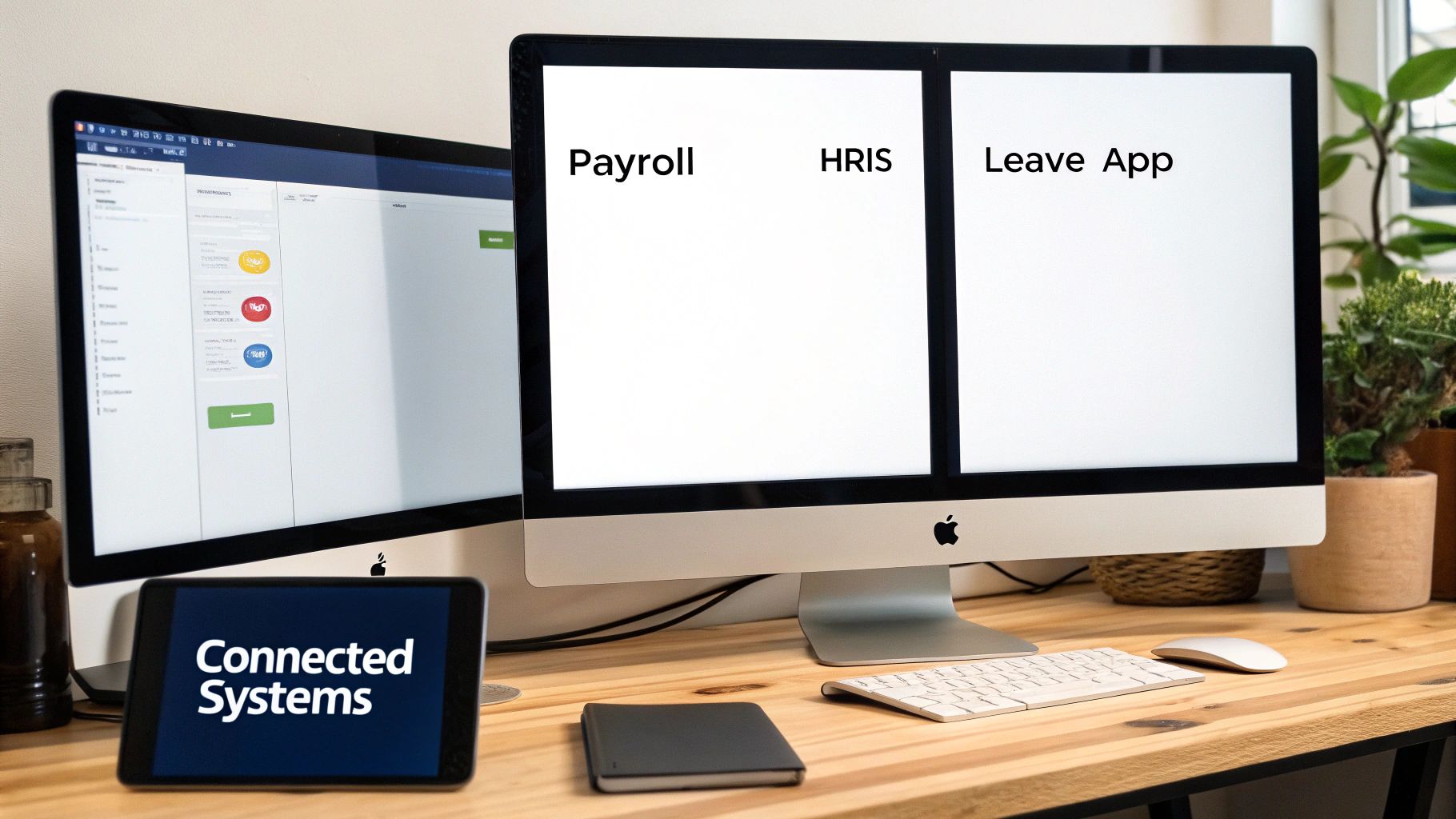
As you can see, payroll, HR, and leave management can become a unified network, with your time attendance system feeding accurate data across the board.
The Critical Link to Payroll and HRIS
If there's one connection you absolutely must make, it’s between your time attendance system and your payroll software. We’ve all been there—manually transferring hours from timesheets to payroll is a process just waiting for a mistake to happen. A single misplaced decimal point or a typo can lead to someone being over or underpaid, causing financial headaches and, worse, damaging trust.
Integration automates this whole process. Approved hours, overtime, and any pay-rate adjustments are sent straight to payroll without anyone having to lift a finger. This doesn't just guarantee accuracy; it dramatically speeds up your pay run, ensuring everyone is paid correctly and on time.
In the same way, connecting to your Human Resources Information System (HRIS) creates a single source of truth for all employee data. When a new person joins, their details are entered once into the HRIS and automatically pop up in the time and attendance platform. No more data duplication, no more inconsistencies.
Gaining a Complete View with Leave Management
While payroll and HRIS are the foundations, integrating with a specialised leave management solution adds another powerful layer of insight. An employee's attendance record isn't just about when they're working; it's also about when they're not.
A dedicated tool like LeaveWizard gives you a detailed picture of all planned and unplanned absences, from annual holidays to sick leave. When you link this to your time and attendance data, you suddenly get a complete, 360-degree view of your workforce's availability.
This unified view helps you:
- Prevent Scheduling Conflicts: See approved leave in real-time when creating rotas, avoiding that classic mistake of scheduling someone who’s sunning themselves on a beach.
- Plan Resources Intelligently: Get a clear, forward-looking view of your team's capacity so you can plan projects and manage workloads far more effectively.
- Streamline Approvals: Managers can approve leave requests with the full context, seeing who else is off and what the team's attendance looks like at a glance.
This is the difference between reactive scheduling and proactive workforce planning.
Understanding Native Integrations and APIs
When you start looking at different software, you'll hear two terms thrown around a lot: "native integrations" and "APIs." Knowing the difference is key to having a sensible chat with vendors.
-
Native Integrations: Think of this as a ready-made, plug-and-play connection. The two software companies have already done all the hard work to make their systems talk to each other seamlessly. This is often the simplest and most reliable way to go.
-
API (Application Programming Interface): An API is more like a set of building blocks. It gives developers a way to build custom connections between different pieces of software. It offers incredible flexibility but might require a bit of technical know-how to set up.
For businesses looking to get creative with their data, APIs are invaluable. For example, you can learn more about using LeaveWizard APIs to connect your data to Power BI, which lets you build custom dashboards and reports for deeper business analysis. Choosing between the two really comes down to whether you need a simple, direct link or the flexibility to build something more bespoke.
Your Guide to Choosing the Right System
Picking the right time attendance system can feel like a massive undertaking, but if you break it down into a clear, logical process, it becomes much more manageable. The trick is to stop thinking of it as just buying software and start seeing it as an investment in a core piece of your business operations. A structured approach is your best bet for finding a solution that actually solves your problems and gives you a genuine return.
This whole process really boils down to three key stages: figuring out what you need, checking out who can provide it, and planning for a smooth rollout. Follow this roadmap, and you'll be in a great position to find a system that fits your business like a glove.
Start with a Thorough Needs Assessment
Before you even glance at a single vendor's website, you need to get crystal clear on what problems you're trying to solve. This initial assessment is your chance to pinpoint your biggest headaches and define what a "win" looks like for your company.
Start by asking some honest questions:
- What are our biggest time-tracking challenges? Are you drowning in inaccurate timesheets? Struggling to keep tabs on remote workers? Spending way too much time manually crunching numbers for payroll?
- Who is actually going to use this thing? Think about everyone, from your staff on-site and remote employees to managers and the HR team. Their tech-savviness and daily routines will heavily influence what kind of system will work.
- What's our budget? And I don't just mean the sticker price. You need to factor in potential hardware costs, any setup fees, and the ongoing monthly subscriptions.
Answering these gives you a solid checklist of "must-have" features. It helps you cut through all the marketing fluff and focus on what really matters. For a deeper dive on this, our complete guide on how to choose the best small business HR software offers an excellent framework to work from.
Research and Evaluate Your Vendor Options
Once your checklist is ready, it’s time to start looking at potential vendors. The market for time attendance systems is booming, especially here in the UK. In fact, it's projected to grow at a compound annual rate of around 13.1% through 2029, mostly because so many businesses now need flexible tools for their hybrid workforces. You can see more on this market growth on 6wresearch.com.
All that growth means you’ve got plenty of options, so you can afford to be selective. My advice? Look for vendors who genuinely understand the specific challenges UK businesses face.
Key Vendor Evaluation Criteria:
- Reviews and Testimonials: Don't just read the five-star reviews. Look for feedback from businesses of a similar size and in your industry. Do their success stories sound like what you're trying to achieve?
- UK-Based Support: Having a support team in your own time zone is an absolute lifesaver when you hit a snag. Check their support hours and how you can actually reach them (phone, email, live chat).
- Scalability: Will the system grow with your business? Make sure the pricing and features can scale up as your team gets bigger.
- Free Trial or Demo: Never, ever commit without seeing the system in action. A hands-on demo is the only real way to know if the interface feels right and if it truly meets your needs.
As you weigh up your options, you might also find that looking into the best app for attendance tracking gives you some good insights, particularly if a mobile-first solution is high on your list.
Create a Solid Implementation Plan
Choosing the system is only half the battle. Getting it set up and running smoothly is just as critical. A well-thought-out plan ensures a smooth transition and gets your team on board from day one. A rushed rollout, on the other hand, just creates confusion and resistance, completely undermining the benefits you were hoping for.
Your implementation plan should really cover three main areas:
- Project Management: Assign someone to be the clear project lead—the person responsible for the rollout. Set a realistic timeline with key milestones, from the initial setup and data migration all the way to the go-live date.
- Staff Training: Please, don't just email everyone a user manual. Organise proper training sessions that are tailored to different groups—employees, managers, and administrators. Show them not just how to use the system, but why it helps them personally (like guaranteeing accurate pay or making holiday requests a breeze).
- Communication: Be open and honest with your team throughout the entire process. Explain why you're making the change, highlight the advantages for them, and provide clear instructions. A simple kick-off meeting can build a bit of excitement and let you address any worries right from the start.
Common Questions About Time Attendance Systems
Switching to a new system always brings up a few practical questions. When it’s something as core to your daily operations as time and attendance, it’s only natural to want clear, straightforward answers before you commit. We’ve pulled together the most common queries we hear from UK businesses to help you move forward with confidence.
Making the right choice means cutting through the jargon and understanding how a system will actually work for your team, your budget, and your legal duties. Let's tackle some of the big ones.
How Much Do These Systems Cost a Small Business?
This is usually the first question on anyone's mind, and the honest answer is: it varies. The cost of a time attendance system isn't one-size-fits-all. It’s more of a spectrum that depends entirely on what you need. Getting to grips with the different pricing models is the key.
Most modern, cloud-based systems run on a subscription. This usually means a recurring monthly fee based on how many active employees you have.
- Per-User, Per-Month (PUPM): This is the most popular model. You can expect to pay anywhere from £2 to £8 per user each month. It's a really scalable way to do things – you only pay for what you use, so it grows with your business.
- One-Time Licence Fee: This is less common these days, but it involves buying the software outright. It’s a bigger upfront investment, but it can work out cheaper over many years. Just be aware you might still have to pay for ongoing support and updates.
- Hardware Costs: If you’re looking at biometric scanners or physical clock-in terminals, you’ll need to budget for the gear itself. A single fingerprint scanner can set you back anywhere from £100 to over £500, depending on how fancy it is.
The real takeaway here is to look beyond the initial price tag. Think about the return on investment. A system that saves you hours of admin time every week and stamps out costly payroll errors often pays for itself in just a few months.
How Do I Get My Team to Adopt a New System?
Picking the right software is one thing, but getting your team to actually use it is a whole different ball game. Resistance from employees can sink even the best-laid plans, so you need a smart approach to managing the change. The goal is to show your team that this is a tool for them, not just for management.
Start by talking about how the new system benefits employees directly. When people see what’s in it for them, they’re much more likely to get on board.
Here are a few practical steps:
- Communicate Clearly and Early: Don't spring the new system on everyone. Announce the change well in advance and explain the "why." Highlight the perks, like guaranteed pay accuracy, a simpler way to book holidays, and direct access to their own attendance records.
- Provide Proper Training: Don’t just email a user guide and cross your fingers. Set up hands-on training sessions for different roles. Show employees exactly how to clock in, check their hours, and request time off. Show managers how to approve timesheets and pull reports.
- Start with a Pilot Group: Before rolling it out to everyone, test the system with a small, keen group of employees. Their positive feedback and know-how can build momentum and create champions who can help their colleagues when it’s time for the full launch.
Are Biometric Systems GDPR Compliant in the UK?
This is a huge legal question, especially with biometric tech becoming more common. Using fingerprints or facial recognition means you’re processing "special category data" under GDPR, which comes with much stricter rules. The short answer is yes, biometric systems can be GDPR compliant in the UK, but you have to be extremely careful.
Compliance all comes down to having a clear, lawful reason for processing this sensitive data. For most private companies, the best bet is getting explicit employee consent. This means you can't just make biometric scanning a mandatory part of the job without a very, very good reason.
To stay on the right side of the law, you must:
- Get Explicit Consent: Employees have to freely give their informed, specific consent to have their biometric data captured and used. It has to be a genuine choice, and they must have the right to change their mind later.
- Be Transparent: You need a clear policy explaining exactly what data you’re collecting, how it’s being stored securely, what it will be used for (i.e., only for timekeeping), and how long you’ll keep it.
- Offer an Alternative: It is always best practice to provide a non-biometric option, like a PIN code or a fob card, for any employee who doesn’t want to use the scanner.
Can I Accurately Track Remote and Mobile Workers?
Absolutely. This is one area where modern time attendance systems really shine. The old headache of tracking staff who aren't chained to a desk has been solved by mobile tech, giving you accountability without being a "big brother."
The magic is in the features designed specifically for a scattered workforce. Mobile apps with GPS are your most powerful tool. They let employees clock in and out right from their smartphones, wherever they happen to be. This gives you reliable, verifiable proof of both the time and the location of their clock-in.
Two features are particularly brilliant for managing teams out in the field:
- GPS Stamping: When an employee clocks in on the mobile app, the system logs their GPS coordinates at that exact moment. It’s a simple, accurate record of where they were when they started or finished their shift.
- Geofencing: This lets you draw a virtual boundary around a specific work site, like a client’s office or a construction project. You can set the system to only allow clock-ins or clock-outs when the employee’s phone is within that pre-defined zone, which stops people clocking in from the café down the road.
These tools give you the peace of mind that your remote and field-based staff are working their contracted hours, which keeps your payroll accurate and gives you a clear view of your entire team's operations.


