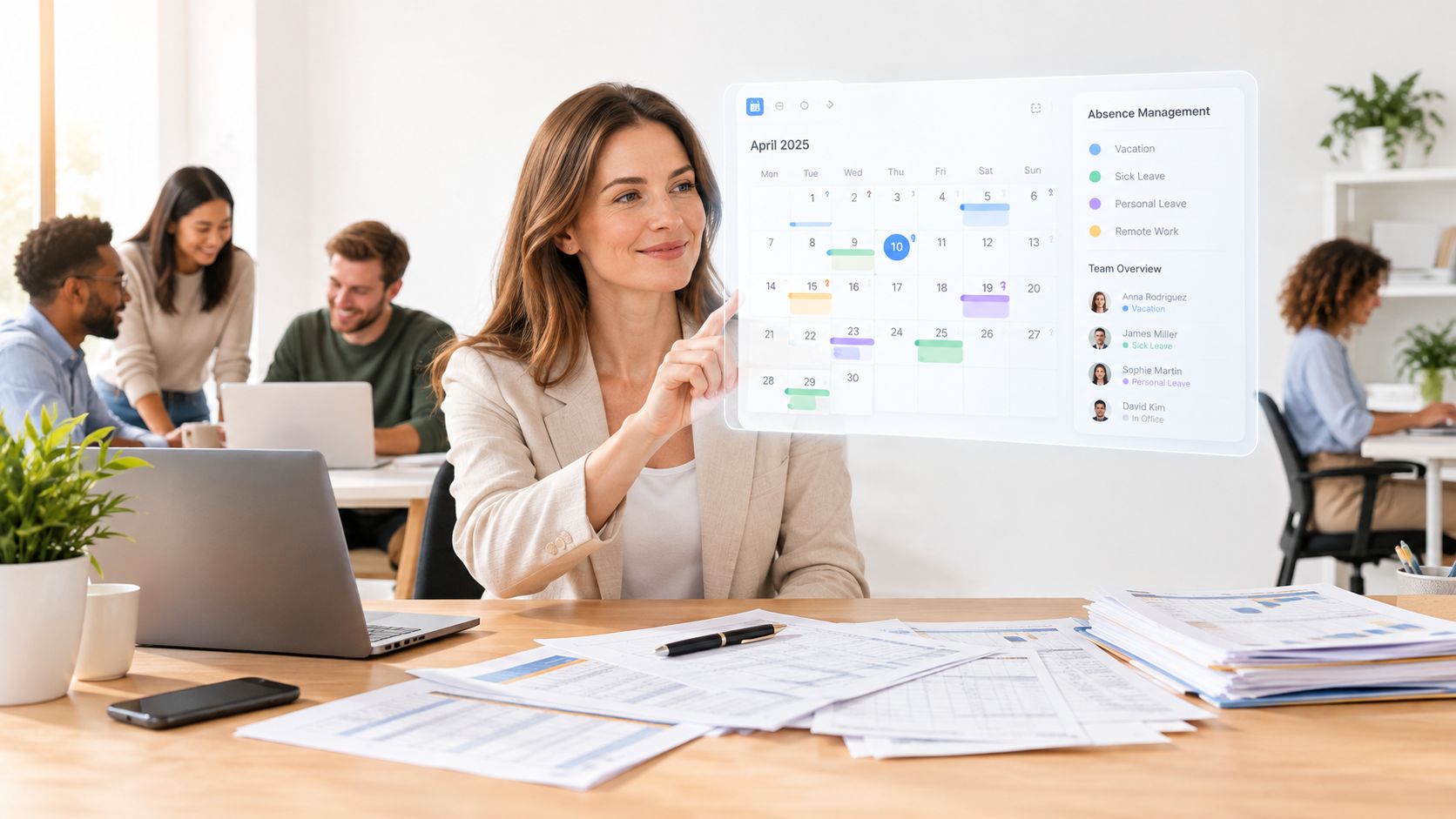
A Monday morning leave request looks harmless until you zoom in on it. One employee submits holiday from a personal phone on public Wi-Fi, a manager approves it between meetings, and HR later relies on that record to keep cover in place. If the app is weak, that simple routine can expose personal data, confuse approvals, or undermine trust in the process.
That's why mobile app security isn't just an IT concern. For HR managers, operations leads, and small business owners, it's part of doing the job well, because the app is now the front door to employee self-service, absence tracking, and scheduling. If you want a practical entry point for everyday Android hardening, configure Android privacy and security 2026 is a useful companion read, and if you're comparing the wider value of mobile access for leave workflows, see holiday management software with mobile app support.
The good news is that you don't need a giant security programme to get the basics right. You need clear controls, sensible testing, and a way to keep staff data protected without slowing down approvals. That balance is what keeps leave management smooth when people are working across offices, home, and the road.
Table of Contents
- What Mobile App Security Really Means
- Common Threats and Risk Scenarios for Self Service Apps
- Practical Controls and Architecture That Protect Leave Data
- Compliance Visibility and Day to Day Operations
- Prioritised Implementation Checklist for Small Businesses
- Testing Maintenance and Keeping Your App Secure Over Time
What Mobile App Security Really Means
Think of a mobile app as a front door to your business systems. If the lock is strong but the key is left under the mat, the door still isn't secure. In app terms, the “key” might be an authentication token, a cached session, or a permission that gives the app more access than it really needs.
What has to stay protected
The obvious risk is the login screen, but that's only part of the picture. Mobile app security also covers personal data, session information, authentication tokens, and the API connections that let the app talk to your backend systems. If storage or encryption is weak, data can be exposed even when the server itself is well protected, which is why OWASP's Mobile Top 10 treats Insecure Data Storage and Insufficient Cryptography as core categories for testing and hardening OWASP Mobile Top 10.
Practical rule: if the app can read it, cache it, sync it, or display it, assume it can be leaked unless you've checked every step.
That matters in leave and absence apps because the data isn't abstract. It includes employee names, availability, leave dates, and internal scheduling details. If an attacker gets into a mobile session, they may not need to break the server at all. They can abuse the app's trust in the device or the user session.
A good way to explain this to a colleague is simple. The app needs to prove who the user is, protect what it stores, encrypt what it sends, and verify that it's talking to the right server. If any one of those steps is weak, the whole workflow can become easier to abuse than many realise.
Before the technical detail gets overwhelming, one short video can help visual learners connect the moving parts of app trust, storage, and transport.
Common Threats and Risk Scenarios for Self Service Apps
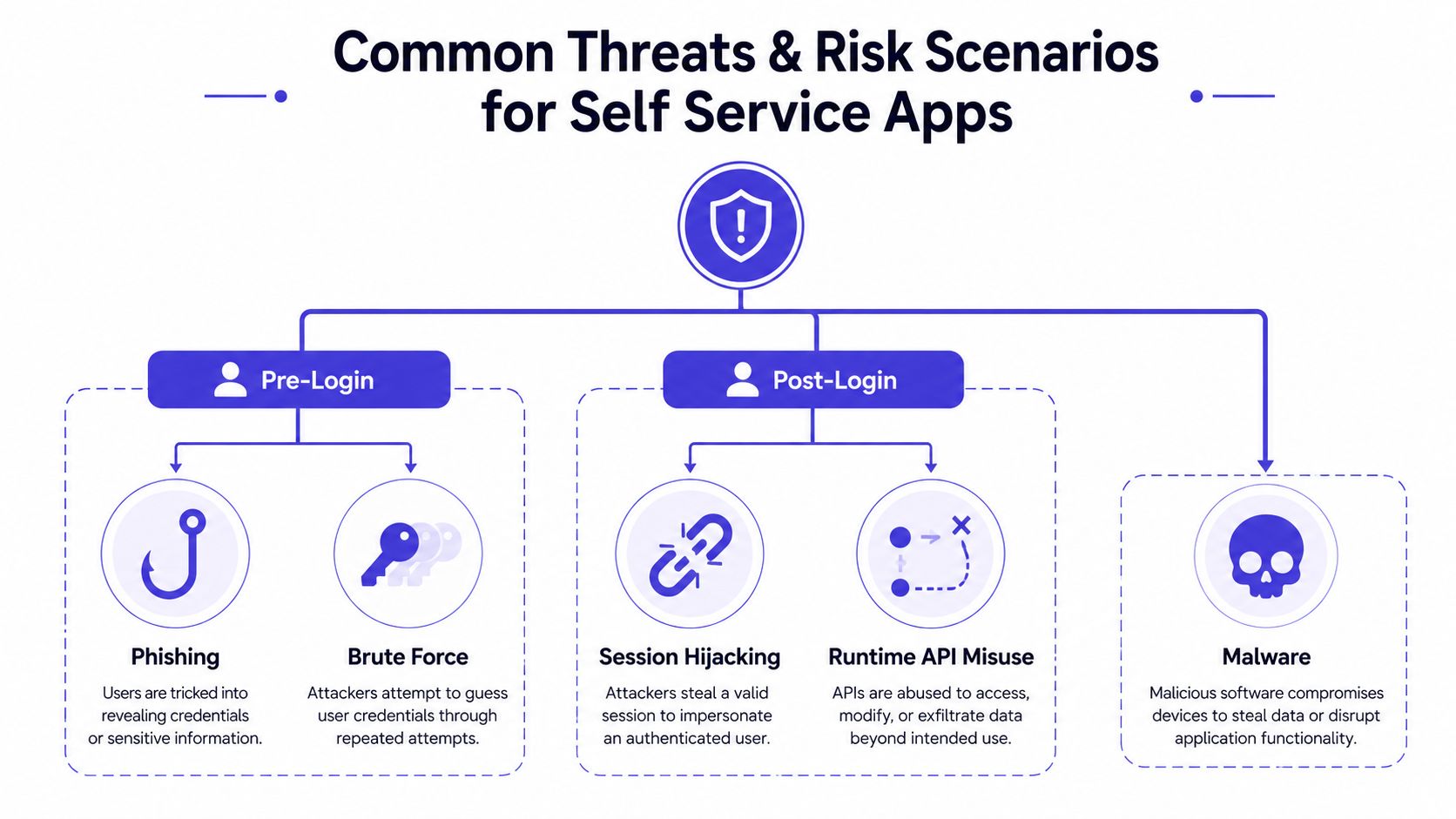
Leave and absence apps often look low risk because they sit inside everyday HR routines. That calm surface is exactly what attackers rely on. Once staff can check balances, change profile details, approve requests, or view historical records from a phone, the risk shifts after sign-in, where testing often gets thinner and defenders assume the app is already trusted.
The main danger is not usually a dramatic breakthrough. It is a chain of ordinary weaknesses that make employee self-service easier to abuse. If the app stores leave data insecurely, uses weak cryptography, keeps secrets inside the code, sends traffic without proper protection, or checks permissions badly, the attacker does not need to defeat the whole system at once. A shared tablet can leave a cached leave calendar visible after the user has stepped away. A manager approval link sent over an unsafe connection can be intercepted before it reaches the right person. A token saved in plaintext can turn a stolen phone into a working path into HR records.
Third-party components make the picture messier. SDKs, telemetry tools, and open-source libraries can bring their own weaknesses into an otherwise tidy app, and that risk often sits outside the small team's direct control. Reporting in Security Magazine described a study in which a large share of mobile apps contained open-source software components with at least one known vulnerability Security Magazine study coverage. That is why dependency checks matter for HR systems, not just for developers. A vulnerable library can affect who sees leave data, who changes it, and who can approve it.
What to watch for: if a feature needs a permission, a cached record, or a background sync, ask whether it still behaves safely on a personal phone, a shared device, or a rooted client.
A simple way to sort the threats is to ask where they appear. Some risks show up before login, some after login, and some only when the app is running and talking to its APIs. That distinction helps because many teams focus on malware and overlook the more common problem, a trusted app making the wrong decision with real employee data.
Practical Controls and Architecture That Protect Leave Data
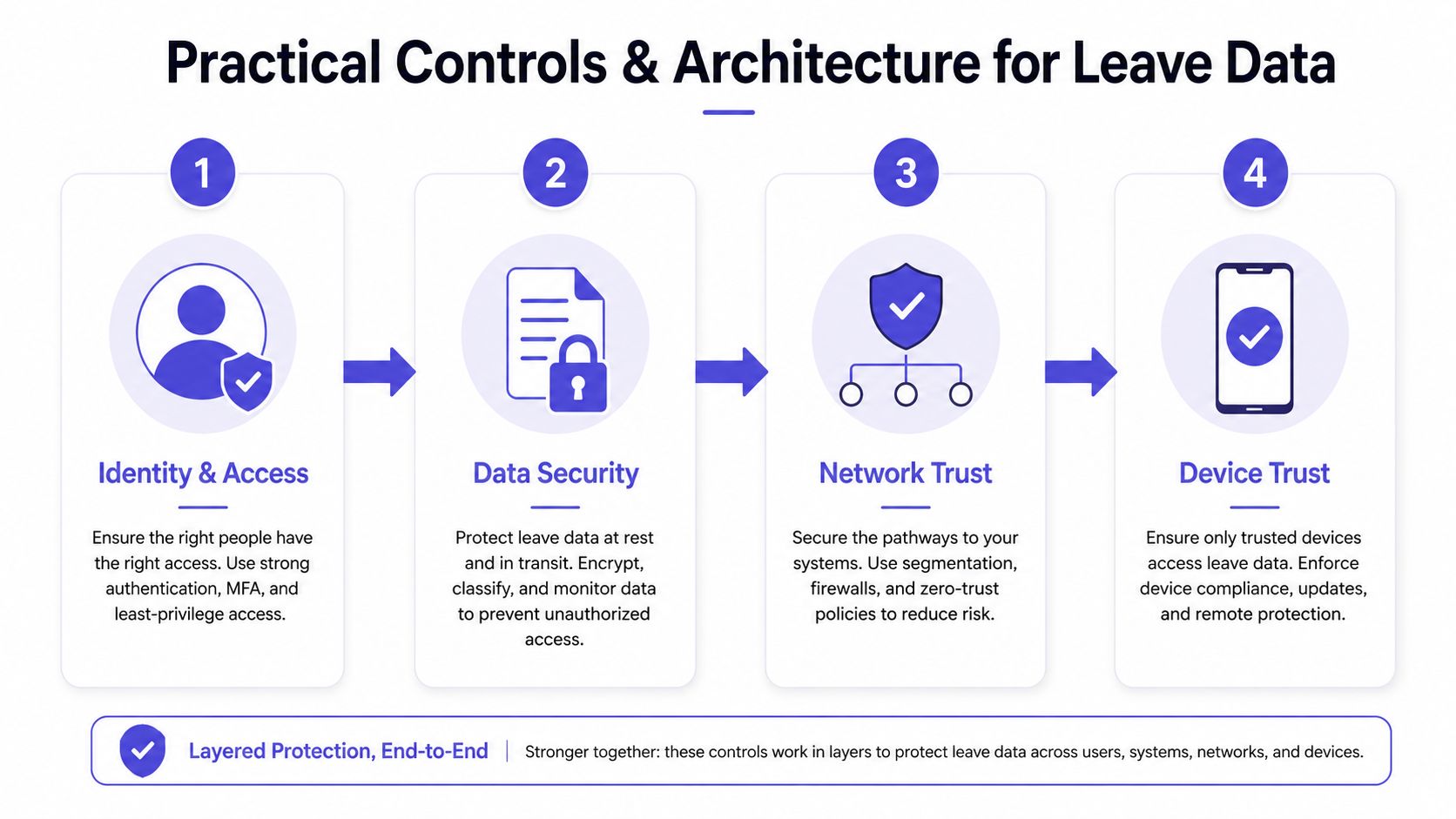
Good mobile app security doesn't start with a long checklist. It starts with layering trust so the app doesn't have to “hope” the phone is safe. Think of it as building a series of gates, identity, data, network, and device, so one weak point doesn't expose the whole leave system.
Identity first, then data
The first layer is strong authentication and sensible session handling. If a user has logged out, switched devices, or gone idle, the app shouldn't keep treating the session as fresh. That matters for HR and absence tools because a stolen or unattended phone is often the fastest route to misuse, not a server breach.
The second layer is data protection at rest and in transit. OWASP's Mobile Application Security Cheat Sheet says to always use HTTPS for all network communication and not to override SSL certificate validation for self-signed or invalid certificates OWASP Mobile Application Security Cheat Sheet. In plain English, the app should refuse insecure connections, not politely accept them. That protects credentials, tokens, and personal data from interception.
Trust the device only when it deserves it
For Android, device attestation changes the conversation. Google says the Play Integrity API lets developers verify that requests come from a genuine app binary on a genuine Android device, which helps reduce fraud, bot traffic, and tampered-client abuse Google security tips. That's useful when employees use unmanaged personal phones, because the service can make a request-time trust decision rather than assuming the app is clean just because it opened.
LeaveWizard and Okta integration provides a useful example of how identity, access, and workflow controls can work together without making the user experience awkward. Authentication should support the job, not fight it.
Keep the payload small and the permissions narrow
A strong architecture also limits what the app keeps. Data minimisation is a security control, not just a privacy slogan. If the app doesn't need older records, cached copies, or broad device permissions, it shouldn't ask for them or retain them. That approach lines up with the benchmark data cited by DeepStrike, which reports that 70% of analysed mobile apps could leak personal data and 62% of analysed Android apps requested one or more dangerous permissions DeepStrike mobile security statistics.
The safest mobile app is usually the one that stores less, asks for less, and trusts less.
Why this architecture helps small teams
For a small business, layered security sounds expensive until you compare it with the cost of rework, incident response, or employee confusion after a bad approval flow. A coherent design reduces false trust in the phone, reduces the amount of sensitive data on the device, and gives HR a cleaner process to rely on. That's the core payoff, fewer surprises for the people who need the system to work every day.
Compliance Visibility and Day to Day Operations
Security controls only matter if people can use them without creating extra admin work. In a leave workflow, that means managers need visibility, HR needs auditability, and staff need clear signals about what the app is asking for and why. The UK Government's app-security literature review says users should regularly check app permission settings and read the purpose string or usage description whenever a permission prompt appears, because those prompts explain why the app wants access to data or device functions UK Government app-security literature review.
Make permission checks part of normal use
That advice sounds small, but it changes behaviour. If a leave app asks for a permission that doesn't match its purpose, staff should be able to question it. If a permission that once made sense is no longer needed, it should be removed. That's especially relevant for small businesses, where one over-broad app can become the easiest path to personal data exposure on a shared or unmanaged phone.
Logging and monitoring matter too, but they need to stay practical. HR teams don't need a wall of raw security events. They need clear records of approvals, sign-ins, changes to employee details, and any unusual access to sensitive workflows. That's what lets managers answer questions about who approved what, when it happened, and whether the process was followed correctly.
Keep transparency without broad exposure
Real-time visibility into leave calendars and reports is useful because it helps teams coordinate cover and avoid clashes. The trade-off is that broad visibility can become broad exposure if access isn't controlled properly. That's where least privilege helps. People should see only the leave information they need to do their jobs, nothing more.
There's also a governance angle. GDPR secure by design guidance is relevant here because security and privacy work best when they're built into everyday workflows rather than patched on later. If a manager can approve leave quickly and HR can audit it cleanly, the system is doing its job. If the process creates confusion, people start bypassing it.
Operational test: if a manager, an HR admin, and an employee all use the same app differently, the app should still make each role's access obvious and defensible.
The best sign of healthy mobile app security isn't silence. It's that permission prompts, audit trails, and access controls are visible enough for day-to-day work, but not so noisy that people ignore them.
Prioritised Implementation Checklist for Small Businesses
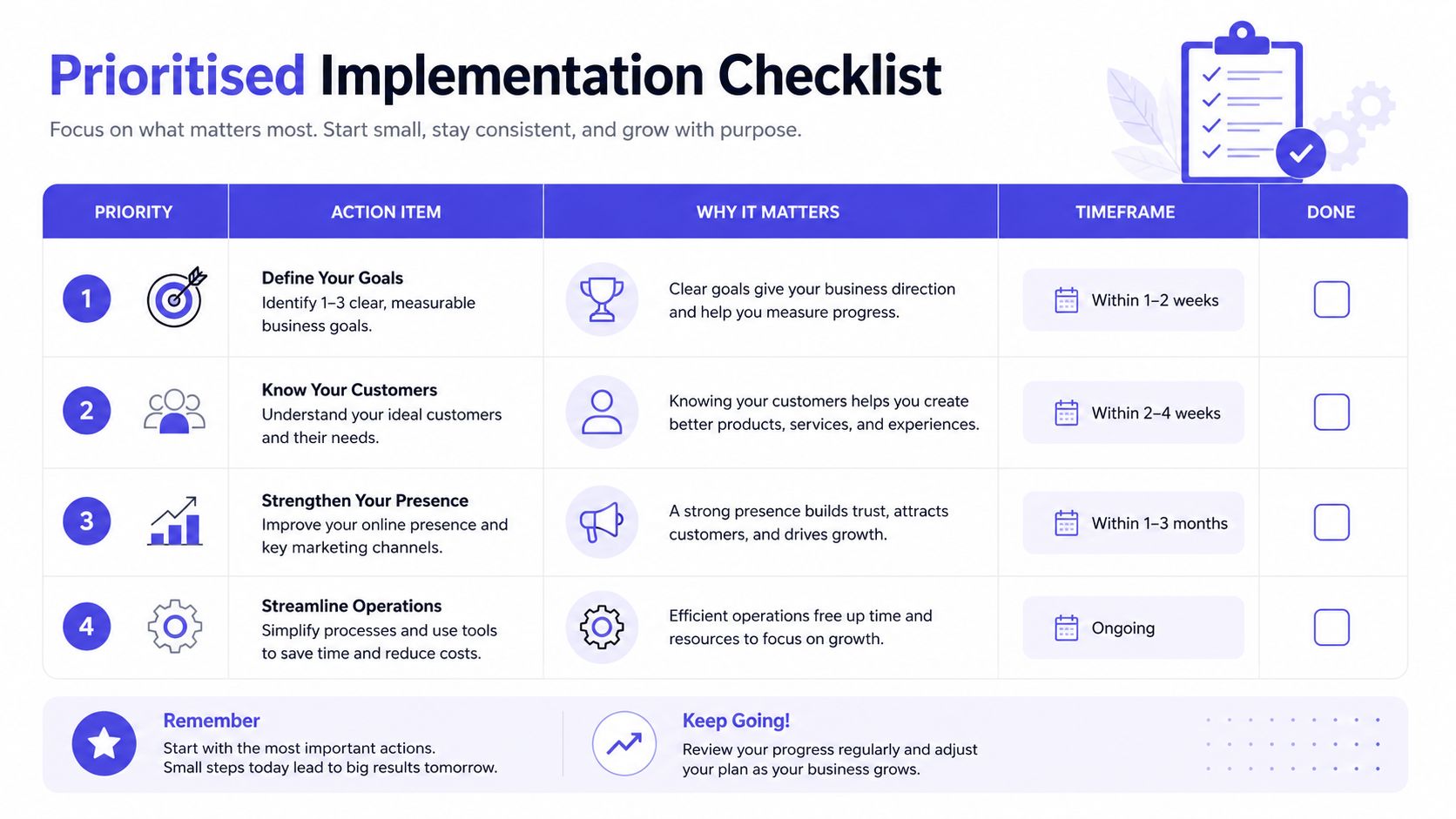
Small businesses don't need to solve everything at once. They need the few changes that remove the most risk with the least friction. Start with transport security, because if traffic can be intercepted, everything above it becomes easier to abuse.
-
Enforce HTTPS everywhere. Use it for every API call and every app endpoint, and refuse invalid certificates. OWASP is explicit on this point, which makes it a baseline rather than a nice-to-have OWASP Mobile Application Security Cheat Sheet.
-
Harden authentication and sessions. Use strong login flows, time out idle sessions, and require re-authentication for sensitive changes. Done check, a logged-out or stale session can't still approve or view private leave data.
-
Encrypt stored tokens and personal data. If the device is lost or shared, local storage should not be readable in plain text. Done check, tokens and cached records remain protected even if the phone is compromised.
-
Prune permissions and SDKs. Keep only the permissions and third-party components that are needed for the actual feature set. Done check, each permission maps to a visible business function, and each SDK has a reason to exist.
-
Add attestation for sensitive endpoints. Use device trust signals where the app exposes high-value actions or personal data. Done check, the backend can reject tampered or suspicious clients before they reach sensitive functions.
-
Turn on central logging. Capture sign-ins, approvals, permission changes, and unusual access patterns in one place. Done check, HR and IT can review events without reconstructing the story from multiple systems.
A useful way to handle this is to hand the list to your IT partner or app vendor and ask them to prove each item, not just promise it. That keeps the conversation focused on risk that affects day-to-day operations, not abstract security language. It also helps small teams move forward without pretending they have a full security department.
Testing Maintenance and Keeping Your App Secure Over Time
A leave request that works on launch day can still become a security problem later. A staff member may start on a managed phone, then later use a personal device, a new OS version, or a reused session token. Mobile app security weakens when teams stop testing authenticated workflows, let dependencies drift, or assume a clean release stays clean forever.
Test the workflows staff use daily
The most useful checks happen after login. Leave requests, approvals, profile updates, internal API calls, and any workflow that handles personal data should be exercised the way a real user would use them. If a test cannot reach the authenticated area, it is only checking the front door, not the rooms where sensitive work happens.
The supply chain still needs attention too. Dependency inventory matters because insecure libraries can be inherited even when your own code is tidy. Keep a simple release gate that checks for vulnerable components before deployment, then retest after updates. As noted earlier, analysts have pointed out that routine app checks often miss authenticated paths, so the review has to include the parts staff can only reach after signing in.
Use a lightweight rhythm
A small business does best with a simple cadence, one that fits alongside normal HR and IT work.
- On every release: confirm HTTPS, session handling, and permissions still behave as expected.
- Quarterly: review permissions, SDKs, logging, and any authenticated workflows that changed.
- After significant app updates: retest the approval path, the stored data path, and any sensitive API calls.
- When a device or OS policy changes: confirm the app still behaves safely on personal phones and managed devices.
Good maintenance habit: every update should earn its place in production by showing it did not weaken the trust model.
That routine is light enough for teams without dedicated security staff, but strong enough to catch the kinds of mistakes that can turn into incidents. It also helps the business keep growing without turning every new feature into an operational worry. The point is consistency, not perfection.