
A reliable holiday planner for staff doesn't start with a calendar or a fancy spreadsheet. It starts with a clear, fair, and legally sound annual leave policy. This is your foundational document—the rulebook everyone agrees to play by before the first holiday request even lands in your inbox. Getting this right prevents disputes, manages expectations, and keeps the business running smoothly.
Building the Foundation of a Fair Holiday Policy
Before you can get into the nitty-gritty of managing time off, you need a solid framework that spells out the rights and responsibilities for both the company and your team. A well-thought-out holiday policy is the single most important part of any leave management system. It acts as a transparent guide, getting rid of any grey areas and making sure everyone is treated fairly, no matter their role or contract type.
This policy is more than just a box-ticking exercise for compliance; it's a massive factor in employee morale and retention. When people understand exactly how their leave is calculated and the process for booking it, trust in management grows. This clarity sidesteps the common frustrations that pop up from inconsistent or poorly explained rules, which can quickly sour the atmosphere and lead to disengagement.
Establishing Your Core Entitlements
For any UK-based business, the starting line is the statutory requirement. The legal minimum paid holiday for a full-time employee on a five-day week is 5.6 weeks, which works out to 28 days a year. This figure often includes public holidays, though you can decide whether to offer these on top of the minimum.
Entitlements are adjusted pro-rata for part-timers. For instance, someone working three days a week gets 16.8 days. For those on zero-hours contracts, the calculation is different again, with holiday pay typically accruing at 12.07% of the hours they’ve worked.
But just meeting the legal minimum isn't always the best move. Many companies offer more than 28 days as a competitive perk to attract and keep top talent. Your policy must clearly state the total annual entitlement for a full-time employee and explain precisely how it’s calculated for part-time and variable-hours staff.
Defining the Rules of Engagement
Beyond the basic allowance, your policy needs to get into the practical details. These are the clauses that will save you from operational headaches later on.
Think about including specific terms on:
- Carry-Over Leave: Can employees carry unused holidays into the next leave year? If so, be specific. State the maximum number of days and the deadline by which they must be used (e.g., "up to 5 days may be carried over and must be used by 31st March").
- Notice Periods: How much warning does someone need to give? A common approach is requiring notice that is double the length of the holiday requested. So, for one week of leave, they'd need to give two weeks' notice.
- Bank Holidays: Clarify exactly how you handle public holidays. Are they part of the standard 28-day entitlement, or are they an extra benefit? What happens if a part-time employee's normal working day falls on a bank holiday?
- Approval Process: Who signs off on requests? What’s the expected timeframe for a response? This ensures requests don't get lost in a manager's inbox for weeks.
A great policy doesn’t just sit in a handbook; it actively works to improve how annual leave policies boost employee success by creating a system that’s both fair and predictable.
Key Takeaway: A transparent policy isn't just a legal necessity—it's a cornerstone of a positive company culture. Clearly defining entitlements, carry-over rules, and blackout periods from the outset prevents future conflicts and demonstrates a commitment to fairness.
To make sure everything is clearly communicated and well-integrated, you might find a practical remote work policy template useful as a structural guide. This helps ensure all your staff-related documents are consistent and easy to follow, forming a cohesive resource for your team. By setting these ground rules up front, you create a system that runs itself, empowering managers and employees alike.
Core Components of an Effective Holiday Policy
To ensure your policy is comprehensive, it’s helpful to break it down into its essential parts. Each component addresses a potential point of confusion, making the entire process clearer for everyone involved. The table below summarises what every good holiday policy should cover.
| Policy Component | Key Considerations | Example Clause Snippet |
|---|---|---|
| Annual Entitlement | State the total number of days for full-time staff. Explain pro-rata calculations for part-time employees and accrual rates for variable hours. | "Full-time employees are entitled to 28 days of paid annual leave per year, inclusive of all public holidays." |
| Holiday Year | Define the 12-month period during which leave is calculated and taken (e.g., 1st January to 31st December). | "The company's holiday year runs from 1st April to 31st March." |
| Request Procedure | Detail the required notice period, the official channel for requests (e.g., HR software), and who provides approval. | "All leave requests must be submitted via the company portal with a minimum notice period of twice the length of the requested holiday." |
| Carry-Over Rules | Specify if unused leave can be carried over, the maximum number of days, and the deadline for using them in the next holiday year. | "A maximum of 5 days of unused leave may be carried over and must be taken before 31st March of the following year." |
| Bank Holidays | Clarify if bank holidays are included in the total entitlement and how they are handled for part-time staff. | "Part-time employees are entitled to a pro-rata allocation of bank holidays, calculated based on their contracted hours." |
| Sickness During Leave | Outline the procedure for an employee who falls ill during a pre-booked holiday and wishes to reclaim the days as sick leave. | "If you fall ill during annual leave, you must notify your line manager immediately and provide a doctor's note to reclaim the days." |
By covering these core components, you create a robust and transparent policy that serves as a reliable guide for both your managers and your employees, reducing friction and ensuring fairness across the board.
Right, you've got a fair and transparent holiday policy sorted. Now it's time to build the engine that makes it all run smoothly – the operational core of your holiday planner for staff. This is all about picking the right tools and processes to bring those rules to life, creating a single source of truth for all things leave-related. Get this right, and you’ll eliminate confusion for everyone involved.
The tech you choose is the backbone of this whole system. If you're a really small outfit, say with three or four people, you might get away with a shared digital calendar or a meticulously organised spreadsheet. It’s simple, it’s free, and it can just about handle a handful of requests.
But let's be honest, once your team grows beyond that tiny number, those manual methods start to creak. Spreadsheets are notorious for human error, they don't update in real-time, and they offer zero automation. Before you know it, you're dealing with double bookings, wrong leave balances, and managers drowning in admin instead of actually leading their teams.
Selecting Your Central Holiday Calendar
This is where dedicated leave management software really comes into its own. These platforms are built to solve these exact headaches, offering a central, always-up-to-date calendar that everyone in the company can see. That immediate visibility is a game-changer. An employee can see who's already booked time off before they even think about putting in a request, nipping obvious clashes in the bud.
When you're looking at your options, keep these key things in mind:
- Scalability: Will this tool grow with you? A system that works for ten employees needs to handle fifty just as easily.
- Accessibility: How easy is it for your team to use? Look for solutions with mobile apps. Staff should be able to request leave and managers approve it, wherever they are.
- Integration: Does it play nicely with the tools you already use, like Outlook or Google Calendar? This is crucial for avoiding the painful task of manually copying dates across different systems.
A good way to visualise this is to think about how your calendar needs to support your core policy decisions, from legal minimums to carry-over rules.
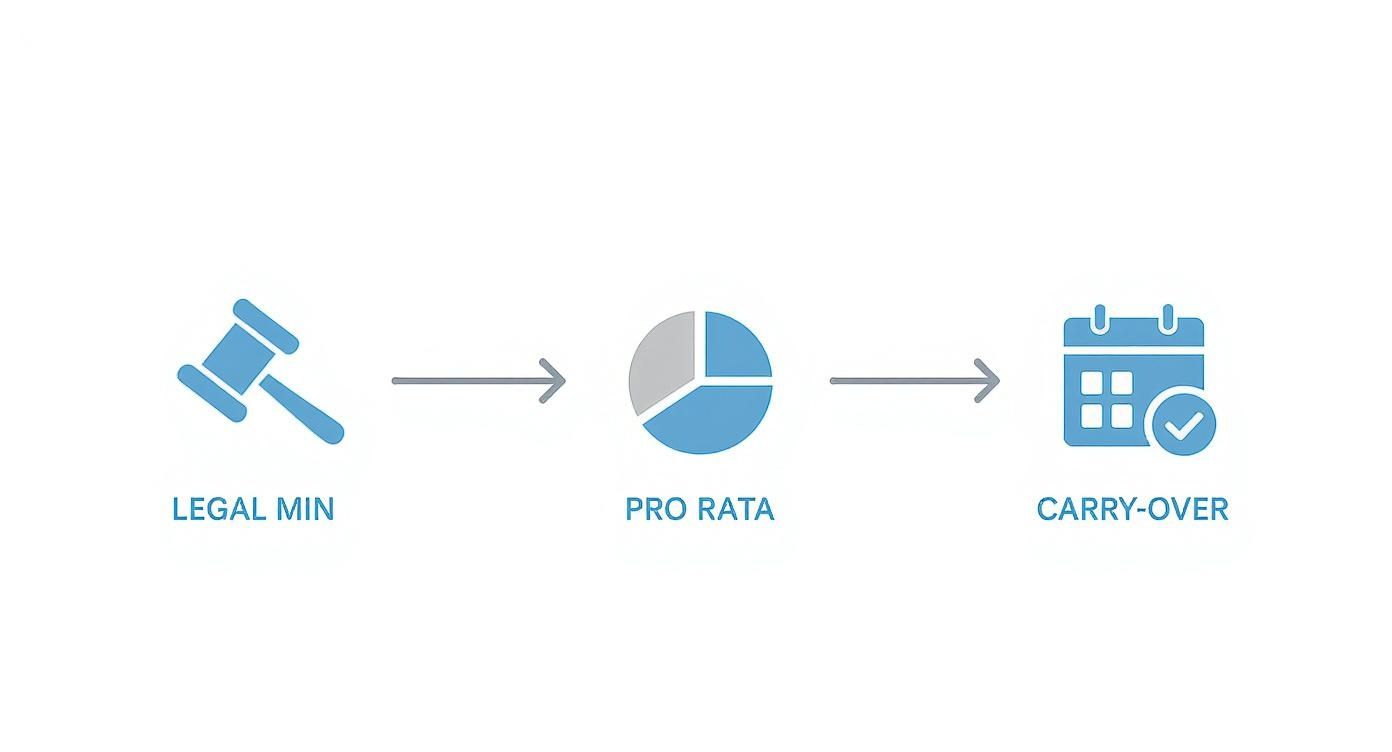
This just shows how the system you choose has to accurately track and automate the rules you've already set—things like legal compliance, pro-rata calculations for part-timers, and your carry-over logic.
Designing an Efficient Approval Workflow
Your calendar shows who is off, but the approval workflow decides how they get that time approved. A messy workflow is a black hole for requests, leading to frustrated employees and operational chaos. The key is to map out a clear, logical chain of command for every single leave request.
In a small business, it might be straightforward: every request goes to the owner. But what about a retail business with three store managers and an overall operations manager? A request from a shop floor assistant should logically go to their direct store manager first, as they're the one who understands the daily staffing needs for that specific location.
Real-World Scenario: Let's stick with that retail example. If a store manager approves leave without seeing the bigger picture, the operations manager could suddenly find themselves short-staffed for a massive delivery day. A smarter workflow would automatically send the request up to the operations manager for a final check after the store manager gives their initial OK. This kind of multi-step process ensures both local and company-wide needs are covered.
This is why defining your approval chains is so critical. Your system should let you set clear rules, such as:
- Primary Approver: Usually the employee's direct line manager.
- Secondary Approver: A department head or senior manager, perhaps for longer holidays or if the primary approver is away.
- Automatic Notifications: Instant alerts via email or an app that go straight to the right manager when a request is made.
- Clear Response Times: Set an expectation for everyone, like ensuring all requests are reviewed within 48 hours.
By creating a structured path for every request, you get rid of any guesswork and make sure nothing gets lost. If you want to dive deeper, you can explore the simple steps for an efficient leave approval process that can be adapted for any business. Ultimately, a well-defined workflow gives your managers the power to make informed decisions quickly, which keeps staff morale high and the business running smoothly.
Balancing Leave Requests and Business Needs

A perfectly designed holiday policy and a slick calendar are great, but they don't mean much if they lead to an empty office during your busiest week. This is where your holiday planner for staff faces its toughest test, shifting from a simple admin tool to a vital part of your operational strategy.
The real art of leave management is protecting your business's ability to function without making your team feel like their time off is a burden. It’s about being proactive, not reactive. You need to anticipate your operational peaks and troughs and build guardrails into your system before the requests start flooding in. This approach keeps things fair and transparent, helping everyone understand why some periods are protected.
Setting Minimum Staffing Levels
First things first: stop guessing and start defining your needs. For each department or team, you need to establish a minimum staffing level—the absolute lowest number of people required to keep things running effectively. This isn't just about covering phones; it’s about maintaining service quality, hitting deadlines, and avoiding burnout for those left holding the fort.
For a customer support team of ten, this might mean at least six people must be working at all times. For a small accounts team of three, maybe only one person can be off at once.
To figure this out, ask yourself:
- Daily Responsibilities: What are the non-negotiable tasks that have to get done every single day?
- Skill Overlap: Do you have enough people with the right skills to cover for absent colleagues?
- Peak Demand: When are your busiest hours, days, or weeks?
Once these levels are set, they become the first check for any holiday request. If approving a request would drop the team below this minimum, the system should flag it immediately. This data-driven approach removes emotion and gives you a clear, logical reason for a potential decline.
Implementing Blackout Periods Strategically
Some periods of the year are simply too important to risk being short-staffed. These are your blackout periods—pre-defined dates when leave requests are either automatically denied or heavily restricted. This isn’t about being difficult; it's about protecting crucial business moments.
You see this all the time:
- An accounting firm might block off the last two weeks of the financial year.
- A retail business will almost certainly restrict leave during the Christmas shopping rush.
- A software company might freeze holidays during a major product launch.
Pro Tip: Communicate these blackout periods as early as possible, ideally at the start of the holiday year. This manages expectations and gives your team plenty of time to plan their holidays around these critical dates, avoiding disappointment down the line.
This proactive approach is essential, especially when you look at recent leave trends. Interestingly, while UK employees have a statutory right to 28 paid holiday days, usage patterns have been shifting. Between 2020 and 2023, the average number of holidays taken by UK workers dropped by nearly 12%. Staff shortages and work pressures often lead employees to underuse their entitlements, making it even more vital for employers to manage leave well. You can explore more data on annual leave entitlements in the UK to get a better handle on these trends.
Managing Competing Holiday Requests
What happens when two key team members want the same popular week off in August? Without a clear rule, you're left with a tough decision that's bound to leave someone unhappy. The fairest and most transparent solution is a 'first-come, first-served' policy.
This simple rule rewards employees who plan ahead. When the holiday calendar opens for the new year, the first person to submit their request for a specific period gets priority. Simple.
Of course, you can add layers to this to maintain fairness:
- Tiered Deadlines: You could open up requests for peak summer holidays in January, giving everyone an equal shot at getting their requests in early.
- Rotating Priority: For extremely popular periods like Christmas, you could implement a system where priority rotates each year. If one employee got their request approved last year, another gets first refusal this year.
This kind of structured approach avoids any hint of favouritism and gives managers a clear policy to fall back on when explaining their decisions.
Communicating Denials with Empathy
Even with the best system in the world, you will occasionally have to say no. How you communicate that denial is just as important as the reason behind it. A blunt "request denied" email can crush morale. Instead, managers should be equipped to explain the decision with transparency and empathy.
Always refer back to the policy. Something like this works well:
"Hi Sarah, I've had to decline your request for the second week of July as it would take the team below our minimum staffing level of four people. As Mark had his request for that week approved last month, we can't accommodate another. Could we look at the week after as an alternative?"
This approach does three crucial things:
- It provides a clear, operational reason, linking the decision to business needs, not personal preference.
- It references the 'first-come, first-served' policy, reinforcing the fairness of the system.
- It offers an immediate solution, showing that you value their need for a break and want to find a workable alternative.
By building these strategies into your holiday planner, you create a system that not only manages leave but also protects your business and, most importantly, respects your employees.
Launching Your New System to the Team
You can build a brilliant staff holiday planner, but it’ll fall flat if the launch is fumbled. The technical side might be sorted, but now for the most important part: the people.
How you introduce this new system to your team will make or break its success. A rushed email announcement is a recipe for confusion and resistance. Instead, a thoughtful launch centres on clear communication, proper training, and setting expectations from the very first day. The goal is to make everyone feel confident and supported, not burdened.
When you show your team how this new planner actually makes their lives easier, you turn potential sceptics into advocates.
Crafting Your Announcement
Your first message sets the tone for the whole change. Ditch the dry, corporate memo. You need to frame this launch positively, zeroing in on the benefits for your employees. This isn't just another rulebook; it's a tool designed to make booking time off fairer and way more transparent.
Whether it’s an email or a team meeting, your launch communication needs to cover a few key things:
- The 'Why': Briefly explain what problem you're solving. Something like, "To make sure holiday requests are handled fairly and quickly for everyone, we're introducing a new, simpler process."
- The Go-Live Date: Be precise. Let them know when the new system is active and when the old way of doing things (like emailing managers) is officially retired.
- The Good Stuff: Emphasise what’s in it for them. Talk about the perks, like seeing their remaining leave balance instantly or checking the team calendar before they even ask.
- Where to Get Help: Don’t leave them hanging. Point them towards a user guide, a specific person they can ask for help, or the details of an upcoming training session.
This first step is your chance to get ahead of any worries and build some positive momentum before the system even goes live.
Running an Effective Training Session
For most teams, a quick training session is the best way to guarantee a smooth start. This doesn't need to be some long, drawn-out affair. A focused 20-30 minute walkthrough is usually more than enough to build confidence and sort out any immediate questions.
During the session, make sure you walk them through the absolute essentials:
- How to Log In: The very first hurdle.
- How to Check Their Holiday Balance: Show them exactly where to find their real-time entitlement.
- How to View the Team Calendar: Demonstrate how they can see who’s already off before they put a request in.
- How to Submit a Request: Go through the process from start to finish.
- How to Cancel a Request: Explain what to do if their plans change.
Expert Tip: Record the training session. This becomes a brilliant resource for new starters down the line, and anyone on the current team can re-watch it if they get stuck. It saves you from repeating the same demo over and over.
Setting Expectations from Day One
Your launch is also the perfect moment to gently reinforce the policies you’ve worked so hard to create. Don't just assume everyone has read and memorised the holiday policy document. Use this time to go over the most important rules of the road to prevent any future mix-ups.
Be crystal clear about:
- Required Notice Periods: A friendly reminder of the minimum notice needed (e.g., "Just a heads-up, we need at least two weeks' notice for a one-week holiday").
- Blackout Periods: If you have them, list the specific dates so there are no nasty surprises later on.
- How Conflicts Are Handled: Briefly touch on your 'first-come, first-served' approach or whatever system you have for those popular dates.
By clearly explaining the "why" behind the system and the "how" of using it, you get people on board. This proactive approach ensures your well-designed holiday planner for staff gets used properly from day one, becoming a genuinely helpful tool rather than a new source of frustration.
Leveraging Software to Automate and Optimise
Let's be honest, manually tracking leave in spreadsheets feels fine when you're a small team. But as you grow, that once-simple sheet quickly becomes a serious bottleneck. This is the moment to level up. Using dedicated software transforms your holiday planner from a time-sapping chore into a smart, strategic tool, wiping out the risks and headaches of manual systems.
Moving on from spreadsheets isn't just about convenience; it's about accuracy and clawing back valuable time. Think about the manual calculations for pro-rata leave for part-timers. They're a minefield for errors, which can spiral into compliance problems and frustrated employees. Automation simply removes that risk.
Shifting from Manual Tracking to Smart Automation
The biggest win you'll notice right away is how much administrative grind it eliminates. Instead of managers squinting at calendars and updating spreadsheets, a dedicated system does all the heavy lifting. This shift frees everyone up to focus on strategy, not paperwork.
What makes this possible? A few key features really drive the change:
- Automatic Entitlement Calculations: The software instantly works out holiday allowances for everyone—full-time, part-time, even zero-hours staff. It also handles adjustments for new starters and leavers without anyone touching a calculator.
- Employee Self-Service Portals: Staff can check their own leave balance, see who else is off on the team calendar, and pop in a request in seconds. This gives them ownership and slashes the number of simple questions landing in your inbox.
- Integrated Calendars: Once a holiday is approved, it automatically syncs with company calendars like Outlook or Google Calendar. Everyone sees the real-time picture without any manual input.
For any system to be truly effective, it has to support how you actually work. That's why it's so important to streamline business processes first. The software should fit your workflow like a glove, not force you to contort your operations to fit its limitations.
Unlocking Data-Driven Insights
A modern holiday planner does so much more than just track days off. It becomes a goldmine of business intelligence, serving up data in easy-to-read dashboards. This is how you move from just reacting to problems to proactively planning your resources.
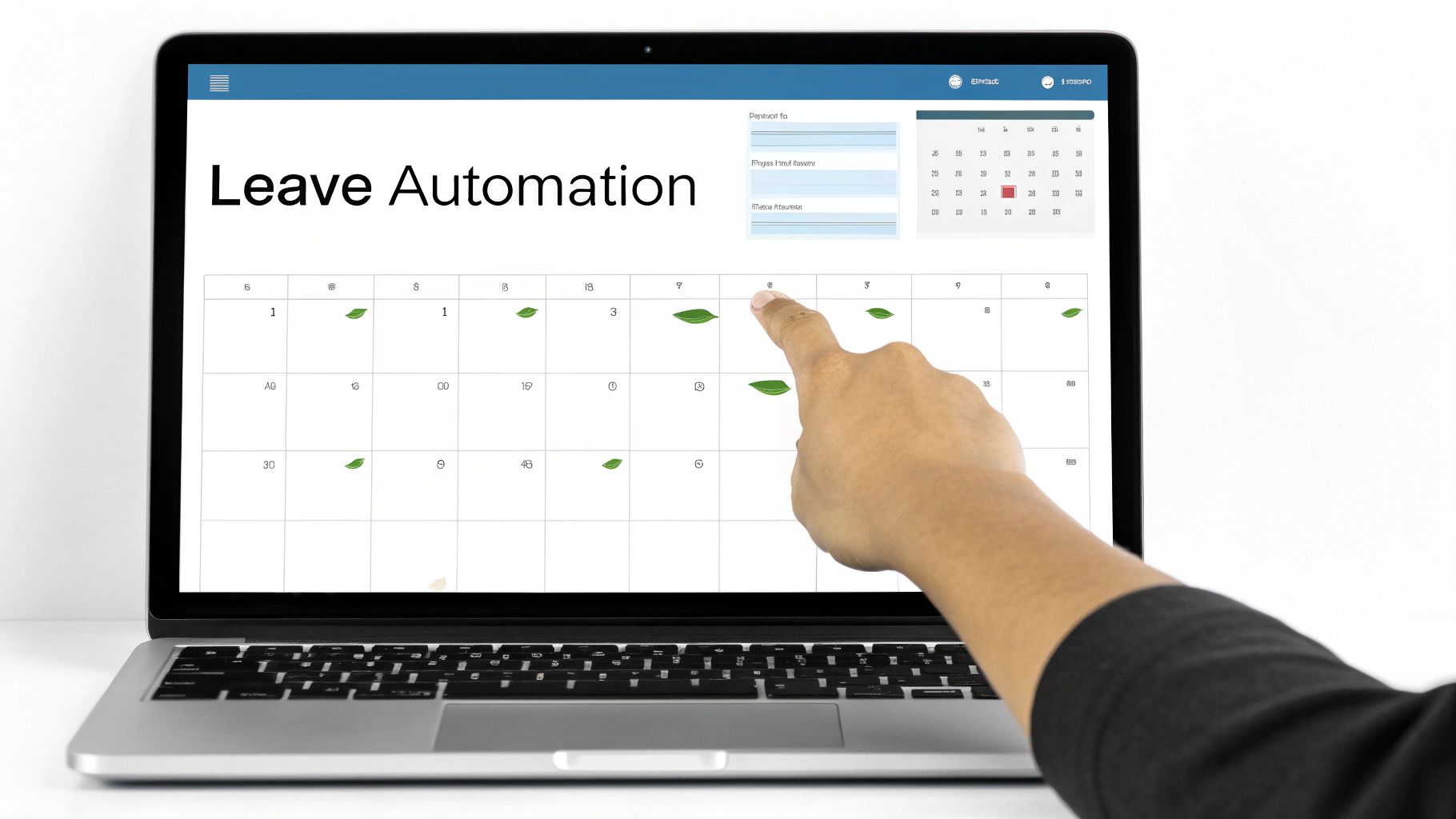
This kind of visual dashboard gives managers a complete, at-a-glance view of team availability, pending requests, and any potential clashes. You get instant insights that would take hours to piece together from a spreadsheet, helping you spot bottlenecks before they even form.
Expert Insight: The real magic of a dedicated system is its ability to reveal patterns. Are certain teams not taking enough holiday, risking burnout? Is there a recurring staffing gap in the third quarter every single year? A spreadsheet will never tell you this.
Imagine your dashboard shows that the customer support team consistently has low holiday uptake in the run-up to Christmas. That's a clear signal for managers to step in and encourage people to book time off. It's about preventing burnout and keeping service quality high during a peak period. A good employee leave management software is built to surface exactly these kinds of practical insights.
Gaining Control and Visibility
Ultimately, automation gives you total control and a bird's-eye view of your entire leave process. Managers can see team availability in an instant, which is crucial for scheduling projects and making sure there's always enough cover. The system becomes the single source of truth, ending the confusion that comes with out-of-date spreadsheets or lost emails.
Think about a scenario where a key project manager requests leave. With an automated system, their line manager instantly sees:
- The project manager’s remaining holiday balance.
- Which other team members are already booked to be off.
- Whether approving the request would drop the team below its minimum staffing level.
This immediate access to information leads to fast, informed decisions that balance the needs of your people with the needs of the business. By automating these checks and balances, you build a holiday planner that isn't just efficient, but also fair, transparent, and perfectly aligned with your company's goals.
Measuring Success and Refining Your Planner Over Time
Getting your new staff holiday planner up and running is a big win, but it’s definitely not the final step. The best systems I’ve seen are the ones that grow and adapt with the business and its people. To make sure your planner stays a genuine asset rather than just a dusty rulebook, you’ll need to regularly check how it’s performing, listen to your team, and be ready to make smart adjustments.
This process of continuous improvement is what separates a decent system from a great one. It’s all about listening, analysing, and refining. A planner that felt perfect on day one might develop friction points a year later as your team grows or business priorities shift. Staying on top of this ensures the system keeps supporting both employee wellbeing and operational stability.
Identifying Your Key Performance Metrics
To get a real sense of what’s working and what isn’t, you need to look at the data. Numbers tell a story, revealing bottlenecks, trends, and opportunities you might otherwise miss. Forget guesswork; let's focus on tangible metrics that paint a clear picture of your planner's health.
I’d recommend starting with a few core indicators:
- Average Leave Approval Time: How long does it actually take for a request to get signed off? A slow process is a major source of frustration for staff.
- Leave Pattern Analysis: Are there specific times of the year, outside of the obvious school holidays, where requests suddenly spike? This could flag periods of high stress or burnout in certain teams.
- Holiday Entitlement Usage: What percentage of their total leave are people taking? If lots of staff are leaving days on the table, it could be a red flag for excessive workloads or a culture that subtly discourages time off.
- Frequency of Last-Minute Requests: A high volume of urgent requests might mean your forward planning isn't as solid as it could be, or that your team doesn't feel they can plan ahead.
Tracking these simple metrics moves you from relying on anecdotes to making data-driven decisions. Discovering that 75% of leave requests are approved within 24 hours is a great sign, but finding out one department takes over a week to approve anything highlights a clear problem you can now solve.
Gathering and Acting on Employee Feedback
Data tells you what is happening, but your team can tell you why. Some of the most valuable insights will come directly from the people using the system every single day. Creating a way for them to give honest, constructive feedback is absolutely crucial for understanding how the planner works in the real world.
Anonymous surveys are a brilliant tool for this. Once or twice a year, ask your team some direct questions to see how they feel and uncover any hidden frustrations.
You could ask things like:
- On a scale of 1-10, how easy is it to request time off?
- Do you feel the holiday approval process is fair and transparent?
- Have you ever felt unable to take holiday due to your workload or team pressure?
- What’s one thing we could do to improve the holiday planning system?
When you get the feedback, look for recurring themes. If a bunch of people mention that booking leave around bank holidays is confusing, that’s your signal to simplify the policy or communicate that part more clearly.
Conducting an Annual Review and Policy Refresh
Your holiday planner and the policy behind it should get a proper review at least once a year. This is your chance to bring together the hard data from your metrics and the real-world feedback from your staff to make informed improvements. It’s all about making sure your system keeps up with internal changes and what’s happening in the wider world.
For example, knowing how your leave allowance stacks up against the market average is vital for attracting and keeping good people. Many UK employers offer more than the legal minimum. A 2011 survey found the average holiday entitlement was 34 days a year including bank holidays, quite a bit higher than the statutory 28 days. You can discover more insights about these annual leave trends to see where your company sits.
Make your annual review a structured process. Get key people in a room—department heads, HR—to go through the data and survey results. The aim is to agree on specific, actionable changes for the year ahead. This might be as simple as tweaking the wording in your policy for clarity or as significant as adjusting your carry-over rules. By treating your holiday planner as a living document, you ensure it remains a powerful tool that truly serves both your business and your people.


