A payroll deadline is approaching, and the holiday spreadsheet shows that a zero-hours worker has the same annual allowance as last month, even though their shifts have changed repeatedly. A part-time employee has taken a bank holiday on a short shift, while someone else has had a full day deducted. The totals look tidy, but neither may reflect the worker's actual entitlement.
A holiday calculator in hours helps only when it uses the right calculation method. Fixed weekly hours can usually be converted into an annual allowance. Irregular-hours and part-year workers need a pay-period ledger based on hours worked, with entitlement kept separate from holiday pay. The difference matters for compliance, payroll accuracy and fair workforce planning.
Table of Contents
- Why Most Manual Holiday Calculations Miss the Mark
- Understanding UK Holiday Entitlement Rules
- Calculating Holiday Hours Using the 12.07 Percent Method
- Handling Bank Holidays, Carry-Over and Absence
- Choosing Between Spreadsheets and Leave Management Software
- Applying the Calculator to Common Workforce Scenarios
Why Most Manual Holiday Calculations Miss the Mark
A manager often starts with a sensible shortcut. They take weekly hours, multiply them by 5.6 weeks, and enter the result in a spreadsheet. For a regular employee working a stable pattern, that can produce a useful statutory baseline. For someone whose shifts vary, it creates a number that may stop matching reality as soon as the rota changes.
In the UK, almost all workers are legally entitled to 5.6 weeks of paid annual leave each leave year, and part-time workers with a consistent weekly schedule should receive entitlement proportionally by working days or hours, as explained in the official guidance on calculating holiday entitlement for different contract types. The practical question isn't whether hours are a good unit. It's whether the calculator is using a fixed-hours formula or an accrual method that follows actual work.

Where the shortcut breaks
A fixed annual allowance becomes unreliable when a worker's weekly hours change, when shifts are seasonal, or when the person works only during parts of the year. A spreadsheet may still display last year's allowance, even though the underlying pattern has changed. If someone moves from regular part-time work to irregular hours, editing the weekly-hours cell alone isn't enough. The calculation method may need to change.
The common errors are predictable:
- Annualising variable work: Turning a fluctuating pattern into one weekly figure can overstate or understate leave.
- Rounding too early: Rounding hours before the entitlement calculation creates drift across pay periods.
- Mixing balances: Accrued hours, taken hours and carry-over are often stored in one editable total.
- Ignoring classification: A casual worker and a regular part-time worker don't necessarily belong in the same calculation route.
Practical rule: Use a fixed-hours calculation for a stable contractual pattern. Use pay-period accrual when the worker falls within the relevant irregular-hours or part-year rules.
A suitable calculator should show the input hours, the calculation date and the resulting entitlement. That audit trail lets a manager explain a balance to an employee without reconstructing the history from old rota files. It also makes contract changes visible instead of allowing them to disappear inside a revised annual total.
Understanding UK Holiday Entitlement Rules
A rota changes halfway through the leave year, but the spreadsheet still shows the allowance set in January. That is a classification problem before it is a calculation problem. Start by identifying the worker's contract pattern and the leave-year start date.
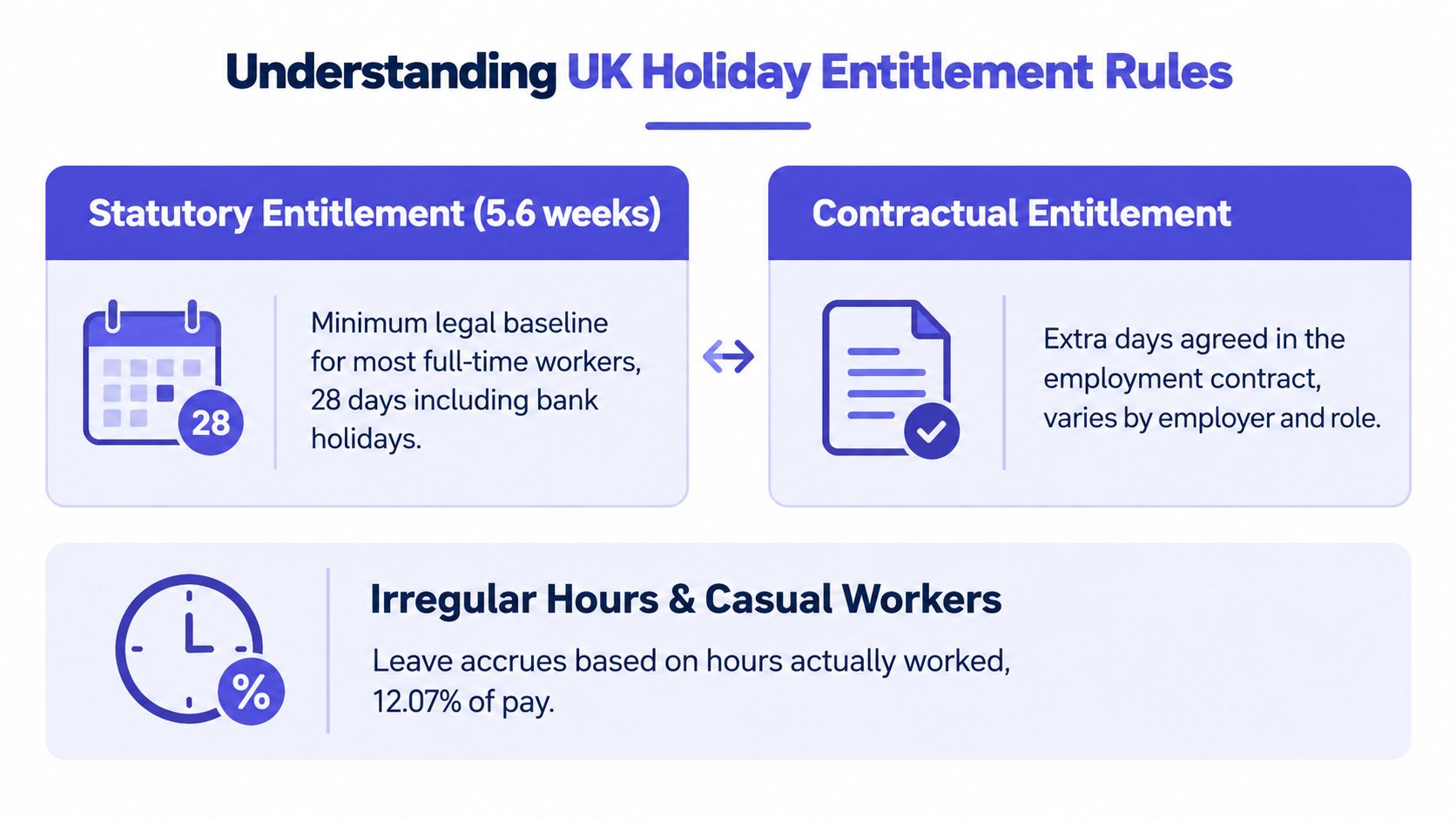
The UK statutory minimum is 5.6 weeks. For a regular five-day worker, that normally equals 28 days, although bank holidays may be included within that total rather than added separately. A contractual policy can provide more leave, so keep the statutory minimum and any enhancement in separate fields.
A stable part-time schedule is calculated proportionally. A worker employed for three days per week has a statutory minimum of 16.8 days annually, calculated as 3 days × 5.6 weeks. For a regular 37.5-hour week, the equivalent statutory allowance is 210 hours, calculated by multiplying 37.5 by 5.6.
Two calculation routes
For stable weekly hours, multiply the contractual weekly hours by 5.6 and manage the resulting balance in hours. The record still needs to handle starters, leavers, leave-year changes and contractual enhancements. A change in contracted hours should create a dated adjustment, rather than overwrite the earlier entitlement.
Relevant irregular-hours and part-year workers follow a different route for leave years beginning on or after 1 April 2024. The employer records actual hours worked in each pay period, applies 12.07%, places the accrual on the final day of that pay period and rounds the entitlement, not the input hours, to the nearest whole hour. The government explanation of the holiday reforms describes this approach.
The leave-year start date controls which method applies. A leave year beginning on or before 31 March 2024 can continue under the previous approach until renewal. Payment after the reform date does not, by itself, justify switching methods.
Before setting an allowance, record the classification:
- Regular full-time or part-time pattern: Calculate from stable contractual hours or days.
- Irregular-hours worker: Capture actual hours for every pay period under the applicable leave-year rules.
- Part-year worker: Check for periods when the worker is not required to work and apply the relevant accrual route.
- Enhanced contract: Separate statutory and additional contractual leave.
Misclassification affects every later accrual and can also distort holiday pay. Keep the reason for the chosen route with the calculation record, so payroll can explain the balance when working patterns change.
Calculating Holiday Hours Using the 12.07 Percent Method
For a relevant irregular-hours or part-year worker, the calculation should happen at the pay-period level. Don't start with an assumed annual allowance. Start with the actual hours worked.
The calculation process
Follow the same sequence every pay period:
- Capture actual hours worked. Keep the input precise. Don't round the hours before applying the rate.
- Multiply by 12.07%. In decimal form, that is hours worked multiplied by 0.1207.
- Record the accrual date. The entitlement belongs on the final day of the pay period.
- Round the entitlement only. Round to the nearest whole hour. A fraction below 30 minutes rounds down, while 30 minutes or more rounds up.
For example, 83.5 hours worked × 0.1207 = 10.06945 hours, which records as 10 hours. The input remains 83.5 hours. If a spreadsheet first rounds the worked hours or rounds every intermediate value, the error can repeat through the year and distort the balance.
The rate comes from 5.6 statutory weeks divided by 46.4 working weeks, so it isn't a universal formula for standard-hours employees. The statutory entitlement remains capped at 5.6 weeks per year, equivalent to 28 days for a five-day worker, even when an employer presents the balance in hours. The GOV.UK entitlement guidance confirms both the pay-period method and the transition treatment for earlier leave years.
What the calculator must retain
A reliable tool needs more than a result field. It should preserve the evidence behind each result:
- Leave-year start date: This determines which rules apply.
- Worker classification: Store whether the worker is regular, irregular-hours or part-year.
- Pay frequency: Weekly, fortnightly or monthly payroll changes the periods in which hours are captured.
- Actual hours: Keep unrounded input hours for every pay period.
- Accrued hours: Store the calculated and rounded entitlement separately.
- Taken hours: Record deductions against the date and scheduled working hours.
- Carry-over: Keep carried leave distinct from current-year accrual.
- Contractual enhancement: Separate additional company leave from statutory entitlement.
For a broader operational checklist, the steps to compute employee leave provide useful context, but UK employers still need to apply the specific statutory rules to their own worker classifications. A dedicated holiday calculator for irregular hours should make the ledger visible rather than hide the calculation behind one annual figure.
Changing a worker's contract or pay frequency should trigger a review. It should not overwrite historical accruals without notice. Preserve the old method and its inputs, then start the new calculation from the correct date.
Handling Bank Holidays, Carry-Over and Absence
Bank holidays create disputes when employers treat them as automatic extra leave or deduct the same number of hours from every worker. They don't automatically create extra statutory leave. An employer can include bank holidays within the 5.6-week statutory minimum, or offer them in addition under the employment contract, as set out in the government compliance and enforcement publication.
The deduction should match the hours the employee would ordinarily have worked on the selected date. A shorter shift shouldn't be treated as a standard full-day deduction, and a worker who never works on that weekday shouldn't lose leave merely because a bank holiday falls then. The calculator therefore needs the employee's working pattern, not just a list of public holidays.
Keep entitlement and pay separate
A holiday balance answers one question: how many hours can the worker take? Holiday pay answers another: how much money is due when they take that leave? Combining the two creates poor payroll controls.
For irregular-hours and part-year workers, holiday pay is based on average pay over the previous 52 weeks, counting only weeks in which the worker was paid. Eligible employers may also use rolled-up holiday pay under the newer rules. The hours ledger should therefore preserve paid-week history separately from accrual history.
Sickness can disrupt staffing forecasts without automatically reducing the holiday-hours balance. ONS reported 148.8 million working days lost to sickness in the UK in 2025, with a sickness-absence rate of 2.8% for part-time workers compared with 1.9% for full-time workers, as stated in the GOV.UK holiday-pay guidance. Those figures underline why absence reporting and holiday entitlement need to connect operationally, but they shouldn't be merged into one deduction.
Separate the outputs: Show hours available, hours taken, carry-over and the pay history used for holiday pay. A sickness record belongs in absence management, not as an automatic subtraction from statutory leave.
Carry-over depends on the contract, policy and circumstances that prevented leave from being taken. Keep the carried balance clearly labelled and document why it exists. A practical guide to carrying over annual leave can help managers review policy wording alongside their records.
Small teams also need communication controls. When someone is away, accurate balances should feed into rota planning and clear messages. Well-written professional auto-reply examples for teams can support that process, but they don't replace an auditable leave record.
Choosing Between Spreadsheets and Leave Management Software
A spreadsheet may suit a small, stable workforce where hours are predictable, one person owns the file and every change is reviewed. The risk rises when the business employs casual staff, runs several pay frequencies, changes contracts during the leave year or gives employees self-service access.
The calculation itself is straightforward. The difficult part is preserving the evidence behind each balance: hours worked in each pay period, the accrual rate used, leave taken, carry-over, contract changes and the pay history relevant to holiday pay. Without careful design, version control and administration, a spreadsheet can show a total without showing how that total was reached.

A practical comparison
| Requirement | Spreadsheet tracking | Leave management software |
|---|---|---|
| Fixed-hour employees | Suitable when inputs are stable | Automates balances and requests |
| Irregular-hours accrual | Possible, but needs a protected pay-period ledger | Can be configured around hours worked and accrual rules |
| Auditability | Depends on version history and manual notes | Usually provides records, approvals and reports |
| Contract changes | Requires careful historical preservation | Can keep employee settings and transaction history together |
| Staff visibility | Often depends on emailed updates | Employee portals and mobile access can show current balances |
| Coverage planning | Manual calendar maintenance | Shared calendars and absence reporting reduce duplication |
The decision depends on error risk and administrative workload, not headcount alone. A small employer may need software if working patterns vary, because each pay period can create a new accrual entry. A larger team with simple, stable contracts may manage a controlled spreadsheet for a time, provided access is limited and someone checks the calculations before payroll closes.
The point where automation earns its place
Review the spreadsheet when managers regularly ask payroll to confirm balances, employees cannot see how deductions were calculated, or a contract change requires several linked edits. Those are practical signs that separate records are needed for statutory entitlement, contractual enhancement, taken leave, carry-over and holiday pay.
LeaveWizard is one example of leave-management software for small businesses. It provides tools for leave calculations, approvals, employee visibility and absence reporting, with support for hour-based allowances and irregular-hours configurations. Its comparison of LeaveWizard with traditional spreadsheets can help assess whether manual tracking still fits the organisation.
Sickness and other absence types make the choice more operationally important. A spreadsheet may show an employee's holiday balance, but it rarely shows who is unavailable next week or whether planned leave creates a coverage gap. Software that keeps entitlement, holiday-pay records and coverage calendars connected, while preserving their separate purposes, gives managers a clearer working view than a file that only displays a total.
Applying the Calculator to Common Workforce Scenarios
A part-time irregular-hours starter should have a leave-year start date, worker classification, pay frequency and actual hours entered for each pay period. The calculator applies the relevant accrual method to those hours, records the rounded entitlement on the pay-period closing date and keeps taken leave separate.
A standard five-day employee with fixed weekly hours follows the fixed-hours route. Their statutory baseline is derived from the regular weekly pattern, while any contractual enhancement and bank-holiday treatment should remain separate fields.
A worker whose hours change mid-year needs a controlled transition. Keep the historic calculations under the old classification, record the effective date of the new contract and avoid rewriting earlier balances. Then check whether the worker now belongs under a different calculation method.
Run an audit by checking the leave-year start date, worker classification, pay frequency, unrounded hours, accrual entries, deductions and carry-over. Compare the relevant irregular-hours records against the 12.07% method, and investigate any unexplained annual adjustment before payroll closes.