
An employee clock in system is a digital tool that helps businesses accurately track and record when their team is working. It’s the modern-day replacement for old-school paper timesheets and clunky punch cards, swapping them for smart software that logs start times, end times, and breaks with pinpoint precision. The result? Flawless payroll and a much better handle on managing your workforce.
What Is an Employee Clock In System Really?
Remember the old paper punch cards? Think of them like a hand-drawn map. It might get you where you need to go, but it's prone to smudges, mistakes, and becomes outdated the second you draw it. A modern employee clock in system is your business's live, interactive GPS.
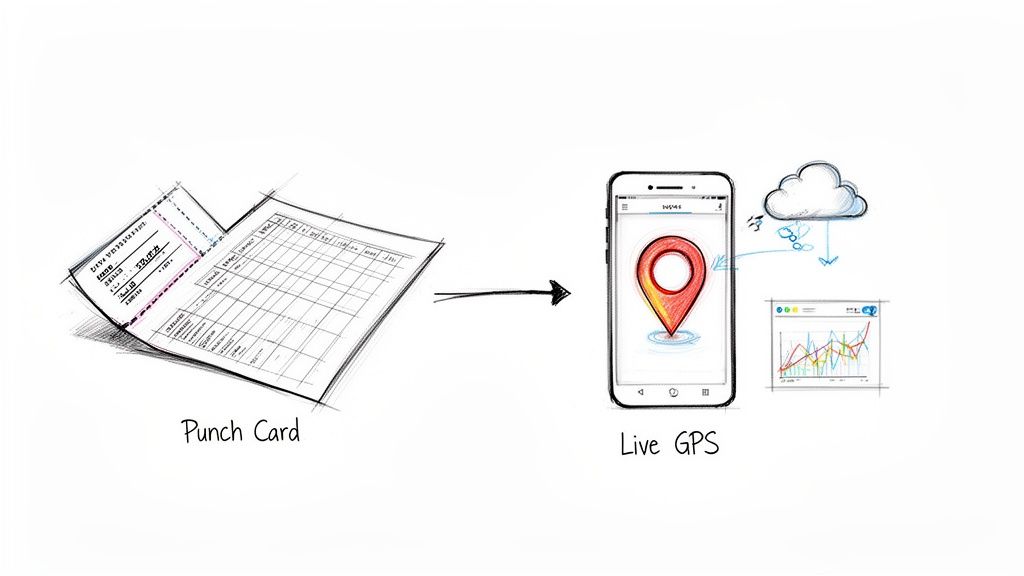
This technology has come a long way from just simple timekeeping. It's now a central hub for managing your entire team, giving you a real-time picture of who’s working, where they are, and what they’re focused on. At its core, it solves the costly problem of human error and cuts through the administrative fog of manual tracking.
The Shift from Manual to Digital
The move away from pen and paper has been huge. In fact, a staggering 96% of UK companies now use some form of time-tracking software. This isn't just a small trend; it's a fundamental change in how businesses manage attendance.
Why the big switch? Because manual processes are a headache. From employees forgetting to log their hours to trying to decipher messy handwriting, the room for error is massive. If you're curious about the data behind this shift, you can explore more research on employee monitoring statistics.
A digital system gets rid of these problems by creating a clean, undisputed record of work. The whole process is automated, giving managers reliable data and employees the peace of mind that they’re being paid correctly for every single minute.
More Than Just a Time Clock
Let's be clear: a modern clock in system does so much more than just record punches. It’s a powerful business intelligence tool that gives small business owners the kind of operational firepower once reserved for massive corporations.
Just think about what it unlocks:
- Data-Driven Decisions: You can instantly see your labour costs, track hours against specific projects, and spot attendance patterns before they become a problem.
- Enhanced Transparency: Everyone—managers and staff alike—sees the same accurate, real-time data. This builds a culture of trust and fairness from the ground up.
- Operational Efficiency: Automation frees up countless hours for owners and managers. Instead of chasing down timesheets, you can focus on what really matters: growing the business.
Ultimately, a good system transforms time tracking from a tedious chore into a genuine strategic asset.
To really see the difference, let’s compare the old way with the new.
Manual Tracking vs Digital Clock In System
This table lays out the real-world impact of sticking with spreadsheets versus adopting a modern system. It’s not just about convenience; it’s about efficiency, accuracy, and saving your business from costly mistakes.
| Feature | Manual Tracking (Spreadsheets/Paper) | Digital Employee Clock In System |
|---|---|---|
| Accuracy | Prone to human error, forgotten entries, and "buddy punching". | Highly accurate, with real-time, automated time capture. |
| Admin Time | Requires hours of manual data entry, cross-checking, and calculations. | Fully automated. Data flows directly to payroll with zero manual input. |
| Record Keeping | Paper records are easily lost, damaged, or hard to organise for audits. | Secure, cloud-based records are organised and instantly accessible. |
| Oversight | Managers have zero real-time visibility into who is working. | Live dashboards show exactly who is clocked in, on a break, or absent. |
| Compliance | Difficult to prove compliance with labour laws and working time regulations. | Creates an automatic, audit-proof trail for legal compliance. |
| Payroll Process | Slow and error-prone. Mistakes can lead to overpayments or underpayments. | Seamless integration with payroll software ensures 100% accurate pay runs. |
As you can see, the contrast is stark. While manual methods might seem "free," the hidden costs in wasted time, errors, and compliance risks add up quickly. A digital system isn't just an upgrade; it’s a necessary tool for any modern business.
Unlock Key Benefits for Your Growing Business
Moving away from paper timesheets to a digital employee clock in system is more than a simple upgrade for convenience. It's a strategic move that brings real, measurable advantages, changing how you handle your time, your money, and your team. It gives your small business the kind of sharp insight and efficiency that was once only possible for big corporations.
A digital system does more than just improve accuracy; it actively plugs the small but constant payroll leaks that can slowly drain your profits. Manual methods are famously prone to mistakes, with studies showing an average error rate of up to 7% of total payroll. An automated system gets rid of these expensive errors, making sure you only pay for the exact hours people have worked.
This isn’t just about stopping overpayments, either. It’s about building a solid foundation of trust. When your team knows their hours are logged with pinpoint accuracy, disagreements over pay become a thing of the past. This helps create a much more transparent and fair working atmosphere for everyone.
Reclaim Your Time from Administrative Tasks
Just think about the hours your team spends every week chasing down timesheets, keying in data by hand, and then double-checking all the maths. That's precious time that could be spent talking to customers, improving your products, or actually growing the business.
An automated clock in system does all that heavy lifting for you.
- Automated Timesheets: All the data is collected and neatly organised on its own, ready for you to review.
- Seamless Payroll Integration: With just a few clicks, accurate time data flows straight into your payroll software.
- Reduced Paperwork: You can finally ditch the stacks of paper records, saving both time and storage space.
This kind of automation frees your team from soul-crushing admin, letting them focus on high-value work that actually pushes your business forward. This same principle works wonders for other HR tasks, too. For instance, you can see how to boost productivity with an employee leave management system by automating similar processes.
Make Smarter Decisions with Real-Time Data
One of the biggest game-changers is getting access to workforce data as it happens. You no longer have to wait until the end of the month to figure out what your labour costs are. A live dashboard gives you an immediate window into attendance, overtime, and how many hours are being spent on different projects.
This instant access to information lets you be proactive instead of reactive. You can watch labour costs against your budget in real time, adjust staffing to meet customer demand, and spot attendance patterns before they grow into bigger problems.
This data-driven approach puts you firmly in control of your resources, helping your business run as efficiently as possible. By turning simple time tracking into a source of business intelligence, you unlock a powerful tool for smarter planning and sustainable growth.
Essential Features Your Clock In System Needs
Picking the right employee clock in system can feel like a mammoth task, but you can cut through the noise by focusing on a handful of non-negotiable features. Think of it less like a shopping list and more like building a toolkit. Each tool should solve a real-world problem your business is facing, especially as the way we work becomes more and more flexible.
The first essential is mobile and web access. This isn't just a nice-to-have; it's the lifeline for any business with hybrid, remote, or field-based teams. The modern workplace simply isn't confined to a single office anymore. In fact, over 28% of workers in Great Britain now follow a hybrid schedule, a huge shift from how things were before the pandemic. An effective system has to let employees clock in securely from a smartphone app or a web browser, guaranteeing accurate time tracking no matter where the work actually happens.
This concept map breaks down how going digital with these systems helps plug profit leaks, claw back admin time, and build trust with your team.
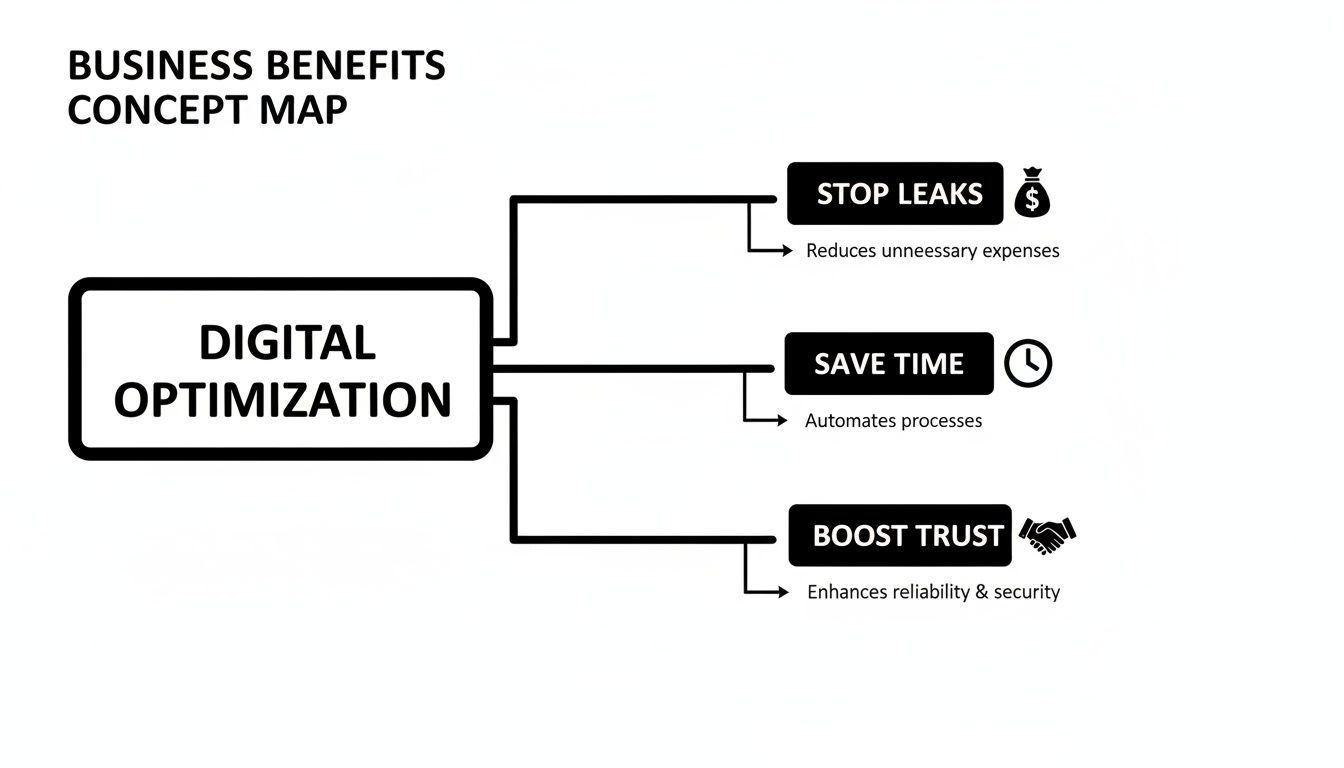
You can see how interconnected these benefits really are. One smart system can create a positive ripple effect right across your operations.
Smart Location and Leave Management
Next up is geofencing. This feature sometimes gets a bad rap, but it’s not about playing Big Brother. It’s actually a simple, automated way to confirm an employee is at the correct work site when they clock in. For businesses in construction, home care, or field sales, it cuts out all the guesswork and confirms presence without needing intrusive check-ins. You just set a virtual boundary around a location, and the system handles the rest.
Another absolute must-have is leave management integration. A clock in system that works in its own little bubble is only telling you half the story of your workforce.
When your time tracking and leave management tools talk to each other, you get a complete, real-time picture of who is available and who isn’t. This stops you from accidentally scheduling someone for a shift when they’re on an approved holiday, keeping things running smoothly and ensuring payroll is spot on.
This kind of integration also gives your staff more autonomy. When they can see everything in one place, from time off requests to approvals, it gives them greater control and clarity. You can see this in action with modern employee self-service software, which puts these powerful tools right into your team's hands.
The Ultimate Time-Saver: Payroll Integration
Finally, we get to the feature that delivers the biggest punch: seamless payroll integration. This is where a good employee clock in system really pays for itself. Manually shifting hours from timesheets to your payroll software isn't just a drag; it's a breeding ground for expensive mistakes.
A system that plugs directly into your payroll software automates this entire headache. With just a few clicks, approved hours are exported, calculations are sorted, and pay runs are prepped with pinpoint accuracy. This turns one of the most stressful admin tasks on your plate into a simple, reliable workflow. For a better idea of how this works in practice, it’s worth checking out dedicated solutions like Pebb's Employee Clock In App.
Navigate Compliance and Data Security with Confidence
Bringing any new technology into your business, like an employee clock-in system, naturally raises a few questions about rules, regulations, and data safety. If you're a small business owner, these are completely valid concerns. The good news? A well-chosen system is designed to take risks off your plate, not add to them. Think of it as your digital safeguard for compliance and security.
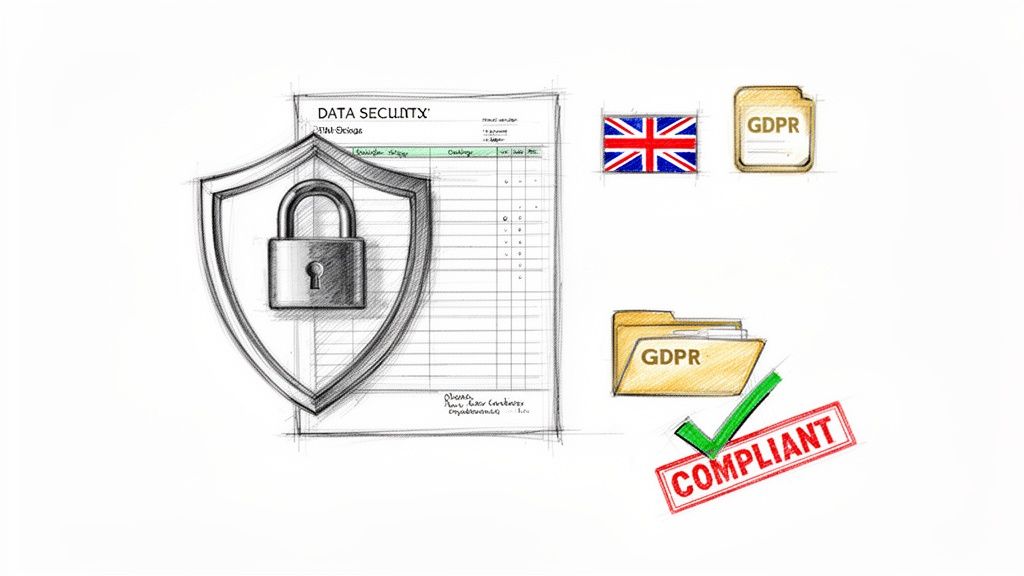
At its heart, this technology isn't just about counting hours; it's about creating a crystal-clear, indisputable record of work. This becomes incredibly powerful when it comes to staying on the right side of UK employment laws, particularly the Working Time Regulations.
These regulations lay down specific rules for things like employee rest periods and breaks. It’s a bit worrying, but the average UK employee works an extra three weeks a year without pay, which points to a huge problem with unrecorded overtime. An automated system gives you concrete proof that you're meeting minimum rest requirements, like the mandatory 20-minute break for shifts over six hours. It’s about protecting your business and your team's wellbeing in one go.
Protecting Your Business with Tamper-Proof Records
Imagine the data from your clock-in system as a kind of insurance policy for your business. When a payroll dispute or an audit comes up, you’re no longer digging through dusty paper files or trying to make sense of questionable spreadsheet entries.
Instead, you have a digital, tamper-proof log that shows exactly when an employee was on the clock. This kind of clear evidence is your best defence, helping you resolve disagreements quickly and showing your commitment to fair and lawful pay.
An automated employee clock-in system transforms compliance from a stressful manual task into an effortless, background process. It creates the audit trail for you, giving you total peace of mind.
This robust record-keeping is fundamental to running a transparent and legally sound business. It builds trust with your staff and shields your company from potential legal headaches down the road.
Upholding Data Privacy and GDPR Standards
In today's data-conscious world, protecting employee information isn't just good practice; it's non-negotiable. Your clock-in system will handle sensitive personal data, so its security features have to be top-notch. Any reputable system is built with data protection at its core, fully aligning with GDPR principles.
Here are a few key security features to keep an eye out for:
- Secure Cloud Storage: All data is encrypted and kept in highly secure data centres to block unauthorised access.
- Controlled Access Levels: You can set permissions so only authorised people, like managers or HR staff, can see sensitive employee information.
- Data Minimisation: The system should only collect the data it absolutely needs to function, respecting employee privacy.
Making sure your system is secure by design is a critical part of meeting your data responsibilities. To make sure the sensitive employee data you collect is fully protected, you might even consider partnering with a reputable cyber security firm. Ultimately, by choosing a secure and compliant system, you're sending a clear message to your team: you value their privacy just as much as you value their time.
Making the Switch Without the Headaches
Bringing in a new employee clock-in system can feel like a big deal, but how you roll it out is the difference between a smooth transition and a month of headaches. The secret? It all comes down to good old-fashioned communication and managing the change thoughtfully. If you get the approach right, you can bring your team along for the ride and sidestep any feelings of unease or disruption.
How you talk about the new system is everything. Don't let it be seen as a new way to watch over everyone's shoulder. Instead, frame it as what it is: a tool to make things fairer and more efficient for the whole team. Talk about the benefits that actually matter to them, like getting paid accurately for every single minute they work, having a simpler way to book time off, and being able to see their own work records transparently.
When employees see that the goal is fairness, not micromanagement, they get on board much faster. The system stops being a threat and becomes a tool that empowers them, making sure they're paid correctly and have an undisputed record of their hours.
A great implementation isn't about flicking a switch and hoping for the best. It’s a carefully managed process that respects your team's daily routine and gives them the space to get used to the new way of doing things.
A Step-by-Step Rollout Plan
A structured plan takes the stress out of it and helps everyone feel confident with the new tech. There's no need to rush. Just follow these simple steps for a smooth launch across the business.
-
Get Your Policies Clear First: Before a single person clocks in, make sure the rules are written down and shared. Explain exactly how to clock in and out, what the process is for fixing a missed punch, and how breaks are logged. Getting this documented from the get-go prevents a world of confusion later on.
-
Run a Small Pilot Programme: Pick a small, tech-friendly team or department to give the system a test run. This is your chance to iron out any kinks and get honest feedback in a controlled setting. Their good experience will turn them into champions for the system before you even launch it company-wide.
-
Keep the Training Simple and Focused: Nobody has the patience for a long, boring technical manual. Run short, snappy training sessions that only cover what your team needs to do every day. Show them how to clock in, check their timesheets, and request leave. That’s it. Keep it practical.
-
Pick a 'Go-To' Person: Designate one person as the friendly face for any questions. This means your team knows exactly who to turn to for help, which stops frustration from building up and ensures problems are sorted quickly by someone who really knows the system.
Following these steps turns what feels like a massive project into a series of small, manageable actions. It shows your team you value their time and are committed to making the switch as painless as possible, which always leads to faster adoption and better feedback.
Choosing the Right System: A Simple Checklist
Picking the right employee clock in system can feel like a huge decision, but it doesn’t have to be a headache. The trick is to break it down with a practical checklist, so you can calmly weigh your options and find a solution that’s a perfect fit for your business.
Think of it less like a technical deep-dive and more like a series of simple questions to find the right partner. The end goal is to land a system that makes life easier for everyone, from your newest starter to your payroll manager, and that will grow with you—not hold you back in a year’s time.
Key Evaluation Criteria
Before you even think about signing up for a trial, make sure any system you’re considering can tick these three boxes. They get right to the heart of what makes a clock in system a genuine asset rather than just another piece of software.
- Scalability: Can it grow with you? A system that’s perfect for five employees should work just as smoothly for fifty. Look for providers with flexible pricing tiers so you can add more people without facing a massive price hike.
- Ease of Use: How quickly can your team get the hang of it? A clunky, confusing interface is a recipe for frustration and mistakes. The best systems are dead simple, needing almost no training for staff to clock in, check their hours, or book a day off.
- Essential Integrations: Does it play nicely with the tools you already use? The absolute bare minimum is a smooth, reliable integration with your payroll software. This connection automates one of your most critical admin headaches, saving hours of work and preventing costly data entry errors.
Your chosen system should be taking work off your plate, not adding to it. If it doesn’t simplify payroll and link up with your existing software, it’s not the right tool for the job.
Support and Affordability
Technology is only half the story. You also need to think about the people behind the software and how its costs will impact your budget.
- Customer Support: When you’re stuck, can you get help from a real person? Look for providers who offer proper UK-based support through phone, email, or live chat. A fast response from someone who understands your problem can be an absolute lifesaver, especially when you’re up against a payroll deadline.
- Transparent Pricing: Are the costs clear and predictable? Steer clear of systems with sneaky hidden fees or complicated contracts. A good partner will have straightforward monthly or annual plans that are easy to understand and budget for.
Essential Checklist for Selecting Your Clock In System
To make the process even simpler, we've put together this scannable checklist. Use it to compare different software options and make sure you’re focusing on the features that will genuinely make a difference to your business.
| Evaluation Criterion | What to Look For | Why It Matters |
|---|---|---|
| User-Friendly Interface | A clean, intuitive design that requires minimal training for both staff and managers. Can everyone figure it out in five minutes? | High adoption rates and fewer user errors. A system people hate using won't be used correctly. |
| Mobile & Web Access | A dedicated mobile app (for both iOS and Android) and a fully functional web portal. | Gives your team the flexibility to clock in from anywhere—the office, a job site, or from home—suiting modern work styles. |
| Real-Time Time Tracking | Live updates on who is clocked in, on a break, or clocked out. | Provides managers with an accurate, up-to-the-minute view of their team's status, helping with resource planning. |
| Geofencing & GPS | The ability to set specific geographic locations for clocking in and out. | Ensures employees are physically at the correct work location, preventing "buddy punching" and confirming site attendance. |
| Payroll Integration | Direct, seamless integration with major UK payroll platforms like Xero, Sage, or QuickBooks. | Automates the transfer of timesheet data, dramatically reducing admin time and eliminating manual entry errors. |
| Leave Management | An integrated system for requesting, approving, and tracking holiday, sick leave, and other absences. | Creates a single source of truth for all time and attendance data, simplifying planning and payroll calculations. |
| Reporting & Analytics | Customisable reports on hours worked, overtime, absenteeism trends, and project costs. | Gives you the data needed to make informed business decisions, manage labour costs, and spot potential issues early. |
| Compliance Support | Features that help you adhere to UK working time regulations and maintain accurate records for audits. | Protects your business from legal risks and ensures you are meeting your obligations as an employer. |
| UK-Based Support | Accessible and responsive customer service based in the UK, available via phone, email, or live chat. | When something goes wrong (especially near payroll time), you need fast, effective help from people in your time zone. |
| Clear Pricing | Simple, transparent pricing plans without hidden fees. Does the cost scale fairly as your team grows? | Ensures the system remains affordable as your business expands and helps you budget accurately without surprises. |
Taking a moment to run through this checklist will help you cut through the marketing noise and pinpoint a system that’s genuinely built to support a growing UK business like yours.
Any Lingering Questions?
It's completely normal to have a few questions when thinking about bringing in a new clock-in system. Let's tackle some of the most common ones that crop up for small business owners.
How Does a Clock In System Actually Help With Leave Management?
This is where things get really clever. When you link your clock-in system with your leave management platform, you suddenly have one single source of truth for your entire workforce. It paints a crystal-clear picture of who's on the clock versus who's on approved time off.
For managers, this means no more frustrating scheduling mix-ups or guesswork. You get a real-time snapshot of team availability, which makes resource planning and keeping daily operations running smoothly a whole lot easier. It also guarantees your payroll is spot-on every single time.
Will My Team Feel Like I'm Watching Their Every Move?
That's a fair concern, and one that's best handled with complete transparency. The key is to frame the system for what it is: a tool for fairness and efficiency that helps everyone.
You need to emphasise that it guarantees they are paid correctly for every single minute they work. It also simplifies everyday admin like booking holidays. When your team sees its real purpose is to make things easier, not to micromanage, they're far more likely to get on board.
Is This Kind of Tech Affordable For a Small Business?
Absolutely. The old image of clunky, expensive hardware is long gone. Modern, cloud-based systems are built with small businesses in mind, usually offering flexible monthly subscriptions.
Honestly, the cost is typically a drop in the ocean compared to the money lost from payroll errors, endless admin hours, and potential compliance headaches that come with manual tracking. Most businesses find the system pays for itself very quickly, both in time saved and financial peace of mind.


