You're probably living with a familiar kind of chaos, spreadsheets for finance, separate trackers for leave, inbox approvals that nobody can find later, and one person who always seems to know the “real” numbers because they keep them in their own file. That setup works for a while, then one late change, one missed approval, or one VAT query from finance turns into a half-day hunt across tabs and email threads.
Dynamics 365 Business Central is designed for exactly that moment, when a growing business needs steadier operations without turning every process into a bespoke project. Microsoft's UK documentation says it is built for small and mid-sized organisations and streamlines business processes, which makes it a practical fit for teams replacing spreadsheet-based management with something that can standardise approvals, records, and daily work Microsoft's UK welcome page for Business Central.
If you're a finance lead, operations manager, or owner, the question isn't whether the software has features. It's whether it gives your team a cleaner way to work, with fewer handoffs, less re-keying, and more confidence in the numbers.
Table of Contents
- Introduction to Dynamics 365 Business Central for SMBs
- What Dynamics 365 Business Central Is and How It Works
- Core Modules and Capabilities Explained Simply
- How HR Management 365 Can Help
- Business Benefits That Help You Do Your Job Better
- Licensing Pricing and Implementation Considerations
- Migration Checklist and Integration Scenarios Including Leave Management
- Practical Next Steps and ROI Examples to Get Started
Introduction to Dynamics 365 Business Central for SMBs
A lot of SMBs arrive at the same problem from different directions. A retailer starts with a basic accounts package, a service firm tracks jobs in spreadsheets, and an operations team keeps leave requests in email because “that's just how we've always done it.” Growth then adds pressure, approvals slow down, and nobody is sure which file, inbox thread, or approval trail is current.
Dynamics 365 Business Central fits that stage of growth. It connects finance, operations, sales, inventory, and reporting so people work from the same records instead of comparing notes across separate tools. Microsoft launched it globally on 2 April 2018, and the UK was in the first wave of 14 countries, which gave British businesses an early cloud ERP option from the start Microsoft's launch announcement.
For a busy owner, that usually shows up in practical ways. A finance manager can follow one approval trail instead of chasing email attachments. An operations lead can check whether purchasing, stock, and demand line up. A people manager can stop treating leave as a side process that lives outside the system of record.
Who it suits best
Business Central fits teams that have outgrown disconnected tools but do not want the burden of a large enterprise ERP. It works well where the business needs structure without losing speed. That often means enough transactions, staff, or compliance pressure that spreadsheets have become risky, but not so much complexity that the team needs a large platform team to keep the system running.
For UK businesses, the design questions matter early. Making Tax Digital VAT affects finance process design, RTI payroll data flows affect how HR and payroll connect, and leave balances may need to stay inside Business Central or sync to payroll depending on how the business wants approvals, records, and reporting to line up.
What you should be able to decide by the end
By the time you finish reading, you should be able to judge whether Business Central fits your operating model, where it helps most, and where extra tools may still be needed around it. You should also be able to see whether your team needs one place to run approvals and records, or whether some processes can stay separate without creating confusion later.
That choice matters because the best ERP setup is rarely the one with the longest feature list. It is the one that matches how your team works.
What Dynamics 365 Business Central Is and How It Works
Business Central works as a shared operational base. Finance, sales, purchasing, inventory, HR, and reporting all update the same data model, so a change in one place flows through the rest of the business without retyping it elsewhere. For a busy SMB owner, that means fewer handoffs and fewer “which file is right?” moments.
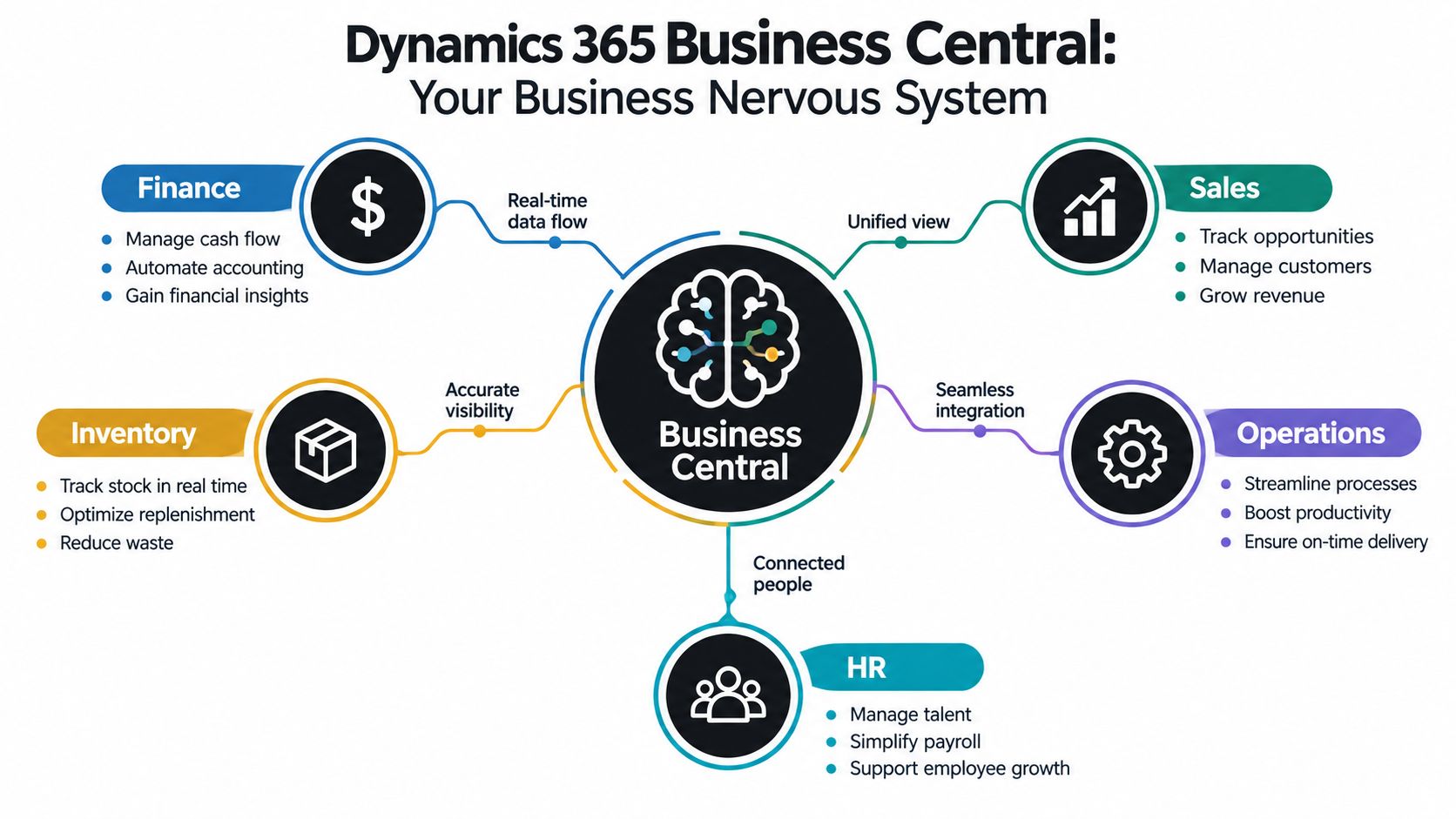
The useful distinction is between ERP software and standalone accounting tools. Accounting software records money movement. An ERP system connects that movement to orders, stock, approvals, projects, and reporting. That connection matters because it reduces duplicate entry and gives the team one clearer audit trail to follow.
Microsoft launched Business Central globally in 2018, and the UK was in the first wave of countries. For UK businesses, that mattered because it offered a localised cloud system instead of stitching together add-ons around older on-premises software. The practical question is not whether the system has features, but whether it can act as the operating backbone your team uses every day.
How the data flows
One record can support several parts of the business. A customer order can affect stock availability, expected revenue, and fulfilment work. A purchase decision can trigger approvals, update commitments, and shape cash planning. The value is not feature count. It is that the same data moves through the business without being retyped, rechecked, and reinterpreted at every stop.
Practical rule: if your team keeps saying “let me check the other file”, the system has already stopped being the system of record.
Approvals matter for the same reason. Standardised approvals and records lower the risk that one person's spreadsheet version becomes the truth everyone else works from. Finance teams usually feel that as cleaner month-end work. Operations teams feel it as fewer surprises. Managers get decisions based on the same current view, not stale exports.
Business Central's cloud setup also changes day-to-day work. People use one shared operational base with role-based access and a common data model, instead of learning a different tool for every function. For teams weighing where employee data should live, see this overview of best software for employee management and payroll integration to compare native and integrated approaches. That choice matters for UK compliance too, especially when payroll, leave balances, and approvals need to line up with finance records rather than sit in a separate island.
Core Modules and Capabilities Explained Simply
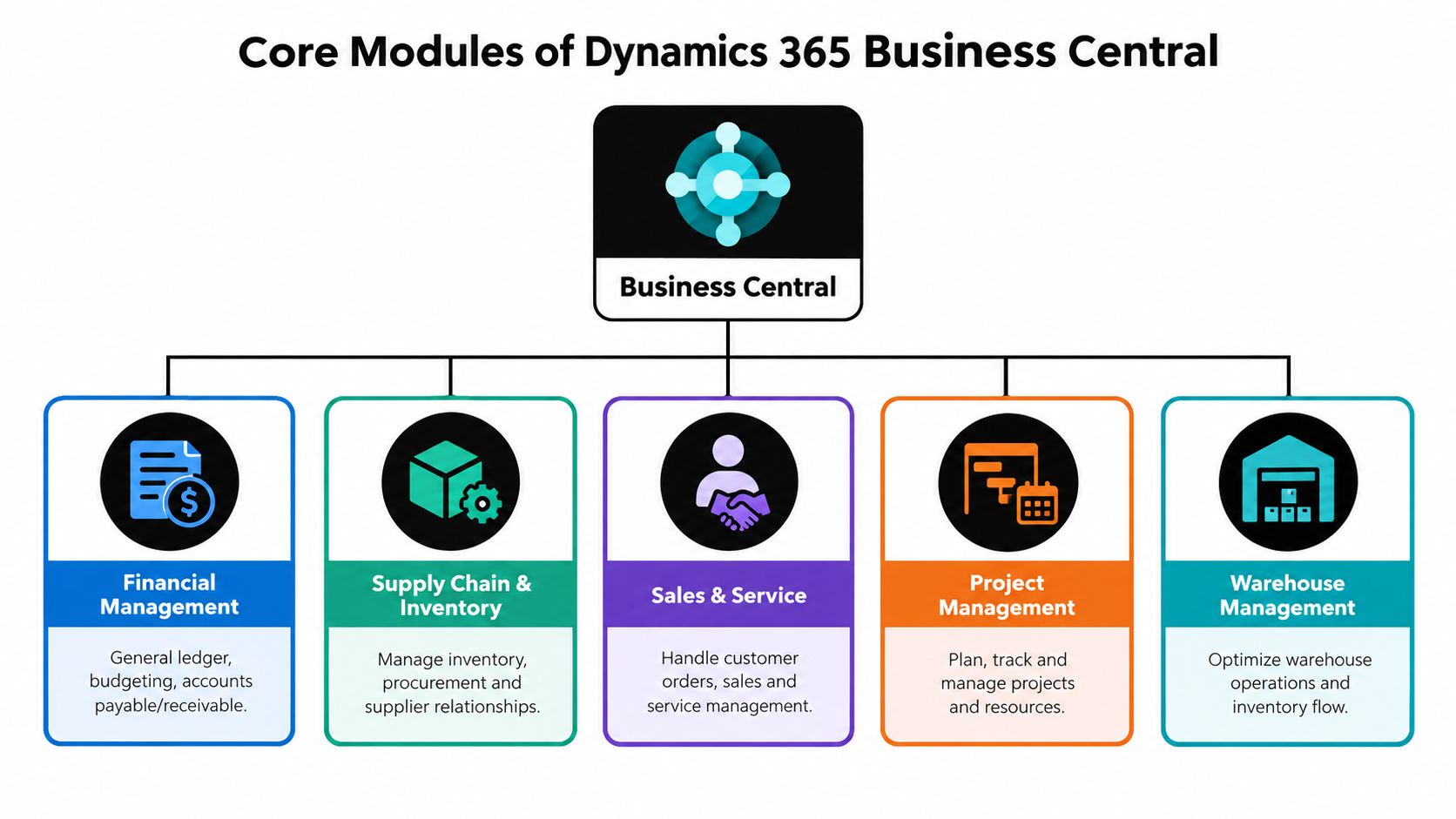
The easiest way to understand the platform is to think in jobs, not menus. Each module answers a different operational question, and the value comes from how they work together.
Financial management
The system helps you track invoices, payments, budgets, and the general ledger without relying on separate reconciliations in spreadsheets. A finance team can close month-end with a clearer trail because the same records sit behind the transactions, the approvals, and the reports. That doesn't make the job disappear, it makes the job more controlled.
Sales and customer management
Sales work is not just about quotes. It is about making sure customer commitments flow into fulfilment, billing, and reporting. When that chain is visible, teams stop guessing whether a promise was logged properly. That helps customer service as much as sales because fewer promises fall through the cracks.
Purchasing, supply chain, inventory, and warehousing
These areas matter most when delay gets expensive. If purchasing data and stock data live in different places, people order too late, hold too much, or find out about a shortage after the customer already expected delivery. Business Central's value is that it keeps the request, the order, and the stock picture closer together.
Projects and service work
For project-based businesses, the main job is to keep labour, cost, and progress visible enough that managers can spot drift early. Service teams need the same discipline, just with maintenance or support work instead of jobs and milestones. The system helps when the team wants one place to see what has been booked, what has been delivered, and what still needs attention.
Reporting
Reporting only matters if the underlying data is consistent. Business Central helps by standardising how records are created and updated, which makes reports more trustworthy. That matters because management decisions should not depend on who exported the spreadsheet or which version was last edited.
You don't buy modules because the brochure lists them. You buy them because each one removes a recurring manual problem.
UK adoption also shows that this isn't a niche product for a handful of global firms. One UK-focused technology listing says there are 1,244 companies in the United Kingdom using Microsoft Dynamics 365 Business Central, and another dataset puts the UK at 1,246 companies, making it the second-largest country by customer count after the United States theirstack UK usage data. That points to a mature local market and a clearer partner ecosystem for SMBs that want implementation help.
How HR Management 365 Can Help
HR is often where SMBs lose time first. A vacancy starts in one place, candidate details sit somewhere else, then contracts, leave, and attendance end up split across tools or spreadsheets. HR Management 365 brings those workflows into the Microsoft ecosystem, linking HR processes with Microsoft 365 and Dynamics 365, including Business Central and Finance & Operations.
Leave and absence management is a good example. If those records live apart from the rest of the system, managers approve time off without a clear view of coverage, and payroll teams later have to reconcile the same absence data again. In the UK, that can create avoidable friction where statutory pay, pensions, and RTI-related processes depend on accurate records.
For teams deciding whether HR data should sit alongside finance data or stay separate but connected, the Dynamics 365 Business Central integration page is a useful starting point. It helps you compare integration options instead of forcing HR into a finance-first setup.
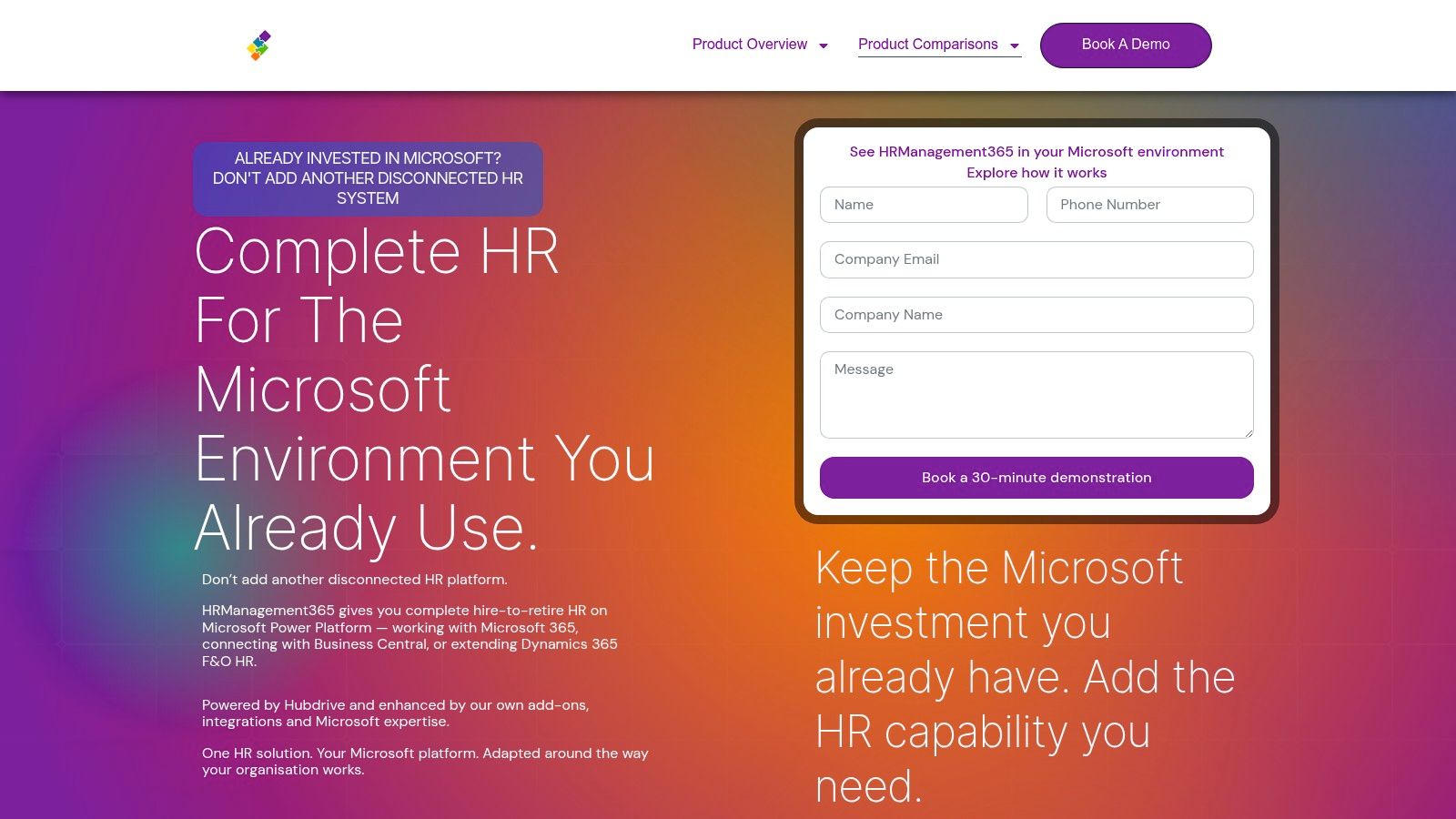
For SMBs, the main value is straightforward. It reduces system sprawl, gives line managers one place to approve time off, and creates a cleaner link between employee data and the systems that use it. That matters most when the HR team is small, policies are still changing, and process discipline matters more than a large HR suite.
Business Benefits That Help You Do Your Job Better
The benefit of Business Central is not that it looks modern. It's that it helps people do ordinary work with fewer interruptions and fewer doubts.

For finance teams
Finance staff need clean records, predictable approvals, and a system that makes audit trails easier to follow. Microsoft's compliance documentation says Business Central is built to help customers comply with regulatory legislation, which is especially relevant in the UK where controlled, auditable processes matter in day-to-day finance and operations Microsoft compliance overview. That kind of support doesn't replace judgment, but it does reduce the number of times someone has to reconstruct what happened from email and memory.
For operations and managers
Managers tend to feel the pain first when work is spread across too many tools. A leave request can sit in one system, a purchase approval in another, and a stock issue in a third. When Business Central becomes the shared operational base, approvals are easier to track and teams can act on current information rather than a stale export.
For owners and decision-makers
Owners usually care about three things, time, control, and growth. Business Central supports all three by standardising core processes and reducing manual re-entry. That gives leadership a steadier view of what is happening without asking everyone to become a reporting specialist.
The product's UK price structure is straightforward enough to compare without a call to decode it. Microsoft sells Essentials at £61.50 per user/month and Premium at £84.60 per user/month, both billed yearly and excluding VAT Microsoft UK pricing. The important difference is not just price, it's scope. Premium adds service management and manufacturing on top of Essentials, so the right tier depends on which jobs your team needs the system to do.
| Business Central UK Licensing Comparison | Tier | UK Price Per User Per Month | Key Capabilities Included | Best For |
|---|---|---|---|---|
| Business Central UK Licensing Comparison | Essentials | £61.50 | Core finance and operational capabilities | SMBs that need structured finance and day-to-day control |
| Business Central UK Licensing Comparison | Premium | £84.60 | Essentials plus service management and manufacturing | Businesses that need broader operational depth |
The smartest buyers use the platform as a way to remove recurring admin, not as a trophy purchase. If your staff spend less time reconciling records and more time acting on current data, that is a real operational gain.
Licensing Pricing and Implementation Considerations
Pricing is easy to look at badly. People compare license cost, stop there, and later discover that the true cost sits in implementation, integrations, and process decisions. With Business Central, the better question is which tier fits the way your business runs now and what else needs to sit around it.
How to think about the two UK tiers
Essentials is the right starting point when finance and basic operations are the priority. Premium makes sense when service management or manufacturing is part of the day-to-day model. If you buy too little capability, the team ends up patching gaps with workarounds. If you buy too much, you pay for functions nobody uses.
What to check before you sign
- Process fit: map the work first, then compare it to the tier.
- Data shape: review your chart of accounts, customer records, supplier records, and open items.
- Approval structure: decide who approves what, and where the system should enforce that.
- Integration needs: identify payroll, HR, reporting, or sector-specific tools that must connect.
- Deployment model: confirm whether your environment is cloud-first or whether any older on-premises dependencies remain.
UK compliance work deserves its own attention. Business Central already supports native UK Making Tax Digital VAT handling, but other compliance needs may still sit partly outside the core system depending on version, deployment model, and business size. A useful example is Reporting on Payment Practices and Performance, which was localised for the 2026 Release Wave 1 with general availability in June 2026 and an automatic cloud rollout window through September 2026, so planning matters if you rely on those features Target Integration's release note summary.
Buying rule: don't scope around the software brochure. Scope around the compliance work, the approval paths, and the integrations your team uses every week.
The practical outcome is simple. Treat licensing as one line in the budget, not the budget itself. The implementation question is whether the system can support the way your team works without adding another layer of manual reconciliation.
Migration Checklist and Integration Scenarios Including Leave Management
A clean migration is mostly a clean preparation exercise. The software matters, but the project usually succeeds or fails on data quality, scope control, and how clearly the team agrees on ownership before go-live.
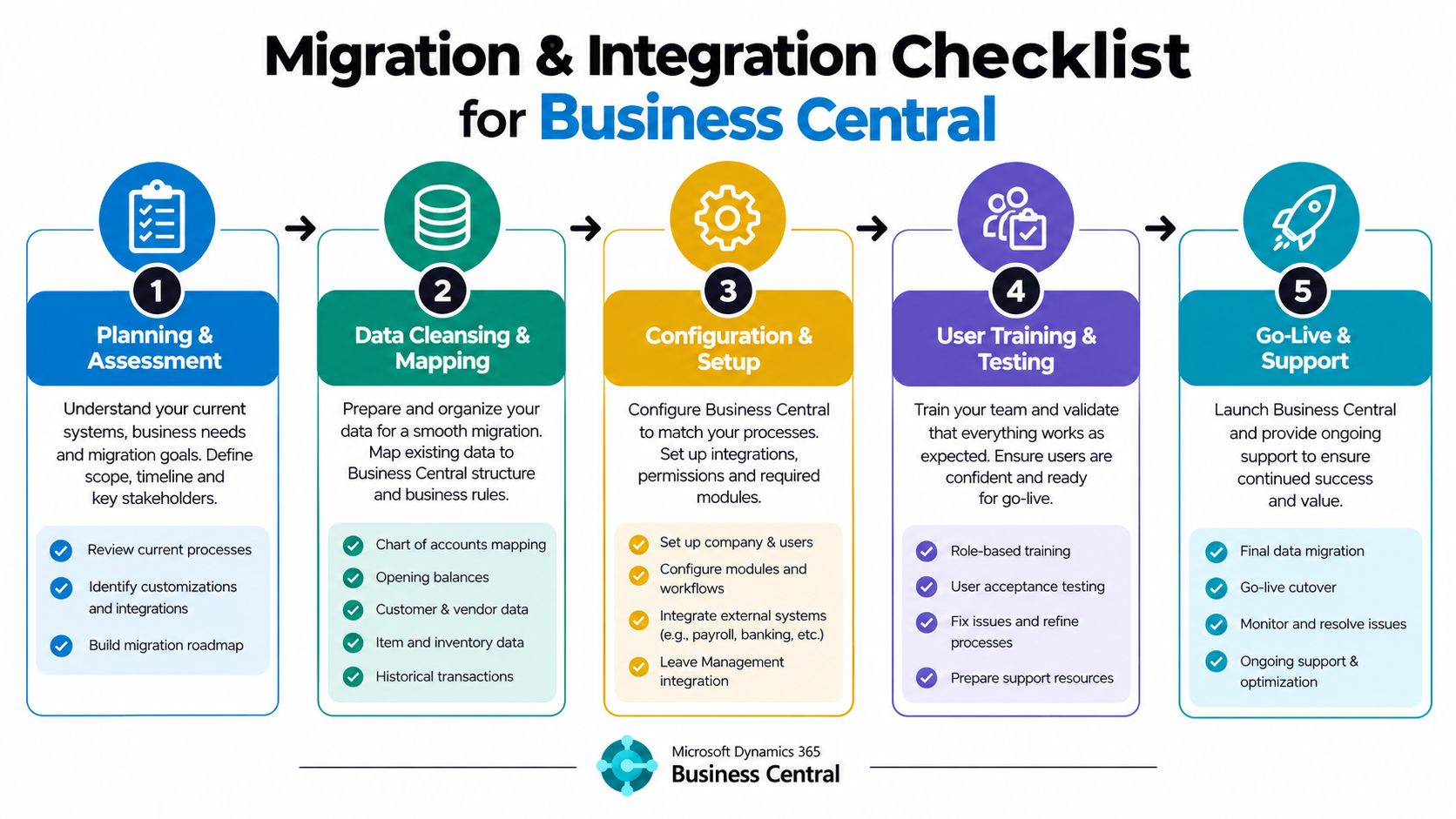
A practical migration checklist
- Planning and assessment. List the processes you want to move first, and decide what stays out for now.
- Data cleansing and mapping. Tidy customer, supplier, employee, and ledger data before any import.
- Configuration and setup. Match the chart of accounts, approval rules, and reporting structure to how the business works.
- User training and testing. Let real users validate the system with real scenarios, not just demo data.
- Go-live and support. Keep support visible after launch so issues are fixed before they become habits.
That order matters because bad source data becomes bad system data. If your old spreadsheets are inconsistent, migration is the moment to correct them, not preserve them.
Leave management and payroll integration
Many UK SMBs run into avoidable confusion. For UK organisations, Business Central is commonly paired with third-party payroll integrations rather than native UK payroll, and that matters because absence data usually has to flow into payroll for statutory pay, pensions, and RTI-related processes ERP Research on Business Central pricing and integrations. The design choice is whether leave and absence remain the system of record in Business Central or are synchronised into a dedicated payroll engine.
If you're comparing tools, the clearest next step is to understand how employee leave requests move from approval to payroll. A plain-English overview of that workflow is available in this guide to employee leave management software, and it's useful when you're deciding what should be automated versus what should stay in finance or HR control.
In a typical setup, the leave request is logged, approved, reflected in the employee's balance, and then passed to payroll or a connected HR tool. The goal isn't just convenience. It's consistency, so the numbers used by HR, managers, and payroll all match.
Practical Next Steps and ROI Examples to Get Started
The easiest way to judge Business Central is to test it against a few concrete business pains. If VAT work still depends on separate bridging tools, Business Central's native UK Making Tax Digital VAT functionality can reduce the back-and-forth because it supports retrieval of VAT obligations from HMRC, reminders for due and past-due obligations, VAT return submission, and viewing of VAT returns, payments, and liabilities UK MTD VAT support. If leave approvals still live in inboxes, a connected workflow can make it easier for managers to respond quickly and for payroll to receive cleaner absence data.
A sensible first move is a narrow pilot. Pick one finance workflow, one operations workflow, and one people process, then measure whether the team can complete them with fewer manual steps and fewer follow-up questions. That gives you proof without forcing the whole business to change at once.
If you want to measure return properly, the best approach is to track time saved, error reduction, and cycle-time improvement in the processes you use. A practical framework for that is outlined in how to measure ROI, and it works best when you compare your current manual process with the new connected one.
Start with three questions. Which process causes the most rework? Which approval path breaks most often? Which report do people keep rebuilding by hand? The answers usually point straight to your first implementation priorities.
If your business is ready to move from spreadsheet-led coordination to a more reliable operating model, use this as the trigger to map your current workflows, shortlist a Microsoft partner, and test the processes that matter most. If leave management is one of your pain points, pair that work with LeaveWizard so your approval and absence processes stay connected to the rest of the business instead of drifting back into email and spreadsheets.