
Building a fair and efficient staff rota is one of the most persistent challenges for any manager. It’s a delicate balancing act of employee availability, business needs, legal compliance, and budget constraints. While many small businesses start with a simple pen-and-paper system or a basic spreadsheet, these manual methods quickly become time-consuming, prone to errors, and a source of frustration for everyone involved. A poorly managed rota leads to understaffing during peak hours, overstaffing during lulls, employee burnout from unfair shift patterns, and costly compliance mistakes.
The good news is that a well-designed template for a rota can be a powerful first step towards a more organised and predictable scheduling process. For many organisations, the initial transition involves recognising the inherent limitations of generic tools; understanding the benefits of moving from spreadsheets to specialized software provides crucial context for this shift. A dedicated template introduces structure and consistency that basic spreadsheets often lack.
In this comprehensive guide, we have curated 12 of the best free and low-cost rota templates from platforms like Smartsheet, Vertex42, and even Etsy UK. We will break down their specific features, ideal use cases, and honest limitations, complete with screenshots and direct download links. We'll also provide practical guidance on how to customise and implement them effectively, helping you move from scheduling chaos to operational clarity. This list is designed to help you find the perfect starting point for your business, whether you manage a small retail team, a busy restaurant, or a healthcare clinic.
1. RotaCloud
RotaCloud offers a solid entry point for UK businesses searching for a straightforward weekly template for rota. Their freely downloadable Excel template is a clean, well-organised spreadsheet designed for immediate use. It’s an excellent starting point for managers transitioning from paper-based systems or more chaotic, custom-built spreadsheets.
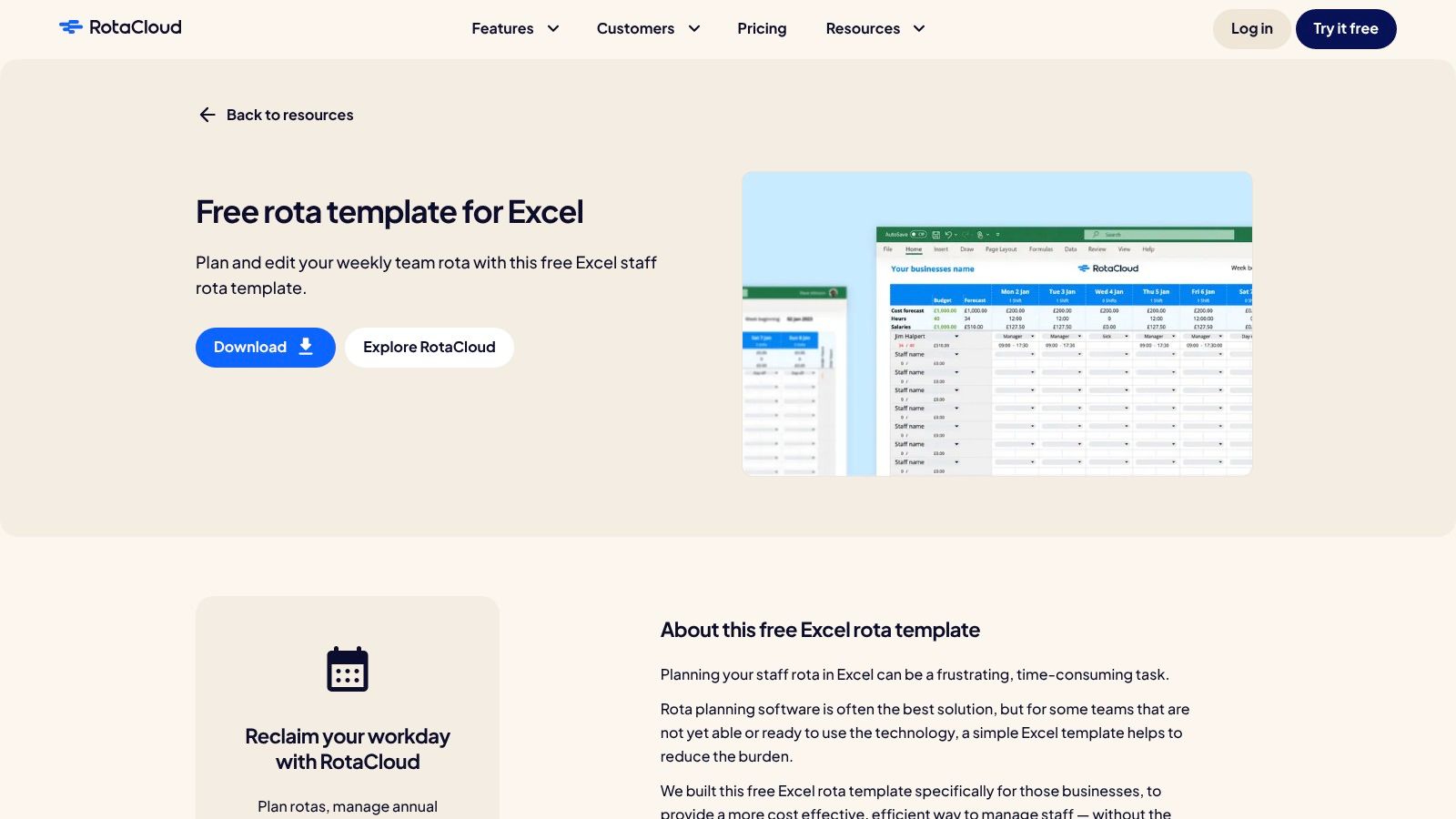
What makes RotaCloud stand out is its dual offering. You can use the free Excel file indefinitely without any commitment. However, it also serves as a gateway to their full-featured software, providing a clear upgrade path when manual scheduling becomes too cumbersome. The platform’s terminology, using terms like "rota" and "leave," is specifically tailored for a UK audience, which adds a layer of familiarity. This focus ensures that the tool aligns well with local business practices and employee expectations.
Key Features & User Experience
The platform’s strength lies in its simplicity and directness. The Excel template is intuitive, but the real power comes when you explore their software.
- Free Excel Template: A no-cost, downloadable weekly rota that is easy to populate and print. It’s ideal for small teams with consistent shift patterns.
- In-App Rota Templates: Within the paid software, you can create, save, and reuse complex, multi-week rota patterns, saving significant administrative time.
- Shareable Links: Rotas built within the software can be shared via a secure, read-only web link, allowing staff without an account to view their schedules easily.
- Clear Guidance: RotaCloud provides helpful guides on how to best utilise their templates, both in Excel and within the app.
Limitations and Considerations
While the free Excel template is a great resource, it is entirely manual. It lacks real-time updates, automated calculations for complex pay rates, and integration with leave management systems. For businesses needing to connect scheduling with absence tracking, exploring how RotaCloud's software complements other tools is crucial. Discover more about integrating your staff holiday planning. The more advanced templating features are locked behind their paid subscription plans.
Website: https://rotacloud.com/free-rota-template/
2. RotaCloud
RotaCloud offers a solid entry point for UK businesses searching for a straightforward weekly template for rota. Their freely downloadable Excel template is a clean, well-organised spreadsheet designed for immediate use. It’s an excellent starting point for managers transitioning from paper-based systems or more chaotic, custom-built spreadsheets.
What makes RotaCloud stand out is its dual offering. You can use the free Excel file indefinitely without any commitment. However, it also serves as a gateway to their full-featured software, providing a clear upgrade path when manual scheduling becomes too cumbersome. The platform’s terminology, using terms like "rota" and "leave," is specifically tailored for a UK audience, which adds a layer of familiarity. This focus ensures that the tool aligns well with local business practices and employee expectations.
Key Features & User Experience
The platform’s strength lies in its simplicity and directness. The Excel template is intuitive, but the real power comes when you explore their software.
- Free Excel Template: A no-cost, downloadable weekly rota that is easy to populate and print. It’s ideal for small teams with consistent shift patterns.
- In-App Rota Templates: Within the paid software, you can create, save, and reuse complex, multi-week rota patterns, saving significant administrative time.
- Shareable Links: Rotas built within the software can be shared via a secure, read-only web link, allowing staff without an account to view their schedules easily.
- Clear Guidance: RotaCloud provides helpful guides on how to best utilise their templates, both in Excel and within the app.
Limitations and Considerations
While the free Excel template is a great resource, it is entirely manual. It lacks real-time updates, automated calculations for complex pay rates, and integration with leave management systems. For businesses needing to connect scheduling with absence tracking, exploring how RotaCloud's software complements other tools is crucial. Discover more about integrating your staff holiday planning. The more advanced templating features are locked behind their paid subscription plans.
Website: https://rotacloud.com/free-rota-template/
3. Rotaready
Rotaready provides one of the most feature-rich free Excel template for rota options available, specifically designed for the dynamic needs of UK hospitality, retail, and leisure businesses. This is more than a simple grid; it’s a powerful planning tool that incorporates costing, forecasting, and compliance checks, making it an ideal intermediate step for managers who need more control than a basic spreadsheet offers but aren't ready for a full software subscription.
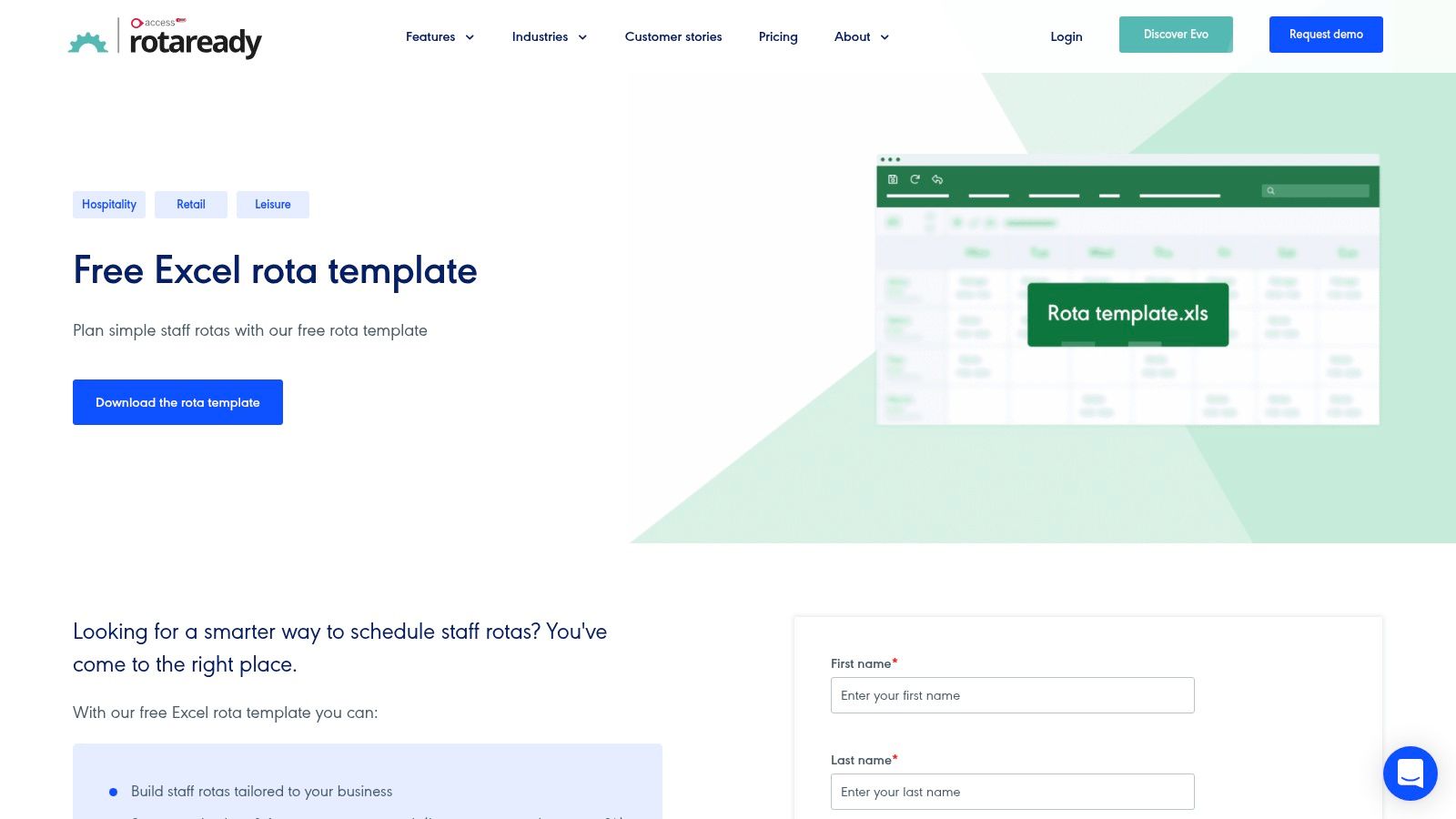
What sets Rotaready apart is its focus on the financial and operational aspects of scheduling. The template allows you to input sales forecasts and wage budgets, automatically calculating the wage percentage to help you maintain profitability. Its built-in validation rules and hourly coverage chart provide a level of insight typically reserved for paid software, giving managers a clear view of staffing levels versus demand throughout the day. This UK-centric tool is crafted for sectors where balancing staff costs against service quality is a constant challenge.
Key Features & User Experience
Rotaready’s template feels like a mini-application within Excel, offering surprisingly advanced functionality for a free resource.
- Budget and Forecast Fields: Plan your rota against projected sales, hours, and wage costs, with an automatic wage percentage calculation to guide decisions.
- Automatic Validation Checks: The spreadsheet flags potential issues like overly long shifts or insufficient rest between shifts, helping you stay compliant.
- Hourly Staffing Chart: A visual graph shows how many staff members are scheduled for each hour of the day, making it easy to spot overstaffing or coverage gaps.
- At-a-Glance Totals: Automatically calculates total hours and costs per employee and per day, simplifying payroll processing and analysis.
Limitations and Considerations
The template’s strength is also its main limitation: it requires a decent level of Excel proficiency to customise or troubleshoot. As a standalone file, it doesn't support real-time collaboration unless manually uploaded and shared via a cloud service like OneDrive or Google Drive. All data entry, from staff availability to holiday requests, is entirely manual, and there is no mobile access or notification system for employees. It's a fantastic planning tool, but it doesn't solve communication challenges.
Website: https://rotaready.com/free-excel-rota-template
4. Bizimply
Bizimply targets the hospitality sector with a free weekly Excel template for rota designed to help operators move away from pen and paper. Their downloadable spreadsheet is tailored for businesses like pubs, restaurants, and hotels, focusing on core needs such as calculating labour hours and gross pay. This makes it an excellent tool for managers building their first digital rota who need immediate cost visibility.
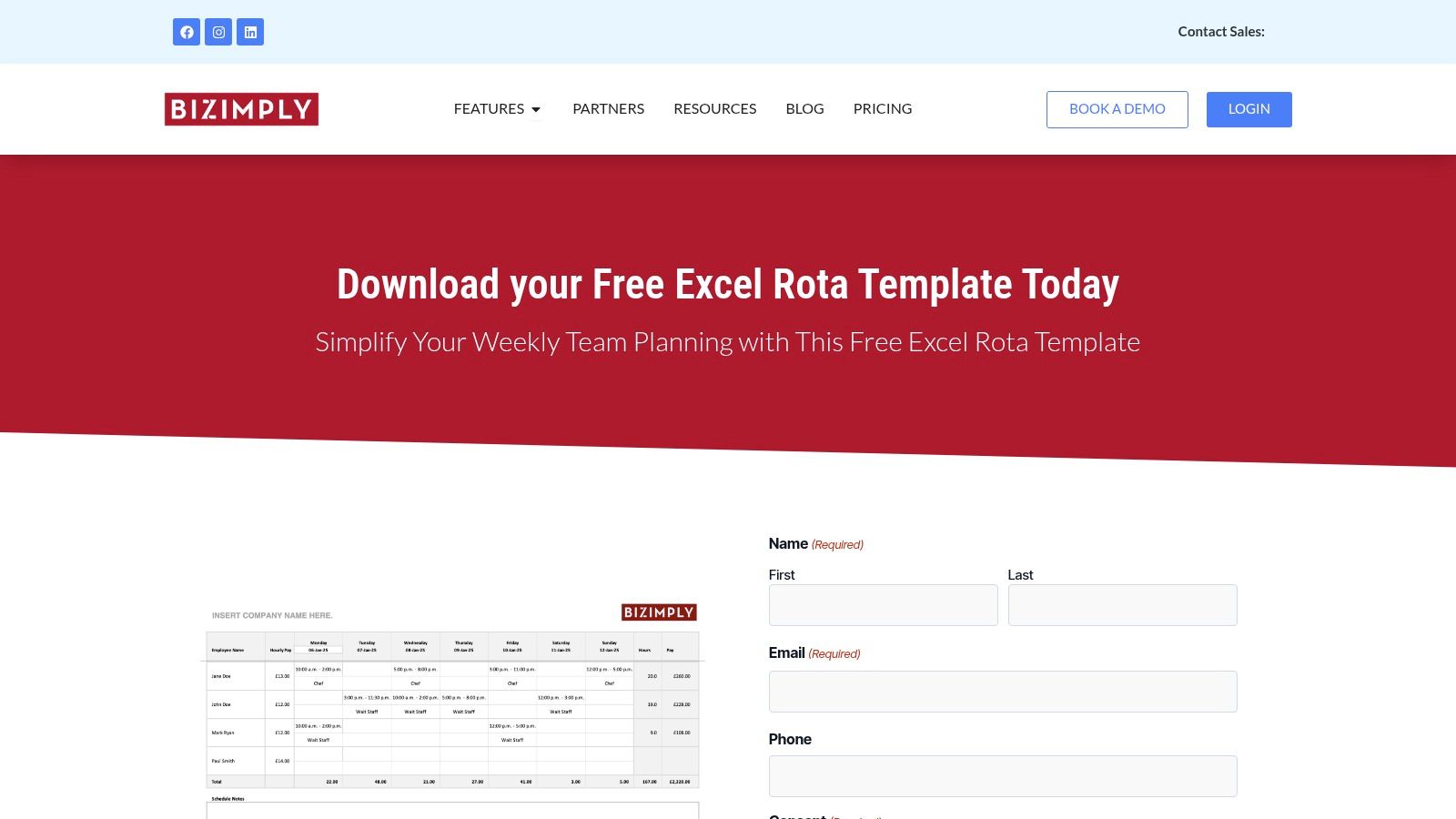
What sets Bizimply’s offering apart is its hospitality-specific functionality, even within a simple spreadsheet. It includes pre-built dropdown menus for common roles and shift types, which speeds up the data entry process considerably. The template also serves as a soft introduction to their more comprehensive workforce management platform, showcasing how basic scheduling tasks can be streamlined before a business commits to a full software solution. The resource is available without requiring an email, making it instantly accessible.
Key Features & User Experience
The template is built for practicality, focusing on the financial and organisational pain points of hospitality managers.
- Automatic Pay Calculation: The spreadsheet automatically calculates total hours worked and gross pay based on entered shift times and pay rates.
- Dropdown Menus: Pre-populated dropdowns for positions and shifts help standardise entries and save time when populating the rota each week.
- Weekly Start Date: Users can simply input the start date, and the template updates the rest of the week’s dates automatically.
- Clear Layout: The design is straightforward, with a clear distinction between data input fields and calculated totals, making it easy for first-timers to use.
Limitations and Considerations
As a pure spreadsheet, this template is entirely manual and offline. It offers no real-time updates, communication features, or integration with leave or payroll systems. Any changes must be communicated separately to staff, and there's no mechanism to prevent scheduling conflicts or account for employee availability. The template download page also heavily promotes Bizimply’s paid platform, which might be a distraction for users only seeking the free file.
Website: https://www.bizimply.com/download-our-free-employee-rota-template/
5. 7shifts
7shifts offers a purpose-built template for rota specifically for the hospitality industry, particularly restaurants. Their free downloadable templates, available for both Excel and Google Sheets, provide a structured starting point for managers in cafes, bars, and restaurants who need a simple, role-based weekly schedule. This specialisation makes it an excellent choice for operators looking to move away from handwritten notes or generic spreadsheets.
The key advantage of 7shifts is its immediate relevance to food and beverage operations. The templates come pre-populated with common restaurant roles like "Server," "Host," and "Kitchen," saving managers initial setup time. Similar to other providers, these free templates also act as an introduction to their comprehensive, paid restaurant scheduling software, creating a natural progression for businesses as their staffing needs become more complex and require automation.
Key Features & User Experience
The user experience is centred on speed and hospitality-specific functionality. The templates are designed for rapid deployment in a fast-paced environment.
- Hospitality-Specific Layouts: Templates are structured around common restaurant roles, making them instantly usable for food service managers.
- Dual Format Availability: Offering the rota template in both Excel and Google Sheets formats provides flexibility for users regardless of their preferred software.
- Customisation Guides: 7shifts provides clear instructions on how to adapt the template, such as changing the start day of the week or adding custom roles and shifts.
- Clear Upgrade Path: The free tool logically leads into their paid platform, which offers advanced features like labour cost management and team communication.
Limitations and Considerations
The primary limitation is the template's narrow focus on the restaurant industry. Businesses in other sectors like retail or healthcare may find the layout less suitable without significant modification. As with other free resources, the spreadsheet is entirely manual, lacking any automation, leave tracking, or labour cost calculations. The more powerful templating and scheduling features are only accessible within the paid tiers of the 7shifts software platform.
Website: https://www.7shifts.com/resources/templates/restaurant-schedule-excel-template/
6. Smartsheet
Smartsheet offers one of the most extensive free libraries for anyone seeking a versatile template for rota. Instead of a single offering, it provides a comprehensive collection of staff, shift, and rotation schedule templates across various formats, including Excel, Google Sheets, Word, and even PDF. This makes it a one-stop-shop for managers who need different types of schedules for different teams or situations, such as weekly rosters, employee availability trackers, or simple break schedules.
What sets Smartsheet apart is the sheer volume and variety of its collection, catering to almost any business sector without requiring a signup for most downloads. While the platform is American, the templates are generally universal and can be easily adapted. It serves as an excellent resource for businesses that need multiple, distinct scheduling documents but are not yet ready to commit to a full software solution.
Key Features & User Experience
Smartsheet's strength is its breadth of choice and accessibility, providing a solid foundation for manual rota management.
- Extensive Template Collection: Offers a wide array of templates, from daily shift plans to complex multi-week rotational schedules.
- Multiple Formats: Templates are available for download in Excel, Google Sheets, Word, and PDF, offering maximum flexibility for different workflows.
- No-Signup Access: Most templates can be downloaded directly without the need to create an account or provide personal information.
- Sector Versatility: The diverse selection makes it suitable for hospitality, retail, healthcare, and office environments.
Limitations and Considerations
The primary limitation is the lack of standardisation. As the templates are varied, their terminology and formatting can differ, often requiring manual edits to align with UK terms like "rota." Furthermore, all templates are entirely manual and lack the automation found in dedicated software. For those already using Excel for other HR tasks, integrating these schedules can become complex. Explore how to manage related tasks with an Excel holiday tracker. All advanced features, like real-time updates and integrations, are only available within the paid Smartsheet platform.
Website: https://www.smartsheet.com/content/staff-schedule-templates
7. Vertex42
Vertex42 is a long-standing and highly respected resource for free spreadsheet templates, making it a reliable choice for managers seeking a no-frills template for rota. Their offerings include various employee and work schedule layouts in both Excel and Google Sheets formats. These templates are particularly well-suited for businesses that prioritise clean, print-friendly designs and straightforward functionality without complex macros or formulas.
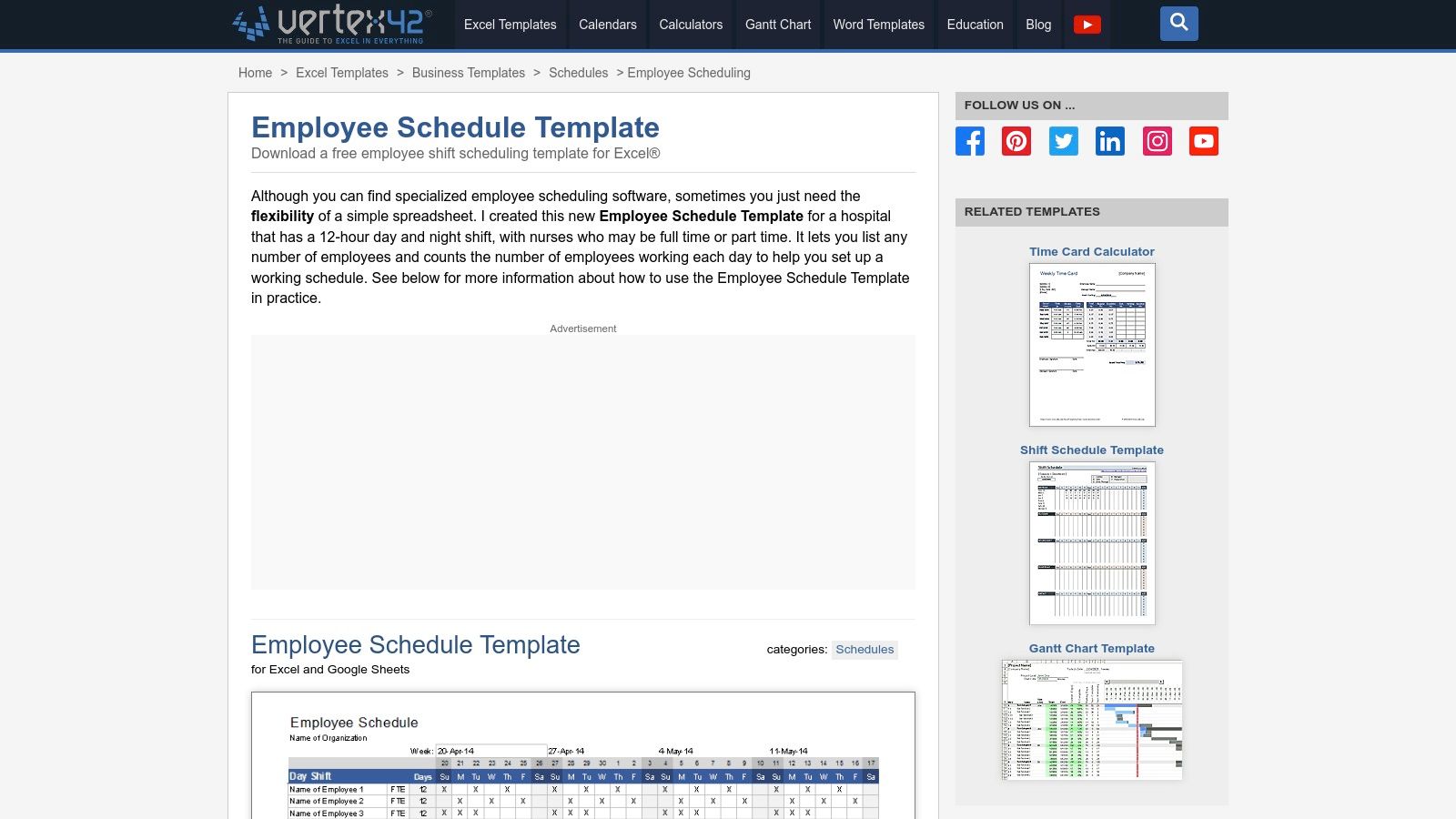
What makes Vertex42 a solid option is its reputation and simplicity. Unlike some resources cluttered with ads or upsells, Vertex42 provides direct access to well-structured, professional templates. Their macro-free approach means the files are easy to open, edit, and customise across different versions of Excel or Google Sheets without security warnings or compatibility issues. This makes it an excellent, trustworthy starting point for creating a weekly or bi-weekly rota.
Key Features & User Experience
Vertex42 focuses on delivering practical, easy-to-use spreadsheet solutions that require minimal setup and no technical expertise.
- Multiple Formats: Templates are available for both Microsoft Excel and Google Sheets, offering flexibility for different office software preferences.
- Variety of Layouts: Users can choose from several designs, including weekly, bi-weekly, and daily schedule templates to fit their specific planning cycle.
- Macro-Free Design: The absence of macros ensures the files are safe, simple, and universally compatible, making them easy to share and print.
- Clean and Professional: The templates are designed for clarity, with logical layouts that are easy for staff to read and understand.
Limitations and Considerations
The primary limitation of Vertex42's templates is their entirely manual nature. They offer no automation, real-time collaboration features, or mobile access for staff to check schedules on the go. Any calculations for hours or pay must be added manually, and there are no built-in notifications for shift changes. These spreadsheets are standalone documents and do not integrate with leave management or payroll systems, making them best for very small teams with predictable schedules.
Website: https://www.vertex42.com/ExcelTemplates/employee-schedule-template.html
8. Parim
Parim provides a versatile collection of resources for businesses seeking a free template for rota. Their offering is particularly strong for UK-based teams, as it includes both weekly and monthly templates in various formats. This flexibility allows managers to choose between a classic printable PDF, an editable Excel file for offline work, or a collaborative Google Sheet for real-time team access.
What makes Parim’s offering distinct is its practical guidance. The website doesn't just supply the files; it also includes clear, step-by-step instructions on how to add team members, define job roles, and even incorporate pay rates for basic cost forecasting. The specific advice on leveraging Google Sheets for shared access is a valuable bonus for modern teams who need a dynamic, cloud-based solution without immediately investing in dedicated software.
Key Features & User Experience
Parim’s approach is about empowering users with functional templates and the knowledge to adapt them effectively. Their resource page feels less like a simple download and more like a starter kit for better scheduling.
- Multiple Formats: Users can download templates as a printable PDF, an editable Excel spreadsheet, or a shareable Google Sheet, catering to different workflow preferences.
- Weekly and Monthly Views: The inclusion of both weekly and monthly rota templates provides flexibility for businesses with varying planning cycles.
- Detailed Customisation Guides: The site offers clear instructions for populating the templates with staff details, positions, and pay information.
- Collaboration-Focused Advice: Specific tips are provided for using the Google Sheets version to enable real-time collaboration among team members and managers.
Limitations and Considerations
While the templates are well-designed and the guidance is helpful, they remain fundamentally basic tools. They lack automated calculations for overtime, holiday entitlements, or compliance checks against working time regulations. The system is entirely manual, meaning any changes require direct input and redistribution. For businesses with complex shift patterns or a growing workforce, the administrative effort needed to maintain these templates could quickly become a significant burden, signalling the need for a more automated solution.
Website: https://www.parim.co/blog/rota-template
9. Homebase
Homebase offers a versatile suite of free daily and weekly schedule templates, making it a valuable resource for managers seeking a functional template for rota. Available in Google Sheets, Excel, and PDF formats, their offering is particularly well-suited for small retailers, cafés, and teams that need a straightforward scheduling solution they can implement immediately.
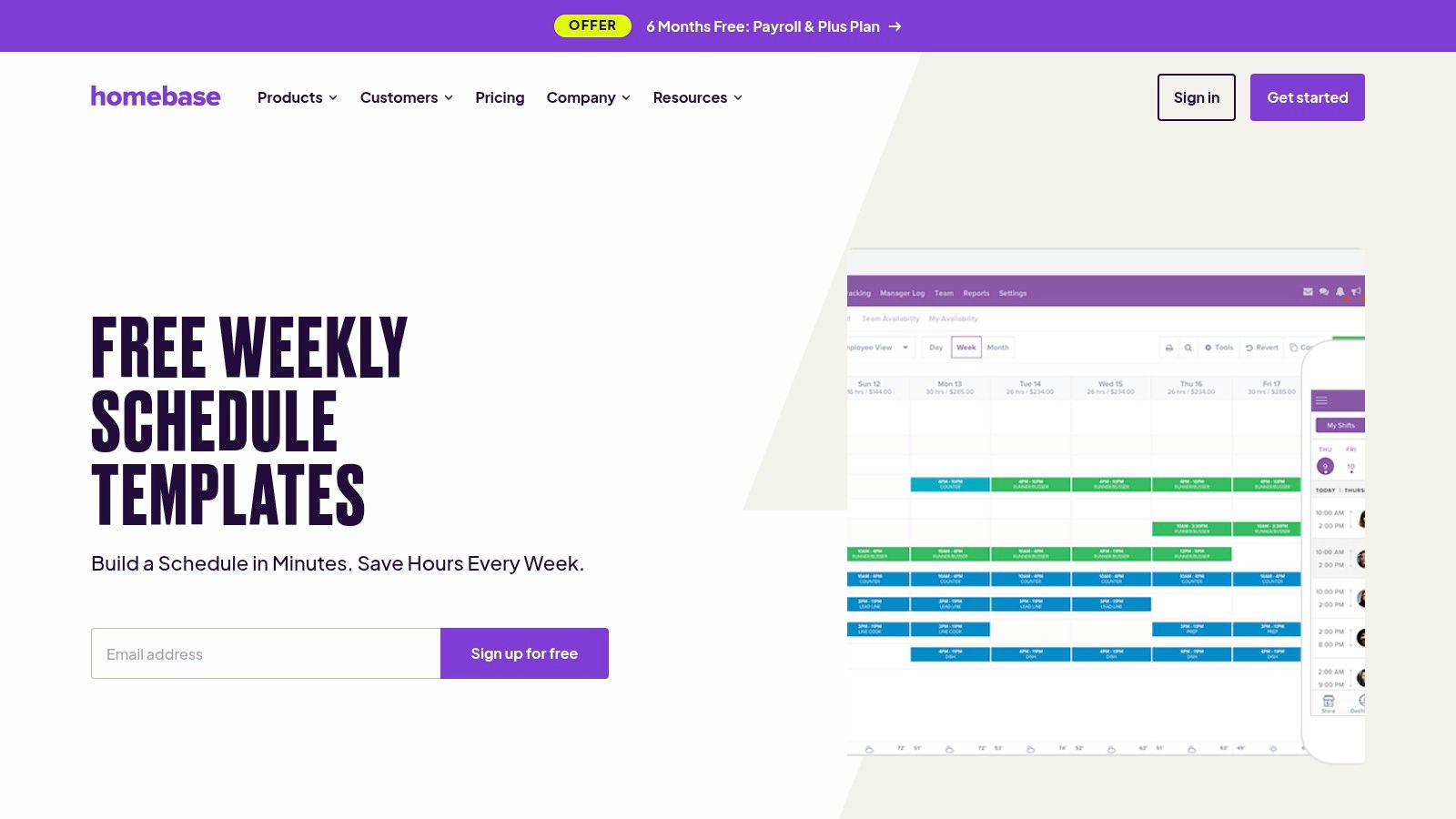
What sets Homebase apart is its practical approach and clear upgrade path. The templates are accompanied by helpful instructions, such as tips for copying previous schedules to speed up creation. While the free resources are excellent standalone tools, they are also designed as an entry point to the full Homebase scheduling software, providing a scalable solution for businesses as their needs become more complex. This dual offering makes it a flexible choice for growing teams.
Key Features & User Experience
Homebase focuses on accessibility and immediate usability, ensuring managers can get started with minimal friction. The user experience is geared towards simplicity and practicality.
- Multiple Formats: Templates are available in Google Sheets, Excel, and PDF, catering to different technical comfort levels and workflows.
- Practical Guidance: The resource page includes actionable tips for common scheduling challenges, like handling shift changes and last-minute adjustments.
- Software Upgrade Path: Users can transition from the static templates to Homebase's dedicated scheduling software when they outgrow spreadsheets.
- Clean and Simple Design: The templates are uncluttered and easy to read, which is crucial for clear communication with staff.
Limitations and Considerations
The free templates are highly functional but entirely manual, lacking any automation for leave tracking or payroll calculations. The terminology used, such as "schedule" instead of "rota," is American by default and may require minor edits for UK-based teams to ensure clarity. All advanced features, like automated shift reminders and labour cost forecasting, are exclusive to their paid software plans.
Website: https://www.joinhomebase.com/weekly-schedule-templates
10. Sling
Sling offers a compelling alternative for businesses ready to move beyond static spreadsheets into a more dynamic scheduling environment. While not a traditional template for rota in downloadable format, its free plan provides a powerful platform for creating, saving, and reusing weekly or monthly rota templates directly within its software. This makes it an ideal stepping stone for small teams seeking automation without immediate financial commitment.
What sets Sling apart is its generous free tier, which includes core shift scheduling, time-off requests, and even team messaging for up to 30 users. This integrated approach allows managers to handle scheduling and basic communication in one place, a significant upgrade from juggling emails and Excel files. The ability to copy schedules from one week to the next effectively turns your best-planned week into a reusable template, streamlining future rota planning.
Key Features & User Experience
Sling's interface is clean and user-centric, focusing on making the scheduling process as visual and straightforward as possible. Its feature set bridges the gap between simple templates and full-scale workforce management.
- Reusable Schedule Templates: Build a rota once and save it as a template to apply to future weeks or months, drastically reducing repetitive administrative work.
- Free Core Functionality: The permanent free plan covers essential scheduling, availability management, and shift swaps, making it highly accessible for start-ups and small businesses.
- Integrated Communication: Built-in messaging allows managers to communicate rota changes and announcements directly to the relevant staff within the platform.
- Mobile Accessibility: Employees can view schedules, set unavailability, and request time off directly from their smartphones, improving engagement and reducing errors.
Limitations and Considerations
The platform's advanced features, such as detailed labour cost reporting and time tracking, are reserved for its paid Premium and Business tiers. Another point for UK businesses to note is that pricing is listed in USD, so billing amounts may fluctuate with currency exchange rates. While the free plan is robust, businesses needing more sophisticated management tools will need to upgrade. Exploring a guide to scheduling software can help determine when that transition is necessary.
Website: https://getsling.com/employee-scheduling/
11. Planday
Planday is a comprehensive workforce management platform that moves beyond a simple template for rota to offer dynamic, compliance-focused scheduling. Aimed at UK businesses, it is designed for organisations where static templates are no longer sufficient due to complex rules, multiple locations, or the need for integrated systems. It’s an ideal step up for managers who need to ensure rotas adhere to working-time regulations and integrate seamlessly with payroll and HR functions.
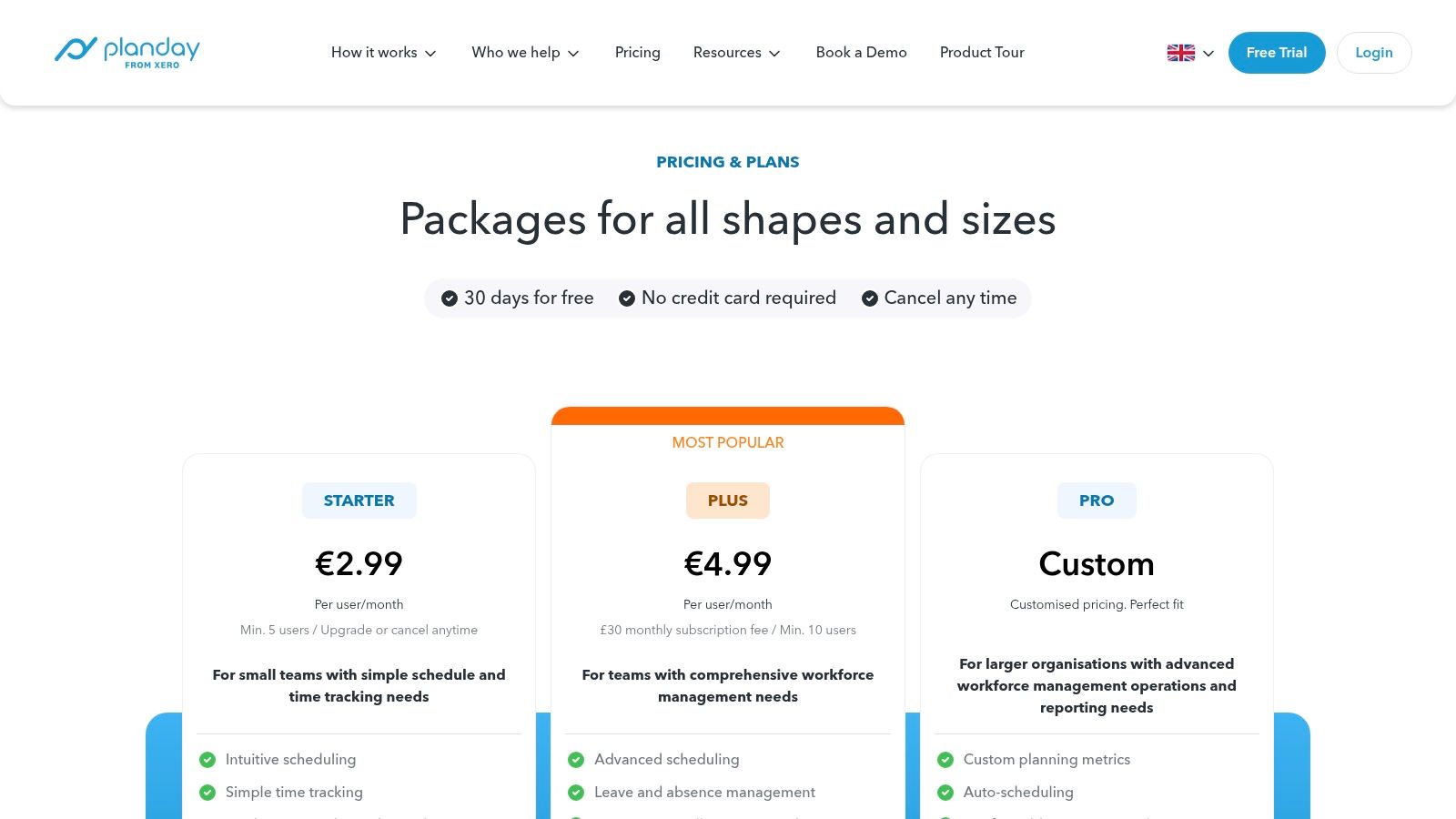
Unlike downloadable files, Planday provides an interactive scheduling environment where rota templates can be created, saved, and adapted. Its strength lies in its proactive compliance features, which can flag potential breaches of working-time rules as schedules are built. The platform's focus on UK-specific business needs, including clear pricing in GBP and adherence to local regulations, makes it a reliable choice for businesses looking to scale their operations efficiently and safely.
Key Features & User Experience
Planday offers a robust, cloud-based system that replaces manual spreadsheet management with an intuitive, automated workflow.
- Smart Rota Templates: Create and reuse complex shift patterns that automatically account for employee availability, skills, and labour costs.
- Built-in Compliance: The system includes warnings for working-time rules, ensuring schedules are compliant with UK employment law.
- Integrated Leave Management: Staff can request leave directly within the app, and approved absences are automatically reflected on the rota.
- Payroll Reporting: Generate accurate reports based on scheduled and worked hours, streamlining the payroll process and reducing errors.
Limitations and Considerations
Planday is a full software solution, not a free, downloadable template. Access requires signing up for a paid plan, and some packages have minimum user counts, which may not be cost-effective for very small teams. While it offers powerful rota templating internally, its primary value comes from its wider feature set, making it less suitable for those seeking a basic, standalone scheduling spreadsheet.
Website: https://www.planday.com/uk/pricing/
12. Etsy UK
Etsy offers a surprisingly diverse marketplace for managers seeking a template for rota with a specific aesthetic or niche function. Instead of a single corporate style, the platform provides access to hundreds of downloadable templates created by independent designers. These range from minimalist spreadsheets to visually engaging planners, often tailored for specific industries or complex shift patterns like the 2-2-3 schedule.
What makes Etsy unique is the sheer variety and creativity on display. You can find templates in Excel, Google Sheets, and printable PDF formats, often for a small one-off cost. It's an excellent resource for businesses that want a polished, professional-looking rota without the time investment of designing one from scratch. Seller reviews and ratings also provide a useful layer of quality control, helping you choose a reliable and well-constructed template.
Key Features & User Experience
The platform serves as a digital storefront, connecting buyers directly with creators for instant access to specialised scheduling tools.
- Wide Variety of Designs: Find everything from 12-hour shift planners to weekly and monthly rota templates with unique visual layouts.
- Instant Digital Downloads: Purchase and download your chosen template in minutes, available in formats like Excel, Google Sheets, or PDF.
- Seller Reviews and Ratings: User feedback helps you gauge the quality and usability of a template before committing to a purchase.
- Niche Patterns: Many sellers specialise in templates for specific needs, such as rotating shift patterns or industry-specific layouts.
Limitations and Considerations
While Etsy provides many budget-friendly options, the quality and functionality can vary significantly between sellers. It is crucial to read descriptions and reviews carefully to ensure the template meets your needs. Support is limited to the individual seller, who may not be able to offer the same level of assistance as a dedicated software company. These templates are also entirely manual, lacking any automation for payroll or leave tracking.
Website: https://www.etsy.com/uk/market/staff_rota_template
12 Rota Template Tools: Side-by-Side Comparison
| Product | Core features | UX & Quality (★) | Value & Price (💰) | Target audience (👥) | Unique selling points (✨) |
|---|---|---|---|---|---|
| 🏆 LeaveWizard | Automated leave calculations & approvals, policy enforcement, mobile & web self‑service, reporting | ★★★★☆ Intuitive UI; fast setup | 💰 Affordable (contact sales); 30‑day trial | 👥 Small & growing businesses, HR generalists | ✨ Real‑time availability, overtime & doc storage; no IT required |
| RotaCloud | Free Excel rota template, in‑app reusable templates, shareable read‑only links | ★★★☆☆ Simple spreadsheet UX; UK terms | 💰 Free template; paid app upgrades | 👥 UK small teams & shift managers | ✨ Shareable read‑only rotas; reusable in‑app patterns |
| Rotaready | Excel rota with costing, validation checks, hourly coverage charts | ★★★☆☆ Feature‑rich but needs Excel skills | 💰 Free spreadsheet for forecasting | 👥 Hospitality & retail small teams | ✨ Costing, coverage charts & auto validation checks |
| Bizimply | Schedule tab with auto hours & gross pay, role/shift dropdowns | ★★★☆☆ Easy for first‑time rota builders | 💰 Free template; paid platform upsell | 👥 Hospitality operators & managers | ✨ Auto pay calc + dropdowns for quick entry |
| 7shifts | Weekly templates in Excel & Google Sheets, role/shift dropdowns, walkthroughs | ★★★☆☆ Restaurant‑focused layouts | 💰 Free templates; paid app tiers | 👥 Restaurants & eateries | ✨ Excel + Google Sheets versions with step‑by‑step guides |
| Smartsheet | Large library: weekly/monthly rotas, availability & break schedules across formats | ★★★★☆ Extensive selection; varied formats | 💰 Many free downloads; automation needs paid plan | 👥 Teams needing varied template types | ✨ Wide format support (Excel/Sheets/Docs/PDF) |
| Vertex42 | Clean printable employee & bi‑weekly schedules in Excel/Sheets (no macros) | ★★★☆☆ Clean, print‑friendly | 💰 Free downloads | 👥 Teams needing simple, printable rotas | ✨ No‑macro templates easy to customise |
| Parim | Weekly & monthly rotas w/ guidance on team, roles & pay; Google Sheets tips | ★★★☆☆ Practical templates with guidance | 💰 Free templates; cloud/collab advice | 👥 UK small teams seeking simple rotas | ✨ UK examples + Google Sheets collaboration tips |
| Homebase | Ready Google Sheets/Excel/PDF templates + scheduling tips; software upgrade path | ★★★☆☆ Practical tips; US wording default | 💰 Free templates; optional paid software | 👥 Small retailers, cafés & small teams | ✨ Templates + clear tips and seamless upgrade to app |
| Sling | Free plan (up to 30 users), reusable templates, time‑off requests & team messaging | ★★★★☆ App with messaging; good free core | 💰 Free tier; transparent paid plans | 👥 Small–mid teams needing app scheduling | ✨ Permanent free plan + built‑in messaging & PTO tools |
| Planday | Scheduling with working‑time rules, compliance warnings, leave mgmt, payroll reports & API | ★★★★☆ Compliance‑focused; scalable | 💰 Paid plans (UK pricing); enterprise options | 👥 Multi‑site businesses & compliance‑sensitive orgs | ✨ Working‑time rules, payroll reporting & integrations |
| Etsy UK | Marketplace of downloadable rota/shift templates (Excel/Sheets/PDF) | ★★★☆☆ Varies by seller; instant access | 💰 Paid downloads (budget‑friendly); seller ratings | 👥 Users seeking niche/stylish templates | ✨ Large variety of niche visual styles & seller previews |
Moving Beyond Templates: When to Upgrade Your Rota System
Throughout this guide, we've explored a comprehensive collection of resources, from versatile Excel and Google Sheets downloads to specialised PDF layouts and even creative solutions on Etsy UK. A well-structured template for rota planning is an undeniable asset for any manager or small business owner. It provides a solid foundation for organising shifts, managing staff availability, and bringing much-needed clarity to your weekly and monthly schedules.
You've learned how to customise these templates for specific industries, whether it's the fast-paced demands of hospitality with tools like 7shifts in mind or the critical compliance needs in healthcare. We've highlighted common pitfalls to avoid, such as version control chaos and formula errors, and provided practical tips for successful implementation. The right template can genuinely streamline your operations, reduce administrative burden, and ensure fair shift distribution, serving as an excellent first step away from pen-and-paper chaos.
Recognising the Limits of a Template
However, it's crucial to recognise the tipping point where a template's utility begins to wane. As your organisation grows, the very tool that once saved you time can become a source of inefficiency. If you find your days are increasingly consumed by manual data entry, cross-referencing holiday requests from emails, and painstakingly checking for compliance with working time directives, your template has likely reached its limit.
The static nature of a spreadsheet becomes a significant bottleneck when real-time updates are essential. A sudden illness, a last-minute shift swap, or an urgent staffing change can render your carefully planned rota obsolete, leading to communication breakdowns and potential service disruption. This is the critical juncture where the conversation must shift from simply managing a rota to optimising your entire workforce management strategy.
The Leap to Automation: Why It Matters
Transitioning from a manual template for rota management to a dedicated software solution is more than just a simple upgrade; it's a strategic move towards greater efficiency, accuracy, and employee satisfaction. Automated systems eliminate the guesswork and administrative overhead that plague template-based scheduling. Consider these key advantages:
- A Single Source of Truth: All staff availability, leave requests, and approved time off are centralised in one system. This eradicates the need to consult multiple spreadsheets, emails, or calendars, ensuring your rota is always built on accurate, up-to-the-minute information.
- Built-in Compliance: Modern rota software automatically flags potential compliance breaches, such as insufficient rest periods between shifts or exceeding maximum weekly working hours. This provides an invaluable safety net, protecting both your business and your employees.
- Empowered Employees: Tools like LeaveWizard, RotaCloud, and Planday often include employee self-service portals. Staff can check their schedules, request leave, and indicate availability from their own devices, fostering a sense of ownership and reducing the administrative burden on managers.
- Seamless Integration: The true power of these platforms lies in their ability to integrate rota planning directly with leave management. When an employee books a holiday, it automatically blocks them from being scheduled on the rota, preventing costly and frustrating double-booking errors.
Ultimately, while a template for rota planning is an outstanding starting point for organising your team, it is just that: a starting point. The real goal is to create a resilient, scalable, and transparent scheduling process that supports your business's growth. When the manual upkeep of your template starts to hinder that growth, it's the definitive sign that it’s time to embrace the power of automation.


