
If you're still juggling staff holidays with spreadsheets and email chains, you know the pain. The last-minute clashes, the confusing back-and-forth, the nagging feeling that someone’s leave balance isn’t quite right.
A dedicated holiday planning app isn't just a fancy upgrade; it's a modern necessity. It centralises requests and automates the whole process, saving you time, preventing costly errors, and frankly, making life easier for everyone. It’s about reclaiming hours of admin time that you could be spending on growing your business.
Why Spreadsheets Are Holding Your Business Back
For so many small businesses, the trusty spreadsheet feels like the default tool for managing… well, everything. That includes staff holidays. It’s familiar, it seems free, and it gets the job done—right up until the moment it doesn't.
The truth is that manual leave tracking is a fragile system, riddled with hidden costs and inefficiencies that can quietly throw a spanner in the works.
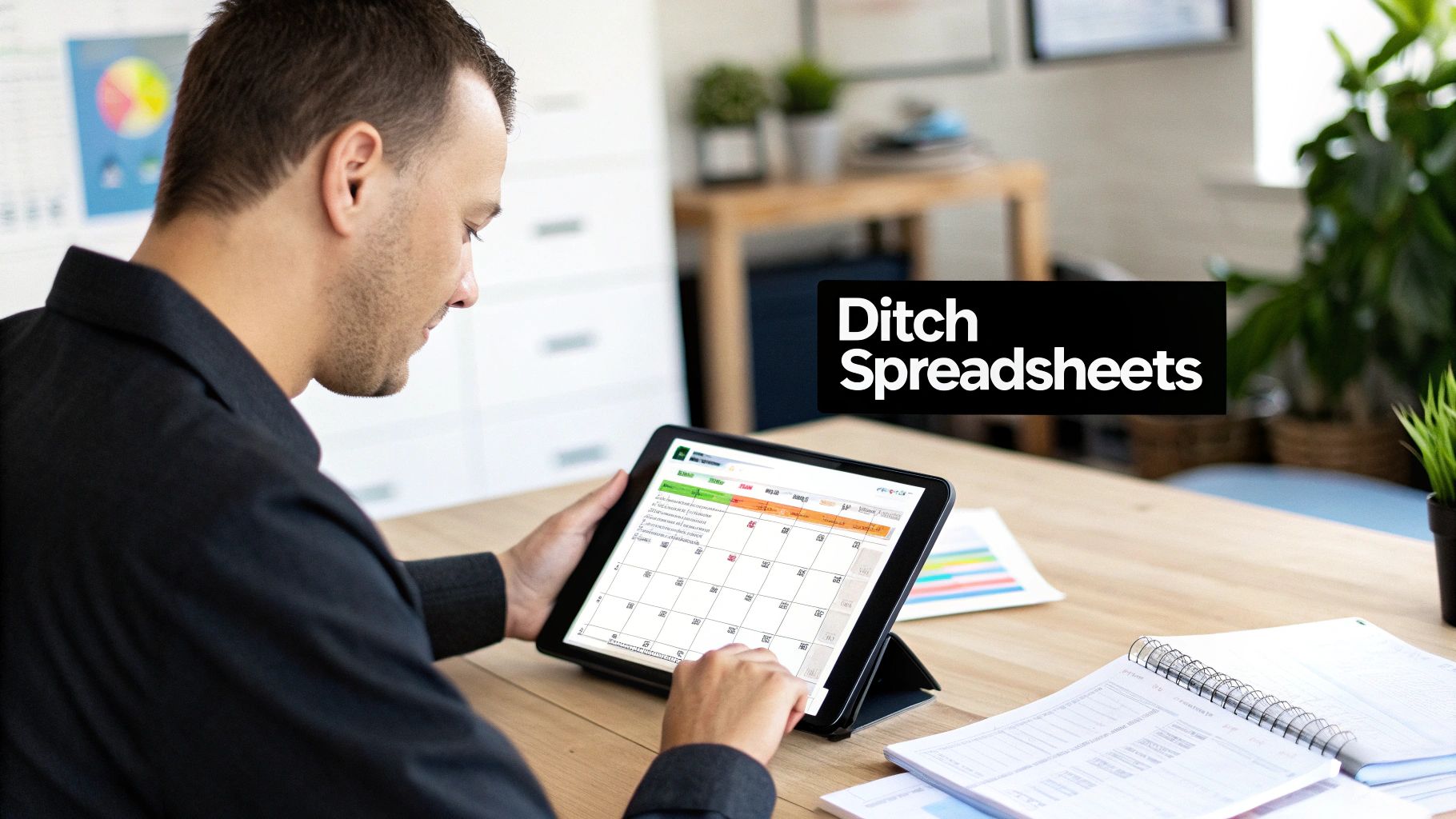
Think about a classic scenario for a UK business. It’s the summer rush, and two key team members both request the same fortnight in July. The manager, staring at a complex, colour-coded spreadsheet, accidentally misses the overlap. The mistake isn’t spotted until a week before they’re due to go, triggering a frantic scramble to arrange cover and leaving one employee pretty disappointed.
The Hidden Costs of Manual Tracking
This isn't just an inconvenience; it's a symptom of a broken process. Manual systems are a breeding ground for human error. They lead to inaccurate leave balance calculations, especially for part-time staff with pro-rata entitlements, which can be a real headache to get right.
Managers end up wasting hours cross-referencing calendars and digging through email threads instead of focusing on their real job. This lack of a central, visible system creates confusion and can feel genuinely unfair to employees who just want to book their time off.
This administrative drain has a direct impact on your business:
- Wasted Time: How many hours do your managers or HR staff spend just processing requests, updating records, and answering questions about remaining leave? It adds up.
- Costly Errors: Getting entitlements wrong can lead to payroll mistakes or, worse, falling foul of UK employment law regarding statutory leave.
- Reduced Morale: Let's be honest, a clunky, opaque process for booking a holiday is frustrating. It chips away at employee morale and trust.
Moving from manual methods to a dedicated holiday planning app isn't just a software upgrade. It's a strategic shift towards operational efficiency, transparency, and a better employee experience.
The Clear Advantage of a Dedicated App
A modern holiday planning app is designed to solve these problems from the ground up. It gives you a single source of truth where every request is logged, approved, and tracked against automatically calculated entitlements.
That automation is the key. It removes all the guesswork and the potential for the kind of expensive mistakes that plague manual systems. For a more detailed breakdown, you can see exactly why an online staff holiday planner is smarter than spreadsheets and ultimately faster than paper-based systems.
When everyone on the team has real-time visibility into who is off and when, you prevent clashes before they even happen. This clarity empowers your staff to plan their time off more effectively and gives managers the confidence to approve requests quickly, knowing all the information they need is accurate and right there in front of them.
Pinpointing Your Leave Management Needs
Choosing a new holiday planning app without first understanding your own processes is a bit like shopping for a new car without knowing if you need a city runaround or a seven-seater. It's easy to get dazzled by flashy features you'll never use, while completely missing the core functions that could solve your biggest headaches.
Before you even think about comparing vendors, the most critical first step is to do a quick audit of your current reality. This isn't about writing a massive report; it's about asking some sharp, practical questions to get a clear picture of what works, what doesn't, and what's wasting your team's precious time.
Start by Examining Your Current Process
First, get a real sense of the administrative load. How much time is actually spent managing holiday requests each month? It’s often far more than people realise.
Map out the journey of a single leave request. How many steps are there from the moment an employee asks for time off to when it's officially logged for payroll?
Then, think about the specific complexities of your business. Do you have team members across the UK, meaning you need to juggle English, Scottish, and Northern Irish bank holidays separately? What's your official policy on carrying over unused leave, and how do you track that right now? A simple mistake here can cause major frustrations come payday.
The goal isn't just to find an app; it's to find the right app for you. A clear blueprint of your specific requirements—your 'must-haves' and 'nice-to-haves'—is the only way to evaluate vendors based on your business needs, not just their marketing hype.
Mapping Your Core Requirements
Once you’ve got a handle on your current pain points, you can start building a checklist of what you need. This will be your north star when you start looking at different software. I find it helps to group these needs into a few key areas to make sure nothing gets missed.
Here's a checklist to get you started. Work through it with your team to define what's truly important for your business before you begin looking at vendors.
Needs Assessment Checklist for Your Holiday Planning App
| Requirement Area | Key Questions to Ask | Priority (High/Medium/Low) |
|---|---|---|
| Team & Structure | How many employees do we have? Do we expect to grow in the next 12 months? Who needs to approve requests? Is it a single manager, or a multi-level process (e.g., manager then HR)? | |
| Policy Complexity | Do we need to calculate part-time pro-rata leave automatically? How do we handle Time Off in Lieu (TOIL)? Do we have different rules for different teams or seniority levels? | |
| Integrations | Does it need to sync with our calendars (Google, Outlook)? Can it integrate with our payroll software (Xero, Sage, etc.)? Would a Slack or Microsoft Teams integration be useful for notifications? | |
| User Experience | How important is a mobile app for staff to book leave on the go? Is the interface intuitive for both admins and employees? | |
| Reporting | What kind of reports do we need? Absence trends? Bradford Factor scores? Holiday entitlement summaries? |
This exercise transforms your search from a vague hunt for "a better system" into a focused mission. Answering these questions honestly gives you a powerful tool to find a solution that fits your operational DNA like a glove. This initial groundwork is the single most important factor in ensuring a successful switch that delivers real value for years to come.
A few more things to consider:
-
Team & Structure: How many employees do you have? Are you planning to grow significantly in the next year? Think about your approval workflow. Does a single manager sign off on requests, or does it need to go through multiple people, like a department head and then HR?
-
Policy Complexity: Your leave policies are the bedrock of the whole system. Your chosen app absolutely must be able to handle them. Does it need to work out part-time pro-rata entitlements automatically? Do you offer Time Off in Lieu (TOIL), and if so, how is it accrued and used? If you have different rules for different teams or levels of seniority, it’s vital that any software can accommodate this without clumsy workarounds. You can learn more about how a system should handle complicated rules within your organisation to save you from manual headaches.
-
Integration Needs: No software works in a vacuum. A great holiday planner should play nicely with the other tools you already rely on every day. Do you need it to sync with calendars like Google Calendar or Outlook? Crucially, will it integrate with your payroll software to eliminate manual data entry and cut the risk of pay errors? Perhaps an integration with Slack or Microsoft Teams for notifications would make life easier for everyone.
Essential Features of a Great Holiday Planning App
Once you’ve got a clear picture of what your business actually needs, you can start digging into what a good holiday planning app really looks like. The market is flooded with options, but trust me, they are not all created equal. The trick is to look past the flashy marketing and focus on the practical features that will make a real difference to your business day in, day out.
A great app isn't just about functionality; the interface has to be intuitive and, frankly, not a chore to use. It's worth understanding the impact of effective app design on user experience because a high-quality, user-friendly tool is one your team will actually adopt. After all, what’s the point of a tool nobody wants to use?
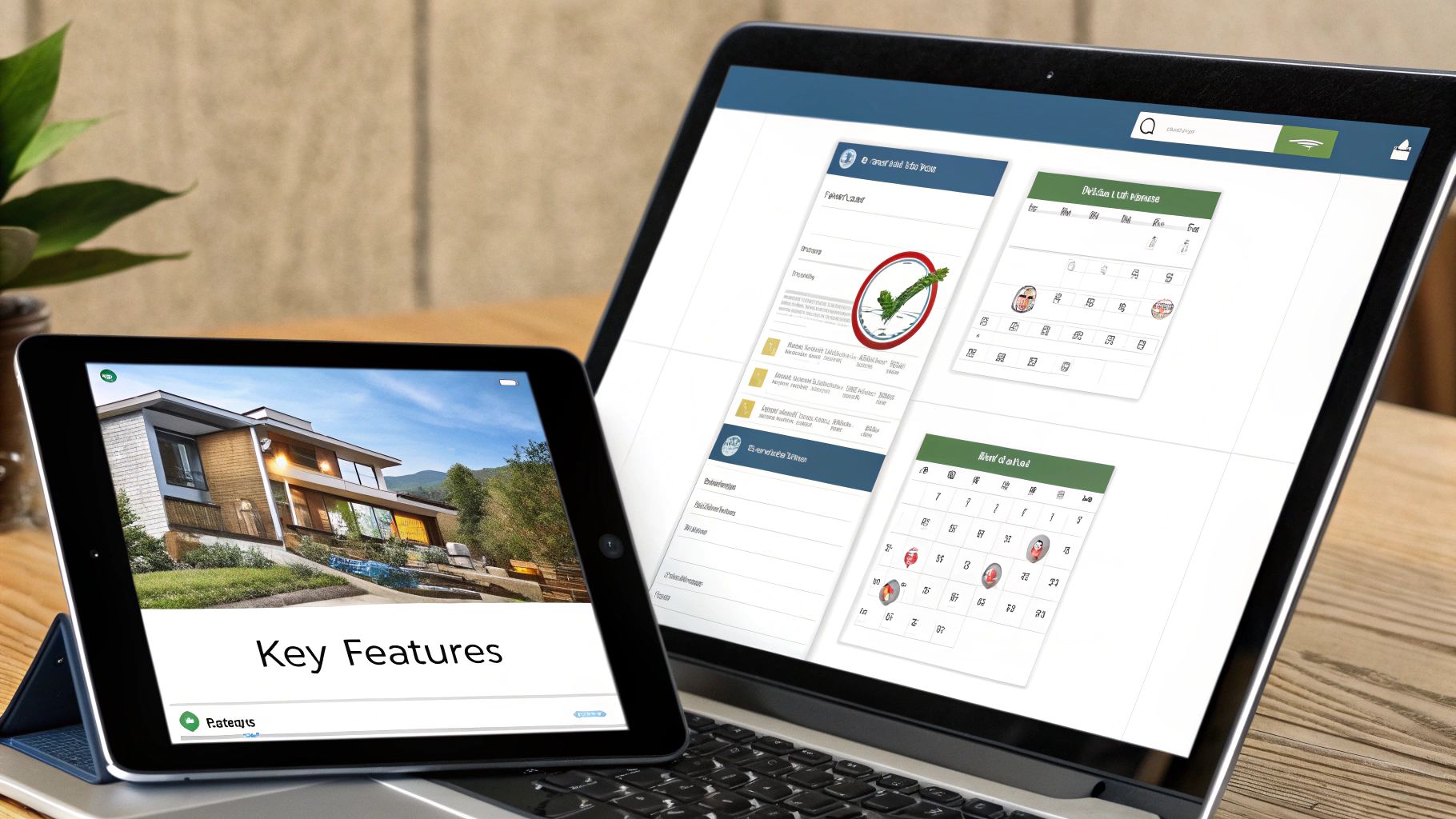
A visual calendar format like this one immediately shows a manager who’s off and when—a massive improvement over trying to decipher a clunky spreadsheet.
Automated and Customisable Leave Calculations
The single biggest time-saver—and error-reducer—is automation. I've seen so many payroll mistakes stem from manually calculating entitlements, especially for part-time staff or new starters. A top-tier app completely removes this headache.
Look for a system that automatically handles:
- Pro-rata entitlements: It should instantly work out holiday allowances for part-time employees based on their hours or days, no calculator required.
- Accrual calculations: For staff who earn leave as they go, the app must track it accurately and in real-time.
- Starters and leavers: The software has to correctly calculate entitlements for people who join or leave part-way through the holiday year.
Beyond the basics, the app needs to be flexible enough to mirror your company’s unique rules. That means you need the ability to set custom policies for things like carrying over unused leave or managing Time Off in Lieu (TOIL).
Clear Visuals and Shared Calendars
When it comes to preventing scheduling nightmares, visibility is everything. A shared team calendar is a non-negotiable feature. This isn’t just a list of names; it’s an interactive, live view of who is in and who is out.
This central hub allows managers to spot potential clashes before approving a request. It also empowers employees to check team availability before they even submit their dates, cutting down on the back-and-forth and the frustration of a rejected request.
A shared calendar transforms leave management from a private, siloed task into a transparent, collaborative activity. It gives everyone the information they need to plan effectively, fostering a sense of fairness and clarity.
Mobile Accessibility and Self-Service
Your team isn't chained to their desks, so their HR tools shouldn't be either. A dedicated mobile app is no longer a "nice-to-have"; it's essential. Staff should be able to check their balance and book a day off from their phone, wherever they are.
A self-service portal, whether on the web or mobile, is a game-changer. It empowers your team to manage their own leave, which drastically cuts down on the simple queries landing on your desk or in your HR team's inbox, freeing everyone up for more important work.
Robust Reporting and UK-Specific Compliance
What you can’t measure, you can’t manage. A powerful holiday planning app must give you insightful reports to help you understand absence trends and manage your team effectively. Without this data, you’re flying blind.
Key reporting capabilities to look for include:
- Holiday Entitlement Summaries: A clear overview of leave taken, booked, and remaining for every single employee.
- Absence Trend Analysis: The ability to spot patterns in sickness that might point to wider issues.
- Bradford Factor Scores: Automatic calculations to help you manage short-term, frequent absences fairly and consistently.
You can learn more about why it's so important to have accessing easy-to-understand reports on staff leave and how that data can shape your business decisions.
Finally, for any UK business, the app must be built with local regulations in mind. This means it should automatically update with the correct bank holidays for England, Scotland, Wales, and Northern Ireland, and ensure all statutory leave requirements are baked in. This built-in compliance provides invaluable peace of mind.
How to Confidently Choose the Right Vendor
Right, you’ve got your checklist of must-haves. Now for the exciting bit: finding the perfect holiday planning app. This is where you move from theory to practice, pitting real-world tools against your unique business needs. The key is to be methodical so you can make a smart choice you'll be happy with long after the initial sales pitch has faded.
One of the first big decisions is whether to go for a ready-made product or invest in something built just for you. For most small businesses, an off-the-shelf app offers the best mix of cost, features, and speedy setup. Still, it's worth taking a moment to understand the difference between custom software vs. off-the-shelf solutions just to be certain.
Maximise the Free Trial Period
Nearly every decent vendor will offer a free trial, and honestly, this is your most valuable evaluation tool. Don't just click around a polished demo account; treat it like you've already bought the software. Your mission is to really put the app through its paces and see if it can handle your daily workflows.
Here’s how to get the most out of it:
- Use Real Scenarios: Add a few of your actual employees and try to process a typical leave request from start to finish. Can you easily set up your multi-level approval chain without pulling your hair out?
- Test Your Toughest Case: Think about that one employee with a tricky contract. Maybe it’s a part-timer with a complicated pro-rata allowance. Try to configure their profile. If the app can't handle your most difficult scenario gracefully, it’s not the right fit.
- Involve Your Team: Get a manager and a couple of employees to log in and have a play. An app that seems perfectly logical to you might be a nightmare for them to navigate. Their feedback is pure gold.
Ask the Right Questions
A sales demo is designed to show you what the software can do. Your job is to find out what it can’t. Prepare a list of non-negotiable questions for every vendor you speak to. This isn't about catching them out; it's about getting total clarity before you commit your time and money.
It's interesting to look at how people book their own holidays. Research shows UK travellers are using a mix of channels, with 28% turning to mobile apps and affordability being a massive factor. This consumer trend towards easy-to-use, cost-effective digital tools is exactly what you should be looking for in your business software.
Don't be afraid to dig deep on the details. Ask about data security, support hours, and any potential hidden costs. A vendor’s transparency during the sales process is often a good indicator of their customer service quality down the line.
Your question list should cover these essentials:
- Data Security and GDPR: Where is our data hosted? Is it encrypted? How do you ensure you're fully compliant with UK GDPR regulations?
- Customer Support: What are your support hours? Is the support team actually based in the UK? Is there an extra charge for phone support, or is it all email-based?
- Pricing and Contracts: Is this price locked in for a certain period? Are there setup fees or hidden charges for adding new users? What’s the cancellation process like?
- Onboarding and Training: What does the implementation process actually involve? Will you help us import our existing employee data?
Finding and Interpreting Real Reviews
Finally, it's time to check for social proof. While a vendor’s website will be full of glowing testimonials, you want to find independent, unbiased reviews from UK businesses just like yours. Platforms like Capterra, G2, and even the app stores are great places to start.
When you're reading reviews, look for patterns. A single grumpy review might just be a one-off bad experience. But if multiple users are all complaining about the same thing—like a buggy mobile app or painfully slow customer support—you need to take that seriously.
Pay close attention to reviews from companies of a similar size to yours, as their experiences will be the most relevant. By combining hands-on testing with sharp questions and real-world feedback, you can confidently score your contenders and make a final choice that truly works for your business.
You've picked the perfect holiday planning app – great! But the real work starts now. A brilliant piece of software is only as good as its launch. If you get this next part wrong, that amazing tool can end up gathering digital dust. Your goal isn't just to install an app; it's to introduce a better, simpler way of working that your team actually wants to use.
A smooth switch really comes down to solid prep and clear communication. Before anyone gets a login, you need to have everything sorted behind the scenes. This makes sure the system is accurate, reliable, and perfectly mirrors your company's rules from the second it goes live.
Getting Ready to Go Live
First things first, let's talk about data migration. You need to get all your employee details and, most importantly, their current leave balances into the new app. Most modern systems let you import this straight from a spreadsheet, which is a lifesaver. It cuts down on endless manual entry and massively reduces the chance of mistakes.
Next, you have to carefully set up your company’s unique leave policies inside the software. This is where all that initial groundwork you did in the needs assessment really pays off.
- Policy Mapping: Get your rules for annual entitlement, carry-over limits, and sickness absence configured. Pay close attention to the pro-rata calculations for your part-time staff – it's an easy place to trip up.
- Approval Workflows: Map out who approves requests for each team. A clear chain of command stops requests from getting lost in limbo.
- Integrations: Link the app to your other day-to-day tools. Connecting it to something like Google Calendar or Slack makes it feel like a natural part of everyone's workflow, not another separate login to remember.
Think of this stage like laying the foundations for a house. If your data is off or the policies are wrong, the whole thing will be wobbly. It’s worth taking the time to get these details spot on before you invite the team in.
This visual guide shows the simple process of evaluating your options before you get to this stage.
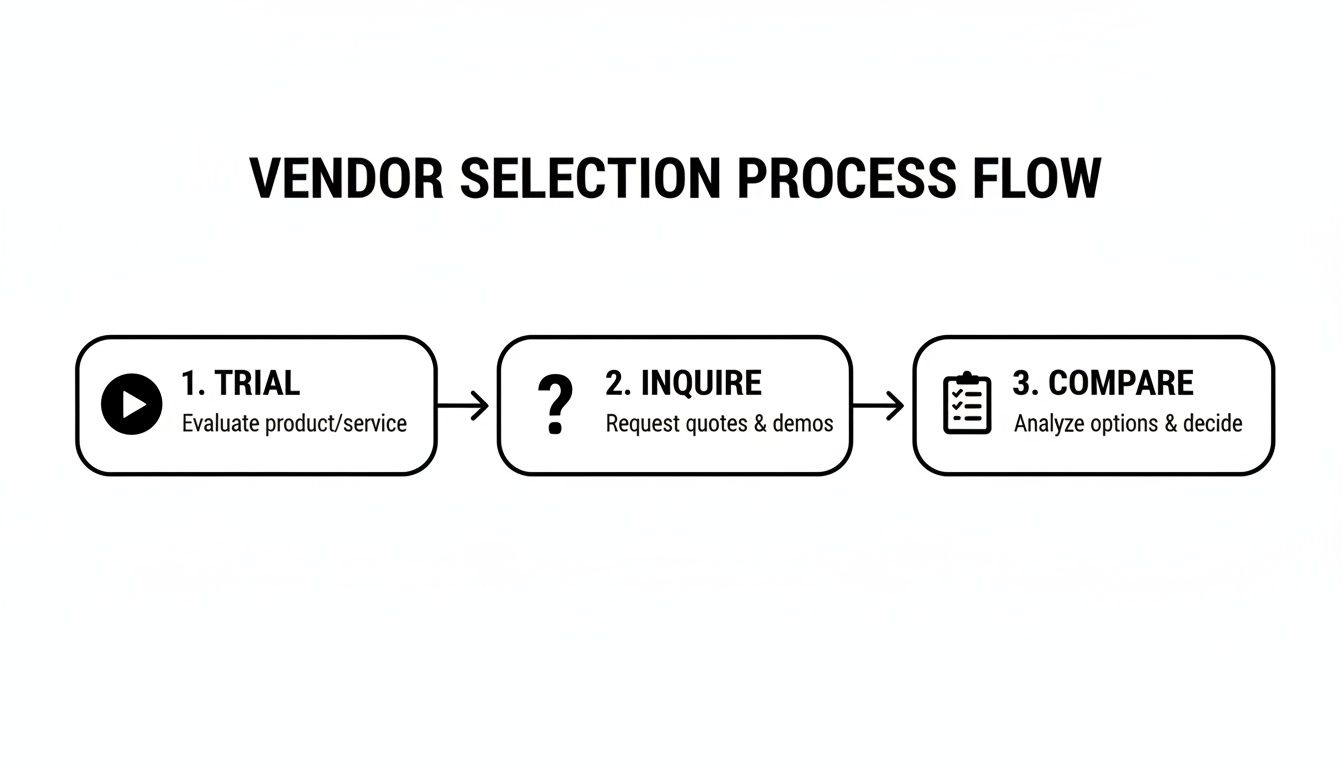
As the flowchart shows, a successful rollout always begins with a proper evaluation, starting with a hands-on trial before moving on to asking the right questions and comparing your top choices.
Talking to Your Team About the Change
Once the tech side is sorted, it's time to focus on your people. How you introduce this new tool will make or break its success. It's so important to explain not just what is changing, but why. Focus on what’s in it for them – things like booking time off on their phone in 30 seconds or seeing their remaining balance instantly.
A simple, clear launch email is the perfect way to kick things off. Announce the new system, shout about the benefits, and give everyone a clear timeline for the switch. This first message really sets the tone for the whole transition.
Even with the most user-friendly apps, people can be a bit wary of new tech. Recent travel booking statistics and AI adoption in the UK show that while we're getting more comfortable with technology helping us plan, nearly half of UK travellers (49%) still feel uneasy using AI for it. Yet, the upsides are huge; in some travel apps, AI-driven features are behind as much as 75% of conversions. By focusing on the tangible benefits for your team and providing clear guidance, you can build the trust needed for everyone to get on board.
Making Sure Everyone Uses the New System
A great launch is more than just one email. You need a simple plan to get everyone feeling confident with the new way of doing things.
- Find a Champion: Pick someone on the team who is enthusiastic about the change and make them the go-to person for basic questions. This creates a bit of peer support and takes the pressure off line managers.
- Keep Training Short and Sweet: You don’t need a massive workshop. A quick 30-minute demo showing people how to check their balance, request leave, and see the team calendar is usually plenty.
- Set a Hard Deadline: Announce a firm date when the old spreadsheet or email process is officially retired. A clean break avoids confusion and makes sure everyone moves over to the new app.
By putting in the prep work and communicating the benefits clearly, you can make sure your new holiday planning app becomes an instant asset – not just another password for your team to forget.
Got Questions About Holiday Planning Apps?
It's only natural to have a few practical questions when you're thinking about moving away from a system you know, even if it's just a clunky spreadsheet. Switching your leave management over to a dedicated holiday planning app is a big step, so let's clear up some of the most common queries we hear from UK business owners.
Here are the straightforward answers you're looking for.
How Much Does a Holiday Planning App Typically Cost?
This is usually the first question on everyone's mind, and for good reason. The great news is that most modern apps are built and priced specifically for small businesses. You’ll almost always find a per-user, per-month model, which is fantastic for scaling. As your team expands, your costs simply grow with it—no nasty surprises.
For a small UK business, you can generally expect to pay somewhere between £1 to £4 per employee each month. The basic plans typically give you all the essentials: leave requests, a shared team calendar, and standard reports. If you need more advanced features like Bradford Factor scoring, slick integrations with payroll software like Xero, or deeper analytics, you'd be looking at a premium tier.
My advice? Always take advantage of a free trial to get a proper feel for the software before you commit. And don't be shy about asking if there are any hidden setup fees or long-term contract lock-ins. Any provider worth their salt will be upfront about their pricing.
Is My Employee Data Secure in a Cloud-Based App?
Data security is absolutely non-negotiable, particularly when you're handling sensitive employee information. It's a massive concern, and any professional vendor should be ready to answer it in detail. A trustworthy holiday planning app will have multiple layers of security built-in to keep your data locked down.
When you're checking out different options, look for these specific assurances:
- UK GDPR Compliance: The provider must be fully compliant with UK data protection laws. Their privacy policy should spell out exactly how they handle and protect personal data.
- Data Encryption: All your data—whether it's just sitting on their servers (at rest) or being sent over the internet—should be encrypted using industry-standard protocols.
- Secure Hosting: Reputable apps are often hosted on hyper-secure cloud platforms like Amazon Web Services (AWS) or Microsoft Azure, which have their own world-class security measures.
Your data's safety is everything. Never feel awkward about asking a potential vendor for their security documentation or compliance certificates. A confident provider will have this stuff ready to go.
How Difficult Is It to Set Up and Integrate?
The fear of a painful, time-consuming setup is what keeps so many businesses stuck with spreadsheets they hate. But honestly, most modern holiday planning apps are designed to get you up and running quickly and without any fuss. You definitely don't need a dedicated IT department.
Most services offer a guided onboarding process to walk you through the first few steps. A real game-changer to look for is a data import tool. This lets you upload your existing employee spreadsheet, which can save you hours of mind-numbing manual data entry.
Integrations with the software you already use are usually just as simple. Connecting to calendars like Google or Outlook, or to team chat tools like Slack, often takes just a few clicks. This is what makes the app feel like a natural part of your workflow, not just another separate tool you have to check.
Can These Apps Handle Complex Leave Rules?
Let's face it, many UK businesses have leave policies that are more complicated than a simple annual allowance. You might have part-time staff, TOIL to manage, or different rules for different teams. Your software has to be flexible enough to cope.
The short answer is yes, a good holiday planning app is built for exactly this kind of complexity. The best solutions can effortlessly handle scenarios that are a total nightmare on a spreadsheet, like:
- Part-time pro-rata entitlements calculated for you automatically.
- Accrual of Time Off in Lieu (TOIL) and tracking when it's used.
- Custom carry-over limits for any unused holiday at the end of the year.
- Different holiday allowances for various employee groups or seniority levels.
This ability to automate your specific, tricky rules is one of the biggest wins. It ensures everything is fair, consistent, and compliant, without all the administrative headaches.


