
It's Monday morning. A manager has approved a holiday request by email, another is still sitting in a chat, and the shared spreadsheet shows a balance nobody trusts. Then someone calls in sick, and the person coordinating cover has to work out who is available before payroll closes.
If that sounds familiar, the problem isn't that your spreadsheet looks untidy. Your team needs one reliable process for requests, approvals, entitlement balances and availability, with a clear record of what happened. A leave planner app earns its place when it removes that daily uncertainty, not just when it replaces one screen with another.
Table of Contents
- When Spreadsheets Stop Working for Leave Tracking
- What a Leave Planner App Does for an SMB
- Five Feature Areas That Decide Real Value
- Feature Matrix for Typical SMB Leave Planner App Tiers
- Real SMB Scenarios and What They Demand
- Why Sickness and Holiday Are Not the Same Workflow
- Selecting the Right App and Rolling It Out
When Spreadsheets Stop Working for Leave Tracking
The spreadsheet usually starts as a sensible choice. An office lead creates a shared calendar, adds a column for each employee's allowance, and asks managers to update requests as they arrive. For a small, stable team, that may be enough.
The strain appears when the same information starts living in several places. One employee asks by email, another messages their manager, and a third updates the calendar themselves. HR then has to reconcile who approved what, whether a balance is current, and whether the team still has enough cover. A late sickness call makes that morning's holiday plan obsolete.
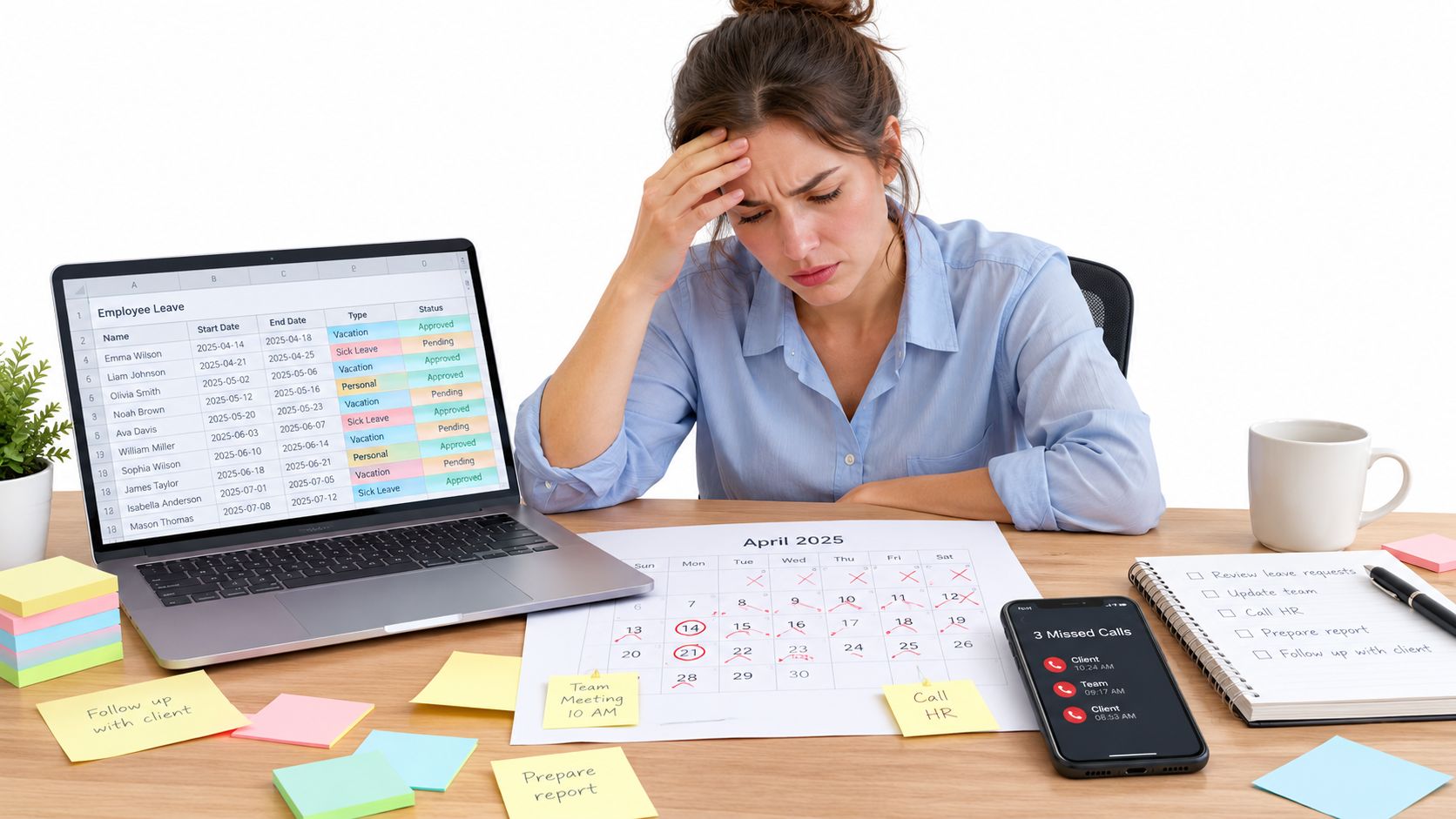
The risk isn't that spreadsheets are wrong. It's that they rely on people to update several records consistently, remember each policy rule, and notice a clash before approving leave. When working patterns vary or someone joins or leaves during the leave year, a manual balance can become harder to check and explain.
UK employers have a statutory planning responsibility: almost all workers are entitled to 5.6 weeks of paid holiday a year, subject to a statutory maximum of 28 days for a full-time worker. A standard five-day week means at least 28 paid days annually; for a regular three-day week, the minimum is 16.8 days, calculated as three multiplied by 5.6. Entitlement can also apply to part-time, agency, irregular-hours and zero-hours workers, with calculations depending on the contract and work pattern. See the UK government's holiday entitlement guidance.
Practical rule: If managers can't quickly tell whether a request is approved, a balance is accurate, and cover is available, your current process has outgrown its controls.
A dedicated app consolidates the request, decision, balance and calendar record in one workflow. Before buying, identify the specific failure you need it to fix: repeated calculation corrections, approval delays, clashes, or uncertainty about who is off. A cost review of paper-based and spreadsheet leave management can help you assess whether the administrative burden is already outweighing the simplicity of your current approach. If the main issue is merely that a calendar is hard to find, a shared calendar may still be enough. If the records themselves are unreliable, software is the more durable fix.
What a Leave Planner App Does for an SMB
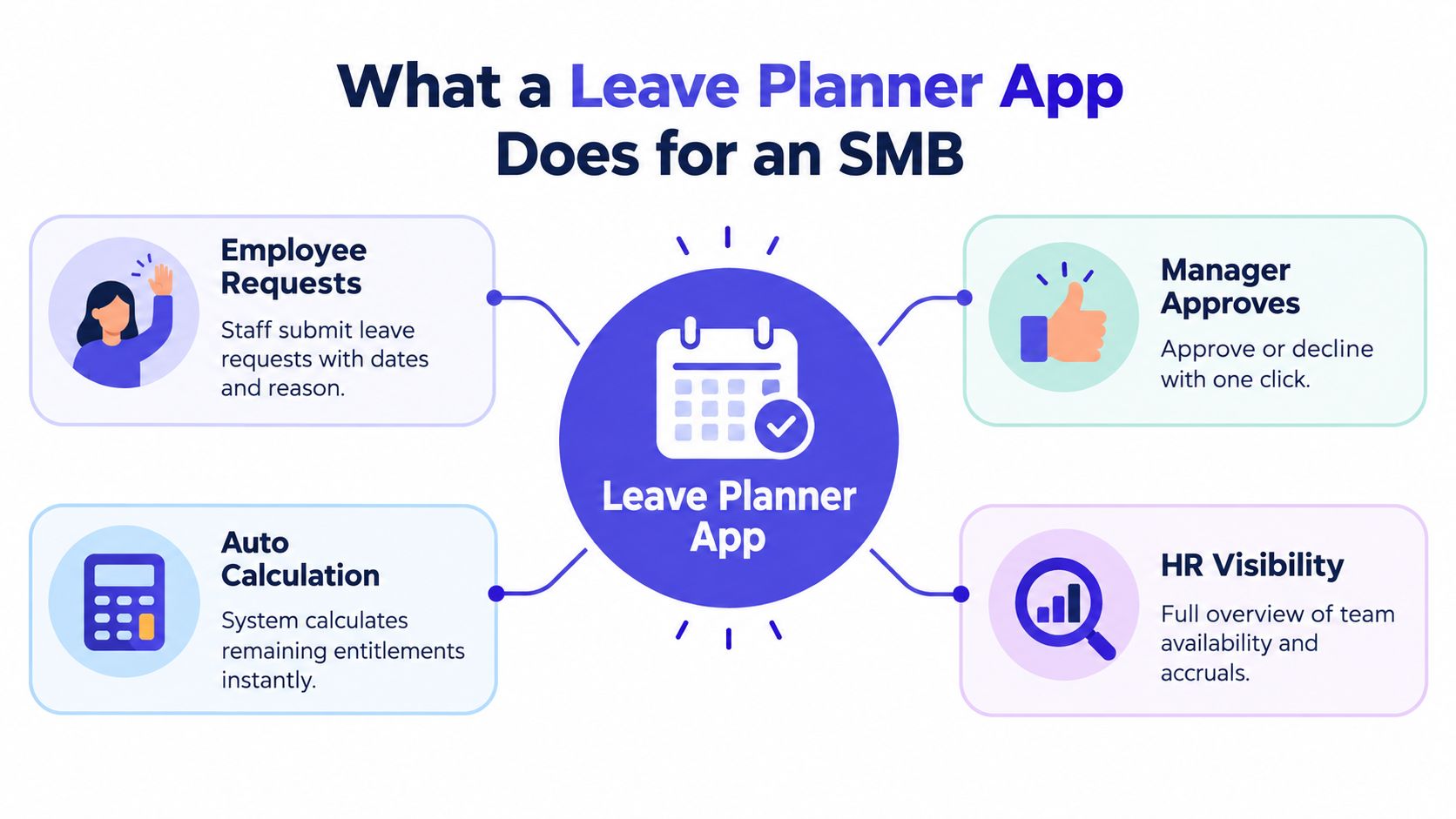
A leave planner app manages time-off requests from submission through approval, balance updates and reporting. For an SMB, its value lies in keeping the process understandable to employees and manageable for whoever handles HR, payroll or team scheduling alongside other responsibilities.
A useful system needs more than a coloured calendar. Expect a clear request route, an approval inbox, an entitlement calculation method, team availability views, notifications and reports. Together, those functions answer the practical questions staff and managers ask: Can I request these dates? Who needs to approve them? How much leave remains? Who else is away?
Start with the request and decision
Employees should be able to submit dates through a straightforward self-service route. The request then needs to reach the right manager, who can approve or decline it without chasing a separate email thread. Notifications matter because a request that sits unseen is still a manual bottleneck.
The app should record the decision and update the shared view. That gives employees a reliable answer and gives managers a record they can check later. A calendar that displays requests but doesn't distinguish pending from approved leave won't solve the coordination problem.
Make entitlement and visibility dependable
The calculation engine must reflect the organisation's policies and the employee's working pattern. UK statutory leave rules make that particularly important for part-time and irregular schedules. Ask how the app represents different patterns, handles changes, and shows the basis for a balance. If HR can't explain a figure from the system, the calculation feature hasn't earned trust.
Managers need a live team view to plan coverage, while HR needs records that can support administration and reporting. Keep access proportionate: managers need useful availability information, not unnecessary medical details.
A product demonstration should follow a real request from submission to report, rather than jump between feature screens. Watch this overview as another way to assess the typical leave-planning workflow:
For a small organisation, don't pay for complexity you won't use. But don't sacrifice transparent balances, sensible approvals or a dependable team calendar. Those are the controls that make the system useful on an ordinary busy day.
Five Feature Areas That Decide Real Value
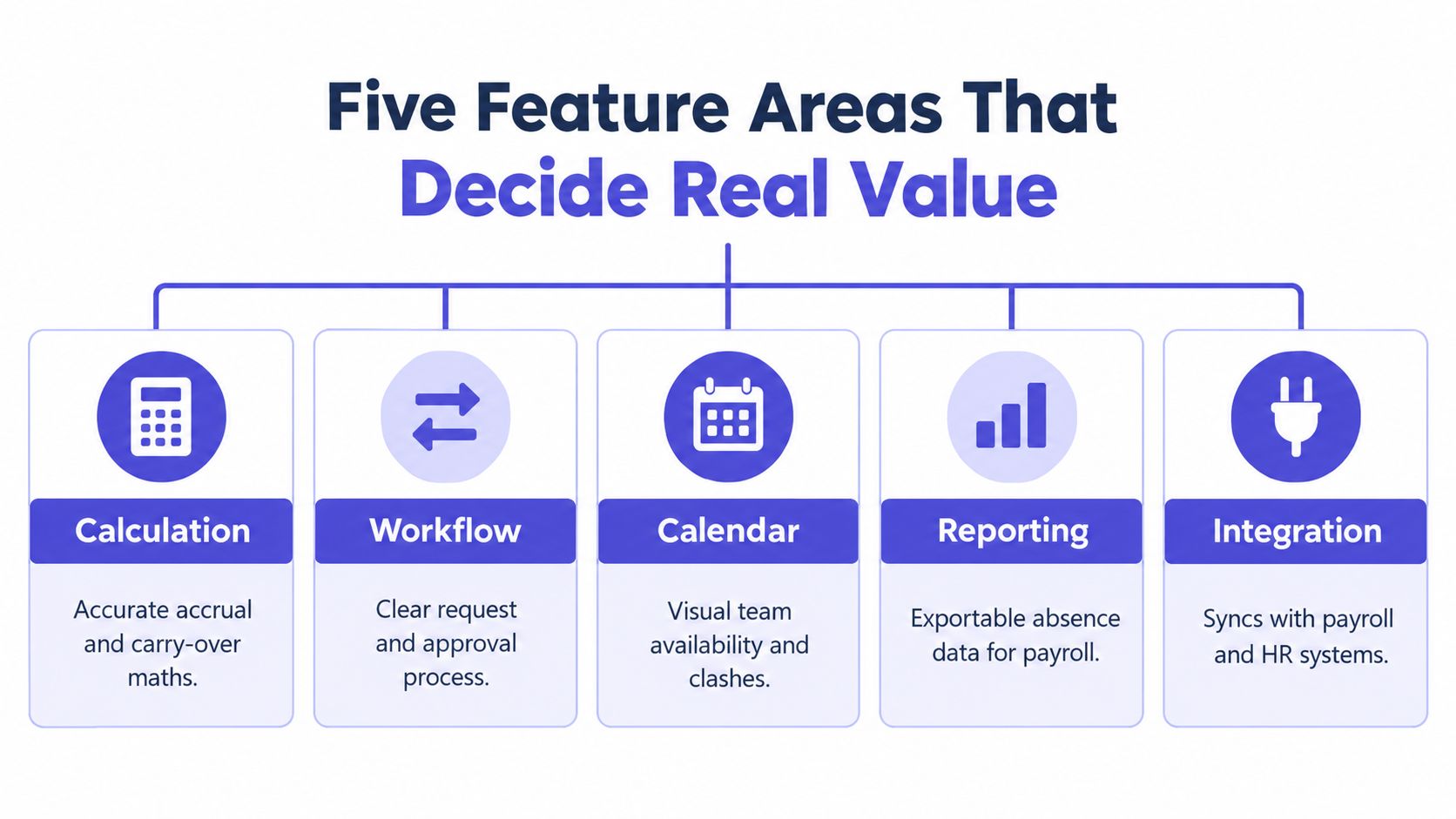
Vendor feature lists are easy to compare and hard to interpret. Judge each capability by the operational problem it removes, then test it using your own policies and working patterns rather than accepting a polished demonstration at face value.
Calculation accuracy
Ask how the app handles pro-rata entitlement, accrual, policy changes and carry-over. Can it represent different work patterns without relying on a separate spreadsheet? Can an administrator inspect how a balance was calculated? A number displayed confidently isn't enough; HR needs a traceable basis for it.
Test a regular part-time pattern and a change in working days. Where relevant, test a joiner or leaver case too. The objective is to expose manual workarounds before they become routine.
Approval design
Check whether requests reach the correct approver, whether managers can see relevant team availability, and whether a decision leaves an auditable record. Escalation and delegation may matter if a manager is away, but don't assume a long list of workflow options equals a clear process. The right design matches how your organisation makes decisions.
Integration and reporting
Ask what connects to payroll, calendars and existing HR systems, and whether those connections work without custom development. Then check what the reporting function can produce: can HR review absence and balances, and can payroll receive records in a usable format? An integration that only appears on a product roadmap shouldn't count as available functionality.
Mobile self-service
A mobile app is valuable when employees can check allowances, submit requests and see upcoming leave without sending a message to HR. Managers should be able to respond and check coverage when they're away from a desk. During a demo, complete a full request-and-approval flow on a phone. If it still sends people back to email, it won't remove the interruption.
Compliance support
The system should make relevant policy rules visible and preserve a useful history of requests, decisions and entitlement changes. It shouldn't be treated as a substitute for HR judgment: unusual cases still need careful review. But dependable records can reduce the chance that a manager relies on an informal message or an unexplained balance.
Buying test: Ask each vendor to demonstrate the same awkward scenario. The product that handles your real exception clearly matters more than the one with the longest feature list.
Feature Matrix for Typical SMB Leave Planner App Tiers
“Basic,” “mid-tier” and “full HR platform” describe common product positions, not guaranteed standards. Providers package functions differently, so use the matrix to frame questions rather than assume every product in a tier behaves alike.
| Capability area | Basic tier | Mid tier | Full HR platform |
|---|---|---|---|
| Calculation | May provide a simple allowance balance; test pro-rata, accrual and carry-over carefully | Often offers configurable rules; verify unusual patterns and exceptions | May connect leave rules to broader employee records; confirm the calculation history is accessible |
| Workflow | Employee request and manager decision, sometimes with limited routing | More configurable approvers, notifications and records | May support more complex organisational structures and permission controls |
| Calendar | Shared team calendar, with visibility varying by status and access | Usually offers clearer availability planning and filters | Can link leave visibility to wider workforce planning tools |
| Reporting | Basic absence or balance views; export options may be limited | More practical summaries and payroll-oriented exports | Broader reporting across HR records, subject to configuration and access rules |
| Integration | Calendar connections may be available; check payroll compatibility | May connect to payroll and HR tools, but test the exact products | Typically positioned for wider system connections; confirm what is included and operational |
| Policy handling | Often relies on simple settings or manual checks | Can support more policy variation; test carry-over and pattern changes | May offer deeper configuration, but complexity can increase setup and administration |
Where basic tools often fall short
The common trap is buying a low-cost request calendar and expecting it to calculate complex entitlement correctly. A simple tier may be suitable for a small team with stable working patterns, provided HR has checked what the system does and retains a controlled process for exceptions.
Don't assume “automatic” means the app understands every policy. Ask the supplier to show how it handles pro-rata entitlement, carry-over and a change to someone's working pattern. If the demonstration ends with an administrator editing a spreadsheet, the product hasn't removed that pain.
Pay for complexity you'll use
A mid-tier product is a sensible starting point when approvals and calculations need to be more consistent, but the organisation doesn't need a broad HR suite. A full platform can make sense when leave administration must sit alongside wider HR records, reporting or more involved operations. It can also add setup and maintenance demands, so assess the workload as well as the feature depth.
Compare actual inclusions, not tier names. Ask whether integrations, reporting and policy configuration are included in the quoted package, and confirm which tasks still require manual administration. The right tier is the least complex option that reliably handles your rules and exceptions.
Real SMB Scenarios and What They Demand
A leave planner should fit the work, not just the headcount. Consider how people request time off, who needs to approve it, and how quickly a manager must react when availability changes.
Small office team
A close-knit office may mainly need fast approvals and one shared view of who is away. The failure to prevent is an informal request being treated as approved before anyone checks the calendar. Choose a system that makes pending and approved requests distinct, allows managers to see team availability, and gives employees a clear balance.
Test a request that overlaps with an existing absence. Can the manager spot the coverage issue and make a decision without searching separate records? If the answer is yes, the team may not need a full HR platform.
Distributed company
A distributed team needs a process people can use wherever they work. Look for straightforward mobile and web access, clear notifications, and consistent policy settings across teams. Time-zone differences make an approval trail particularly useful: employees should be able to see whether a request is pending rather than rely on a message that may not get read promptly.
In a demo, submit a request from a phone and review it as a manager. Confirm that the approval status and calendar remain clear to both people, including when their working day doesn't overlap.
Shift-based operation
Varying hours put more pressure on entitlement calculations. A tool that assumes everyone works the same weekly pattern may leave administrators correcting balances by hand. Test the system against real shift arrangements and ask how it handles pattern changes, accrued leave and carry-over. Don't settle for a vendor saying the feature is configurable; ask them to demonstrate the calculation and show the record behind it.
For all three scenarios, bring real policies and examples to the vendor meeting. The clearest test is not whether the app looks polished. It's whether a manager can make a sound decision and HR can later explain the record.
Why Sickness and Holiday Are Not the Same Workflow
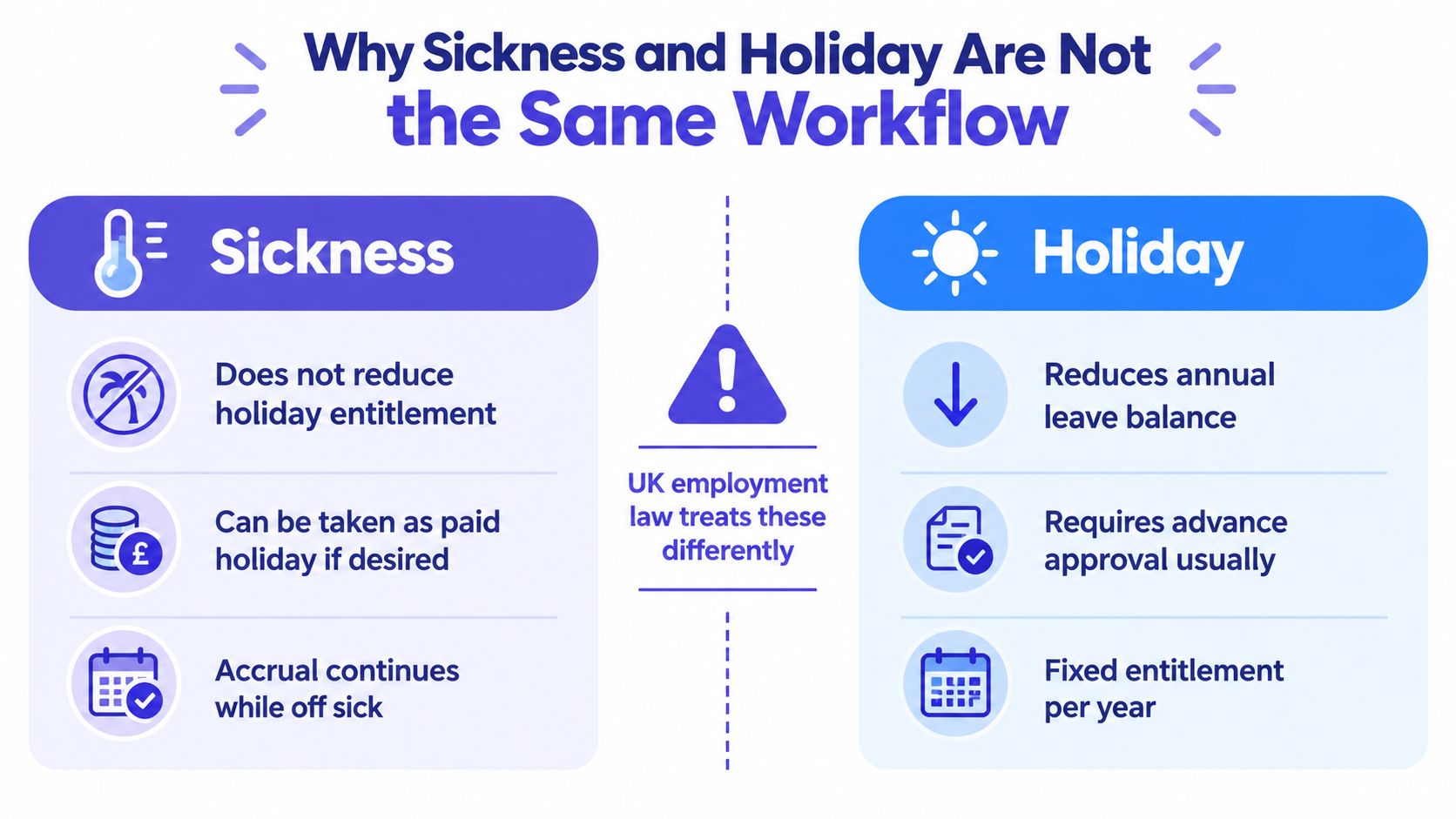
A calendar can display every absence, but that doesn't make every absence the same kind of entitlement. Treating sickness and annual holiday as one category can distort balances, confuse payroll records and leave managers without the information they need to plan cover.
UK workers continue to accrue holiday while off sick. They can choose to take paid holiday during sickness absence, and after long-term sickness may carry over four weeks of unused statutory leave, which generally must be used within 18 months. These rules are set out in ACAS guidance on sick pay and holiday pay.
Ask how the app handles the awkward cases
The important question isn't whether the vendor can add a sickness label to a calendar. It's whether the system separates the record and the entitlement treatment, while keeping the information visible to the right people.
Ask the supplier to demonstrate these situations:
- Illness during booked holiday: Can HR record the change without deducting the time as annual leave?
- Long-term sickness: Does the system preserve the employee's holiday entitlement and make relevant carry-over deadlines manageable?
- Holiday during sickness absence: Can the app record a request to take paid holiday while the employee is absent?
- Return to work: Can managers see availability and plan cover without exposing unnecessary medical information?
A product that handles these cases properly should make the history reviewable. HR must be able to distinguish what was booked, what was recorded as sickness and what happened to the employee's holiday balance. Managers need practical availability information, but don't give them medical detail they don't need.
The wider workforce context makes this an operational issue, not a rare corner case. The Office for National Statistics estimated 148.9 million working days were lost to sickness or injury in 2024, an average of 4.4 days per worker. The national sickness-absence rate was 2.0% of working hours, down from 2.3% in 2023 but 0.1 percentage points above 2019. It was 2.9% in the public sector and 1.8% in the private sector, according to the ONS analysis of sickness absence in 2023 and 2024.
For more on the practical management of these cases, see this guide to managing sickness absence. When comparing apps, reject any system that makes sickness a coloured calendar square but cannot explain how it affects entitlement, records or coverage.
Selecting the Right App and Rolling It Out
Choose the simplest product that can handle your actual policies, working patterns and exceptions. A small office may need a dependable request-and-calendar tool; a growing distributed team may benefit from stronger automation and mobile self-service; a shift-based or more complex operation should prioritise pattern-aware calculations and useful reporting. Don't buy a broader platform just to avoid testing a narrower one properly.
Before rollout, confirm the policy settings, check employee records and balances, and agree who can submit, approve and administer absence. Give managers a consistent approval process, then show employees how to check their balances and request leave. A useful guide to implementing a new leave management system can help structure that change.
Use a short vendor scorecard. Rate each shortlisted app on calculation accuracy, mobile experience, integration depth, approval design, reporting clarity and pricing transparency. For each category, record what you saw in the demonstration, what remains unclear and what the supplier says requires a manual step. If the answer matters to payroll or compliance, don't leave it as an assumption.
Make the final decision based on evidence from your own scenarios. Ask the vendor to show a part-time pattern, an approval clash and a sickness-related case where relevant. A sound choice should make everyday leave easier to administer without hiding the exceptions that HR must get right.
LeaveWizard provides an online leave planner with tools for tracking holidays and absences, managing requests and approvals, and viewing availability through a web portal and smartphone app. If you're replacing a spreadsheet-based process, visit LeaveWizard to see whether its workflow fits your team's leave policies.


