
You've got the holiday spreadsheet open, a new starter asking how much leave they can book, and someone on variable shifts saying their balance doesn't look right. You're meant to approve cover, keep payroll straight, and explain the number in plain language, all before lunch.
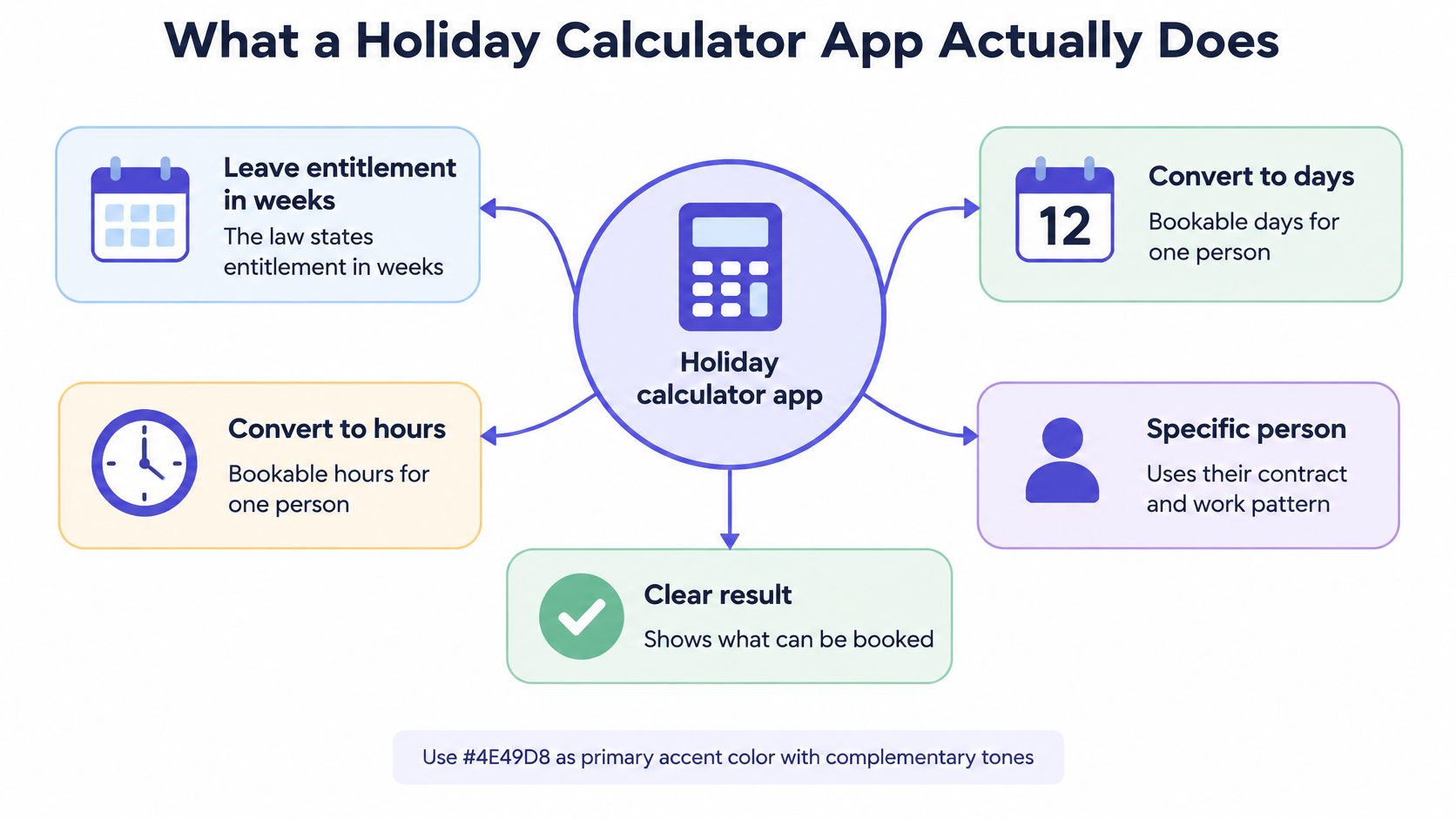
That's where most small teams get stuck. The law gives you entitlement in weeks. Staff book in days or hours. A good holiday calculator app bridges that gap, but only if it uses the right method for each person's contract.
Table of Contents
- What a Holiday Calculator App Actually Does
- UK Holiday Figures and Worked Cases
- Features That Protect Accuracy and Compliance
- How to Move Records Off Spreadsheets
- Criteria for Choosing the Right App
- Frequently Asked Questions
- Start With a Free Check Then Trial the Tracker
What a Holiday Calculator App Actually Does
A holiday calculator app takes a leave entitlement stated in weeks and converts it into the days or hours a specific person can book. Think of kitchen scales once. The contract is the recipe in weeks, and the app weighs out the right portion of days or hours for each person.
That sounds simple until your team stops looking like the example in the recipe.
Three Layers That Do Different Jobs
A single-sum calculator answers one question and stops. Say a four-day worker asks for their full-year allowance. You enter the work pattern, get the result, and copy it into a letter or record.
A holiday tracker keeps working after that first sum. It holds requests, approvals, taken leave, booked leave, and the running balance through the leave year, so you don't rebuild the position each time someone asks.
A workforce app joins holiday to sickness absence, overtime, and employment dates. That matters more than it sounds. In 2024, UK workers lost an estimated 148.9 million working days to sickness or injury, averaging 4.4 days per worker, according to the Office for National Statistics sickness absence release. If holiday and absence sit in different files, payroll and cover can easily read different numbers for the same week.
If you can't tell whether a balance is in days or hours, you don't yet have a balance you can approve against.
Why Spreadsheets Break First in Small Firms
In a small business, one person often runs payroll, cover, and approvals. A spreadsheet that's fine for five full-timers starts to creak when you add a second site, a mid-year starter, or someone whose shifts change length. You end up checking hidden formulas instead of managing people.
Try a quick sorting exercise before you judge any tool:
- Full-time fixed days: Who works the same days each week?
- Part-time fixed days: Who works fewer fixed days, and how long is each day?
- Variable hours: Whose hours change by week or pay period?
Then ask which layer answers Monday's cover question. If you only need a one-off allowance, layer one may do. If you're approving against live cover, you need more than a single sum. The figures that follow let you test that difference.
UK Holiday Figures and Worked Cases
Start with the statutory base. Almost all workers are legally entitled to 5.6 weeks of paid annual leave each year under the Working Time Regulations 1998, and for a standard five-day week that equals 28 days, calculated as 5.6 multiplied by five working days, according to GOV.UK holiday entitlement rights guidance.
Two points catch people out. Employers may include bank and public holidays within those 28 days, and the entitlement is capped at 28 days for anyone working more than five days per week. So 28 days isn't automatically 28 days plus bank holidays.
UK Holiday Results a Calculator Should Reproduce
| Situation | Rule to apply | Result to expect |
|---|---|---|
| Five-day week, full leave year | 5.6 weeks shown as days | 28 days |
| Four-day week | 5.6 multiplied by days worked | 22.4 days |
| More than five days a week | Statutory cap | 28 days |
| Starts 13 January, year begins 1 January, 28-day entitlement | 28 divided by 12, round up to nearest half day | 2.5 days for January |
| Irregular hours, 70 hours in the pay period | 12.07% of hours, rounded by the 30-minute rule | 8 hours |
Use this table as a check, not as background reading. If your current tool can't reproduce these five results, don't trust it with a live balance.
Case One Jordan Works Four Days
Jordan works four days a week. The sum is 5.6 multiplied by four, which gives 22.4 days.
Now check the contract wording. If bank holidays are counted inside statutory leave, you don't add them again on top of the 22.4 days. That's the most common double-count in small firms, and it's usually a wording problem before it's a maths problem.
Our Holiday Entitlement Calculator is a free tool available whether or not a business has a subscription, so you can test Jordan's pattern before you change any system. For the underlying arithmetic, the holiday calculation formula breakdown is useful when a manager wants to see the working rather than just the answer.
Where public holidays apply, we automatically allocate local public holidays, taking into account whether they're included in the employee's allowance and the employee's work pattern. We also automatically calculate allowances for staff on rotating shift patterns, which is where a copied full-time formula often fails.
Case Two Priya Starts Part Way Through January
Priya starts on 13 January in a leave year beginning 1 January, with a 28-day annual entitlement. GOV.UK gives this example as 28 divided by 12, producing 2.33 days and rounding up to the nearest half day, so Priya is entitled to 2.5 days for January, according to GOV.UK guidance on calculating leave entitlement.
Copying a full-year balance onto her record on day one overstates what she can book. It also creates an awkward correction later, usually after she's already planned time off.
Practical rule: A new starter's first balance should show the pro-rated figure and the leave-year dates that produced it.
Case Three Sam Works Irregular Hours
Sam's shifts vary. One week is made up of shorter shifts, the next of longer ones. A screen that only says days remaining can't tell you whether a booking should deduct a short shift or a long one.
For irregular-hours and part-year workers, holiday accrues at 12.07% of hours worked in each pay period, the calculation is made on the last day of the pay period, and if a worker completes 70 hours in June, 12.07% produces 8.449 hours, rounded down to 8 hours because the fractional part is below 30 minutes, according to Acas guidance for irregular-hours and part-year workers.
That's why Sam's record needs four things together:
- Hours worked: The actual hours in that pay period.
- Pay period: The period those hours belong to.
- Method used: The 12.07% accrual and its rounding.
- Hours booked: Leave taken in hours, not converted loosely into days.
Run one real employee from each case through your current tool and compare the result with the table. If Sam's answer comes back only in days, you've found the false confidence problem.
Features That Protect Accuracy and Compliance
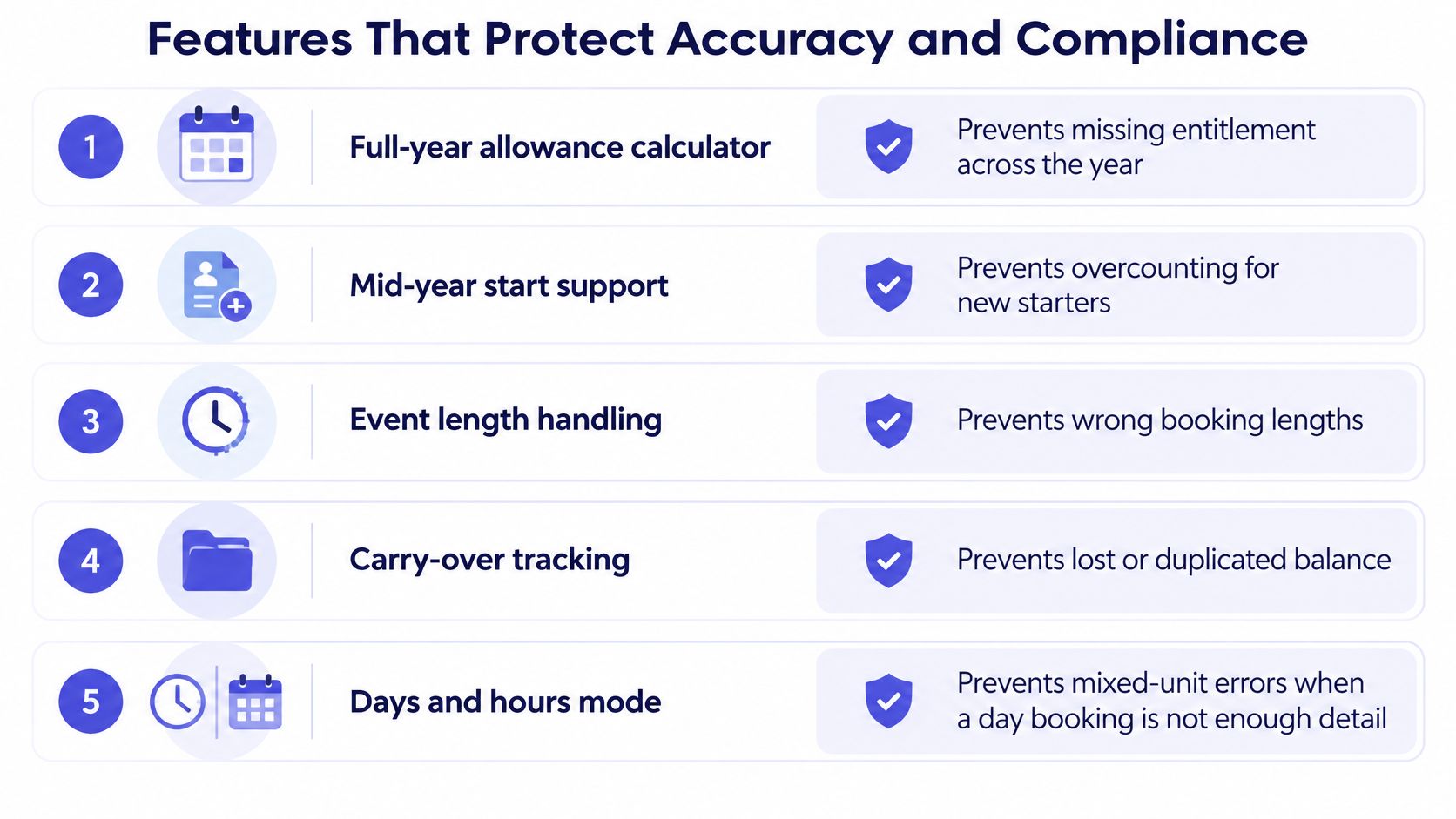
Don't shop for features as decorations. Treat each one as a safeguard against a specific mistake you've either made or nearly made.
The visual below groups the core safeguards before you test them against your own records.
Calculators That Match the Real Events
You need allowance calculations for the full year and for a mid-year start. You also need event length and carry-over handled properly, in days and hours, because a day booking is wrong for someone whose shift isn't a standard day.
We have built-in calculators for holiday numbers and built-in calculators for allowances, event durations and carry overs. Holidays can be booked in hours as well as in days, alongside standard day-based events. That mix matters when two people both book Monday, but one works a short shift and the other works a long one.
Public holidays need the same care. Lists should be location aware and already loaded, then applied only where that person's contract includes them in the allowance. Loading dates by hand each year invites the wrong location and missed updates.
The short video below is worth watching with one awkward employee record in mind, not as a general tour.
Carry Over Needs a Reason, Not Just a Number
Carry-over isn't one universal rule. Workers can normally carry over a maximum of 8 days into the next leave year if the employer agrees, if maternity or other family-related leave prevents a worker from taking statutory leave up to 28 days may be carried forward, regular-hours workers can carry over up to 20 days accrued but untaken because of sickness or statutory leave, and irregular-hours and part-year workers may carry over all of their entitlement in the relevant circumstances, according to the UK government holiday pay and entitlement reforms guidance.
An app that expires every balance on 1 January can delete protected leave. Store the reason, the leave category, the work pattern, and the deadline. That detail is what lets you defend the balance later.
For the wider legal picture, read the guide to complying with employment laws alongside your own contracts, because software can't fix unclear wording.
Rules Staff Can See and Use
Set who can request leave, the minimum notice you expect, and any blocked dates. Then let employees see their allowance and request dates themselves. The app should apply your policy at the point of request, instead of a manager retyping a paper form or an email.
Do a one-sentence audit. If your team can't explain a balance in one sentence, the safeguard is missing, even if the screen looks busy.
How to Move Records Off Spreadsheets
You don't need a perfect archive. You need a clean starting position that three sample employees can prove.
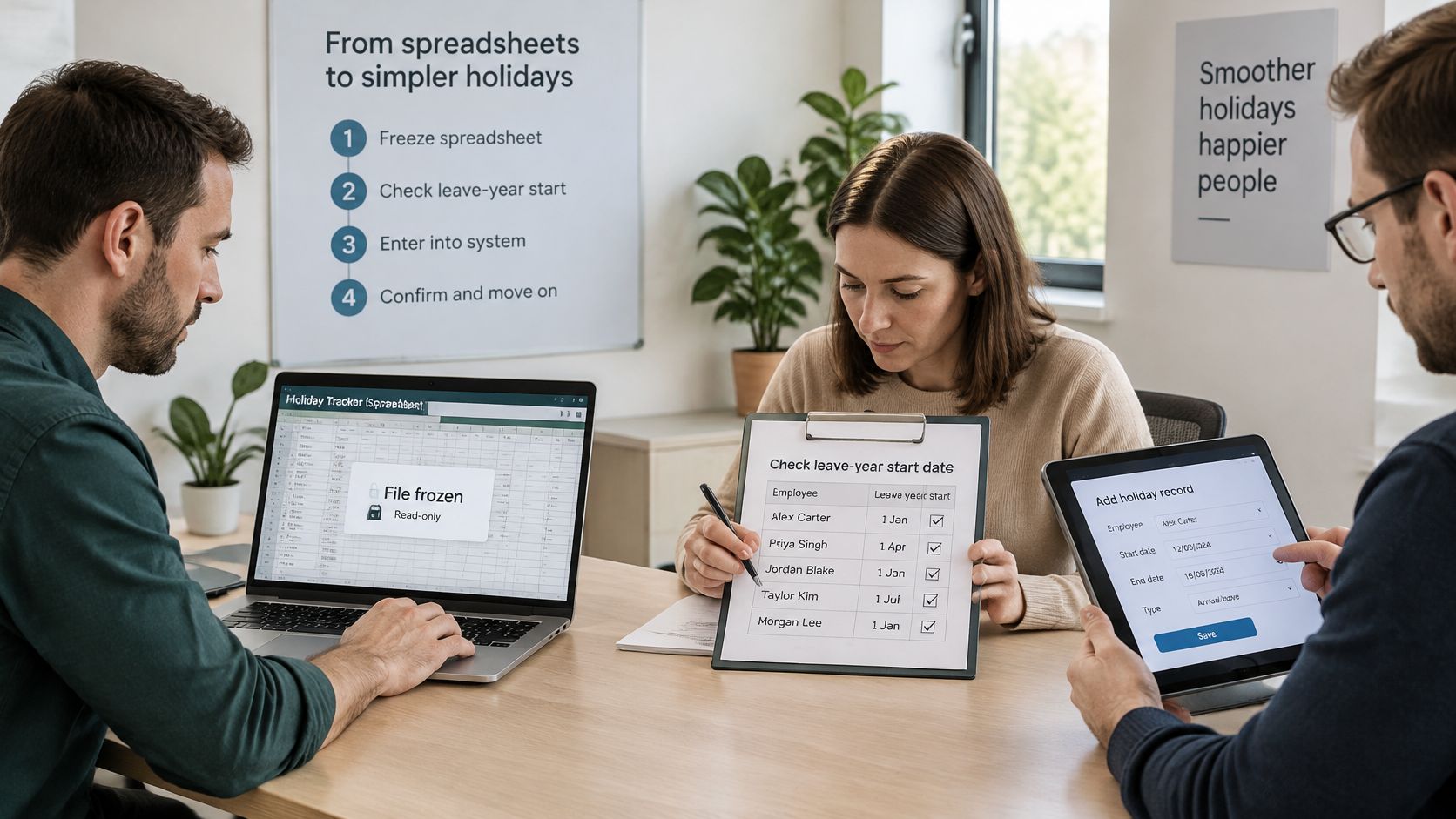
The photo below captures the task. You're not buying software first, you're agreeing what the current numbers mean.
A Seven Step Move for a Quiet Week
- Freeze the spreadsheet: Record the leave-year start for each person, not one company date if contracts differ.
- List the current position: Capture allowance, taken, booked, and remaining in days or hours, plus start date and any leaver date.
- Mark carry-over reasons: Flag why it exists, so protected leave isn't imported as ordinary leftover.
- Note the pattern: Add work pattern, location, and whether bank holidays sit inside the allowance.
- Decide on other absence: Bring sickness and other absence across only if payroll or reviews depend on it. A Bradford factor is a sickness-absence score, so include it only if your process uses it.
- Reconcile three people: Check one full-timer, one part-timer, and one irregular-hours worker before anyone requests new leave.
- Switch on a stated Monday: Move requests off email and keep the spreadsheet read-only from that date.
The practical guide to replace a holiday spreadsheet helps if several managers hold different copies of the same file.
Connect the Leave Record to Pay
For irregular-hours and part-year workers, holiday pay uses a 52-week reference period, employers calculate the average hourly rate over the previous 52 weeks including holiday pay received during that period, rolled-up holiday pay may be chosen only for irregular-hours and part-year workers, the legislation provides for a 12.07% uplift method, and itemised pay statements must show the holiday pay paid for the relevant period, according to Acas guidance on calculating holiday pay.
So hours worked, the reference-period average, the payment method, and the payslip need to agree. Tracking days taken alone won't give payroll that trail.
Our application holds holiday, sickness and other absence records, leave allowances, and employment start and end dates. Holiday planning is integrated with absence management, overtime tracking, and employee information records, and employees can check their entitlement and allowance through our smartphone app.
Your finish line is a matched sample of three people. Don't delay the move while you tidy every old comment in the spreadsheet.
Criteria for Choosing the Right App
Score each row yes or no. Don't give half marks for a workaround you'll have to remember under pressure.
What to Check Before Choosing a Holiday Calculator App
| Check | Pass looks like | If it fails |
|---|---|---|
| Work pattern | Days, hours and rotating shifts | Part-time or shift staff get a full-timer's balance |
| Public holidays | Location-aware dates that update, included or excluded per person | Bank holidays double-counted or missed |
| Accrual method | 12.07% of pay-period hours for qualifying irregular and part-year workers | A days-remaining total hides the legal method |
| Carry-over | Reason, category, pattern and deadline stored | Protected leave expires on 1 January |
| Joined records | Holiday, absence, overtime and employment dates in one place | Payroll and cover use different numbers |
| Visibility | Employee self-service plus a controlled team calendar | Managers chase balances by email |
When a Free Calculator Is Enough
Stay with a free calculator if your workforce is a handful of fixed five-day contracts and you only need a one-off allowance check. Buying a tracker for that job adds admin without solving a live problem.
Move to an app if any employee has irregular hours, you work across more than one location, or leave must be approved against live cover. At that point, the question isn't the first sum. It's whether the balance stays right after requests, sickness, overtime, and contract changes.
Treat a failed row on irregular hours or public holidays as a stop, not as a nice-to-have you can patch later.
LeaveWizard is a workforce management platform for small businesses and SMEs that need more than a holiday calendar but less than a corporate HR suite. Our public holiday calendars are location aware and update automatically, and we include built-in rules and restrictions, support for flexible employee work patterns, and visibility-controlled calendars.
That middle position won't suit everyone. A very small fixed team may not need it, and a large organisation may already have an HR suite. For a mixed small team, score your own rows first, then judge the tool against the failures you can't afford.
Frequently Asked Questions
Can a Free Calculator Cover Mixed Contracts
It can cover a one-off check for each person, and that's a sensible first step. It won't manage requests, live cover, or the pay-period history behind an irregular-hours balance. Once you need those stored together, you need a tracker that keeps hours and the method used.
What Happens When Someone Changes Contract Mid Year
Recalculate from the change date using the new work pattern. Keep the earlier days or hours as history rather than overwriting them. If you replace the old balance with a new full-year figure, you'll lose the trail that explains leave already taken.
What Happens to Unused Leave When Someone Leaves
Record the untaken balance in days or hours at the leaver date, using the final work pattern. Keep any protected carry-over flagged with its reason, instead of folding it into a general leftover. Payroll needs that final position to be explainable without reopening old emails.
Do Public Holidays Always Count Toward the 28 Days
No. They count only where the contract or policy includes them in statutory leave. Check each person's record rather than assuming one company habit applies to everyone, especially where part-time patterns or different locations are involved.
Start With a Free Check Then Trial the Tracker
Keep the spreadsheet open for one last useful job. Run the free Holiday Entitlement Calculator for one full-time, one part-time, and one variable-hours employee, and put the outputs beside your current figures.
If those three disagree with the spreadsheet, don't approve the next request until you know which method is right. A small mismatch on a test case becomes a payroll argument when it's attached to a real booking.
If you need requests, cover, and a running balance rather than a single sum, trial the tracker next. We offer a 30-day free trial of our holiday tracker, and we automatically calculate leave, overtime and balances. Confirm the terms of any free calculator or free trial on the provider's own site before relying on them.
Use the same three people in the trial. Include a public holiday and an hours booking, because a clean full-time example proves very little.
Judge it on three questions only:
- Can the employee see it: Can each person see their own allowance without asking a manager?
- Can the manager see cover: Can they see who else is off before approving?
- Can you explain Sam: Can you explain the irregular-hours result in hours, with the pay period shown?
If the answer's yes to all three, retire the spreadsheet for new requests. If your workforce is entirely fixed and tiny, keep the free calculator and a clear written policy instead of buying a suite. Match the tool to the working pattern, not to the longest feature list.
Run your three-person test today, one full-time, one part-time, and one variable-hours employee, and check whether you can explain each balance in days or hours. If the irregular-hours result doesn't hold up, visit LeaveWizard to use the free entitlement calculator and see whether the tracker gives your team live balances, controlled approvals, and a clearer record than your spreadsheet.


